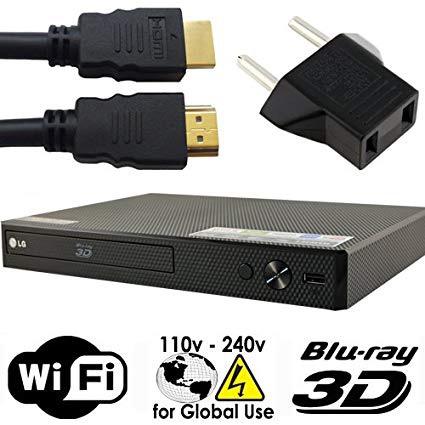
LG 2D/3D - BD - DVD - CD -Wi-Fi MultiZone Region Code Free DVD 012345678 PAL/NTSC Blu Ray Zone A/B/C. DivX XviD AVI and MKV Playback and Support. 100~240V 50/60Hz Auto
Write a review
$17900

LG 2D/3D - BD - DVD - CD -Wi-Fi MultiZone Region Code Free DVD 012345678 PAL/NTSC Blu Ray Zone A/B/C. DivX XviD AVI and MKV Playback and Support. 100~240V 50/60Hz Auto

Write a review
B0166ZLE1Q
+
Add to wish list
BestBuy
Silver
Best Buy Co., Inc. is an American multinational consumer electronics retailer headqu...

City: US, Richfield

Delivery
Pickup at your own expense
Tomorrow from 09:00 to 20:00, Store location
Free
Payment options
Apple Pay Google Pay Mastercard Visa
Cash, bank card, credit/installment payments, cashless payment for legal entities
Warranty and returns
Exchange/return of products of proper quality within 14 days Official manufacturer's warranty: 12 months
Features
Item model number
BP-RF-WIFI
Batteries
1 AAA batteries required.
Brand Name
LG
Description
  • Built-in Wi-Fi for easy access to your home's wireless network. LG Music Flow Support This feature allows you to transmit your CD and USB music sources to your compatible LG multi-room audio system
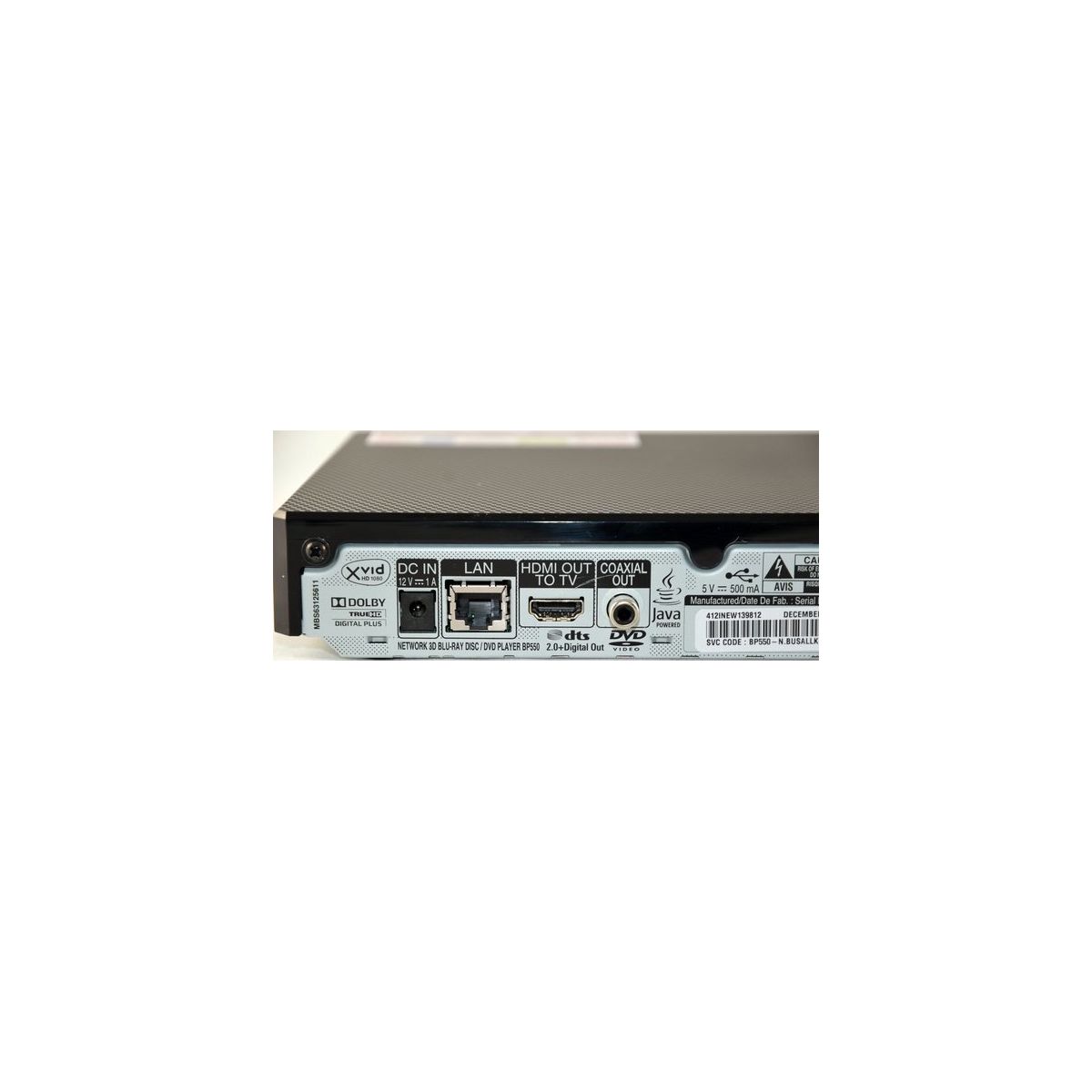
  • 3D Blu-ray and DVD Playback - Enjoy Full HD 3D playback when paired with 3D glasses, 3D content, and a 3D TV (all sold separately). The LG BP550 supports 3D or 2D Blu-rays and DVD movies. Furthermore, this Blu-ray player upscales existing DVDs to near HD quality
  • Private Sound Mode Through the free LG remote app you can wirelessly send audio from the TV to your compatible smartphone and listen to your program through headphones
  • World Wide Voltage 100-240V 50/60Hz Auto Switching
  • System: NTSC/PAL DVD Region 012345678 BD Zone Blu-ray: A/B/C
Reviews
4.2
Reviews: 20
5 stars
55%
4 stars
25%
3 stars
5%
2 stars
10%
1 star
5%
Betty Boop
4
So after hours of frustrating research online I figured out why my unit wouldnt play my Region B DVD. The DVD player was set on US! Heres how to fix this problem: Turn on the TV & DVD player. Make sure there is no DVD in the DVD Tray . This will take you to the LG Home Page. Now go on Settings. Go down to Others. From there go to Quick Start. Make sure its on Off. (The instructions that comes with the player states to do this. I didnt bother to really check if its really neccessary!) From Others scroll up to Lock. Go on Area Code. I typed in all Zeros for a password & hit ok. You will now see 2 boxes with US. Go on the box with the letter U & scroll thru the letters till you get to the letter O, hit enter. Go to next box containing S & do the same thing & then hit ok. Now the player is Region Free! Went back to Movies setting. Now with the Tray Closed & DVD Player On & No DVD in it. Pointing the LG Remote at the LG Blu Ray Player press 2 on the LG remote for a Zone B DVD. If you have a Zone A DVD press 1 on the LG remote. If you have Zone C DVD press 3 on the LG remote. Open the tray, pop in the DVD & it should now play! So far Ive only had the chance to play Region A & Region B DVDs & they both played beautifully! No one should have to go thru all this nonsense to get a Region Free DVD Player to work properly, especially with no instructions whatsoever & its why I took off 1 star I really should have taken off 2 stars for all the aggravation!! Other than all that crazyness the blu ray player plays beautifully same with the CDs!
Don_CC12
4
Plays every disc Ive thrown at it so far. Its nice to have a unit that couldnt care less about the region nonsense the studios foist upon us. The player feels lightweight and construction quality isnt up to the standards of the very expensive players (think Oppo). Im also not a fan of the external "wall wart" power supply. The remote has good range and a decent layout. I havent tried using this player for streaming yet, as I have plenty of other options for that functionality.
Mr. Dominic P. DSouza
4
This feedback supersedes my earlier review. The supplier just confirmed that when starting the player, select "2" for a BD for region B. Although there were further steps, just doing that allowed my region B disc to play. So, to sum up, the player does play multi-region DVD and also BD. It is small and easy to use and I do like it. Only region I did not give 5 stars is that the instructions could be better.
Joseph Tremain
4
Simple, no bells and whistles, does what its supposed to do. Only real complaint is the remote which has zero ability unless a direct line of sight with the unit, as in if sitting in a chair you must raise the remote above your leg in order for the unit to receive any signal at all from the remote (my unit is on the floor). Not a big deal, but sub-par remote.
JeanDucksfan
4
A lot of money for I don’t know what the big deal is yet. It was easy to set up but the HDMI Cord was so short it doesn’t reach my tv. I had to go buy another. Easy to use which was very nice!
You may be interested
  • Bestsellers
  • Recently Viewed
 
Similar products
Fast and high quality delivery

Our company makes delivery all over the country

Quality assurance and service

We offer only those goods, in which quality we are sure

Returns within 30 days

You have 30 days to test your purchase