
















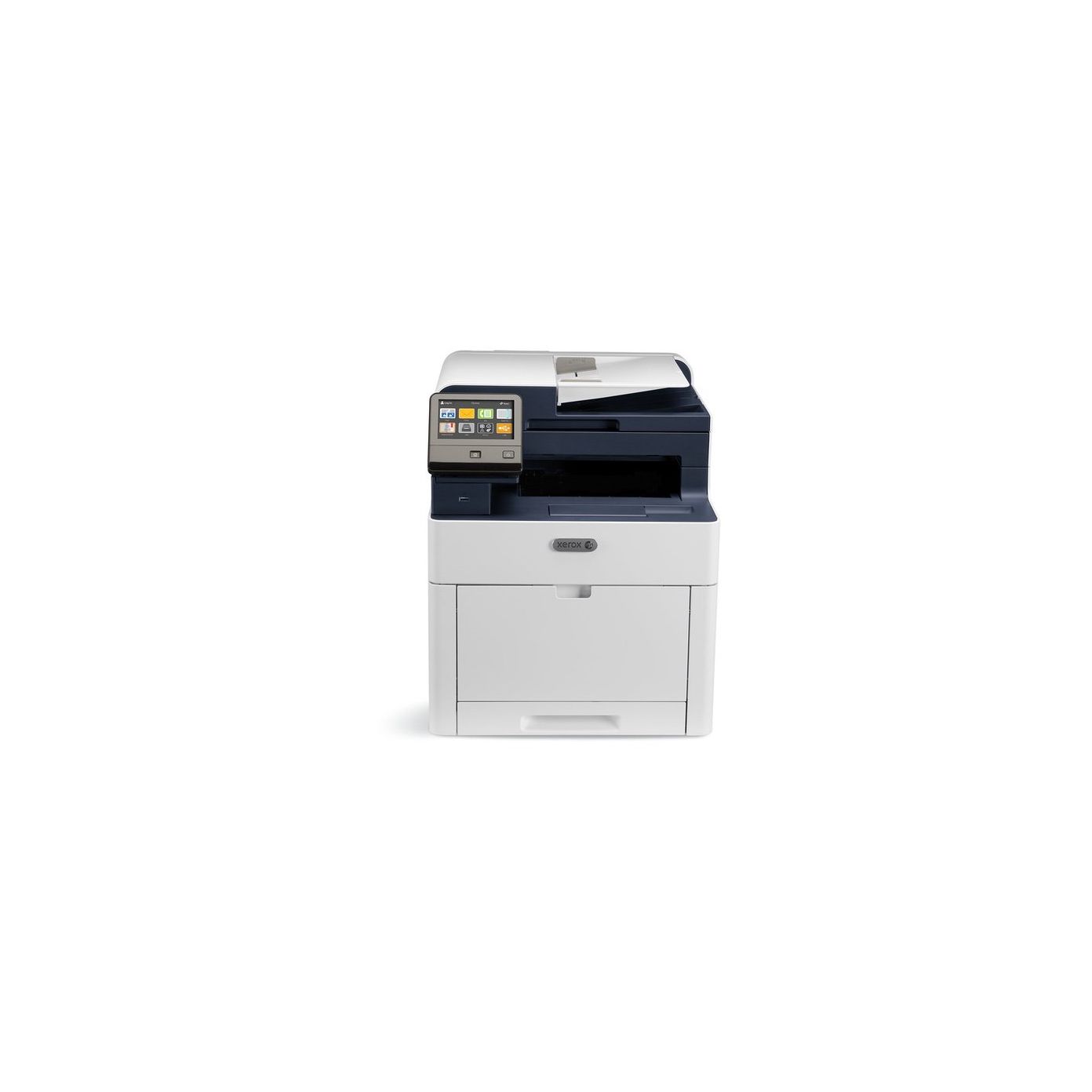
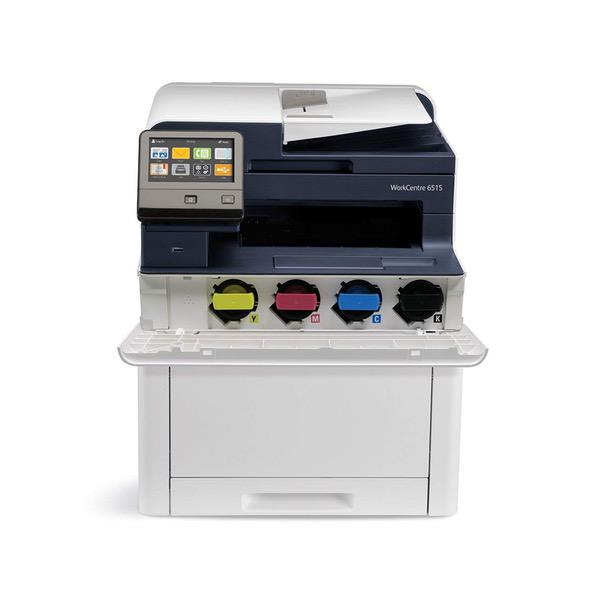
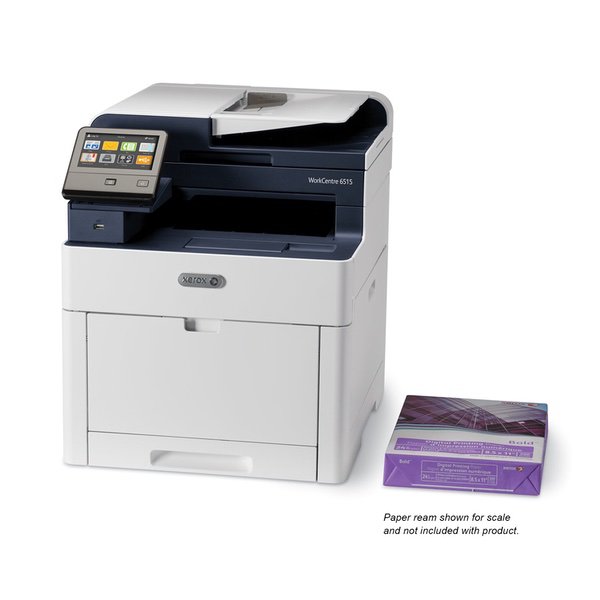
Xerox WorkCentre with Cyan, Magenta , Yellow and Black Standard Capacity Toner Cartridges
Write a review
$56500 $61500

Xerox WorkCentre with Cyan, Magenta , Yellow and Black Standard Capacity Toner Cartridges

Write a review
B07B6N7J7P
Printer w/ Toner Bundle
+
Add to wish list
Target is a general merchandise retailer with stores in all 50 states and the District...

City: US, New York

Delivery
Pickup at your own expense
Tomorrow from 09:00 to 20:00, Store location
Free
Payment options
Apple Pay Google Pay Mastercard Visa
Cash, bank card, credit/installment payments, cashless payment for legal entities
Warranty and returns
Exchange/return of products of proper quality within 14 days Official manufacturer's warranty: 12 months
Features
Style
Printer w/ Toner Bundle
Description
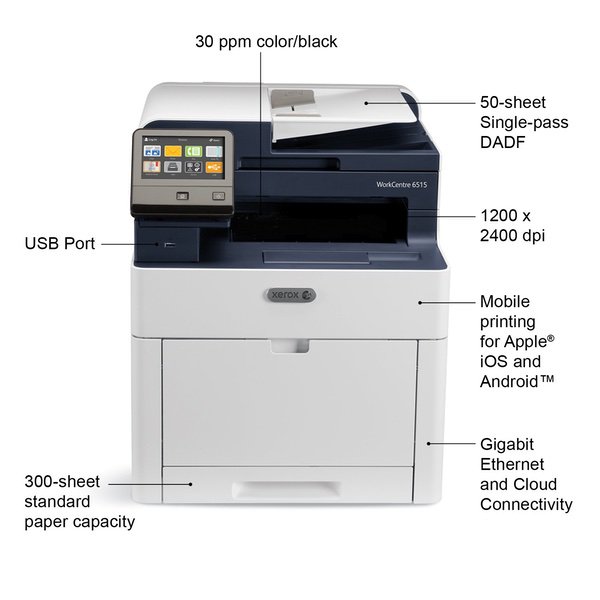
  • Color MultiFunction Printer, Print/Copy/Scan/Email/Fax, letter/legal, up to 30ppm, 2-sided print, USB/ethernet, 250 sheet tray
  • Print outstanding quality documents with 1200 X 2400 dpi resolution and PANTONE color matching on paper sizes up to 8½ X 14 inches.
  • Xerox Genuine Supplies deliver Quality, Reliability, and Performance.
  • Manufactured to the highest of standards.
Reviews
2.7
Reviews: 20
5 stars
25%
4 stars
20%
3 stars
0%
2 stars
5%
1 star
50%
J. Wilder
5
Prior to this I had an HP LaserJet Pro 200 color MFP for my home office, which I was quite happy with, but was looking for something faster and could do duplex printing and scanning. I was originally drawn to the HP m477fdw, but I took a bit of a gamble and went with the Xerox, and am glad I did. Setup: Just plug an Ethernet cable from my router to the printer, turn on, and go though wizard on LCD display. I just skipped all the stuff about security and pin codes, since its a home office. On my Windows 10 computer, I initially just added the printer through Windows and it installed the drivers and all seemed to work fine, but I later realized there were some limitations that way (duplex printing had to be enabled from an additional Xerox Experience app that got installed). So I installed the latest printer and scanner driver from the Xerox website for the 6515 and those worked great. Duplex printing enabled by default. When installing the scanner driver it gives you a choice of TWAIN or WIA. When I installed the TWAIN, nothing I had would work, but when I installed the WIA I found that all 3rd party scanning software I had worked (VueScan, HP Scan and Capture from Windows Store, and Windows Scan that comes with Windows). Alternatively, by sharing a folder in Windows, it was easy to find that folder in the control panel on the printer and set it as a destination for scans. It remembers the folder and login info for all future scans, just takes a few seconds to log into it each time. All computers on my wireless network easily found the printer and are able to print and scan to/from it wirelessly. By downloading the Android plug in from the store, my phone easily prints to the printer wirelessly as well. Dont know why anyone would buy the wireless module. Pros: - Speed, both printing and scanning. So much faster than my HP 200. Should be a little faster than 477 according to specs and reviews. - Ease of setup. - Output quality. Color and exposure accuracy of pictures is spot-on. I thought my HP was good, but this made me realize that the HPs colors and exposure of photos werent nearly as accurate. - Single pass duplex scanning. HP 477 doesnt have duplex scanning at all, let alone single-pass. Making 2-sided copies is so fast. - Control panel folds down to allow scanning of books that stick out of flatbed. HP doesnt seem to be able to do this. - Build quality - Low power for this speed class, so doesnt dim the room lights, like a Samsung I tried. Cons (minor): - Control panel is laggy (by smartphone standards), but similar to HP. - Has to warm up for 10 sec before can use the control panel. HP 200 was instant. - Still makes noise (fan) when in low-power idle state. HP 200 was silent. I have the Xerox set to go to sleep after 2 minutes (minimum) of inactivity (default was 6 min). Sleep mode is silent. Takes about 20-30 seconds for first-page out from sleep mode, depending on content. If I know Im going to print something soon, I can manually wake it up ahead of time by pressing the power button. - HPs text was a little bolder, which made it a little more readable. - Doesnt come with any scanning software, but third-party software seems to work well.
Bill
5
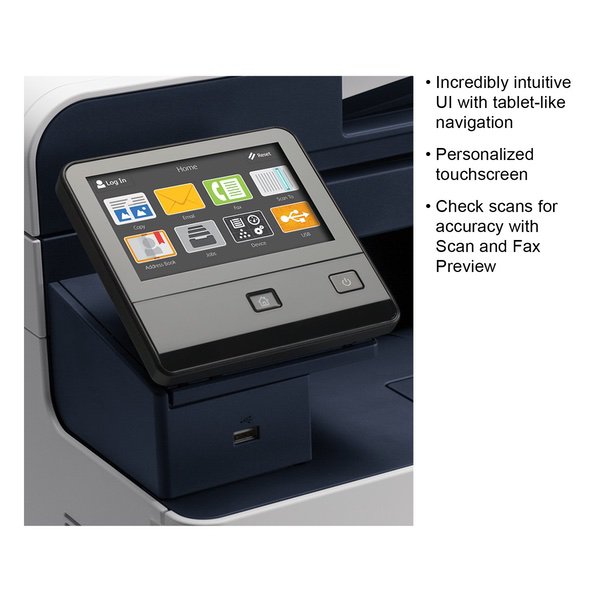
Excellent multi-function printer! Others have commented on how difficult it was to set up. If you are at all tech savvy you should have no trouble. All the settings use standard networking terminology, and are easily located in the web interface. The only thing I used the touch screen for was to set an initial static address. After that I used the web interface from my PC. I did have a little trouble locating the default password in the manual. So I googled it and found that it is 1111. All manufactures should put basic information such as default address, username and password, on the first page of their manual. Unfortunately such is hardly ever the case. One shouldnt have to go looking all over for it. By the way I made no attempt to use WiFi, mine is hard wired. I, personally, would only use WiFi if I had no other option. I found the device easy enough to configure that I never consulted the manual. I downloaded the current Windows driver from the Xerox web site. It works perfectly. The print quality is excellent! I created a share on one of my PCs for Scans, and had scanning to folder working on the first try. The same with scanning to email, worked on the first attempt. I use Office 365 for my email. I had a little trouble trying to find the Fax settings in the web interface, but once located, that was easy to setup too. I have one small gripe about the touch screen. When scanning, the device remembers who scanned last so it is necessary to clear the previous users name from the scanning screen. If you dont do this, you will end up scanning to yourself, and the previous user. If you plan to buy any Multi Function Printer (regardless of brand) you will be much better off if you have some familiarity with basic networking terminology. Otherwise any of them are likely to be intimidating. Likes: Excellent print quality. Excellent scan quality. Its a good size for a home office. No issues interfacing with my home network. Windows print driver worked perfectly. Two sided scanning and printing. This is a substantial machine. It is quite heavy, and seems to be well made. Dislikes: Configuring the Fax was a little confusing. The device remembering the previous user in the scan settings, might get tiresome. The Linux driver on the Xerox web site would not work with my Mint 18.2 Linux PC, I had to locate a different driver elsewhere. A number of people in online forums have the same issue. But if you use Linux, then you are used to having to putz with things to get them to work anyway. In summary, I feel this device is a good value for the money. If you are looking for an MFP for your home or small business, this one is hard to beat. Yes, I recommend it to others.
Paul K.
5
I am an IT consultant and have sold/installed hundreds of printers over the past couple of decades. I bought this to replace a 10 year old Xerox multi-function that was on its last legs. My only complaint about this model is that theres a slight delay when using the touch screen, its as if they didnt use enough processing power for the interface. After a while you get used to it and its tolerable but can still be occasionally annoying especially if youre in a hurry and trying to rush. All things considered this is, in my experience, the most reliable color multifunction laser printer under $600. The step up from this model, the VersaLink C405, is double the price and you only get slightly faster print speeds (36ppm vs 30ppm), a larger paper tray, and a slightly upgraded touch screen interface. But it also suffers from the same slow/laggy interface so there was no compelling reason for me to spend the additional money.
Pete
5
Top quality printer! Software was a pain in the butt to get duplex printing going but once I finally figured it out its quite good. This can be enabled by going to "Devices and Printers" then right clicking on the printer and clicking "Printer Properties", then click on "Configuration" and change "Duplex Module" to "Installed" this is the processes for Windows 10 at least. Print quality is excellent and I have no complaints about the actual printer except that every time you turn it off and on it would print a Startup Page which is both wasteful and annoying. However this can be disabled by connecting the printer to your network and then by entering the printers IP Address in a web browser. It is super quiet and prints incredibly fast! I ordered the wireless adapter just so I can have access to the settings in the web browser. I wish Xerox put all the settings on the actual printer instead of putting up a hurdle just to change basic functionality! All in all I would purchase again for sure!
Amazon Customer
5
Setup was fairly simple. Had to make some adjustments to the base configuration. Such as not printing a page on every reboot/startup. But that was easy to locate (google it and then make the setting change). Found that the PS drivers actually work best across all apps. Even Word, which you would think would like the PCL6 driver more. Go figure. Installed the drivers on both the systems that will be printing to it (from the web page of the printer, which makes it MUCH easier). So far print quality is as expected (great). Print speed is really good too. MUCH better than my old (10+ years old) laser printer. This one printer replaced an old color laser printer plus an HP inkjet MFP device. Bought for the single pass, duplex, scanning via the ADF as well as printing resolution. Will see how many prints I get out of the included (already loaded) toner. Would love it if this came with a 500 sheet tray stock. But my old laser printer didnt either (added that later). I might add the extra tray later. With this one I could also set one of them for legal page prints and the other letter...
Product variations
Column filling
Sort by Price Sort by Availability Sort by CODE Sort by Style
Contact us for a price
In stock
B01M6DJQEQ
Style:
Printer
$56500 $61500
In stock
+
B07B6N7J7P
Style:
Printer w/ Toner Bundle
You may be interested
  • Bestsellers
  • Recently Viewed
 
Similar products
Fast and high quality delivery

Our company makes delivery all over the country

Quality assurance and service

We offer only those goods, in which quality we are sure

Returns within 30 days

You have 30 days to test your purchase