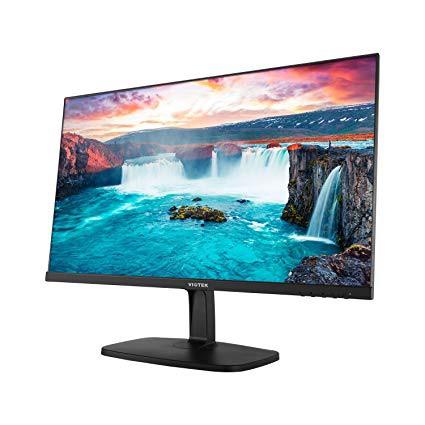
VIOTEK H250 25 Inch Ultra Thin Computer Monitor with Frameless LED Display 1920 x 1080p, 60Hz, and 2ms with HDMI and VGA, VESA
Write a review
$12900

VIOTEK H250 25 Inch Ultra Thin Computer Monitor with Frameless LED Display 1920 x 1080p, 60Hz, and 2ms with HDMI and VGA, VESA

Write a review
B078Z1LH59
+
Add to wish list
Target is a general merchandise retailer with stores in all 50 states and the District...

City: US, New York

Delivery
Pickup at your own expense
Tomorrow from 09:00 to 20:00, Store location
Free
Payment options
Apple Pay Google Pay Mastercard Visa
Cash, bank card, credit/installment payments, cashless payment for legal entities
Warranty and returns
Exchange/return of products of proper quality within 14 days Official manufacturer's warranty: 12 months
Features
Display Type
LED
Item Dimensions
22.04 x 6.61 x 16.85 in
Item Weight
6.75 lbs
Mount Type
Wall Mount
Refresh Rate
60 hertz
Resolution
1920_x_1080
Screen Size
25 in
Aspect Ratio
1.78:1
Description
This fits your .
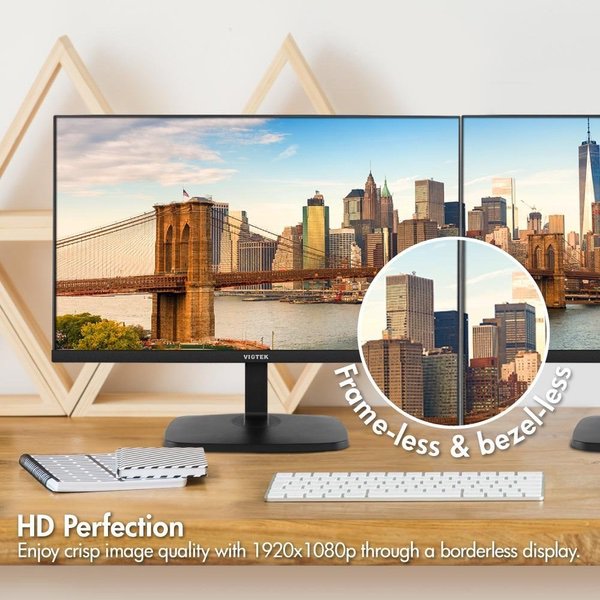
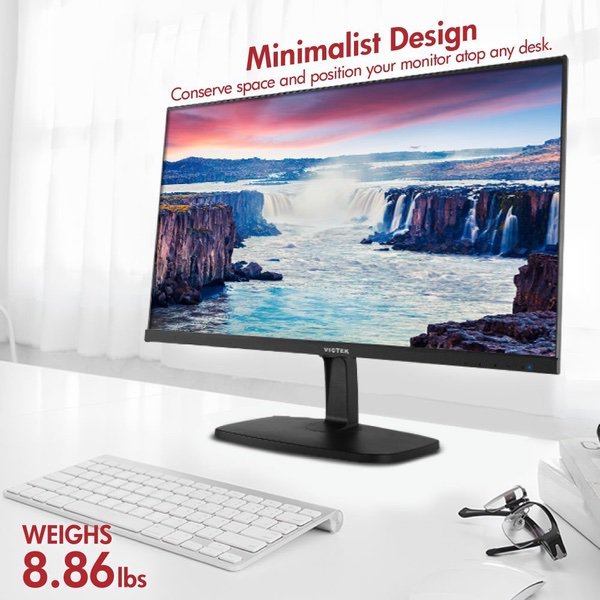
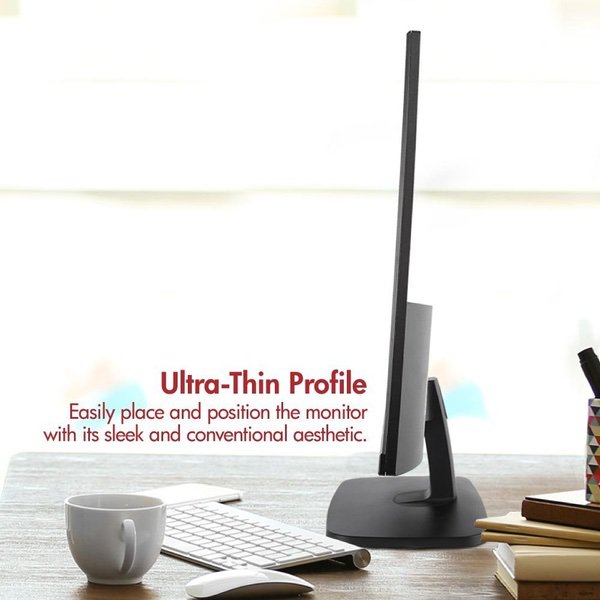
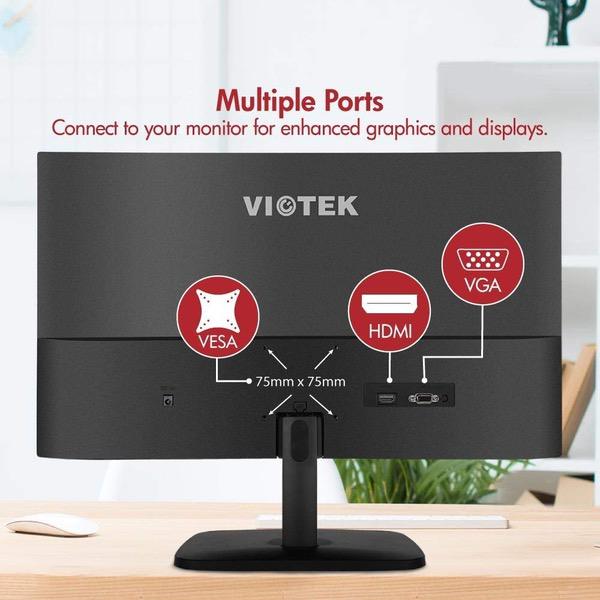
Make sure this fits by entering your model number. HD PERFECTION – This frameless HD monitor is perfected with 1920 x 1080p res, 60Hz, 2ms response time, and 16.7M colors OPTIONAL CONNECTIVITY – Connect the H250 with its HDMI & VGA to expand your 16:9 widescreen format to larger displays COMFORTABLE VIEWING – Tilt the computer monitor horizontally or vertically to find the best comfortable viewing angle GOODBYE GLARE – The anti-glare computer screen makes it convenient to hang on any 75x75mm VESA mount without excessive shine ULTRA-THIN – Easily position this compact & lightweight computer monitor on any desk without taking too much space
Reviews
3.5
Reviews: 20
5 stars
45%
4 stars
15%
3 stars
10%
2 stars
5%
1 star
25%
Jason
4
The monitors themselves are great. No issue with the picture and love the small frame/big picture these monitors provide. 2 reasons why I am not giving it a 5 star... (1) the buttons on the bottom of the monitor frame are difficult to find. I had to put a piece of tape with a down arrow on the face so I could quickly find the on/off button and (2) connecting the base to the monitor was NOT easy. It took several attempts and was about to return the item when I decided to try it one last time. With effort on the last try, it finally snapped in. I shouldnt have to try multiple times and worry about stripping the part with each try to do something so simply. #1 above really isnt an issue...you can live with that. #2 should be addressed. However, once it is connected it shouldnt be a problem again - just dont ever disconnect the base to the monitor!
Gary
4
I almost sent it back as the black screen would appear gray at best. This was really frustrating as the menu controls on the monitor did not help. No matter how bad I adjusted brightness and contrast it did not help. As a last resort I ended up using the monitor settings under my Nvidia Control panel for my Nvidia 1080gtx. I was able to get the screen very close to black with those settings and digital enhances. Now I am happy and will keep the monitor. I truly recommend using the computers monitor settings-Nvidia Control Panel- not sure if AMD has an equivalent-otherwise this monitor would have been sent back.
GuinnessFan
4
I thought this was a pretty nice monitor for the money, although I did end up returning it. There were a few problems with it however. First, the reason I returned it: It had a discoloration in the picture near the top of the screen. It was roughly 5 inches by 1 inch and slightly curved and appeared as dark blue against dark colored picture content. So the fact that it was damaged was certainly a negative, and is the primary reason for the 4 star rating. Its a big monitor, so it was not terribly fun unpacking it and putting it together, and much less so when I realized I was going to have to pack it all back up, which was even more of a pain. Secondly, there seemed to be a bit of a lag in the picture at times. Im not sure if this has to do with the slow refresh rate that others have mentioned, or if it was just the video card in my five and a half year old computer not being up to snuff. I suspect it was the latter, but Im not much of a techie, so I cant say for sure. A somewhat related problem (I suspect) is that the ONE computer game that I play, (the original Empire Earth game) would not run using this monitor. It froze the entire computer every time I tried no matter how I adjusted the game settings. Again, I suspect this was because my video card was not up to the task, so perhaps not really the monitors fault. I also learned something about computer monitors. It IS possible to have a monitor that is just too big. If you have a good gaming set up where you can adjust the distance of the monitor from your eyes, then its not a problem. But in just a typical desktop setup, 32 inches is just too big. So it was a really nice monitor for watching movies and other video content, but just didnt work well for any other applications for my use like Office programs, web browsing, etc. I would still recommend it (for the price) IF you have a setup where youve got lots of leeway in how far you can be from the monitor while using your keyboard, mouse, and/or game controller. Otherwise, you probably dont want to go above 27 inches.
Product variations
Column filling
Sort by Price Sort by Availability Sort by CODE Sort by Screen Size
$12900
In stock
+
B078Z1LH59
Screen Size:
25 in
You may be interested
  • Bestsellers
  • Recently Viewed
 
Similar products
Fast and high quality delivery

Our company makes delivery all over the country

Quality assurance and service

We offer only those goods, in which quality we are sure

Returns within 30 days

You have 30 days to test your purchase