

















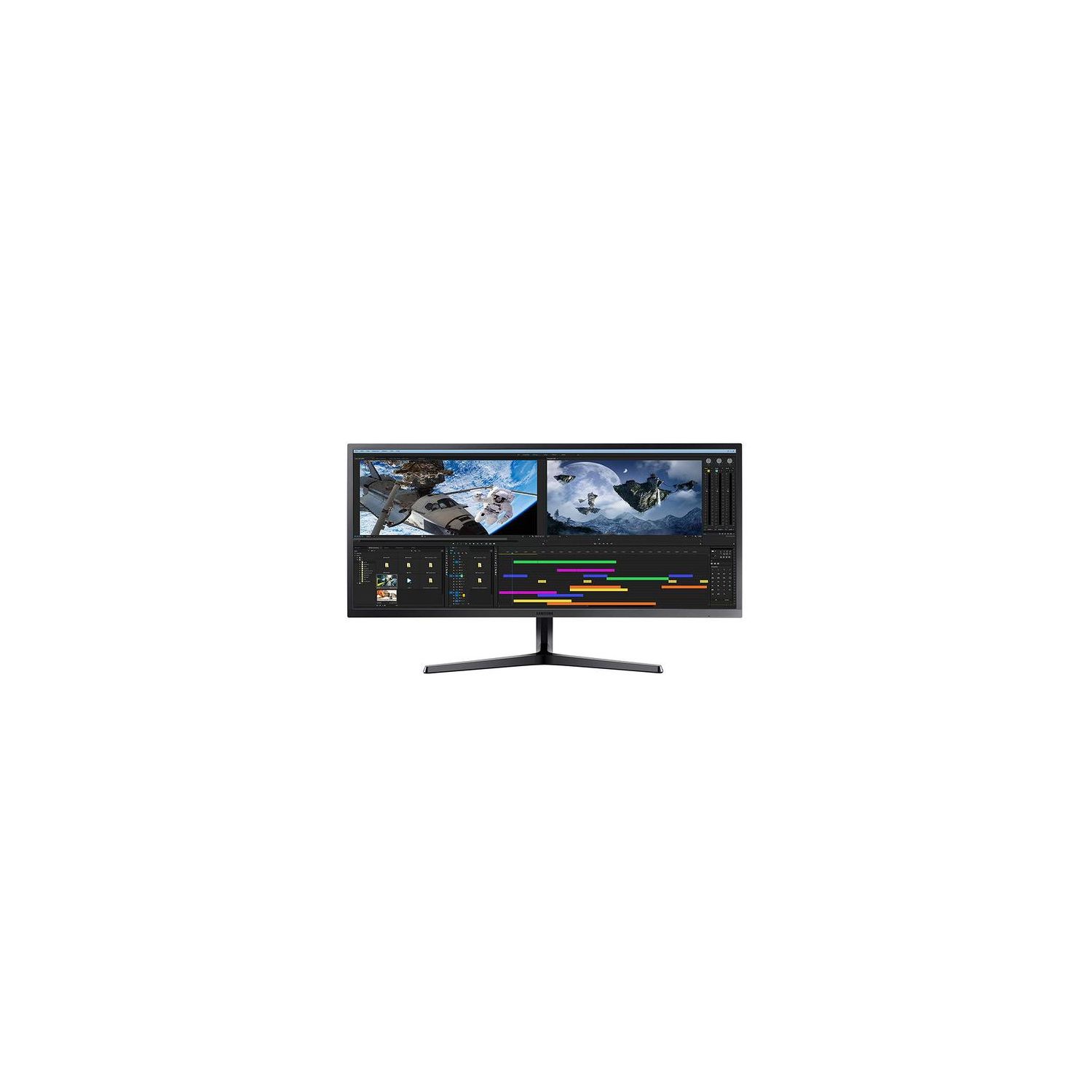
Samsung LS34J550WQNXZA 34" Ultrawide WQHD Widescreen Monitor
Write a review
$42900

Samsung LS34J550WQNXZA 34" Ultrawide WQHD Widescreen Monitor

Write a review
B07FBS36W2
+
Add to wish list
Target is a general merchandise retailer with stores in all 50 states and the District...

City: US, New York

Delivery
Pickup at your own expense
Tomorrow from 09:00 to 20:00, Store location
Free
Payment options
Apple Pay Google Pay Mastercard Visa
Cash, bank card, credit/installment payments, cashless payment for legal entities
Warranty and returns
Exchange/return of products of proper quality within 14 days Official manufacturer's warranty: 12 months
Features
Display Type
LCD
Item Dimensions
9.55 x 32.6 x 18.53 in
Item Weight
15.21 lbs
Mount Type
Refresh Rate
60 hertz
Screen Size
34 in
Aspect Ratio
16:9
Description
This fits your .
Make sure this fits by entering your model number. Ultra wide monitor with WQHD resolution 3440 x 1440 Perfect multi-tasking with PBP/PIP and easy to use screen split software. Dimensions (W x H x D) - Product Dimensions With Stand- 32.60 x 18.53 x 9.52 Inch. Product Dimensions Without Stand- 32.60 x 14.54 x 4.16 Inch Amd Free Sync synchronizes the refresh rate of your graphics card and monitor to reduce image tear and stutter The sj55w's slim panel, elegant y-stand, and metallic bezel bring quality and style to the workplace or home Darker blacks and a 3000: 1 contrast ratio with a VA panel.Brightness (Min):250cd/m2 60 hertz
Reviews
4.9
Reviews: 20
5 stars
85%
4 stars
15%
3 stars
0%
2 stars
0%
1 star
0%
David R.
5
I ordered this for my home office and was debating on getting 2 24"-27" 1080p monitors like I use at work connected with a docking station, but this turned out to be a better cheaper option since I can have 2 windows of anything open side by side with no bezels in between with just the right resolution at 3440x1440 side in my option 4k resolution makes the text too small thus a stain to read
Jason Nichols
5
I typically work from home and utilize a dual monitor in my home office setup. My old Asus monitor developed a large line right down the center of the screen, so I was in the market for a new monitor!! I knew I wanted a larger monitor. I figured if Ill invest in a new monitor, I should find one that is much larger. I wasnt aware of the Ultrawide monitor category, and took a look at a few of the options out there. I decided upon the Samsung QHD Ultra Wide monitor for a few reasons. With this monitor I can use two HDMI cables and connect to my laptop and get rid of both of my old monitors. The resolution is stunning and theres no sacrifice on quality when Im using a dual screen setup. As you can see in the photos, Im multitasking by streaming on one screen and browsing on the right side of the screen! The Picture By Picture is perfect for my needs and at 34" I dont need to zoom in on emails or other text documents. Well worth the price and Ill have the Samsung QHD Ultra Wide for a number of years! Glad I made the investment and the monitor is an excellent balance of performance, quality, resolution and price!! Great work Samsung!
P Lee
5
Im a programmer, and work back and forth between a lot of applications, so monitor real estate is very important to me. Previously Ive used 2 27" 4k monitors, but the new Samsung 34" widescreen SJ55W really fits the bill. Initially I was hesitant the resolution (WQHD 3440x1440) would not compare to 4k (3840x2160), but my concerns were quickly put to rest. I was able to use 3 windows side by side comfortably, as well as a 2/3, 1/3 configuration for applications that could use more real estate. PBP (picture by picture) allows you to easily hook up a laptop to the monitor and to split the screen space with another source, providing a flexible option without having to resort to laptop docks/separate monitors. In addition to work, the SJ55W is also a great for video games. the 21:9 aspect ratio gives you a huge range of view on first person shooters. The colors are sharp and vibrant, and the black levels are really good. The 75hz refresh rate is an added bonus, usually not found at this price range. In summary, the Samsung SJ55W is a great monitor for both work and gaming. You may think youre losing some pixels due to WQHD vs 4k, but youre gaining a lot more in usable real estate. Pros - WQHD wide screen - Slim form factor - PBP and PIP - 75hz refresh rate Cons - No Thunderbolt support - VESA mounting holes are not centered, some people may have issues with existing mounting options
Dnice-1
5
From the moment I pulled it out of the box I knew it was something special about it Maybe it was just the insane size maybe it was the overall slim and simplistic look. All I knew at the time was I was excited to find out what this monitor was capable of. I got this monitor to replace 2 19” monitors which crowded my desk and did not have a great visual appeal to them maybe that had to do with the fact that they were different brands. My job in finance means I need multiple monitors or so I thought. It’s not multiple monitors I need it’s one monitor that’s capable of multitasking. That monitor is the 34” Samsung ultra-wide monitor. I am able to fit more on one screen than I ever was able to on 2 all in more clarity. Set up was simple 2 pieces to set up the stand and then connect the stand easily to the monitor itself locked into place via 1 screw. Then via 1 hdmi cable to my laptop and I was good to go. I can see entire spreadsheets with out the need to scroll left or right or up or down. I can also have email up too without the two programs interfering with each other. Going through the settings the monitor is capable of PIP which splits the screen into two so you would be the equivalent of having 2 15” monitors. I tried to set this feature up but was unable to as you need to have 2 hdmi cables and inputs. And my laptop being a few years old only had one. I do plan on trying this out though perhaps connecting to be able to watch Netflix or or cable . Yes that is multitasking at its best! And this Samsung monitor definitely lives up to the hype. I recommend this monitor to anyone who needs to work with multiple programs at once. Or wants a cleaner set up than having to have a couple of bulky monitors on your desk.
Nye Clinton
5
At work I use multiple monitors, which works well overall, but the split in between and the multiple stands makes it a good, but not ideal option. This monitor works very well for multitasking as its essentially the size of two monitors placed side-by-side, but offers significant advantages such as having a single stand and having no gap in between. I can comfortably use two programs side by side, which significantly improves my efficiency. I regularly use Excel, PowerPoint, Word and web browsers side by side for both work and school. In all cases I have used Windows built in features to anchor programs to one side of the screen or the other, but I know that when I have more advanced use cases Ill be able to use the built in split screen and Picture in Picture modes. The monitor is easy to set up, looks gorgeous with good color reproduction and a high resolution (3440x1440 resolution) and has a good menu system. The menu is controlled using a small joystick in the back. It takes a few minutes to get used to using, but then is much more intuitive and effective than other menu systems I have used in the past. I recommend the monitor for those who want or need the extra space.
Brandi Waites
5
I received my Samsung Ultra wQHD monitor a few weeks ago, and wow!, the size and brightness of this screen is impressive. i was extremely excited to see what Samsung DEX would look like and perform on this screen, and it does not disappoint, settings were perfect right out of the box. with my multi tasking, pulling up multiple documents to work on and researching in the browser, i have essentially created a complete desktop setup for less than $500.00 that performs seamlessly and is more than enough for the tasks i am going to require of it. The unboxing and setup was extremely easy, no instructions necessary, in a world where poeple pay IT departments to do anything tech related, this makes them obsolete!
Scott W.
5
The SJ55W easily replaced my previous two monitor setup. The ultrawide aspect ratio gave more than enough real estate for multiple applications. This monitor truly was made for multitasking. Image quality was excellent as well; near-IPS color reproduction and wide viewing angles. I was actually pretty impressed with the picture-in-picture and picture-by-picture feature. I have a 2nd computer connected to the second hdmi port on the monitor and I am able to quickly switch to that second source and even display both at the same time. It would be even better if there was a keyboard shortcut to switch inputs, but it still works pretty seemlessly. Pros: Screen real estate, picture quality, unique features such as PIP and PBP, AMD freesync Cons: Cost (although not too bad when you consider it replaces 2 monitors), activating PIP and PBP could be a little easier Take home - a beautiful-looking multitasking monitor with a brilliant picture.
Product variations
Column filling
Sort by Price Sort by Availability Sort by CODE Sort by Screen Size
$42900
In stock
+
B07FBS36W2
Screen Size:
34 in
You may be interested
  • Bestsellers
  • Recently Viewed
 
Similar products
Fast and high quality delivery

Our company makes delivery all over the country

Quality assurance and service

We offer only those goods, in which quality we are sure

Returns within 30 days

You have 30 days to test your purchase