
















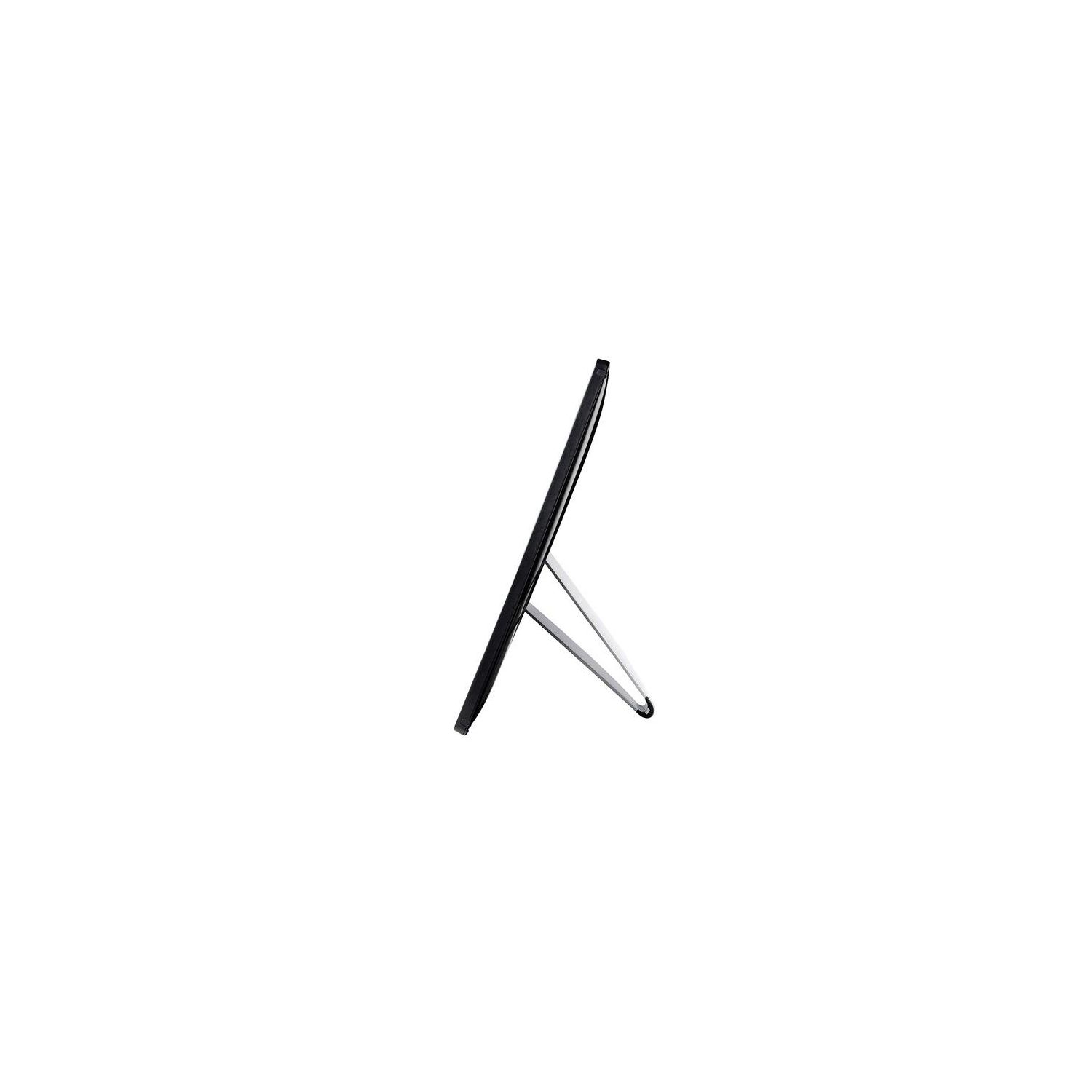
AOC e1659Fwu 15.6-Inch Ultra Slim 1366x768 Res 200 cd/m2 Brightness USB 3.0-Powered Portable LED Monitor w/ Case
Write a review
$9800

AOC e1659Fwu 15.6-Inch Ultra Slim 1366x768 Res 200 cd/m2 Brightness USB 3.0-Powered Portable LED Monitor w/ Case

Write a review
B00CMKOVMO
+
Add to wish list
Target is a general merchandise retailer with stores in all 50 states and the District...

City: US, New York

Delivery
Pickup at your own expense
Tomorrow from 09:00 to 20:00, Store location
Free
Payment options
Apple Pay Google Pay Mastercard Visa
Cash, bank card, credit/installment payments, cashless payment for legal entities
Warranty and returns
Exchange/return of products of proper quality within 14 days Official manufacturer's warranty: 12 months
Features
Display Type
LED
Item Dimensions
14.56 x 8.63 x 0.87 in
Item Weight
2.4 lbs
Mount Type
Wall Mount
Refresh Rate
60 hertz
Resolution
1366 x 768
Screen Size
16 in
Aspect Ratio
1.78:1
Description
This fits your .
Make sure this fits by entering your model number. 16" (15.6" viewable) display, 200 cd/m2 Brightness,16:9 Aspect Ratio. Max Resolution 1366 x 768, 500:1 Contrast Ratio, 8ms Response Time Multiple USB monitors can be simultaneously connected to a single laptop to function as a multi-monitor PC or Mac. SImply installing DisplayLInk software on the PC or Mac allows you to easily add multiple USB monitors for external displays without unnecessary extra hardware USB-powered (no power cable required) with USB 3.0 technology. Foldable flexi-stand for portrait or landscape view in auto-pivot mode Ultra slim design for easy carry on-the-go for business presentations and frequent travelers, and case is included.Refresh rate:60Hz Compatibile with Windows 10 but with only displaylink drivers
Reviews
3
Reviews: 20
5 stars
20%
4 stars
35%
3 stars
5%
2 stars
5%
1 star
35%
Dada
4
Ive purchased about eight of these monitors so far to replace an earlier model for users who frequently travel to customer sites and need a second monitor. So far everyone has been very happy with the performance and image quality. Its very light weight, has a solid metal stand and is thin so portability isnt a problem. Three things to note: 1. The neoprene sleeve that is included in the box is pretty thin so while it keeps the monitor frame from minor scratches and bumps it does nothing to protect the actual LCD. It wouldve been nice if the sleeve was firm on one side to shield objects from applying pressure directly to the LCD panel. Best to add a rigid card or other cover to protect the panel while in the sleeve or buy a laptop bag to give it a little more protection. 2. The USB jack is in a better location than the previous version but is still extremely prone to damage. In fact, I just bought one last week where a user accidentally pulled the USB cord out (possibly dropped it while it was connected) and it has damaged the micro USB 3.0 port on the back of the display causing the display to flicker on and off; essentially e-waste. I might try to solder on a new jack if I can find the right part. The jack itself seems shallow so any micro USB 3.0 cable you plug into it doesnt seem to go all the way in and as a result makes for a loose connection to begin with. To improve the longevity and durability of these monitors, I take a few extra steps to adhere the usb cable with zip ties and tie mounts (need to notch out the tie mounts so the cable sits flush) to the back of the display to minimize the change of the USB port snapping off. Tie mount part number is Startech HC102, under $6 for 100 3. Its better to get the original USB display driver direct from DisplayLink http://www.displaylink.com/ I just bought some 6 inch micro USB cables to permanently affix it to the back of the panel so that users wont need to plug and unplug cables directly into the jack itself. Hopefully, this will keep the LCDs working longer.
M. Night Shyam-alien
4
I bought this because I travel for work, and working with multiple windows on a laptop sucks sometimes. Its made my life much better away from my workstation, and overall Im very happy with the monitor. There are a few things that make me wonder if I should have purchased an Asus, but unless this thing craps out Ill keep it. Connectivity: The first thing everyone should know about this monitor is that the USB-C connection on this is very limiting. Youll need a machine with a USB-C port AND it must support "alt-mode" for transmitting video. You CANNOT use this with an adapter or a USB-A to C cable. Additionally, The monitor comes with a 3ft cable, but if you need to replace it youll need a compatible USB-C cable, as not all of them support alt-mode. Usability: The monitor comes with a magnetic screen cover/stand. As a screen cover its great. As a stand its okay. When using it as a stand there isnt a lot of adjustment you can make. It sits at a relatively vertical angle, and is fairly easy to push over. Itll definitely do in a pinch, but I would recommend a different stand. I bought a Moko wire-frame tablet stand that I recommend which has been super light and stable. https://www.amazon.com/MoKo-Foldable-Universal-Adjustable-Portable/dp/B017TU2WGS Aside from the USB-C woes mentioned above, the connection on this is on the left, and do is the port on my laptop. With provided software, you can rotate the image and use the screen upside down to make them face each other. Otherwise the three foot cable will be a little short, since it will have to wrap behind the screen. I didnt need to install any drivers on my Windows 10 Dell to make this work. Divers are available on the manufacturers website, or on the provided CD. There is additional software provided that allows you to change things like the brightness, contrast, and orientation, but youll need a CD drive, and the software is not hosted online. You can (slowly) accomplish some of the same things without the software using the one button on the side. The biggest annoyance Ive had with this might not be the fault of the manufacturer. When plugging it into my laptop Windows recognizes this as a monitor with audio, and tries to pipe sound through it. Even after choosing to use my laptops internal components from the sound menu, Skype still wanted to use the monitor for speakers and microphone (which the monitor does not have to my knowledge). Disabling the monitor as an audio device altogether seems to have fixed this, but it was a pain to troubleshoot Skype. Size and weight: I really enjoy the portably of this monitor. It has an aluminum body, so its strong and light. 15.6 inches is exactly the same size as my laptop, so they both fit easily into my bag. It only weighs a couple pounds, so I barely notice it in my bag. Screen quality: I havent watched much video content or played any games on this screen. There is a noticable lag when mirroring the screen, so I imagine it would be bad for gaming. The color and picture dont seem to be great for things like image editing, but thats not what this monitor is generally for. For general office tasks it works just fine, and the resolution is good enough. My overall thoughts are that the monitor has proved great for my purposes, but I wish it was a more universal. I have one laptop with no USB-C ports, so it is incompatible, and even my USB-C phone wont work with it. I can deal with the quirks, but I think having a USB-A or or Micro-B port would have solved many of those issues, and made this a much better device. I think this is targeted more at MacBook Pro users, though, so maybe that was my bad. Even so, there are more and more compatible devices all the time, since USB-C is the new gold standard.
Amazon Customer
4
Ive been keeping my eye on USB displays for a while now, and when I saw this one was going to be released soon I couldnt wait to get my hands on it. I work the majority of my day staring at four displays split between two systems, a Win-based one for work, and a Mac based one for photography/research/etc. Occasionally I have to be mobile, and once youre used to being able to organize your open windows on multiple displays, working in one display can be a bit constraining. This display works great for both systems (Mac drivers not included, but available from DisplayLink site). On a Windows system it automatically detects rotation, on the Mac, it had to be set manually, but for me this is a non issue as I dont rotate my display often. The glossy display is a minor drawback, you might need to adjust the angle until you get rid of unseemly reflections, but the viewing angle is fairly forgiving. Reviews on the former device noted lack of a protective sleeve for transport and storage. This version came with a fabric/neoprene sleeve that fits perfectly, even with the cable tucked into the arm-stand cavity. Which bring up another complaint about the former model, the arm-stand is no longer a solid wedge, it is now a loop which does not interfere with the cable or block the USB3.0 port when closed. The resolution hasnt changed from the former release, but even with the awkward ratio, I find it more than sufficient for a web browser, text editor, or an array of IM windows. and with Auto rotation on Windows, it will probably serve fine for PDF/Doc viewing as well. The device comes with a USB cable that has a power pigtail on it, however, I did not need the pigtail for either my USB hub (which is powered by my Mac Book Pro) or plugging directly into my Win laptop. While my USB Hub is USB3.0 capable, neither the Windows nor the Mac Book are USB3.0 devices, so for those wondering if it was a showstopper, fear not, USB2.0 is sufficient to run this display. Im incredibly happy with this and am relieved to know that on those occasions where I have to work from a hotel room, or other office environment I wont have to go scrounging around for a second display or cramming all my windows into one display. This product would have gotten 5 stars if it had better out-of-the-box support for Mac users. Finding drivers was not intuitive, I went to AOCs site and noted the e1659Fwu did not have Mac drivers listed. I decided to try the e1649Fwu drivers only to realize their Mac Drivers were hosted directly by DisplayLink, which means the drivers are not specific to device itself, which is good news for Mac users. I also would have liked it if auto-rotate were supported in the Mac, but thats something I can ask DisplayLink about.
Brandon
4
I like this monitor so far! Its very very light weight and thin. I was a little worried that I wouldnt be able to download the software onto my Mac (2017) because of no CD drive, but I plugged in the monitor and it started working right away, so that was nice. Be sure that your computer has USB-C ports, or you can probably use an adapter. Pros: -Light weight, thin -Easy setup -Movable back so you can adjust the position -Large screen Cons: -Not great customer service, got sent to voice mail after being hold for less than five minutes -Screen could be a little brighter, but not a huge issue -The "case" is just a cover for the monitor, I would recommend getting a large case to put the screen in -On a mac, the screen only works horizontally (may be using it wrong and dont know how to get it to be vertical) Overall I intend on keeping this monitor and there havent been any issues yet.
Don W.
4
Pros: Full HD resolution (so windows move seamlessly across from my main laptop display), and great viewing from multiple angles with the IPS display technology. Driver is easy to install from the included disk, or from the AOC website. The built in stand is great - much, much better than the displays that try to use the case as a stand... This stand actually works! USB cable included. Case is decent for basic protection from scratches, etc. Its not designed to prevent flexing if you bend the display. Cons: I had no issues with any sort of screen lag - mouse, video or any other motion that I could detect. However, the color reproduction on this display is not particularly good. It really doesnt reproduce blues very well. There is an obvious difference from my laptop. Its not a big deal for me as full HD and IPS viewing angles at this price are a great deal, but if you are trying to do something that is color critical, I wouldnt recommend this.
JZ
4
*Update 2* Wow, I could actually power this via a SINGLE USB 3.0 slot from my laptop. I thought it would either reduce the native resolution to a lower one but it didnt or that the refresh rate would be lowered but that wasnt the case either. I guess it depends on the USB port youre connecting this to. Whatever the case I wouldnt bet on it being powered by a single USB port all the time so its best you set aside 2 ports just in case. Rating remains the same as there are still other remaining cons. *Update* Looks like you can change the brightness and contrast. There are no physical buttons to be able to do so. Youll need to use the DisplayLink software in order to adjust under settings. Its not granule adjustments but its better than nothing. Ive updated my rating from 3 to 4 stars because of this as this was one of my major complaints. Original review: First, lets get on with cons: -pretty bad mouse lag; should be ok for spreadsheets and light web browsing though but I wouldnt play any action games on it -no way to control brightness or contrast; this is really bad for when you want to work in dimly lit areas or you feel its too bright plus being able to control the brightness will reduce power consumption as well which is important if all youre using to power this is through the 2 USB ports on your laptop -dual usb port require for power and the additional power only cable end is only 4-5" from the data connector end which means unless you have two free USB ports very close to one another, youll either need a USB battery pack or a USB extension cable (a right or left angled one would work best depending on which side of your laptop the power end is supposed to be connected to) -big bezels all around which results in a much bigger physical profile -thickness is an issue; its thicker than ultraportable laptops and even some that arent ultraportables like my Dell Lattitude E7450 -horrible colors which cant really be adjusted, most people wont really care so this wont be an issue for most Now for the pros if I havent scared you away already lol: -very bright but as mentioned earlier, non-adjustable -can actually be powered by portable USB port battery packs, if it doesnt power on even when you have the power only cable plugged into the battery pack, unplug both and plug in the battery pack first then the other end to your computer -1080p res while still being bus powered though 2 USB ports must be used. Lower res portable monitors can be powered by a single USB port. -comes with a case for storage and transport. While its padded, you would still have to be careful regarding the side of the display screen -ok priced, not cheap cheap but affordable enough for those who are looking for a portable 1080p USB bus powered monitor under $150. -light enough to store in a laptop backpack, probably wont fit a messenger style laptop bag though
J. Weber
4
Follow-up Post: This is a follow up to my original post (below). We have determined that this monitor is fine for the average joe who just needs an additional screen, but not so much for the person who needs higher end screen resolution. My daughter is in an architecture program that requires computer hardware with high resolution, and this didnt work for her needs at all. I did adopt it at home on my own computer and it works fine. The difference is that the resolution i use works well (1366x768) but she used a higher screen resolution for her work and this monitor wasnt able to adapt to that resolution. Overall its good as long as you arent doing anything that requires high resolution. First Post: Verdict is still out on this one. I bought it for my daughter at college. When it came it looked perfect. Lightweight. Compact. Carrying case included. USB attachment that also powers the screen. BUT...it has been a few weeks and my daughter still hasnt gotten it working yet. Apparently it is not plug and play, and the software drivers come on a CD. My daughters laptop - like most new laptops - has no CD drive. So she is currently searching the web for the software drivers. Im willing to upgrade this review if we get the thing working. Disappointed that it is not an easy plug and play device.
Product variations
Column filling
Sort by Price Sort by Availability Sort by CODE Sort by Screen Size
$13800
In stock
+
B06X9C6XFK
Screen Size:
15.6 in
$9800
In stock
+
B00CMKOVMO
Screen Size:
16 in
You may be interested
  • Bestsellers
  • Recently Viewed
 
Similar products
Fast and high quality delivery

Our company makes delivery all over the country

Quality assurance and service

We offer only those goods, in which quality we are sure

Returns within 30 days

You have 30 days to test your purchase