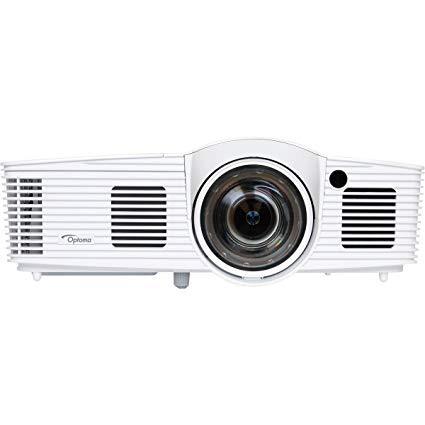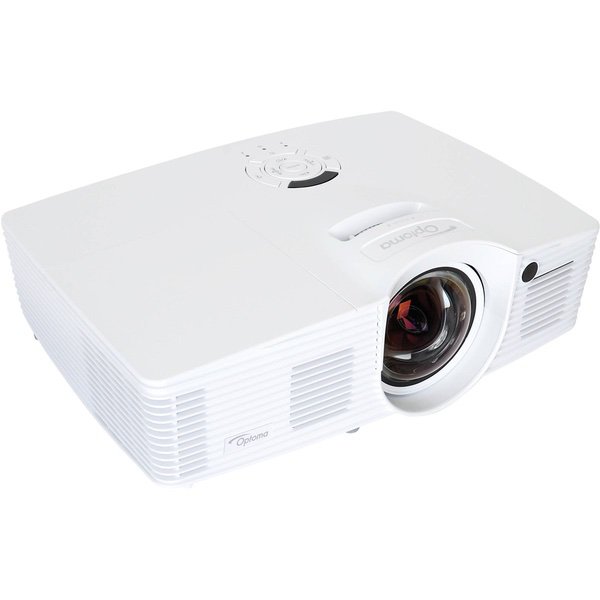
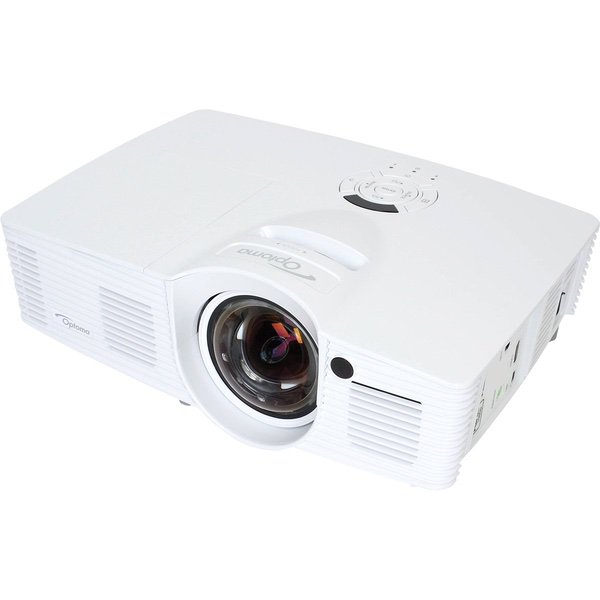
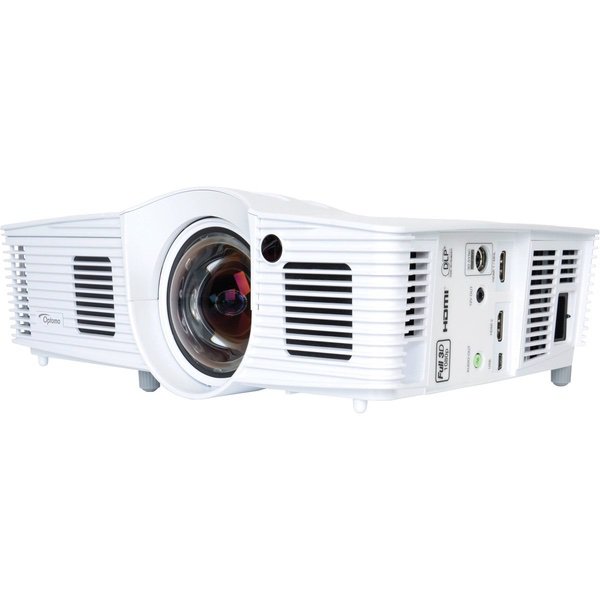
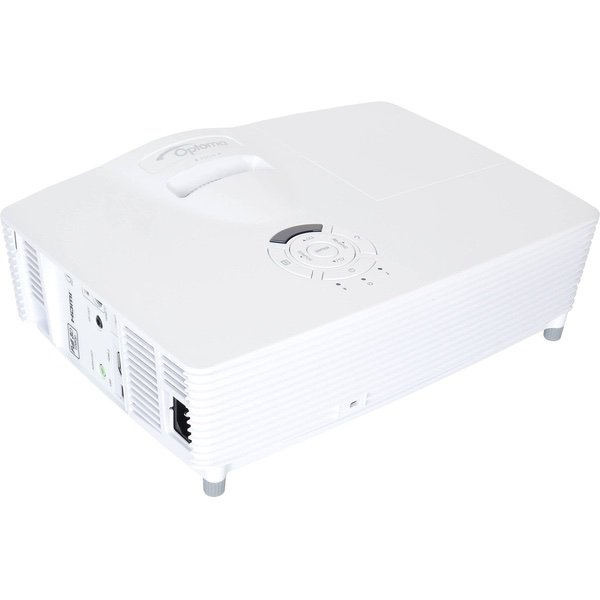
OPTOMA TECHNOLOGY GT1080Darbee 1080p 3000 Lumens 3D DLP Short Throw Gaming Projector, White
Write a review
$72500

OPTOMA TECHNOLOGY GT1080Darbee 1080p 3000 Lumens 3D DLP Short Throw Gaming Projector, White

Write a review
B06XHG92Y5
+
Add to wish list
Walmart
Gold
Walmart sells virtually everything you can think of, from produce to tires. Given thei...

City: US, Turnpike

Delivery
Pickup at your own expense
Tomorrow from 09:00 to 20:00, Store location
Free
Payment options
Apple Pay Google Pay Mastercard Visa
Cash, bank card, credit/installment payments, cashless payment for legal entities
Warranty and returns
Exchange/return of products of proper quality within 14 days Official manufacturer's warranty: 12 months
Features
Connectivity Technology
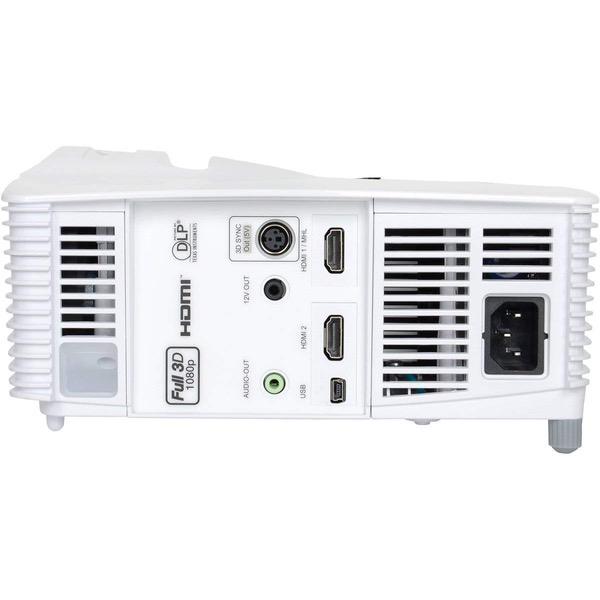
USB, HDMI
Display Type
DLP
Resolution
1920x1080 (Full HD 1080p)
Description
  • Next Generation DarbeeVision Processor enhances textures and depth in gaming graphics and HD video. Projection distance-19 inch - 131.8 inch
  • .49 Throw Ratio (±5% Variance) is perfect for gamers and movie enthusiasts with limited space for projection
  • Enhanced Gaming Mode enables best in class performance at 16ms. Games consoles, blu-ray players, set top boxes or other HDMI devices like google chromecast, amazon fire stick or Apple TV can be connected
  • Full HD 1080p and 3000 lumens ratio delivers spectacular gaming visuals. Keystone Correction plus or minus 40 degree vertical. Maximum Resolution WUXGA (1920 x 1200) Project a large 100inch image from a distance of only 3.5 feet away
  • 28,000:1 contrast ratio creates amazing black levels in FPS and Survival Horror games, plus Reference Display Mode enables highly accurate color via REC.709 HDTV color gamutHello,.Light Source Type:195 W
Reviews
4.1
Reviews: 20
5 stars
55%
4 stars
10%
3 stars
30%
2 stars
0%
1 star
5%
Amazon Customer
5
Bright! Sharp! SUPER short throw! Great price for a high quality piece of equipment. I did a lot of searching and comparing specs before deciding on this projector. I am primarily using it outside, with a 220" screen, and it sits about 9 away from the wall. I live in a city, so there is a decent amount of ambient light, but the picture was clear and bright at 8:30 in July, before the sun had set completely. By 9:30, it was like watching a movie in a nice theater. We watched a BluRay movie, and everyone was blown away by the quality. Easy setup, basically plug in, adjust the lens, and keystone, and youre good to go. I had never heard of DarbeeVision before this product, but after reading a bit about it and some customer reviews, I decided it was worth the extra $100. As I understand it, Darbees main product is a little box that upgrades your TVs picture quality, and that sells for about $250, so it feels like a good deal to have that tech in this projector for $100 more than the version without it.
Jon Gerblick
5
This is my first projector, and I cant believe I waited this long to take the plunge. It fit a very specific usage requirement: It needed to be ceiling mounted in front of a fan that I wasnt willing to move, leaving only about 4 feet between projector and screen. That yielded about an 80 - 84 inch picture depending on how I positioned the projector on the mount. Once set up, the picture was big, bright, and sharp. In bright daylight, its a tad on the dim side, but in a slightly or completely darkened room, Id say it rivals any modern 1080p television in picture quality. My wife was sufficiently wowed, and immediately preferred watching TV and movies in the "projector room" as opposed to the main living room. It really is a game changer - perfect for viewing parties with groups, amazing with video games. Fan noise can be a slight distraction, especially if you have Dynamic Black mode on, which adjusts bulb brightness in real time and thus, the fan gets louder and quieter with it. Cranking up the volume alleviates that problem. Speaking of sound, if youre using this for media, external speakers are a requirement. At max volume the built in speakers are still quiet, and low quality. Thats typical for projectors, just something to keep in mind if youre pricing things out. I have it hooked up to a home theater system via HDMI. And now, some notes about the setup. As stated this was my first projector, and I learned several things by trial and error: Number one - positioning is extremely important if you are using a screen. If mounting on a ceiling like I did, it will take some experimentation. The distance from lens to screen is the sole factor to determine your image size. The projector has an image shift feature that lets you tweak the image up, down, left, and right by a few inches, plus a zoom and an edge mask adjustment, but none of these can physically change where the projector is casting its light. For example, if you find that the image isnt quite reaching the right edge of your screen, adjusting the image shift to the right only moves it in from the LEFT side, cutting off picture on the right. If you want the image to be straight and square and fill the whole screen without spilling over, the mounting position needs to be just so, the correct distance from the screen with the lens directly in the center (horizontally centered, not vertically). Fortunately, the universal mount I purchased allows me to move the bracket around as its attached to the projector, without needing to move the mounting hardware thats screwed into the ceiling. Doing some calculations with the .49 throw ratio is a good place to start when determining distance. From there, I had to make a few attempts at positioning the bracket just right to get the image centered exactly to the borders of my screen. One suggestion if you find yourself doing what I did: use a home theater test pattern, not the projectors built in grid. When the grid is enabled, the only adjustment you can do is keystone (vertical tilt). I just used a test pattern on a Disney blu-ray to do this. Finally, a note on screens. I am using an 80" manual retractable screen, which the manufacturer recommends NOT using with short throw projectors because slight screen waves cause image distortion. Unfortunately the retractable screen was a condition of my installation of a projector, so that the room didnt have to become a "TV room" permanently. Sure enough, there is a slight ripple on the lower right corner of my screen that causes very slight distortion thats only really noticeable when the image pans side to side. I can live with it, but if youre a stickler, you will want to use a static mounted screen, or no screen at all.
Mitchell Bordelon
5
This is definitely one of my best purchases in the past year. Ive never owned a projector before, but I wanted something for watching movies and gaming from my pc and PS4 and this projector is perfect for both. The projector has multiple modes, including one specifically for gaming. In all of the modes, the picture is super bright and crisp (from darbee enhancement). Game mode: With 16ms of latency, this isnt as fast as a gaming monitor but definitely one of the fastest projectors/tv setups for gaming. Color and brightness are not compromised in this faster response mode for the projector. Short throw: Im amazed at the size of the screen this projector is able to make just over a couple of feet away. I bought a fixed projector screen of 100" to use with this projector, and I actually had to use the zoom out feature on the projector to make the size small enough to fit the screen from a bit over 4 feet away. Location: Currently, I have my projector sitting on a shelf under an ottoman bench so that the projector isnt out in the middle of the floor and so that my HDMI input cord from my computer can be tucked away nicely below the couch. I was worried I would have to have dangling cords out in the middle of the room, but since the projector is so small and can zoom out (decrease image size for throw distance) I was able to use this setup. Noise/heat: Projectors can get quite hot. I had to make sure to keep the projector in a spot with good airflow. However, the cooling fan is pretty quiet and I cant even hear it when I turn on surround sound. Setup: Super easy to setup. Unbox it, put the batteries in the remote, plug the projector in, plug your computer/gaming system in, and turn the projector on. Then find the optimal spot for your projector based off of how large you want the screen to be (size chart in owners manual) and adjust the keystone and focus. Even if you mess with the other settings in the menu screen, this setup should take a maximum of 20 minutes. Portability: Once you setup the projector the first time and figure out where it needs to be, you could easily pack the projector away and keep it out only when you need it. I also have a VR headset and I was worried about buying a TV and running into it with the headset on. With a projector, I can easily store the projector before turning the room into an open space for VR. Overall: I definitely recommend this product if you have limited space and want to use it for gaming/movies.
Dust
5
Primary games played: Rocket League (PC) Overwatch (PC), Street Fighter V (local, PS4), BlazBlue (local, PS4), Tales of Berseria (PS4). Netflix (PS4) Setup: My projector is set up via wired HDMI connection on top of a coffee table. It’s slightly less than 4 feet away from the screen and provides a very nice ~84 inch image. As with any expensive projector, you’ll want a screen. Initially I had it projecting on a textured wall as I was waiting for my screen to arrive. The image was good, but not great. After my screen arrived, the image immediately became excellent. Response times: I keep the projector in Game Mode for all my games at all times. While you can purchase an Optoma adapter of some sort for wireless HDMI, it will negatively impact response time. This is true for all wireless HDMI adapters and is especially true if you live in an apartment or high-interference location. That being said, I personally cannot notice any lag with any of my games. This includes my two current fighting games that I play, SFV and BB Central Fiction. I’ve played on some prior screens where I would miss combos and have to adjust. However, I play identically on this projector as compared to my Samsung UE590 monitor which boasts a 1ms response time. Do note that I’m not a pro and my perception quite possibly cannot notice the 15ms difference. Image: Excellent. In Game Mode, the image is consistently dazzling at this price range. It’s no 4k, but I was impressed by how good it looked compared to my prior plasma circa 2008, and to my current Samsung monitor. Slightly different images, colors, tones, etc. But overall 5/5. I’m not actually sure of the bulb life in Game Mode though. The description says a random number between 5000-10,000 hours? Brightness: With a large amount of ambient light, you can still see the image pretty well, as expected of 3000 lumens. But as with every projector, remove the ambient light. As a side note, stay away from Economy mode. I attempted to use it with Netflix with no ambient light. It’s dim, washed out, and subtly flickers nonstop. Noise: In Game Mode, the image is at its best and the fan does kick in. But even in a silent room, the projector’s speaker on volume 1 still overpowers the fan noise, which is good. In other modes, like economy, the fan is barely audible. But don’t use economy mode. Sound: It’s there in case you need it. And it can get pretty loud with absolutely zero bass. I primarily use headphones so I can’t comment too much here. Problems: I did have to return my first projector for two reasons: 1) The focus was inconsistent across the screen. It would only focus one part of the screen at a time. If the left and center was in focus, then the right was blurry. If the right and center was clear, then the left would be blurry. 2) the top of the image was bowed. While the left, right, and bottom was perfectly aligned, the top middle of the image would display about 2 inches above the screen, and the left and right top edges would display about 1 inch below the screen, using an 84-inch screen. Fortunately, Amazon exchanged it for another identical unit. The focus was fixed, but the top bowing still exists to a near-negligible extent. My screen has black velvet (absorbs light) around the edges, so it’s not noticeable unless you’re looking for it. Heat: It does put out a decent amount, but not as much as my plasma TV. Gaming duration: I’ve played a max of 7 hours in a row with no issues. Just make sure to set the sleep timer to something longer. Once the sleep timer countdown comes on, I can’t figure out a way to tell the projector to cancel it without turning off the projector and turning it back on. Overall: Absolutely.
EdwinE
5
This is my second projector. My old projector, purchased new in 2005, was a long throw, and I had it permanently mounted in the ceiling about 10 feet away from a 100 inch screen. I wanted my new projector to be a short throw to allow me to use a portable screen in my basement, garage, and backyard deck. I ended up building an adjustable projector stand on rollers from an old office chair. Im now able to properly adjust the test grid on the screen each and every time, no matter where it is. As for the projector itself, this is one of the best short throw projector out there for under $800. My 4K TV has spoiled me, but this projector comes pretty close. I like how I can tweak the image settings for the different modes, and assign one each for the basement, garage, and backyard.
shoosky
5
Finishing my basement and this will end up there displaying in a 100" fixed projector screen. In the meantime, we watched it on my wall and hooked it up via HDMI to my Roku 4. -Great color. -Excellent picture quality -Bright even with some ambient light. -Super short throw (had it on cedar chest 4 from wall and it was ~110-112" diagonally at that distance. Can go much bigger). -Quiet operation. -Easy setup (connected Roku, entered language setting and projector location setting as requested, easy keystoning adjustment, and it automatically found my connected device and began displaying it). -Volume in built-in speakers is soft and difficult to hear with 5 children in the room but I never was expecting to use them as a permanent solution (and neither should you...though you could if it was quiet in your house). -Finally, it comes with a carrying case! Though likely not important to some, this kind of detail (i.e., having a case that fits the device perfectly) is really the icing on the cake for me. Wiel done Optoma! I just got it, so my review is subject to edits as time passes, but thus far I am very pleased.
Amazon Customer
5
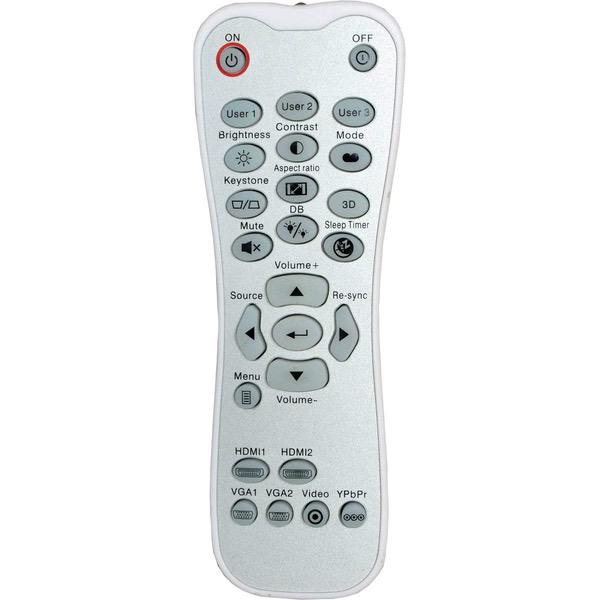
This projector is amazing. Super easy to setup. I was hesitant on a projector since I have only ever bought tvs. I think this projector has a picture that matches or even exceeds my 4K set I purchased recently! Difference is Im viewing on a much larger screen that the tv could ever give. It works great for movies, and is outstanding for games. Im a huge gamer, I play a variety of consoles and everything I have thrown at this projector it handles like a champ. NES, SNES, N64, GameCube, PS1, PS3, PS4, Sega Genesis, Sega Saturn, Sega Dreamcast, Nintendo Switch, all work great. I have all of my legacy consoles running directly through an XRGB Mini which then goes into the HDMI port of the Optoma GT1080Darbee. A complete dream setup, I hardly leave my bedroom lately. If I had anything negative to say, the speakers are not very impressive. They are loud for my bedroom, but for a dedicated theatre room you will want to invest in a surround sound system or a soundbar. NO PROJECTOR is going to give you hi fi level sound from the projector speakers itself, its not feasible or realistic, so thats really nothing to count against this projector. Im projecting on a bare wall for now, no screen, still looks AMAZING! The input lag for gaming on this display is unrivaled. The image size was more adjustable and flexible than I imagine, exceeded my expectations in that regard as well. Darbee mode, if your gaming on a legacy console (something old school), its not going to make any noticeable visual difference, but thats because there is only so much detail present to begin with. When in Darbee mode for something modern however such as PS4 or Nintendo Switch, the difference is VERY APPARENT! Darbee mode adds a considerable amount of detail to the picture that is easy to distinguish. Overall, I would say this is the best item I have spent money on possibly ever. The definition of a game changer. Expensive, but worth every damn penny! If I can upgrade my review later I will post some pics.
AV
5
Works for both Microsoft Wireless Dongle & Surface Pro. And also with Apple TV/ iPad combo. Many image/brightness options. Can also zoom in/out from remote. Eco brightness mode is less noisy then Full, and yet brightness only reduces about 10-15%. Zero rainbow effects even with action scenes in moves. Darbee (sharpening algorithm) is helpful to bring out detail in videos and pictures. However for text/business presentations and graphs, it makes little difference, although clearly does sharpen text. Finally, its super easy to use. Didnt read manual, yet got it running within 2 min of opening box. Its also portable and light for speakers on the move. EG: Can use it to show colorful MindMaps to your audience. In overall, this exceed prior expectations. It performs "too well in every department, and after 1 week of projector-research, glad this one was choosen - especially because its one of least noisy portable projectors available at 3000lumens. As for its 10-W sound speaker? Not its strong point. Zero bass. Even iPad sound is 3x better in every department, if not equally loud. Hence if sound is priority, resort to external speakers. If just showing business videos/clips, then internal projector speaker is perfectly suffice as its fidelity is clear for sounding speech. Bought it on Amazon, and shipped to Australia. One of those decisions with 0% regret.
DoctorG
5
This projector met all my expectations - crystal clear, bright picture, and brilliant color. The fact that it sits only 4 feet from my 100-inch screen means the picture is very bright, so I can watch TV programs and sports with the room lights on, and I run it in eco mode. The Darbee technology makes a definite improvement in picture quality. The contrast seems very good based on my observations. The fan is very quiet, but I do run it in eco mode almost all the time, to maximize lamp life, as the lamps for this device are fairly expensive. There is no zoom feature - the distance from the screen must be used to set picture size. The only video inputs are 2 HDMI sockets, so legacy equipment can not be used without some type of adapter. It would be hard to beat the performance of this projector at this price point. My only dislikes are that I cannot hook up my VGA laptop directly and that the projector case is white - I prefer black, but did not find that to be available.
Anthony
5
I bought this along with a portable projector screen to watch movies and TV in my small living room. I bought this projector because the short throw makes it easier to place in a small space, as well as the positive reviews. I also dont have space on the wall behind my couch to place a projector, so I needed something that could go in front of the couch instead. I can set this projector up right in front of my ottoman a few inches off the floor, and it projects a 100" screen thats about 8.5 from my eyes. This means the projector is not visible at all while watching from the couch. It works perfectly in my space. The difference between the GT1080 and the GT1080 Darbee models is that the Darbee model adds video post-processing that makes some details hidden by shadows a little more clear. Its most noticeable in facial details. For example, without Darbee a persons face might look fairly smooth, while enabling Darbee brings out more variances in complexion and details like wrinkles. It makes the image look like a slightly higher definition than 1080p. For the $100 extra its a nice addition, but its definitely not necessary.

Showing 10 of 11 reviews

You may be interested
  • Bestsellers
  • Recently Viewed
 
Similar products
Fast and high quality delivery

Our company makes delivery all over the country

Quality assurance and service

We offer only those goods, in which quality we are sure

Returns within 30 days

You have 30 days to test your purchase