

























Amazon Customer
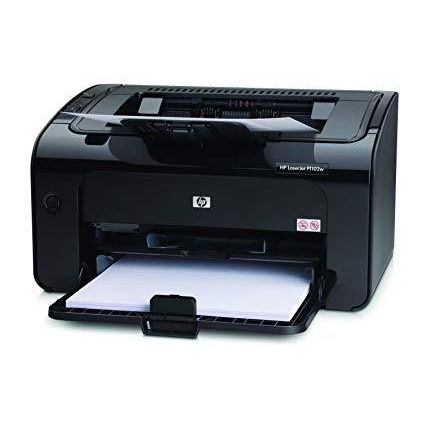
A year and a half ago, I bought HP Officejet Pro 8500, an all-in-one desk jet printer. I dont have school-aged kids and I do most of my printing at work. So I used the printer sparingly. I learned that when I did need it, the ink would dry up! And a full set of HP 940 cartridges costs around $85! Shame on you HP! I read somewhere that the inkjet printer fluid is the most expensive substance in the world per ounce. It is even more expensive than gold! I tried researching on ways I can refill the cartridges but I didnt find a good or reliable way. I decided that I was done being gouged by HP for the cartridges so I researched on the internet and it seems like the cheapest way to go was to just get your picture prints from various local or online stores and then print your home stuff on a laser printer. I then tried to research on wireless laser printers. I know that HP being HP, it would still try to gouge me on the toners and in fact, the toner for this printer is expensive. So I decided that one of my criteria for my new printer is that Im either able to find an easy way to refill the toner or find a good third party compatible toner. And guess what, there are 4.5 star rated third party toners in Amazon for this specific printer. A two-pack costs around twenty bucks. TWO TONERS FOR 20 BUCKS! I was also looking at an entry-level Brother wifi enabled laser printer. That one had automatic duplexing and I actually liked it better but it did not have a highly rated toner from a third party. Isnt it sad though that the main criteria I had to use was a availability of refills or a non-branded toner? I purchased 1102w and was pleasantly surprised about its small footprint. I wasnt thinking about it when I first bought the printer but I realized that this unit also is compatible with Apples Air Print. Sadly, the latest firmware was not installed so I had to download a firmware update utility from HP. And I had to delete the printer as a wireless printer and add it again as a wired printer because I read online that you can not update the firmware wirelessly. But after updating the firmware, I was able to print from my iOS devices. This is a nice bonus. We are an Apple household and I knew from other reviews that HP didnt document wireless printing (on OS X) very well. Fortunately, I just followed the steps outlined in the October 30, 2010 Amazon review by R. Ruiz "Bohemian Bon Vivant" and I was able to set-up wireless printing in OS X Snow Leopard in no time. I am not sure if this will work for OS X Lion. Overall, the HP 1102w is an inexpensive wireless printer that has excellent (and and cheap) third-party toners available.