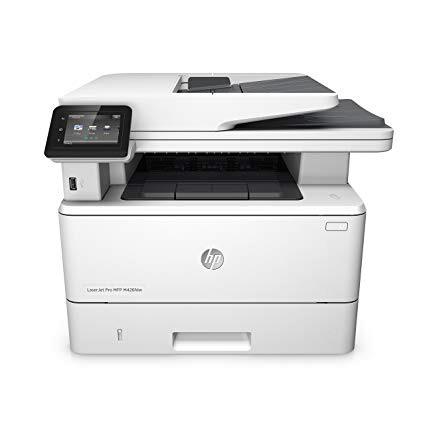
HP LaserJet Pro M426fdw All-in-One Wireless Laser Printer with Double-Sided Printing, Amazon Dash Replenishment ready (F6W15A)
Write a review
$29900

HP LaserJet Pro M426fdw All-in-One Wireless Laser Printer with Double-Sided Printing, Amazon Dash Replenishment ready (F6W15A)

Write a review
B013SKICA8
Printer
+
Add to wish list
Target is a general merchandise retailer with stores in all 50 states and the District...

City: US, New York

Delivery
Pickup at your own expense
Tomorrow from 09:00 to 20:00, Store location
Free
Payment options
Apple Pay Google Pay Mastercard Visa
Cash, bank card, credit/installment payments, cashless payment for legal entities
Warranty and returns
Exchange/return of products of proper quality within 14 days Official manufacturer's warranty: 12 months
Features
Connectivity Technology
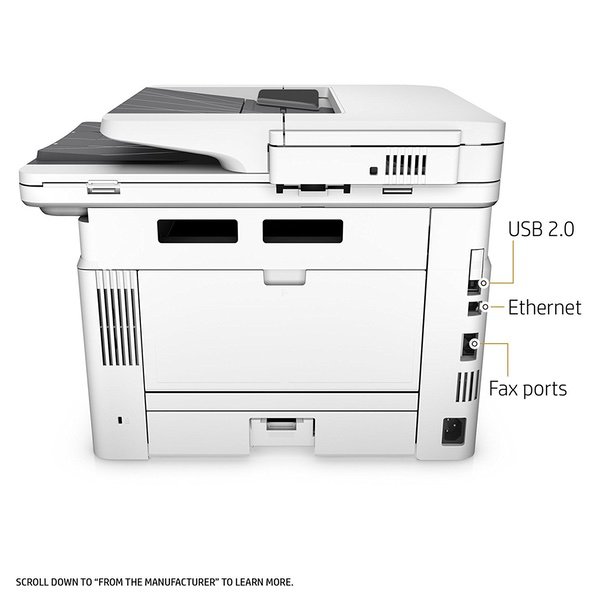
USB; Ethernet; Wi-Fi
Item Dimensions
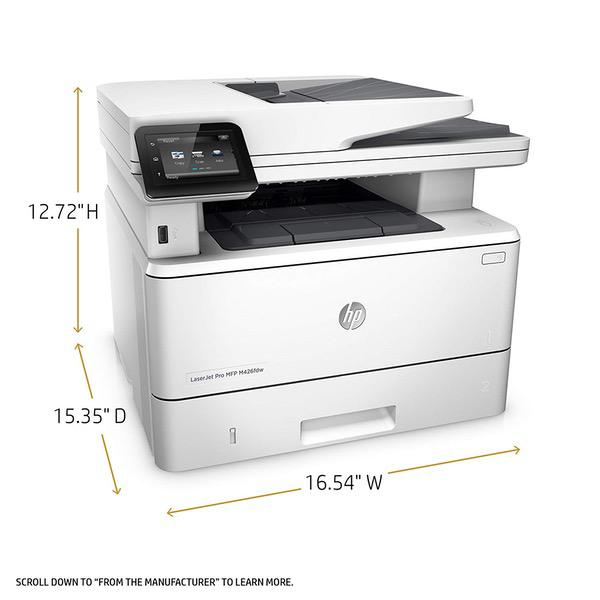
15.35 x 16.54 x 12.72 in
Item Weight
28.35 lbs
Operating System
  • Windows
Printer Output
Monochrome
Printer Technology
Laser
Style
Printer
Description
This fits your .
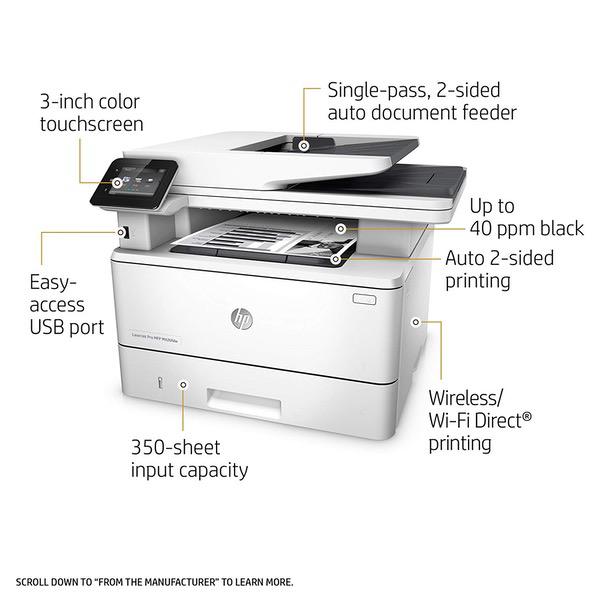
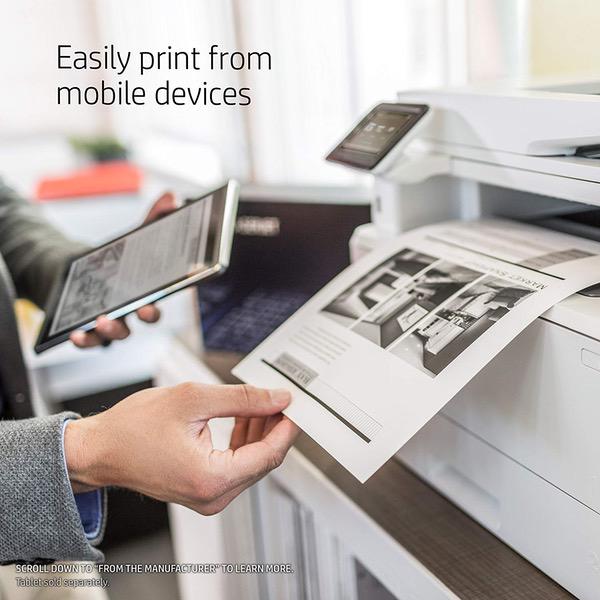
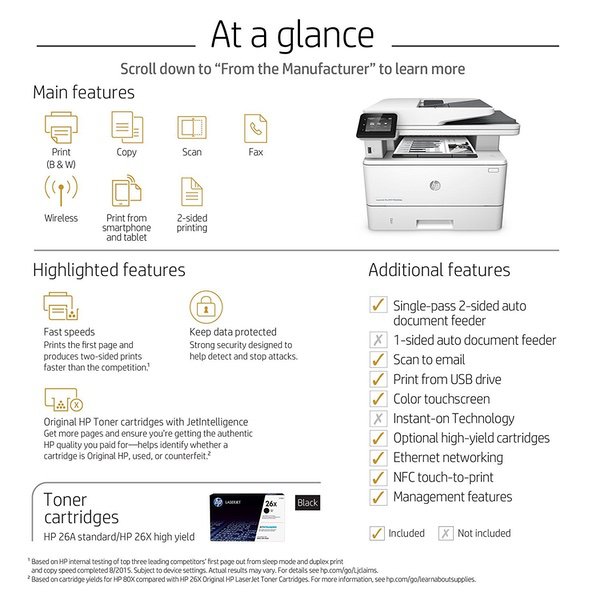
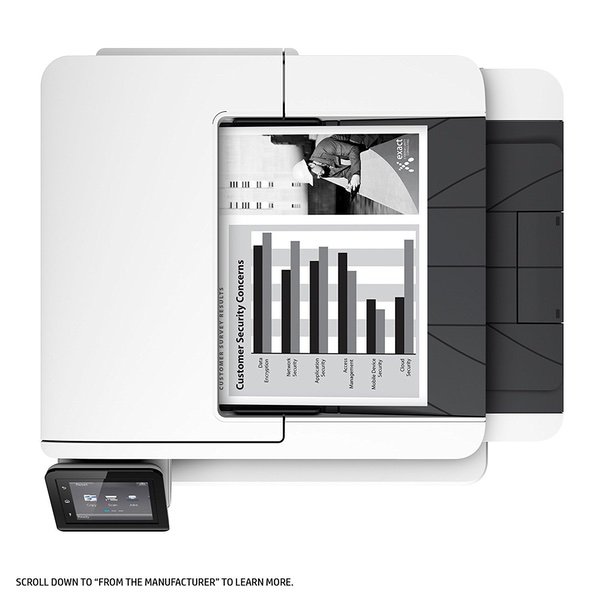
Make sure this fits by entering your model number. MULTIFUNCTION LASER PRINTER: Monochrome laser printer, scanner, copier, fax, wireless printing, Wi-Fi Direct, NFC touch-to-print, duplex printing, 3" color touchscreen, 50-sheet auto document feeder, input capacity up to 350 sheets. FAST PRINT SPEED: print up to 40 pages per minute with this wireless laser printer. First page out in as fast as 5.4 seconds. SOLID SECURITY: Protect sensitive information and improve compliance with data, device and document security solutions for your print fleet. HP JETINTELLIGENCE VALUE: Choose Original HP Toner cartridges with JetIntelligence - engineered to help your HP LaserJet printer print faster and more prints. IDEAL FOR SMALL BUSINESSES: 350-sheet paper input capacity, up to 4,000-page monthly volume, and up to 10 users for your workgroup. Paper sizes supported: Letter; Legal; Executive; Oficio (8.5x13 in); A4; A5; A6; B5 (JIS); Envelope (#10, Monarch, B5, C5, DL); A5-R; 4x6 in; 5x8 in; B6 (JIS); 10x15 in; statement NEVER SHOP FOR TONER AGAIN: Save 10% with Amazon Dash Replenishment. Upon activation your printer measures toner level and places smart reorders when you are running low. No subscription fees. Warranty information: One-year warranty, return to HP Authorized Service Provider
Reviews
3.3
Reviews: 20
5 stars
40%
4 stars
15%
3 stars
10%
2 stars
0%
1 star
35%
Stanley
5
I have been looking for a new multifunction printer to replace my 8 years old HP LaserJet printer and my old ESPON scanner. The description of this printer fitted perfectly with my needs, but I was hesitated to pull the trigger due to the negative comments around scanning. I finally saw a price point I liked and decided to give this a try, and received the product in two days. Setting up the printer is easy and simple, and I was able to set it up with my WiFi network in a few minutes without reading the manual. I tried out the printing and scanning functionalities, and they worked great! Printing is fast and quiet. Scanning is surprisingly quick and in high quality. I used to spend tens of seconds to scan one page with my ESPON scanner, and this MFP only took 2 seconds! Wow! I also tried out WiFi printing from my iPhone/iPad, as well as from my iMac and MacBook Pro, and this printer just worked!
L. Scott
5
It has performed perfectly so far. Setup on 4 computers, 2 Win7 (64bit), 1 Win 8.1 (64bit) and 1 Win 10 (64bit). One note on the setup. I had gone to HPs website and downloaded their latest version of the full software to install on all of the computers. The printer is directly wired to the router via Ethernet and assigned a static IP address. When trying to install from the downloaded software, on 3 separate computers all hard wired to the same router, the software would not find the printer automatically, specifying the IP address, specifying the Host name or using the hardware (MAC) address. At the same time I tried searching using the exact IP address and it failed I was able to open the printers web page in IE by using the static IP address in the URL. There is a PROBLEM with the downloaded softwares discovery routine. And, yes, I had turned off all firewalls in the computers. The software on the shipped CD ROM in every case found the printer without a problem. Another problem I have seen in comments is about lines in the scans when scanning through the ADF. I serviced Xerox machines as a Xerox employee for 35+ years. 99.9% of the time this is caused by a SPOT on the glass. The MFP 426 has 2 separate glasses that it uses when doing ADF scans. It does not use the large glass when scanning from the ADF. The smaller glass to the left of the main glass is one side of a double sided scan and the small glass in the document feeder that you can see when you open the document feeder to see the glasses is the other side of ADF scanning. The easiest way to confirm that it is an ADF glass spot is to scan the same document on the main platen. If it is indeed a dead pixel in the scanner, you will still get a line from the platen glass. Other than those comments the printer seems to perform flawlessly. I use the TWAIN driver and scan into PaperPort. It scans over the network and the TWAIN driver works great. 3/3/2017 Update. I like to install both a PCL and Postscript version of each printer because the different RIPs can produce different results. Today I installed the HP Universal Postscript Driver (from their website). It appeared to work fine. Then I started having problems with some things not launching correctly, including Windows Update, Civilization 5 and Samsung Magician (for my Samsung 850EVO SSD). After a couple of hours doing virus scans, running Windows System File checker and removing the Postscript Printer from Devices and Printers, I did a system restore from a restore point yesterday. That fixed my problems. I would highly recommend that anyone considering installing HPs Universal Postscript driver create a restore point BEFORE they install it so you can recover if it causes you a similar problem. My system is an I7-4790, 16gig, Samsung 850EVO 1tb, NVIDIA GTX980. I have been building systems and programming since 1980. This was very disappointing.
Flashy
5
As an update, the printer has worked flawlessly for close to 2 years. If I want to print a couple of pages, I can power it up, print, and shut it down in less than 30 seconds total time using a USB cable. That has made it my favorite printer ever. I have owned 3 top rated inkjet printer over the last 10 years. After my last one stopped printing, I decide to really think through what I want in a home office printer. I concluded: 1) Dont really need color - the color on a home printer not really good enough for professional use. Most of the time I presented on a screen with B&W handouts. 2) Didnt want to screw around with ink or paper - which always seem to happen when I wanted to print 3) Wanted fast, the old injet seemed to take 5 minutes of head cleaning before it would print. Right out of the box, my toner cartridge is good for about 2,500 pages which is probably 2-3 years of my usage. I can buy one for this printer that could last me for 10 years. I can also load 250 pages, which is small for a shared business printer but huge for a home. The speed is what I love. I can turn it on and in less than a minute I have my first page printed. The text quality is far better than anything my old inkjet could produce. Hopefully, this printer will last me 10 years.
Debra Bronson
5
I bought this printer to replace an HP Laser printer that was at least 15 years old. I wanted an monochromatic only printer that was fast and ink efficient. I am running a small network with two Macs (Yosemite and Sierra) and an ancient PC (Windows 7 home edition.) The mac set up with completed in seconds. With the PC, I had to run the install from the disk included. I had some challenges setting up the Scan feature that allows you to scan to a network folder. Once I had the permissions on the Mac correctly set up I was able to scan to the folder. The printer is so fast, especially when you compare it to my older one. It is noisier than my old printer, but I am getting used to it. I am using this printer for my internet business, printing invoices, labels and mailing labels. So far, I am totally pleased with my purchase.
M. Smith
5
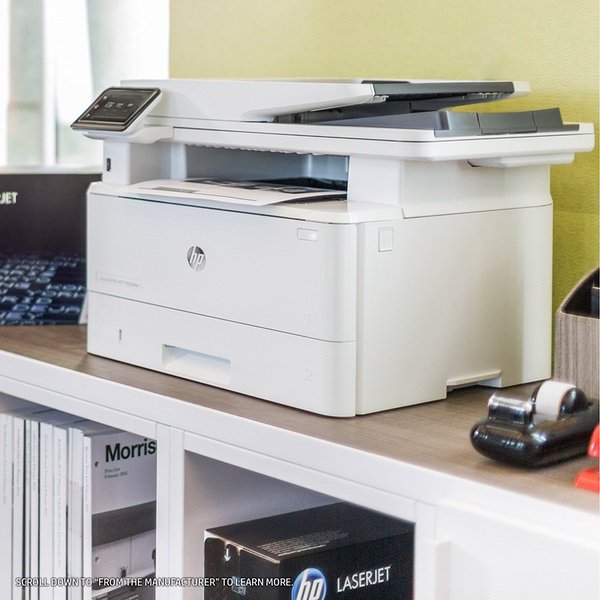
Im an IT professional whos been using, purchasing, recommending, and maintaining HP printers since the early 1990s. I dont print a lot at home but recently wanted a replacement for my 17 year old LaserJet 4100N and flatbed scanner I had at home. After purchasing four HP M527 MFPs for the office in 2017, which all work great, I decided on the M426fdw for home use. Its basically a smaller brother to the M527, even down to looks, just everythings a bit smaller. Perfect for a small home office and doesnt take a lot of desk space. Also I should mention that HP is great at releasing maintenance documentation, should you have any problems with the device, they also release regular firmware updates to resolve any security updates or bugs in the firmware. Definitely recommend!
Randy Larson
5
I ordered on Friday and received it the next day, and arrived in pristine condition. I bought it primarily for moderate printing and the fact that is Google Cloud Ready. I prefer LAN network rather than wireless; however, it does both. I attached to the network and plugged it in. The setup came up, to choose language and country. I used the screen to set the IP Address rather than use DHCP. I went to my computers Chrome web browser and did all the tweaking so I wouldnt have to use the small screen. I exclusively use Gmail and Gsuite on my iPhone and my devices. I set up the Google Cloud computing before I even installed the application on my PC (Windows 10). I also set up HP e-print at that time. I had my son-in-law test e-print 2100 miles away, worked perfectly. I also discovered it prints both sides without refeeding any paper. I printed a document from Gsuite on my computer which was perfect. I hadnt set up a printer on my iPhone before, so I started to look for instructions, it was already there. Printed perfectly. I finally installed it on my PC and printing, of course, was flawless, so was scanning to a network drive.
LOUELLA ROBERSON
5
Got this new printer since my printer is getting old and will cost a lot to repair. Read the reviews and was satisfied that this will work for me. This was an easy setup- just followed the simple instructions and now i can scan straight to my email, fax and print from my other computers wirelessly, even print straight from my phone. Scanning is a little slower that what i am used to but it works so i can not complain. Love it so far. Even have rebate offer from HP for $50 rebate for recycling my old HP printer- other printers will get rebate as well go to hp.com/go/tradeandsave and check out if your printer qualifies for a rebate. My samsung printer that i bought for $70 qualified for $100 but is still use it so i sent the older HP I had sitting in the garage. Toner is suppose to last 3500 copies. I think this is a keeper.
RAIN ROD
5
This printer is great, it print and scans really fast. You have the option of printing on both sides of the paper. You can send documents directly tot he printer from any device on your network. You can set up direct printing, and email the printer (documents are printed directly, even when you are away from home) I havent set up the fax yet (i use fax-so i probably will never set it up). There are two Cons (both with the scan feature) -- 1. It does not scan double sided (making a copy of he back page defeats the purpose of the duplex print) 2. Setting up scan-to-email has proved an impossible task for me (at some point I will call Customer service to see if they can assist with the setup)
Product variations
Column filling
Sort by Price Sort by Availability Sort by CODE Sort by Style
$42500
In stock
+
B01BP3NSKY
Style:
Printer + Black Toner Cartridge
$29900
In stock
+
B013SKICA8
Style:
Printer
You may be interested
  • Bestsellers
  • Recently Viewed
 
Fast and high quality delivery

Our company makes delivery all over the country

Quality assurance and service

We offer only those goods, in which quality we are sure

Returns within 30 days

You have 30 days to test your purchase