
















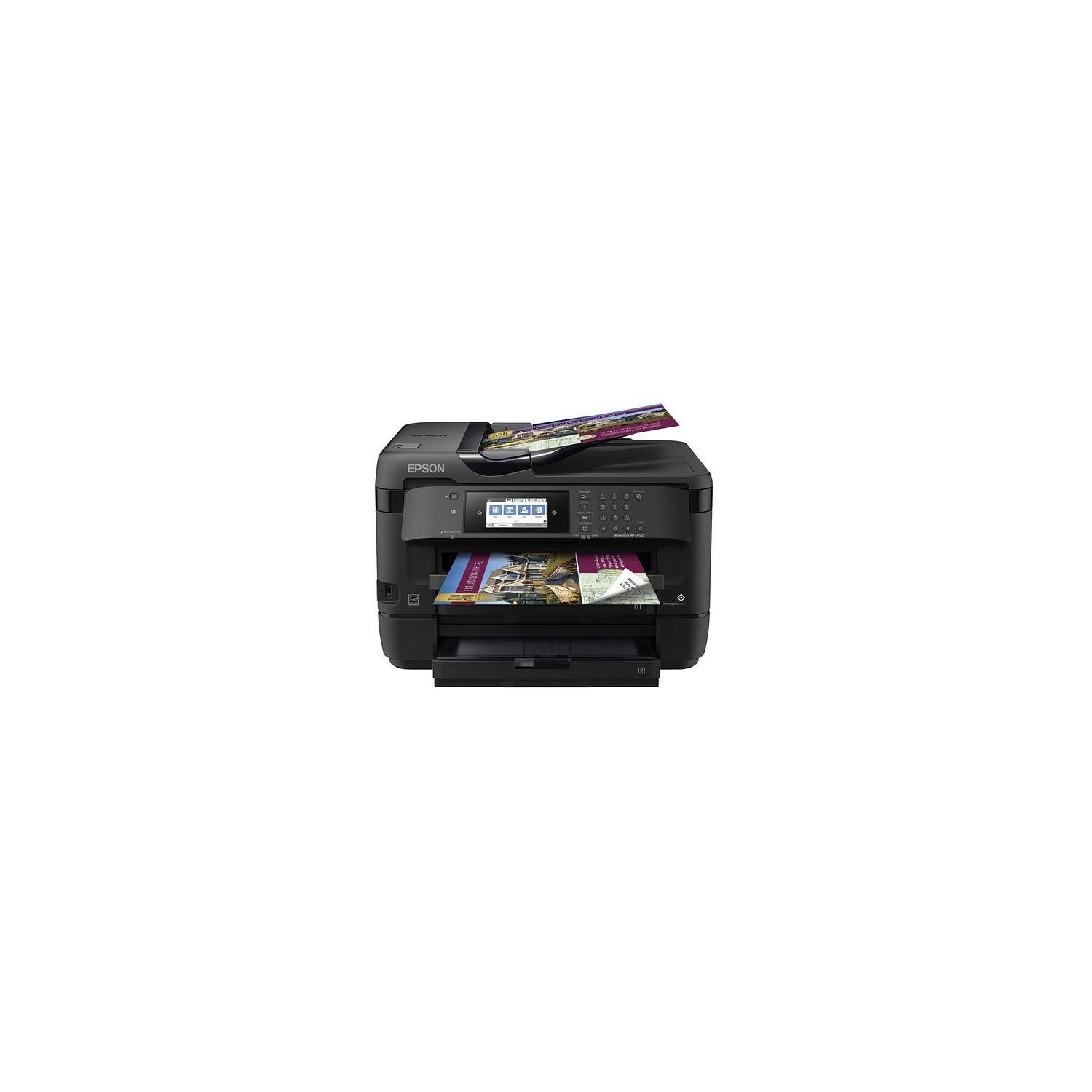
Epson (WF-7720) Inkjet Printer with C/M/Y Standard Capacity Cartridges
Write a review
$27000

Epson (WF-7720) Inkjet Printer with C/M/Y Standard Capacity Cartridges

Write a review
B079RQR5HM
Printer (WF-7720) and C/M/Y Ink Combo
+
Add to wish list
Target is a general merchandise retailer with stores in all 50 states and the District...

City: US, New York

Delivery
Pickup at your own expense
Tomorrow from 09:00 to 20:00, Store location
Free
Payment options
Apple Pay Google Pay Mastercard Visa
Cash, bank card, credit/installment payments, cashless payment for legal entities
Warranty and returns
Exchange/return of products of proper quality within 14 days Official manufacturer's warranty: 12 months
Features
Style
Printer (WF-7720) and C/M/Y Ink Combo
Description
This fits your .
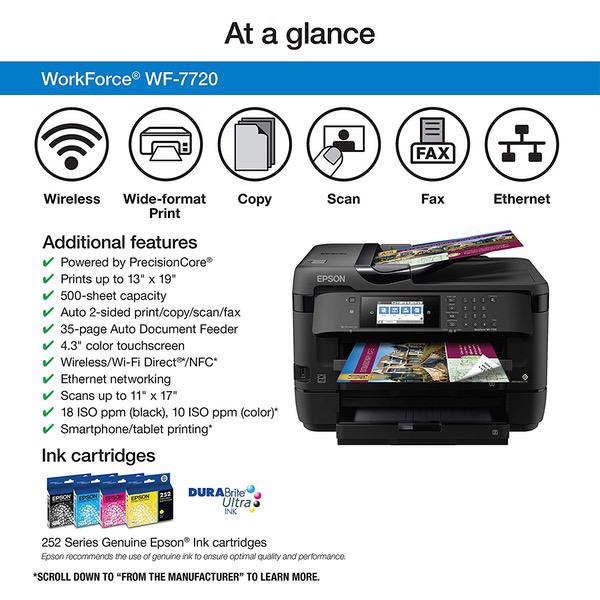
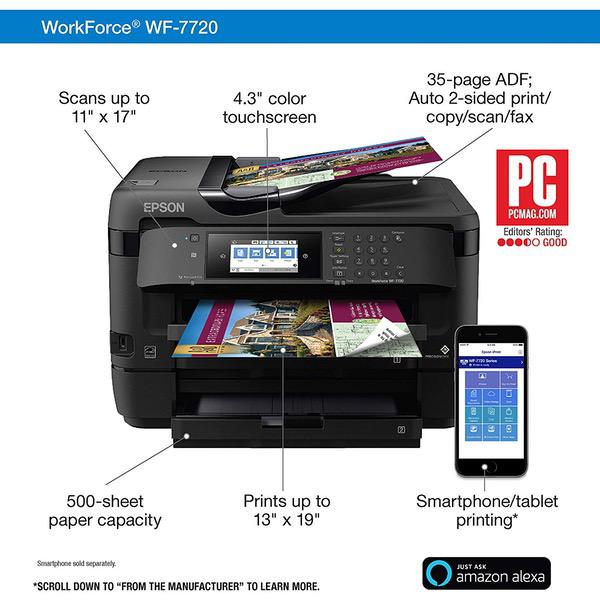
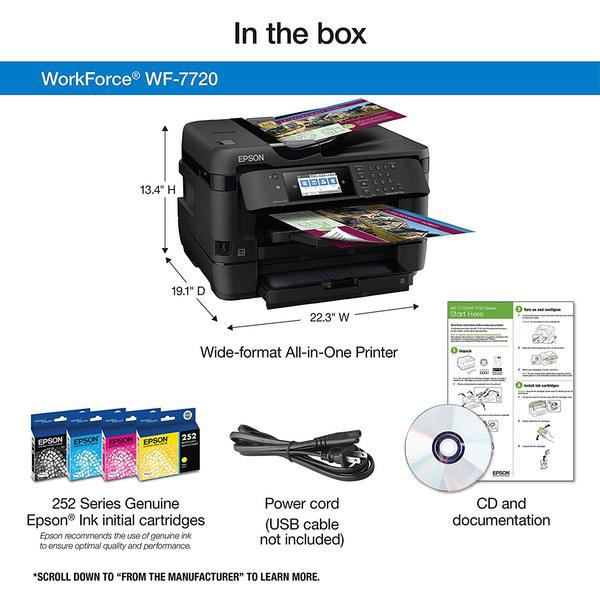
Make sure this fits by entering your model number. Get Performance Beyond Laser — the WorkForce WF-7720, powered by PrecisionCore. Print-shop quality — borderless prints up to 13" x 19". Better quality than the lab DURABrite ultra ink produces worry-free handling - smudge, fade and water resistant prints
Reviews
3.1
Reviews: 20
5 stars
35%
4 stars
20%
3 stars
0%
2 stars
10%
1 star
35%
Sydney
1
Ive had a host of problems with this printer over the last few months. Im not going to go into too big of detail (would take too long...) so Ill try to keep it short. You cannot print properly from USB. If you try, your images will print in a distorted black color (yes I used compatible file extensions). Have fun setting up wireless printing. Printer needs to be RIGHT next to your router to identify it. If you want to print anything larger then 8.5x11 sheets of paper, you need to install the driver software. I couldnt get the wifi version of the driver to work, even when during installation, when both printer and computer recognized each other. Gave me a vague error message "could not connect", Kay. This left me with my only option, connect printer directly to computer with USB. This worked for me, however now my printer has to be on the floor (yay..). My absolute BIGGEST issue with this printer is that you CANNOT print large border-less sheets of paper (anything bigger then 11") WITHOUT USING PHOTO OR SUPER THICK MATTE PAPER. I wanted to use this printer for 11x17" sheets, bright white, 70 LB cover sheets of paper. Yes, the printer limits you to only using photo paper for these prints. So what happens if you TRY to print borderless without super special paper? The printer uses x10 as much ink and your images end up watery and messed up. Here is how it goes. Cassette 1 (paper tray 1) can only print borderless 11x17 with the following formats -> ultra glossy, semi glossy, premium glossy, premium matte. You CANNOT print borderless with any other type of paper. You are severely limited. This printer is absolutely worthless for what I purchased it for (borderless, 11x17" prints on 70 LB bright white paper). Ah, and have fun trying to get it to work with re-manufactured ink cartridges. Do they work? Yes. But it will yell and scream at you over and over for re-installs and "ink checks". This thing guzzles ink like crazy. I printed 20 pages with new cartridges before needing to insert more. A very frustrating experience.
CMS
1
WorkForce WF-7720 Wireless Wide-format Color Inkjet Printer with Copy, Scan, Fax, Wi-Fi Direct and Ethernet, Amazon Dash Replenishment Enabled UPDATE2: Epson has confirmed this printer CAN NOT PRINT borderless (full bleed or full scale) prints except on premium papers at the highest level print quality (highest ink use at the slowest page speed) and only out of Tray 1. How’s that for a fraudulent bait and switch? They say you can print full bleed 13x18 out of two trays+ but you can’t even print full bleed 8x11 out of one, unless you use their premium papers at the highest ink use and slowest print speed? If you want/need borderless (margin free) prints you CAN NOT print fast drafts, or even normal quality drafts. You can’t print on plain paper or your own letterhead paper or recycled paper, etc. And you can’t fake out the printer by picking a premium setting and just using normal paper because the printer scans the paper type and the tray and prevents the print (see attached photo). Tell me what business (or individual) prints anything but the final drawings/images/brochures/documents on anything but plain paper? 9 out of 10 pages are drafts… not with this Epson! UPDATE1: This printer is such a nightmare! Weve printed less than 20 pages and the print heads are ALREADY clogged up. The print quality is consistently horrendous. Lines are blotchy and jagged, images are patchy and dull. Even after running all the maintenance and alignment settings. Its just horrible (see the attached photos for example). The print software is always fighting you too. You change one setting and it resets the others. Change it back and it grays out the options you want. When you finally accept the defaults, the printer prevents the print because it doesnt think the paper matches the settings, yet you cant alter them to match as theyre grayed out. Or the print gets blocked by a firmware update notification, but you cant update it over wifi. When you finally do get things to print, its painfully slow and burns through ink at a staggering rate. The paper handling & interface settings all feel shoddy. Tray names don’t match their media names throughout the interface/settings. You don’t get the same feature set or print options out of both trays. The physical tray design is flimsy and misaligned (even with the same size paper in the trays). Highly not recommended!
Mike K in PA
1
I have a lot of experience with Epson products (FF-640, V600, WF-3520, etc.) and have been loyal to the brand. I needed a printer that could print 11 x 17 sheets and bought this expecting the same quality and reliability. It worked well at first, but then I started having problems printing. I was getting lines across images. Head cleaning didnt work. I called Epson tech support and they had me go through multiple head cleanings which didn’t work. They told me to unplug it for 24 hours, then do at least three cycles of cleaning and see if that helped. I followed these instructions and was able to get acceptable images for a while. I don’t think it’s reasonable to have to unplug a printer for 24 hours at a time to get a decent image. Many times the printer stops communicating with the computer. I try to print and get an error message on the computer “Printing - The printer is offline.” I check the network status on the printer and the report says “Pass”. I use our backup printer (WF-3520) when this happens. I’ve uninstalled and reinstalled the printer software, which didn’t help. Another problem that’s started recently is that the printer suddenly stops recognizing ink cartridges. Again, this seems completely random. I only use Epson ink, so the cartridges aren’t the issue. Most of the time this can be fixed by removing all the cartridges, putting them back in, and running the initialization, which takes about 10 minutes. If that doesn’t work, unplugging might help. If you need a reliable printer, I’d try something else.
Michael L. Fluharty
1
There’s a huge learning curve to fully utilize and operate this machine. I would not recommend this printer and regret having purchased it ( I am a computer engineer)
Amazon Customer
1
This replacement printer is just as trash as the first WorkForce we bought. Overall, Epson is not cabaible of making reliable printers. WARNING: printheads malfunction, replacement parts don’t exist, WIFI connectabily doesn’t keep up, and the ink is far beyond more expensive than competitors such as Canon. Good thing we bought the extended warranty, someone’s gotta pay for it! (We stick with Canon, check out the iX and MG series)
Connie
1
This is supposed to be a printer that can be used for high output like in a business. Well, I am self-employed and am losing a lot of productivity & money as I try to fix issues like jammed paper, empty ink cartridges (it uses ink up like crazy), time & cost to purchase more ink, and restart jobs that dont finish. Also, it cant print two-sided when set to do "high quality" printing which means I have to babysit it in order to put page one papers back in the printer to do side two. Wont consider buying Epson again, rather will return to HP.
Kimberly
1
The document feeder pulls through 3-4 pages at once, as does the cassette when printing. The worst part of this experience, however has been the customer service. When I called, I spent over an hour with the representative walking me through step by stem, "copy this, scan this, etc." 3-4 times on the call the printer presented the issue, and then as soon as we repeated the task and it "didnt do it" (mind you we didnt FIX anything, change anything, etc. It simply didnt do it) they said, "good, its working then, Ill give you a reference number." When I objected that one time having it function normally does not mean I wont continue to have the problem Ive been having for the past 30 days, their solution "Ill just make a note that youll monitor the printer maam". What?? Also, apparently, you cannot simply RETURN the product, when youre unhappy (mind you, its only been 30 days). They will simply "send a replacement, but I dont qualify because it is functioning properly and I have to monitor it now." UPDATE: Part two of the saga...now the printer wont recognize an EPSON ink cartridge. Ive followed step by step on how to re-isntall or fix it if it is throwing an error. Nada. This just keeps getting better
Product variations
Column filling
Sort by Price Sort by Availability Sort by CODE Sort by Style
$27000
In stock
+
B079RQR5HM
Style:
Printer (WF-7720) and C/M/Y Ink Combo
$19900
In stock
+
B077BGMZZS
Style:
Printer (WF-7720)
You may be interested
  • Bestsellers
  • Recently Viewed
 
Fast and high quality delivery

Our company makes delivery all over the country

Quality assurance and service

We offer only those goods, in which quality we are sure

Returns within 30 days

You have 30 days to test your purchase