
















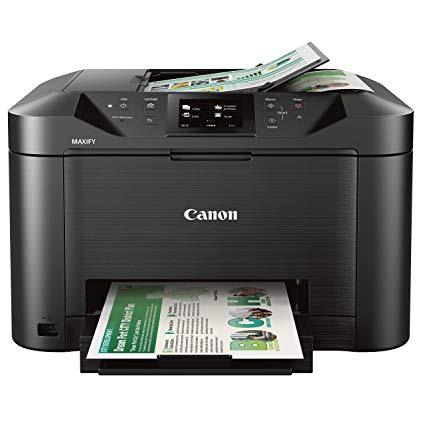
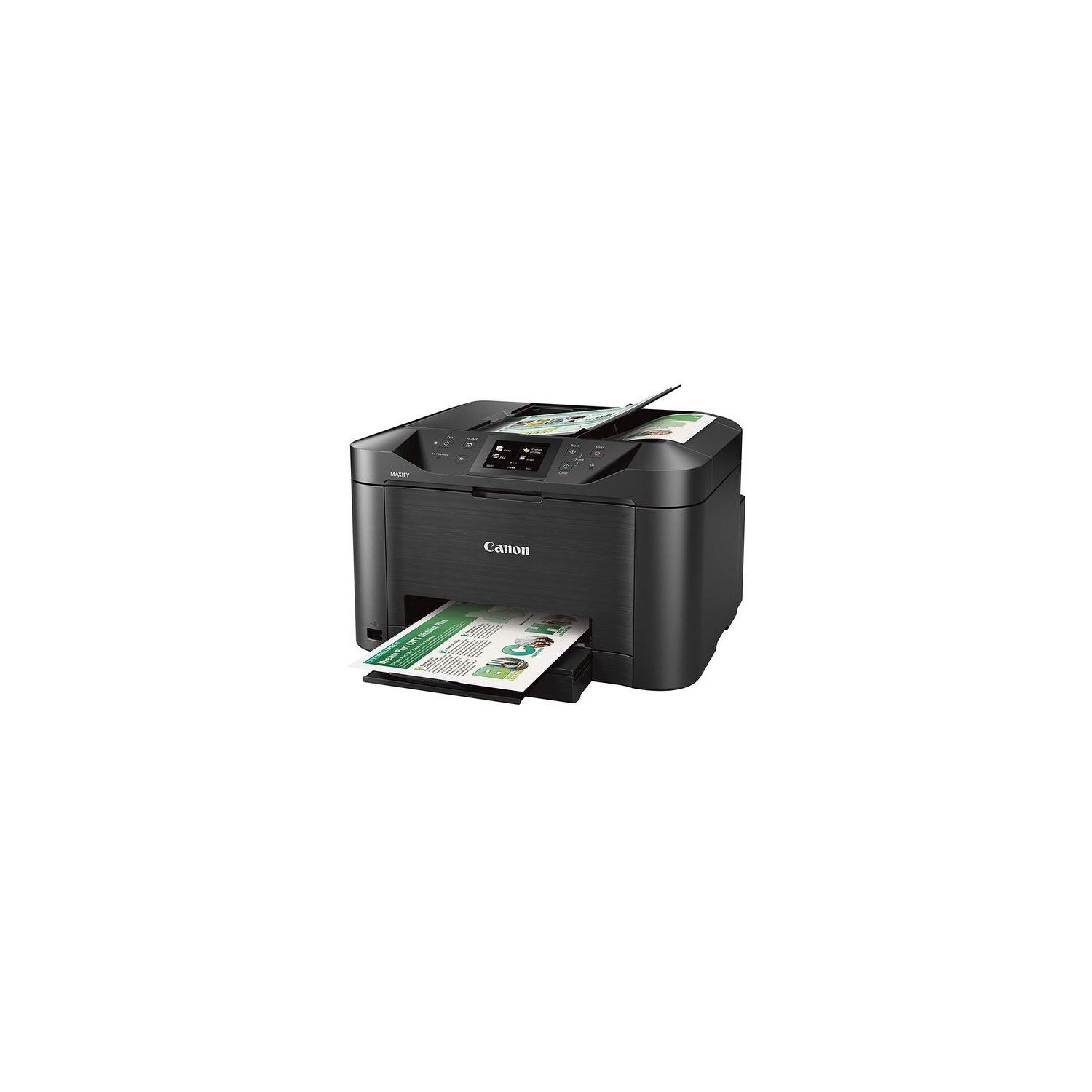
Canon Office and Business MB5120 All-in-One Printer, Scanner, Copier and Fax, with Mobile and Duplex Printing

Write a review
B01IIOMMGE
MB5120 Wireless Printer
Target is a general merchandise retailer with stores in all 50 states and the District...

City: US, New York

Delivery
Pickup at your own expense
Tomorrow from 09:00 to 20:00, Store location
Free
Payment options
Apple Pay Google Pay Mastercard Visa
Cash, bank card, credit/installment payments, cashless payment for legal entities
Warranty and returns
Exchange/return of products of proper quality within 14 days Official manufacturer's warranty: 12 months
Features
Connectivity Technology
USB
Item Dimensions
18.3 x 18.1 x 11.5 in
Item Weight
25 lbs
Operating System
  • Windows, Mac
Printer Output
Color
Printer Technology
Inkjet
Style
MB5120 Wireless Printer
Wireless Type
802.11bgn
Description
  • Print Features: AirPrint, Auto Duple Printing, Canon Print App, Google Cloud Printing, Microsoft Mobile Print, and Moria Device Printing, 250 Sheet Paper Capacity
  • Copy Features: Single Pass 2-sided Copying and ID card copying
  • Scan Features: Single Pass 2-sided Scanning, Push Scan, Scan to Memory(USB Flash Memory), Network Scan, Scan to Cloud, Scan to Concur, and Scan to Network Folder
  • WHAT'S IN THE BOX: MB5120 Printer, Setup CD-ROM, Full Set of Ink Tanks and Power Cord, Telephone Line Cable
Reviews
3.9
Reviews: 20
5 stars
50%
4 stars
20%
3 stars
5%
2 stars
15%
1 star
10%
Anthony A
5
So I purchased the Canon Maxify MB5120 for a few reasons. Backstory: My previous printer from canon, the Canon Pixma MX892 had lasted me about 5 and a half years, and treated me very well, showing how well these printers last. I had to replace it since it stopped working through the USB cable and since I am away at college, I cant connect this printer over the WiFi like I could back at home. As a result, I was in the market for another printer, that wouldnt be too expensive, and had all the capabilities like a Duplex ADF Scanner, print quickly like my old printer, and connect through USB and Ethernet and more. Since I needed a printer desperately, I needed to get it local, and I was too lazy to do some research. I found the Epson WorkForce Pro WF-3733, that fit all the things I wanted it to do, and It seemed like a great printer. Then I realized how small the ink cartridges were and how short they would last. I had printed only 50 something pages and black ink was half gone. All of the things I printed were text documents, so I didnt understand what the whole deal was. Looking online for refillable ink cartridge solutions, I came across inkowl.com that sells everything regarding ink refilling, including the cartridges, had ones for the WF-3733. But the problem was that Epson had this proprietary thing, where once an ink cartridge ran out, you couldnt reuse it. So inkowl had a solution to that, and that was replacing the chipset on the cartridges, but those alone costed 40 odd dollars, and that would be each time the cartridge ran out. I didnt want the big expense so I returned that printer and purchased this wonderful beast. Deciding: I was torn between the less frequent-to-fill with paper MB2720 and the duplex scanner of the MB5120, and ended up chosing the MB5120. I chose the MB5120 because it truly could replace my old printer, with Faxing Capabilities, and duplex printing, to duplex scanning and Ethernet connectivity. (Duplex means 2-sided. Just wanted to make that clear for those who dont always talk printers with others heh.) I liked that the ink cartridges are much larger than that of the Epson, and they last longer than other starter ink cartridges. To add on, I could get the ink cartridges from inkowl and save a lot of money down the future when it comes towards that. That said, lets talk about the printer. The Printer itself: The printer itself is heavy for sure, but Its like a tank. The printer prints out pages very quickly when youre in a rush. (As any normal college student is in a rush.) The starter ink is beefy and will definitely last you a while. I say this, because I share this printer with my friends and with my roommate and we print a lot for a Pharmacy school. So its very nice to see that we can trust this printer so far. I have had this for about a week or so, and weve printed a lot of pages, erring on the side of 200-300 pages already, and I havent come across any of the problems people have mentioned previously. This printer feels and seems like an updated Tank. I hope this printer lasts a good while, and I feel like it will do great. Ill update if anything changes between now and the end of the life of the printer. But I truly love this printer.
zolof911
5
This printer has all the features - duplex scan, duplex print, built in fax, wifi, direct print from phone, touch screen.... you get the idea! The printer arrives in a beautiful full color printed box. It is safely packed in foam, not cardboard (useless). The printer is fairly big. So, how to get it out of the box? Will the bag withstand lifting? Wait. The printer arrives in a heavy plastic bag WITH HANDLES made for lifting it out of the box!!!! This small touch represents the attention to detail I noticed in many other aspects of this printer. The software is intuitive and easy to use. It found my network on the first try. Only had two troubles with printing, and they were caused by my windows 10 desktop. No paper jams, yet! The print quality is very good. The scan quality blows away my old HP 1310. Scans are fast! I would give this 10/10! Highly recommended if you are looking for this type of all in one printer. I paid for this printer with my own money and received nothing for this endorsement. Ive just had a string of crappy low-end printers, and this printer seems like a winner. I recommend buying the 4 year extended warranty. Seems like good insurance for a device with many mechanical parts.
B. Burke
5
Very impressed with the quality of print, with very crisp black text. The blacks are truly black and the color is very good. Be sure to use decent quality paper as we found that the cheapest copy/print paper causes the ink to bleed a little. Very easy setup, wireless function works well. Spits the pages out fast -- almost too fast, as they almost shoot off the paper tray. Custom profiles help save time. The auto feeder is very good. The only negatives is that there appears to be no sleep mode; you have to hit the start button usually once or twice a day (not a big deal). And the tray holding the printed pages will only hold about 15-20 pages before they start landing on the floor. If you want to print 30 pages at once from a computer at the other end of the house or office, and expect to find the printed pages all neatly ordered, resting on the tray when you return, you will be disappointed. The printer is also a little large. Overall though, this is a very good printer for our needs.
pharmgirl
5
I am currently a doctoral student and do a lot of work from home for my job. So this printer gets a lot of use. So far so good! I have been very impressed with it. The printing quality for documents is near perfect. No smearing, no lines, just crystal clear print. Colors are vibrant. I have printed a few images/pictures on regular printer paper and it performs as expected. I have not tried photo paper yet. The wireless functions are intuitive and easy to use. My wife loves to print from her ipad! I print and scan wirelessly and wired (only because my laptop sometimes has problems with my router. nothing to do with the printer). The scanner works equally as effectively as the printer. The document feeder is a wonderful feature...throw a multi page doc in there, hit scan and move on to something else while the printer does its thing. Some reviews I read complained about it being noisy. My experience is that it creates the same amount of sound of any other inkjet I have owned. So no complaints here. Another criticism I read was the size. The footprint is slightly bigger than my previous HP and the printer is a bit taller. But I think it looks rather streamlined. Again, no complaints. About the only negative thing I have to say about this printer would go for many ink jet printers at this price point - the paper tray could be bigger. It holds about 1/3 of a ream. I love to be able to throw a whole ream in and forget about it. Other than that, I am very impressed with this printer and I would absolutely buy it again. If you are looking for a workhorse for a home office, you wont be disappointed.
Michael David Murphy
5
I’m a college student that has to go through copious amounts of drafts and printing out various peripheral documents that go along with the territory (syllabus’s, schedules, notes, flash cards, etc.). So, it wouldn’t be long until I would find that I needed something that could scan and print double-sided and had a stronger wireless connection than my previous workhorse (Canon PIXMA 432). Enter the MAXIFY MB5100. This all-in-one (so far) has met and exceeded my expectations for what this printer can do, particularly within its price point and class. To give some background, I’ve had this thing plugged in and in use for two days, testing out everything that I put into this review and can vouch for the following: The good: Compared to what I was running before, this thing is FAST! What would have normally taken approximately 10 minutes to print on my last rig, takes only 10 seconds with this one. I can’t even begin to tell you what this does for my precious time. As for quality, it is comparable to the last printer and I feel as though that the text might even seem a little sharper. This could be psychological though, seeing as how I just bought it. Take that part of the review with a grain salt. The unboxing was fairly easy and the packaging kept the printer nice and cozy through the rough handling of the shipping people. At this point, make sure that you follow the directions when setting it up and connecting to your wireless. This is important and will touch base on this later in the review. Double-sided printing and scanning? It practically sells itself. For its cost, it’s kind of hard to find something that can do this that is comparable. I’m currently writing this after finishing up a quarter in Business 101. I had four to five chapters from the online book that I wanted to print out and keep for future reference and this printer delivered with efficiency and ease. Again, saving money on paper and time is going to make a huge difference for me and I couldn’t be happier. The printer was also fairly economical with the ink seeing as how the chapters in this book were slightly picture-intensive and may have used up more color than I would have liked. The scanning was a breeze and didn’t give me any hiccups. Using a Mac and the Preview program to do so, was issue-free and fast. Seems as though Canon has provided better drivers these days to support the ease of use. Can I just say that I am totally digging on the back lit color touchscreen display? It seems like such a simple amenity, but it is something that I have lacked. Since I keep my printer resides in a part of the room that is dimly lit, I would generally have to bring a flashlight whenever I had to troubleshoot or ensure that there were no error codes. Problem solved! Things to watch out for: Getting back to setup, it pays to make sure you read and understand the manual to know exactly where you are and what you are doing in the process. If you are using the wireless setup option like I did, it will involve using your smartphone for the hookup and there are some certain things you should know regarding. For instance, it will ask you for connecting up to your Wi-Fi but what it basically means initially is hooking up directly to your smartphone first. That being said, if you have multiple SSIDs running off your Wi-Fi, make sure that you marry this printer up to the [SSID] that you want to use to make it consistent when you add your printer to other computers/tablets you might have. Seems like the Getting Started manual doesn’t go far enough into this part of the process. After that though, the setup should be fairly intuitive to your average computer user. To reiterate, I used the wireless connection option. There is a USB and ethernet connection available to you if that is your preferred method. Play around with this printer at first and get to know it. Its full chock full of features that I have yet to discover/implement at this point. For a college student, it’s got all the functionality that you could ever need. I did try to scan directly to email last night and it appears as though you need to sign on to a proprietary cloud service in order to do so. I haven’t gotten that far yet but intended to post an update review when I do. I also noted that you can direct link OneNote, Google and other popular accounts directly on the printer itself. Get familiar with the settings, specifically as it pertains to the powersaver options. After a considerable amount of time, the printer will power down and when you go to print, it will show that it is disconnected. A minor inconvenience, but one that was fairly noticeable on the default settings. That said, it’s easy to change and go about your business. Overall, I am very pleased with what I received and would recommend this to anyone that is a student, runs a small business, or works from home. Space-wise it doesn’t take up a huge footprint and its functionality is second to none. Some minor things I wished were fixed or made easier, but it would be exceptionally nitpicking. For those of you that are curious to the ink-smudging complaints, I have not experienced this as of yet nor have I had problems with the ADF taking more than one sheet at a time. I believe that it is not a pervasive problem across the product line and, should you encounter it, bring in for service or return it if you are in the warranty window. Cheers!
W. Schickling
5
Arrived on time and in good condition. Setup was straightforward and it was easy to start using basic functions (printing, copying, and scanning) right away.
F. P. Fortin
5
I purchased the Canon Maxify MB5120 because I was very disappointed a new Epson XP-830 Multifunction Printer. The Epson went through ink very fast, the print quality was sub par, the scanner was sub par and made a funny noise when scanning. Overall the Epson XP-830 was not a very good printer. However, my new Canon Maxify MB5120 is so much better. Its overall feel is of much better build quality. The print quality is much better than average, the scanner works the way it should with excellent results, and the cost per page is only about 1 cent per page as opposed to about 7.5 cents per page with the Epson. This is my second Canon printer which I should have bought in the first place instead listening to my buddy about Epson printers. I will definitely purchase another Canon printer again if I need one. I was very pleased with my first Canon printer and now I am very pleased with my second Canon printer.
Teia Lo
5
Best home printer I’ve had yet. Wireless printing is easy from any device including phones. Two sided printing and scanning is fast. Emailing scans to people directly from printer is a great feature. Ink cartridges have lasted much longer than my prior printers. Sometimes runs out of memory when trying to email large scans, but as a work-around if allows saving scans to a memory stick.
Paul Verket
5
Just got this printer and hooked it up to a wired network. Two sided printing from an iPhone (native, no apps) or a Mac (native, no setup apps) worked great. Quick and intuitive. Faxing from the Mac was as effortless as printing. Two sided document scanning and flat-bed photo scanning was quick and high quality. Two sided copying was easy and quick. It is a bit larger than the old Epson Workforce I had previously but not objectionably so. In short, I think this was a stellar upgrade.
Computer Tech
5
I like this printer - when my wifes office printer failed I didnt hesitate to replace it with one I knew would work well.
Product variations
Column filling
Sort by Price Sort by Availability Sort by CODE Sort by Style
Contact us for a price
In stock
B01IIOMMGE
Style:
MB5120 Wireless Printer
You may be interested
  • Bestsellers
  • Recently Viewed
 
Fast and high quality delivery

Our company makes delivery all over the country

Quality assurance and service

We offer only those goods, in which quality we are sure

Returns within 30 days

You have 30 days to test your purchase