
















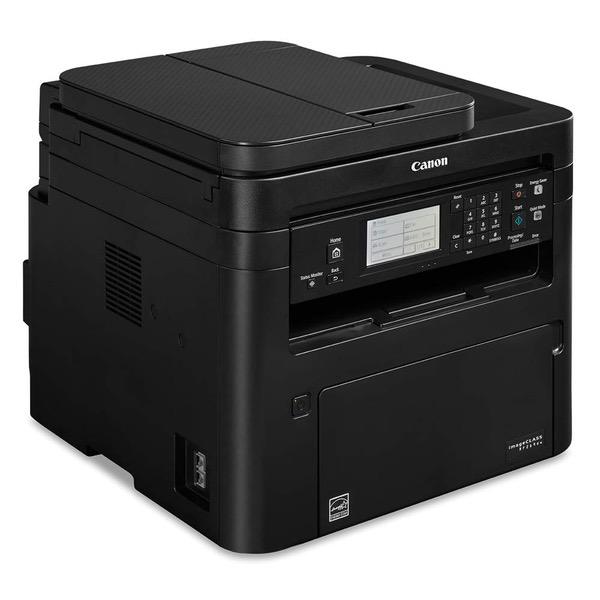
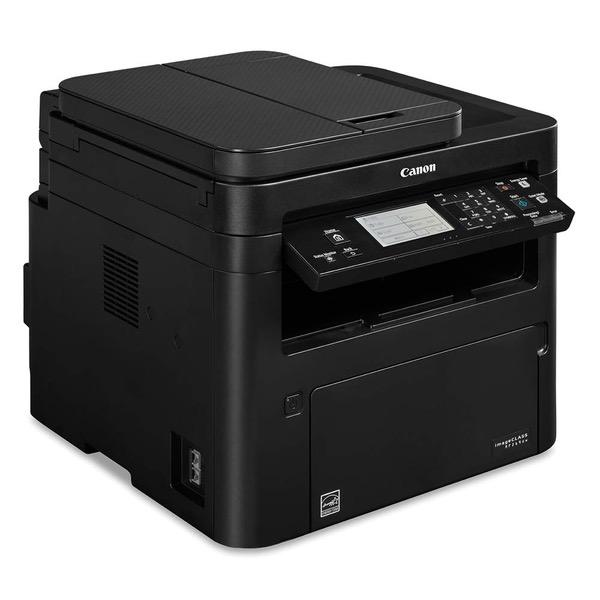
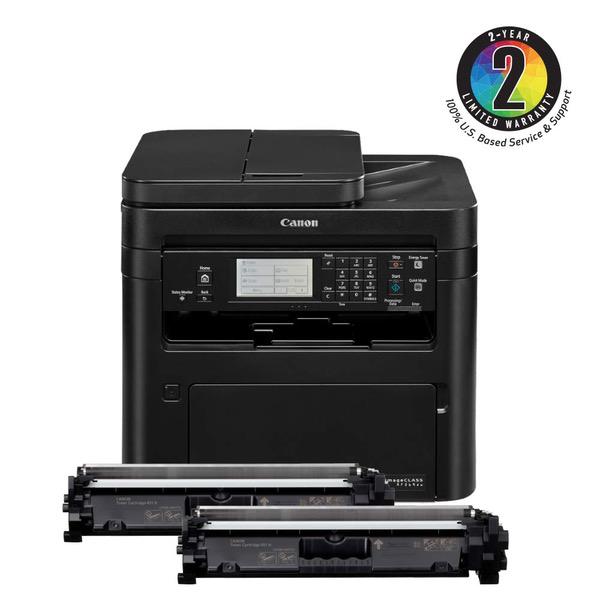
Canon imageCLASS MF269dw (2925C006) All-in-One, Wireless Laser Printer, 2018 Model with AirPrint, 30 Pages Per Minute and High Yield Toner Option

Write a review
B07H66VDRV
MF269dw Laser Printer
Target is a general merchandise retailer with stores in all 50 states and the District...

City: US, New York

Delivery
Pickup at your own expense
Tomorrow from 09:00 to 20:00, Store location
Free
Payment options
Apple Pay Google Pay Mastercard Visa
Cash, bank card, credit/installment payments, cashless payment for legal entities
Warranty and returns
Exchange/return of products of proper quality within 14 days Official manufacturer's warranty: 12 months
Features
Style
MF269dw Laser Printer
Description
This fits your .
Make sure this fits by entering your model number. Print at speeds of up to 30 pages per minute, with your first Print in your hands in approximately 5 seconds. Supports mobile solutions, including apple AirPrint, Canon Print business, Mopria Print service, and Google cloud Print. Connect mobile devices without a router using Wi-Fi Direct connection. 6-Line, black and white touch LCD for easy navigation. Paper capacity allows for 250-sheets in the standard cassette and 1-sheet in the multipurpose tray. All in one functionality allows you to Print, scan, copy and fax with ease.
Reviews
3.9
Reviews: 20
5 stars
45%
4 stars
15%
3 stars
25%
2 stars
10%
1 star
5%
Brain Power
2
Get the Brother. I had high hopes for this . The scanner quality was washed out no matter how many settings I corrected for. The network kept locking up and it kept forcing me to print 2 sides. I tried to revert the settings back to one side and it failed. Had to return.
Mystic Manifesting
2
Ive owned two HP laser jets and numerous ink jets from various companies. I got this Canon hoping to replace my HP, which is my main printer but its not wireless. The good: I was able to network two Macs and a PC to this printer without much difficulty. It prints very quickly. The control panel is pretty intuitive, if wordy. The bad: I wanted to use the flatbed scanner for scanning old books that are out of copyright. But for the life of me, I cannot figure out how to scan more than one page into a single file. It creates a new file for every scan. I searched the online documentation, which is a nightmare. Its some of the worst documentation Ive seen. I look something up, and have to click a link, then another link, then another link. Sometimes, after all that clicking, it just tells me to look at the control panel on the printer. They have taken hyperlinks too far. (I used the online documentation. I found out later I could download the manual, which is much preferable.) I found that I can scan into an application like Word, which I dont have, and I dont wanted a bloated document anyway. I would have to buy scanning software that knows how to create a multi-page PDF. But then my printer is across from my computer, so Id have to load the page, run to the printer to scan, run to the printer to load another page, run back to the computer... Why didnt this come with software or the ability to scan continually into a single document? Okay, so scanning is out. BTW, I had to download a driver for the printer, then a driver for the scanner, then a driver for the email function. I ship products and use 4x6 inch shipping labels. I can load a stack of labels onto the top document feed tray of my HP. The multi-purpose tray is buried in the bowels of this machine. You have to open the door to the paper/ink cartridge, and halfway in is a cheap plastic flap you have to lower. Then you adjust the feeder guides to fit your paper. Make sure you have good lighting and your co-workers arent staring at your derriere as you bend over to see inside! If you print multiple envelopes, forget it. This Canon says it will take only one label/envelope at a time. I also tried the copy function using the top feeder. You can load full size papers but the minimum width is 5.5". If you want to copy or scan something smaller, youll have to lift the lid and put it on the platen. The first time I copied something the size of a postcard, it printed askew on the bottom of the page. Then second time it printed correctly at the top of the page. The third time it didnt even pull the document. Fourth time, again, bottom askew. Be very careful how you load the original. Then bury your hand inside the outlet tray to find the original. And it the document jams: open door, lift up green lever, open flap, close flap, close door, load original. Blah blah blah. The printer sucks, and clunks, and beeps. Its like living with a guy who farts and burps while Im watching TV. I did manage to turn the beeper off when its finished printing a document. Its annoying, and if I had to listen to this printer in a multi-person office, I would go nuts. I couldnt figure out the email function at all. Im keeping my HP, because I print far more than I scan or copy. This is suitable for a small office that scans, copies, and prints standard size documents and doesnt mind an ill-bred printer.
Product variations
Column filling
Sort by Price Sort by Availability Sort by CODE Sort by Style
Contact us for a price
In stock
B07H66VDRV
Style:
MF269dw Laser Printer
$32900
In stock
+
B07QH7MRFF
Style:
MF269dw Laser Printer Value Pack
You may be interested
  • Bestsellers
  • Recently Viewed
 
Fast and high quality delivery

Our company makes delivery all over the country

Quality assurance and service

We offer only those goods, in which quality we are sure

Returns within 30 days

You have 30 days to test your purchase