
















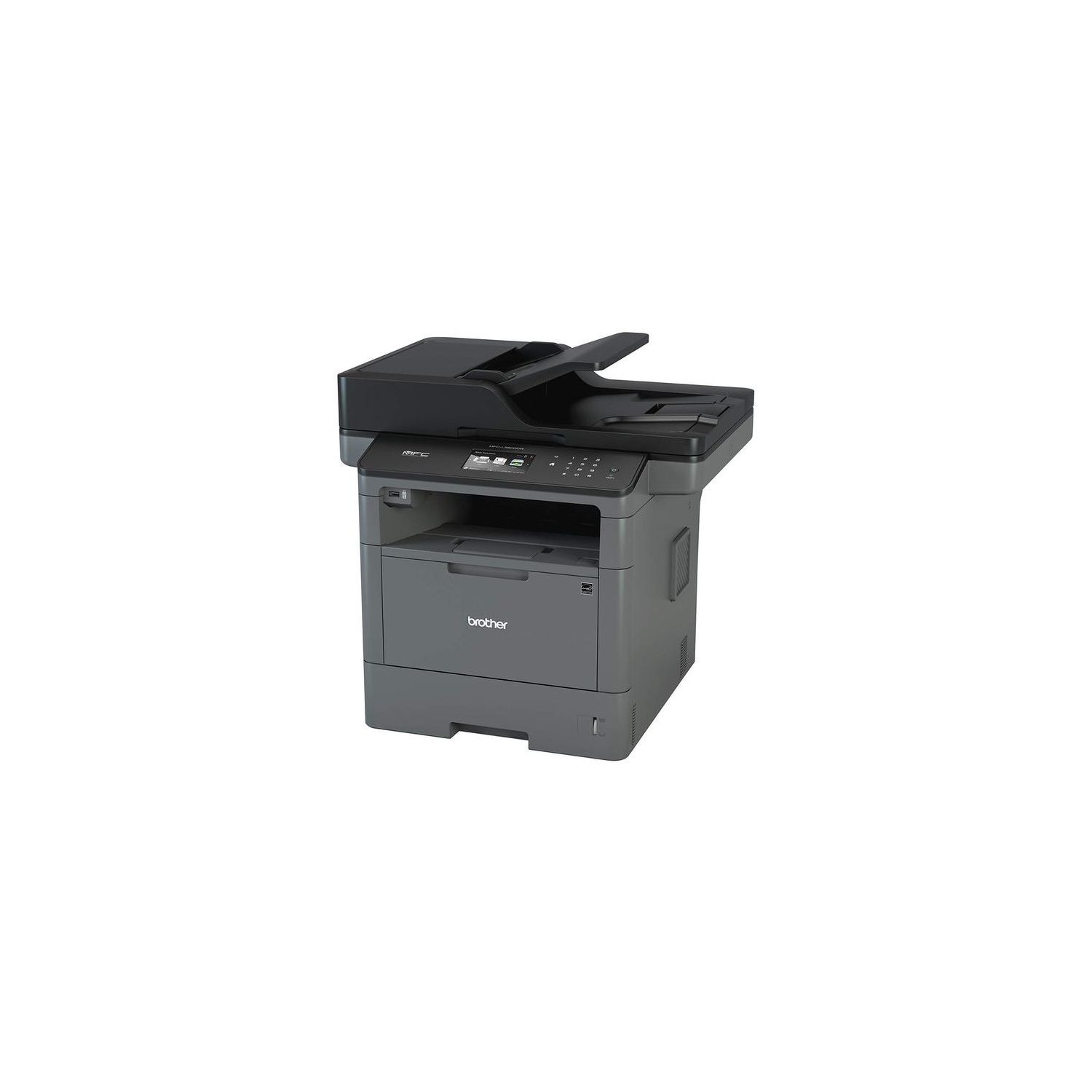
Brother Monochrome Laser Printer, Multifunction Printer, All-in-One Printer, MFC-L5800DW, Wireless Networking, Mobile Printing & Scanning, Duplex Printing, Amazon Dash Replenishment Enabled
Write a review
$29900

Brother Monochrome Laser Printer, Multifunction Printer, All-in-One Printer, MFC-L5800DW, Wireless Networking, Mobile Printing & Scanning, Duplex Printing, Amazon Dash Replenishment Enabled

Write a review
B01824ZCBM
Printer
+
Add to wish list
Target is a general merchandise retailer with stores in all 50 states and the District...

City: US, New York

Delivery
Pickup at your own expense
Tomorrow from 09:00 to 20:00, Store location
Free
Payment options
Apple Pay Google Pay Mastercard Visa
Cash, bank card, credit/installment payments, cashless payment for legal entities
Warranty and returns
Exchange/return of products of proper quality within 14 days Official manufacturer's warranty: 12 months
Features
Connectivity Technology
USB, Ethernet, Wi-Fi
Item Dimensions
16.8 x 19.5 x 19.1 in
Item Weight
37.9 lbs
Operating System
  • Windows, Mac, Linux
Style
Printer
Description
This fits your .
Make sure this fits by entering your model number. INNOVATIVE SCANNING CAPABILITY: Supports multiple scan-to destinations such as email, USB, SharePoint, Cloud Services, Network, and more(1). First Page Out Time (max. sec.)- 7.2. Printer Driver Compatibility-Windows, macOS, Linux. Black Print Speed (max. ppm)-42. Mobile Device Compatibility-AirPrint, Google Cloud Print 2.0, Brother iPrint&Scan, Mopria, Cortado Workplace, Wi-Fi Direct ADVANCED SECURITY FEATURES: MFCL5800DW helps protect against unauthorized device and document access, and securely connect to your network. 70-PAGE AUTO DOCUMENT FEEDER: The 70-page capacity auto document feeder is perfect for unattended copying, faxing, or scanning. AMAZON DASH REPLENISHMENT ENABLED: Upon activation, Amazon Dash Replenishment measures the toner level and orders more from Amazon when it’s low ,Operating Environment Temperature - 50-90°F FOR USE WITH BROTHER GENUINE TONERS: TN820 Standard Yield Toner, TN850 High Yield Toner for cost efficient output.Copy Resolution:1200 x 600 dpi
Reviews
3.9
Reviews: 20
5 stars
55%
4 stars
10%
3 stars
15%
2 stars
10%
1 star
10%
Michael
5
I got both the MFCL5800DW and the MFCL5900DW. They look pretty much exactly the same. Theres only one major difference--the 5900 scans/copies/faxes both sides of a sheet of paper, but the 5800 only does single-sided scan/copy/fax. Both are color scanners, but black-and-white printers. Both do two-sided printing, but the document feeder in the 5900 also does two-sided scanning. A lot of offices dont use duplex printing often, so duplex scanning is even more a waste. If this is you, save $60 and get the 5800. If duplex scanning is something you need, get the 5900. Also, the 5900 does gigabit wired networking where the 5800 only does 10/100. Both have the same speed B/G/N wireless and both support USB (even though its silly for this size printer). With both the 5800 and the 5900, Brother seems to be making a bigger push into the medium business market. With features like Active Directory support, setting lock, and pin printing, its trying to make itself a viable choice in a it managed business environment. I still dont think of Brother as having enterprise reliability, so I still think of these as small business printers. You use them for as long as they last (hopefully 3+ years) and you toss them when they start to have issues that arent fixed with consumables. But the reason to use Brother printers is because theyre so cheap to run. An 8000 page cartridge is $110 and a 30,000 page drum is $135. Anything HP in this price range has a 2,000-4,000 page cartridge and drum in one for $100-$150. You can use third party toner in Brother printers very easily, but I wouldnt risk it. Ive seen the fuser in a lot of Brother printers go bad early because of third party toner. The quality of third party toner isnt always to par. Unpacking and setting up the printer was easy for someone whos unpacked a printer before. The step by step instructions seem good for those who havent. If you follow the disk, it will walk you through installing the network part of the printer, but I just setup the wireless on the printer itself. Wired networking is faster than wireless, so set it up wired if you can. The disk is an easy install. You can also download the latest installer from the website. If youre just installing it as a printer/copier, and dont care about scanning, I was able to install this printer without the disk just searching for the printer in windows. I read someone else had trouble registering the printer, but I didnt register so I cant tell you if theres a problem. The build quality of the 5800 and 5900 seems fine. The 42 page per minute printing is quick. The 300 page paper capacity is too small. It really should hold 550 pages so you can add a ream of paper every-time it gets low. The copy scan document feeder can handle 70 pages which is plenty. There are plenty of ways to setup scanning from direct to computer scanning or scanning to a server share. The touch screen is easy to navigate and number pad is nice for typing fax numbers. So far its working perfectly. And Im pretty sure its going to work perfectly for some time. Its a good small business/home office printer. If you dont need color, either the 5800 or the 5900 are great bangs for the buck.
NSIW3687
5
This 5800DW is my fifth Brother MFC units over the past 10 years (we print, copy and scan documents very heavily). So far it is the easiest to set up, took me only 3 mins after taking it out of the box. So far, weve been using this unit for 2 months and print quality, the scan quality and ability to print / scan from smartphone . . all are very good (same as it has been with earlier units). Toner replacement with genuine Brother is a little pricey but I guess that how they make their profits. I noted that over the years (and many units), owners certainly will look to cut cost, hence use cheaper toner and drum . . . but it is also when the quality of the prints begin to degrade. Anyway, it is the economic reality. From experience, MFC usually functions well for about 2 years of heavily used (I mean 10,000 - 13,000 prints and copies per month). Then it begins to show signs of wears and tears for which it is time to replace with newer model (as fixing it will cost a lot more on parts and labor). Lets see how long this unit will last ;-)
Paul
5
I LOVE this printer! Im a notary and this baby can alternate between regular and legal size without having to stop and change paper. I dont know how it would perform in a larger office setting, but for my needs are perfect.
Mr. Analog
5
Update: Brother customer service is Awesome. They lost the first order for a new toner cartridge so I contacted them for an update. They apologized and sent a new one OVERNIGHT! This completely solved the problem, no more toner spots. ********************** I have toner spots on my printouts whenever the printer had been idling for a while. I used chat support and they did a great job of walking me through cleaning the drum, but it did not solve the problem. The replaced the printer and the new one has the same problem. I decided to contact Brother (by chat) because I thought they would know this printer better than Amazon. They were very helpful and knowledgeable and they concluded that the toner cartridge may have a problem. They are sending me a replacement toner cartridge to test. They even asked me to return the bad cartridge and a maintenance report from the printer so that they can analyze it. I like a company that wants to fix the problem rather than just give your money back. I will update this review once I have had a chance to test the new cartridge. Stars may go up or down depending on the result.
Sharon S.
5
Im starting an at-home-business and only wanted a monochrome printer. Ive only bought Cannon printer before, but Brothers makes an amazing large printer. Its a little on the loud side, but its not a deal breaker. It does print very quickly. Definitely recommend for small businesses.
Rodney Cobb
5
Happy to have a printer thats always ready to go. Color is nice but it seems like Im always replacing expensive cartridges. I had a terrible experience with Brother years ago and said Id never purchase another Brother product but I gave them another try. Liked this one so well I bought another one for another location
Keithhr
5
I have just set this up, and this has been a joy to put in my computer system. I am not able to do a real review that does this justice, but functionally, it is really good. More will be revealed with more use but, copy, print etc seems to be first rate, but the real joy has been the ease of setting this up.
Robert Jordan
5
Needed a home office printer, something I could stand behind and expect great quality. I love brother printers especially the small office to mid size office brands. This one features everything you need to get rolling. Great quality at a reasonable price.
Keith Hill
5
Ive had good success with other Brother printers in the past, hoping the same for this one. The network cheer settings are not as easy as they could be, but not as difficult as the x brand.
Mark
5
I like everything about this printer. My first brother and i was more than impressed. The toner lasts a long time for a starter toner. All the software features including faxing from your pc work flawlessly. I had a xerox printer and brother just blows it out of the water on every level. If you want a printer from a company that gives you features that you will love because they actually work, than brother is the way to go in my opinion.

Showing 10 of 11 reviews

Product variations
Column filling
Sort by Price Sort by Availability Sort by CODE Sort by Style
$29900
In stock
+
B01824ZCBM
Style:
Printer
You may be interested
  • Bestsellers
  • Recently Viewed
 
Fast and high quality delivery

Our company makes delivery all over the country

Quality assurance and service

We offer only those goods, in which quality we are sure

Returns within 30 days

You have 30 days to test your purchase