
















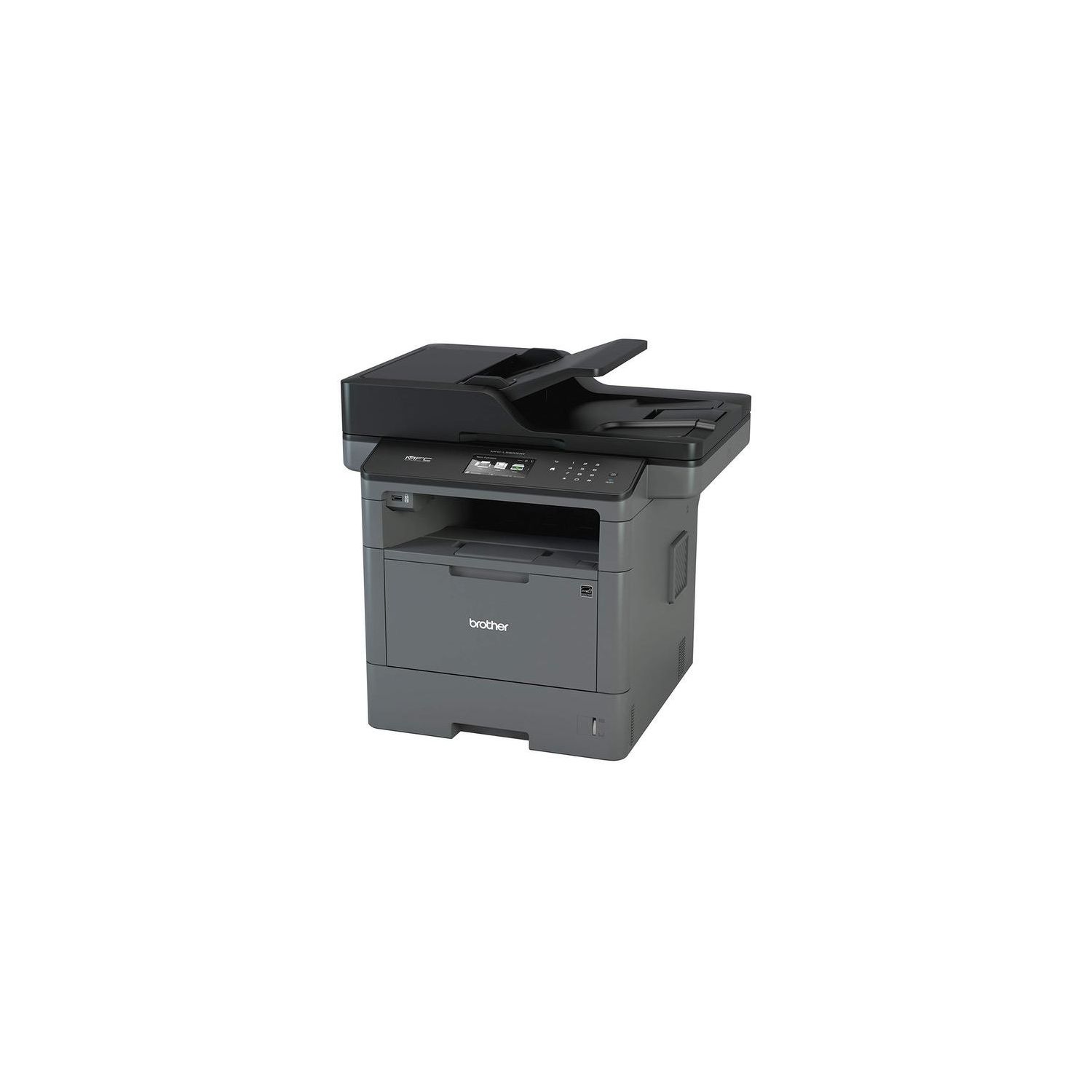
Brother MFCL5900DW Business Laser All-in-One with Advanced Duplex and Wireless Networking, Amazon Dash Replenishment Enabled and Brother Printer TN850 High Yield Toner Bundle
Write a review
$43600

Brother MFCL5900DW Business Laser All-in-One with Advanced Duplex and Wireless Networking, Amazon Dash Replenishment Enabled and Brother Printer TN850 High Yield Toner Bundle

Write a review
B01M3OFMCC
Printer and High Yield Black Toner Bundle
+
Add to wish list
Target is a general merchandise retailer with stores in all 50 states and the District...

City: US, New York

Delivery
Pickup at your own expense
Tomorrow from 09:00 to 20:00, Store location
Free
Payment options
Apple Pay Google Pay Mastercard Visa
Cash, bank card, credit/installment payments, cashless payment for legal entities
Warranty and returns
Exchange/return of products of proper quality within 14 days Official manufacturer's warranty: 12 months
Features
Style
Printer and High Yield Black Toner Bundle
Reviews
2.8
Reviews: 20
5 stars
25%
4 stars
15%
3 stars
15%
2 stars
5%
1 star
40%
pAmazon
4
I bought this printer as a replacement for the Brother MFC8910DW which was very good when it worked, but was prone to errors including broken drums and drum error message. I got the MFCL5900DW printer to give Brother another shot. Speed: Initial start up time to first printed state feels like about 2 seconds slower on the MFCL5900DW compared to the older MFC8910DW. Once it starts printing, the speed on the MFCL5900DW is very fast. Installation: I installed the MFCL5900DW in for my office which has 8 computers. Installation was painful. To install, use the CD or download install file from website. To install on Windows 7 using a non-administrator account, extract files to a folder. Right click on the "InstUI" and "Run as Administrator" to install. Note that after each install, the printer crashes and there is a big red "X" on the printer. You have to unplug the printer power cord for each machine you install to reset it. For a Windows 8 computer, you have to log in as Administrator in order to install. I had to unplug the printer 8 times to install on all eight machines. If you work for a large company and have to install the MFCL5900DW, this is a disaster. Print Quality: Excellent. No complaints. Its copy quality beats the older MFC8910DW. LCD screen: I can do w/o the color LCD screen. I have flourescent lights above the MFCL5900DW and the glare makes if extremity difficult to read the color LCD screen (see pictures attached. The first picture is glare caused when the overhead light is on. The second is a better view of what the LCD screen is light when that particular light is turned off). Its much easier to read the old b/w screen on the older model. Also, I dont like the lack of buttons on the newer model. Price/Print: While calculating price/print, its important to factor in the cost of the drum into the price. Some models like canon MFCs have the drum built it. On the other hand the Brother MFCs have Drum and Toner in separate packages. As of 4/10/16, the TN850 high yield toner cartridge is $112.91 for 8000 pages while the DR820 drum unit is $133.39 for 30,000 pages. For 32,000 pages, its $133.39 (1 drum) + $112.91 x 4 (toner) = $113.39 + $451.64 = $565.03 for 32,000 pages. It averages out to be 1.77 cents/page. Update 6/27/16: After a few months using, I found it has been reliable. Upgraded it to 4 stars. The installation bug still a big hassle. However, prints come out clean and quick. Update 12/6/16: Warning for change drum came up today. The change drum warning came up after the 5th change in toner after initial starter toner. I had ordered replacement toner TN850 in April (1), May (2), June (3), August (4), October (5), and November (6). I just put the October TN850 in (5th). The November TN850 (6th) is my spare. Been happy with this printer so far.
Amazon Customer
4
I have used Brother printers for several years through my non-profit. They are excellent until they wear out, and then often cost more to fix than replace. This printer fits that description perfectly. The Printer: It uses a common size toner making aftermarket toners and drums available. Even if you stick with genuine Brother consumables, the cost per page is very affordable. I have my printer hard wired to ethernet, so I cannot speak about wireless or phone / tablet printing. I do have a couple complaints about Brother printers: It is hard to set which trays it pulls paper from and if you are completely out of paper it will pull paper from the legal drawer. The touchscreen seems to make it impossible to remotely access the printer as well, which is disappointing. Also, Brother is a little too proud of their extended drawers which can cost more than another printer. The scanner: I have been using a Fujitsu Scansnap for several years. It is still the best high speed document, check, and receipt scanner on the market. This makes it hard to rate the Brother scanner because it is not in the same league. It is really nice to not have to setup a Fujitsu scanner or dedicate precious desk space for one. I dont have problems scanning a statement, and the ADF is fast. I like the ability to enable or disable duplex scanning so that the PDF is cleaner. The ADF is incapable of cleanly scanning a stack of checks or receipts because it often pulls multiple sheets at once. It also tends to pull smaller documents crookedly without any correction software. The Apple App seems to work better than the Windows 10 App, but both give lots of options regarding resolution, color, and duplex scanning. I have not had any problems with the App other than it is extremely slow when saving as a PDF. Having the option for a flat bed scanner is a nice feature. This is how I handle receipts and checks right now, and it is nice to be able to scan from a book without having to remove the page. The flatbed also works better for IDs and photographs since you dont have to use a carrier page like you would with the Fujitsu or the Brother ADF. The shortcomings of the scanner has not made me hook the Fujitsu back up other than in the field, so that is why I am giving it 4 stars.
John M. Creagar
4
This is my companys second Brother product, and I continue to be impressed. It prints well, scans quickly, and can handle a heavy daily work load. My only complaint is that it is a bit loud, and the wi-fi connection is slow. But, when your printer is magically printing things from another room, without any cords, you really cant complain. It is a great product and I would recommend it to other business owners (and, in fact, have recommended it to other business owners).
Product variations
Column filling
Sort by Price Sort by Availability Sort by CODE Sort by Style
$32900
In stock
+
B01BHSLJGC
Style:
Printer
$43600
In stock
+
B01M3OFMCC
Style:
Printer and High Yield Black Toner Bundle
You may be interested
  • Bestsellers
  • Recently Viewed
 
Fast and high quality delivery

Our company makes delivery all over the country

Quality assurance and service

We offer only those goods, in which quality we are sure

Returns within 30 days

You have 30 days to test your purchase