
















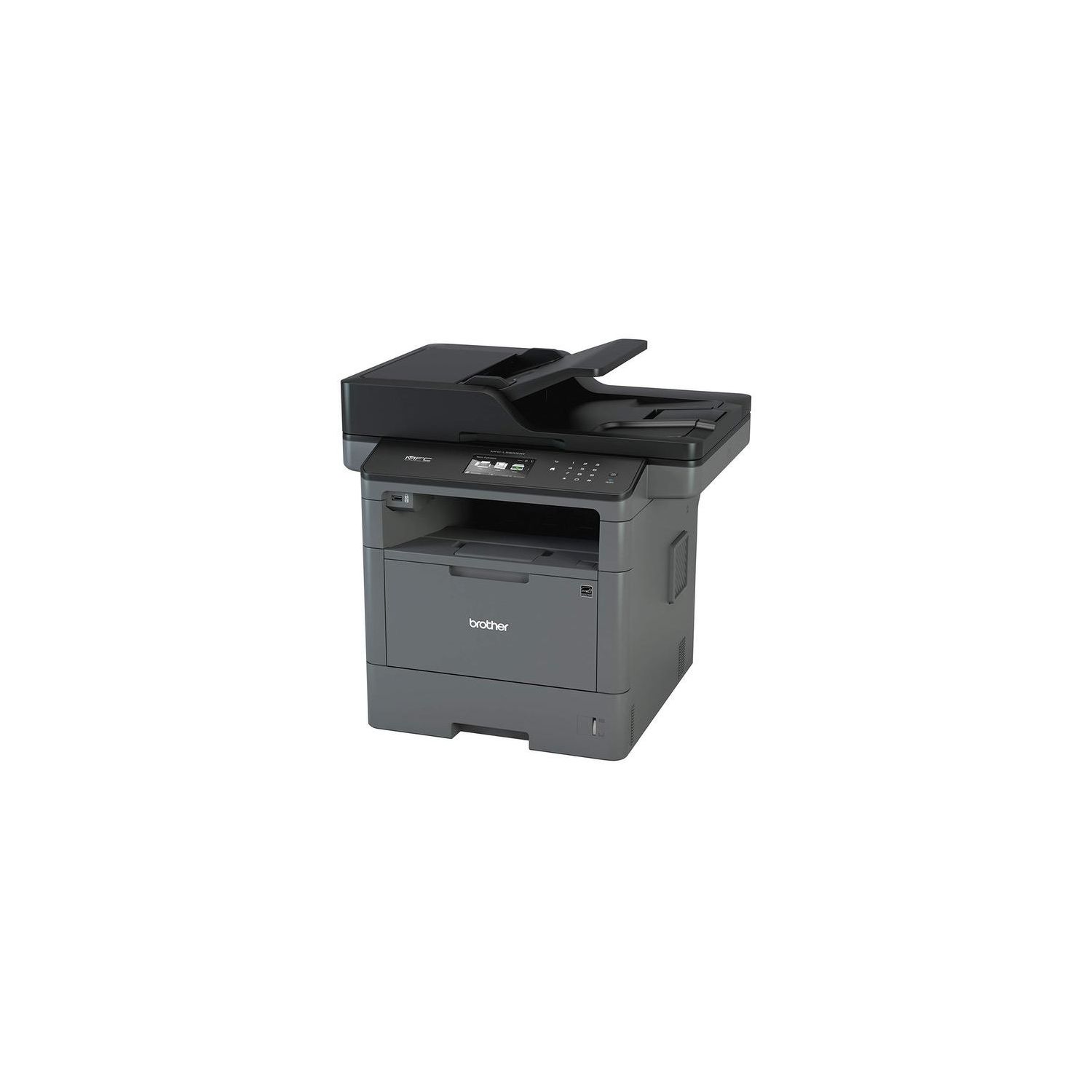
Brother MFCL5900DW Business Laser All-in-One with Advanced Duplex and Wireless Networking, Amazon Dash Replenishment Enabled and Brother Printer TN850 High Yield Toner Bundle
Write a review
$43600

Brother MFCL5900DW Business Laser All-in-One with Advanced Duplex and Wireless Networking, Amazon Dash Replenishment Enabled and Brother Printer TN850 High Yield Toner Bundle

Write a review
B01M3OFMCC
Printer and High Yield Black Toner Bundle
+
Add to wish list
Target is a general merchandise retailer with stores in all 50 states and the District...

City: US, New York

Delivery
Pickup at your own expense
Tomorrow from 09:00 to 20:00, Store location
Free
Payment options
Apple Pay Google Pay Mastercard Visa
Cash, bank card, credit/installment payments, cashless payment for legal entities
Warranty and returns
Exchange/return of products of proper quality within 14 days Official manufacturer's warranty: 12 months
Features
Style
Printer and High Yield Black Toner Bundle
Reviews
2.8
Reviews: 20
5 stars
25%
4 stars
15%
3 stars
15%
2 stars
5%
1 star
40%
BMR
1
Loved the printer until it decided to tell me I HAD to change the toner. The few brother printers Ive had before had simple overrides but Brother seems to have worked a little harder on this one and I cant figure out how to print checks at my office despite the fact that the printer was printing flawlessly before the shut down. If youre legally blind and arent able to tell when your copies look like garbage then this printer is for you. Brother will tell you (prematurely) that you need to replace them with their genuine overpriced toners. Sincerely, Long time (former) Brother user.
TJ
1
I have purchased several of the model that came before this one - one finally gave out - needing a new laser unit (lifetime about 3 years). Given previous experience, I decided to buy this generation. I have had two of the MFC 5900s now and I am finding if the unit idles for a couple of days,pages develop black spots/smudges on the first couple of pages. Brother says to clean the drum - unsure why this would have to happen on a new printer ... running quality paper ... no labels, etc. I really do not have time to service the drum every week. Amazon as usual is doing an awesome job ... going back to HP printers.
Jianqing Jennifer Liu
1
I had Brother 8680 DN for 5-6 years. I got this new brother 5900 to replace the wearing out 8680 printer. The problem of this new 5900 is the very poor scanning quality, comparing with 8680. If you scan a paper written with blue ball pen, it will miss about 20% of the writing. Scanning a pure white paper will give you grey background image file. I can use 8680 scanner for photo scanning; but 5900 is not reliable even for text document.
Amazon Customer
1
I am very disappointed with this purchase. I have a MFC 8910DW in my office that has been very reliable for my small business. I am an attorney so I print a lot of documents. I bought this for my home office so that I can be efficient and productive when working from home. I would have bought another 8910DW but it was discontinued. Any time I try to print a PDF that is more than a few pages, it says that it is receiving information and then never prints. It also freezes while scanning small documents (10 pages). Sometimes when Im printing a word document, it only prints part of the document. For the price I expect to be able to print and scan documents quickly and easily. This was a total waste of money and Im very disappointed after having a good experience with another brother laser printer.
Guy C. Guckenberger
1
I bought 2 models MFCL5900DW, one for me and one for my daughter in another state. From the start the first printed page was "dirty" especially at the top. I have called Brother 5 or 6 times. The toner cartridge has been replaced 3 times and the drum once. I have gone through numerous exercises such as cleaning the drum with an alcohol swab and wiping off the toner roller. These solved the problem only temporarily. I still have dirty fist and second pages. My Amazon 30 day return is up as is my 90 day Brother consumables warranty. My daughter is having the same problem. I cannot recommend this printer. I will probably give it away and switch to another brand. If I could return it, I would in a heart beat.
Amazon Customer
1
I ordered it. Received it. Set it up. And within 18 hours, I received a self-diagnostic error. Troubleshooting for the error consisted of leaving it on for 15-20 minutes, turning it off and turning it back on. If it doesnt fix the problem, Brothers support states that the device requires service. That is the full extent of the troubleshooting for this particular error. I literally printed a total of two pages before it went defective. Ridiculous.
Amazon Customer
1
Of the five or so printers Ive purchased in my life, this has been the worst from a software / driver standpoint. Every time I use the printer, I have to run the Windows troubleshooter, and sometimes that doesnt work either (and Im left with a printer that doesnt print). Ive tried everything - reinstalling the driver, calling customer support, uninstalling and reinstalling the printer, and its a headache every time I want to print something. The actual printer is fine, but the consistent setup makes me want to tear my hair out.
frenchy
1
Ever since I got this printer its been nothing but an absolute headache. In order to ever have a chance at using it, I have to turn it on and off several times and turn my computer on and off. And only then is it even a possibility that the printer will connect to my computer. It will almost never AirPrint, especially if youre not hovering over it. It doesnt even show up in the network. 99% of the time it shows as offline in the printer settings despite being connected to the internet and showing a strong signal internally. There does not appear to be any setting to keep it awake and at this point Im not sure if the problem is that it goes to sleep immediately or that its just poor network tech. I have uninstalled and reinstalled the printer, the drivers, the firmware 7-8 times now over a month and it will work immediately following and never in the time afterwards. I have had to resort to using my old, slower Canon printer because at least it works every time I hit the print button. Theres no guessing if its going to actually print or not. Save yourself the money and the frustration.
Product variations
Column filling
Sort by Price Sort by Availability Sort by CODE Sort by Style
$32900
In stock
+
B01BHSLJGC
Style:
Printer
$43600
In stock
+
B01M3OFMCC
Style:
Printer and High Yield Black Toner Bundle
You may be interested
  • Bestsellers
  • Recently Viewed
 
Fast and high quality delivery

Our company makes delivery all over the country

Quality assurance and service

We offer only those goods, in which quality we are sure

Returns within 30 days

You have 30 days to test your purchase