
Brother Inkjet Printer, MFC-J985DW XL, Two-Sided Printing, Wireless, Amazon Dash Replenishment Enabled, Business Capable Features, Up to 2 Years of Printing Included
Write a review
$29800

Brother Inkjet Printer, MFC-J985DW XL, Two-Sided Printing, Wireless, Amazon Dash Replenishment Enabled, Business Capable Features, Up to 2 Years of Printing Included

Write a review
B01DBXM87A
MFC-J985DW XL
+
Add to wish list
Target is a general merchandise retailer with stores in all 50 states and the District...

City: US, New York

Delivery
Pickup at your own expense
Tomorrow from 09:00 to 20:00, Store location
Free
Payment options
Apple Pay Google Pay Mastercard Visa
Cash, bank card, credit/installment payments, cashless payment for legal entities
Warranty and returns
Exchange/return of products of proper quality within 14 days Official manufacturer's warranty: 12 months
Features
Connectivity Technology
Wi-Fi
Item Dimensions
13.4 x 16.5 x 6.8 in
Item Weight
18.3 lbs
Operating System
  • Windows, Mac
Printer Output
Color
Printer Technology
Inkjet
Style
MFC-J985DW XL
Wireless Type
802.11bgn
Description
This fits your .
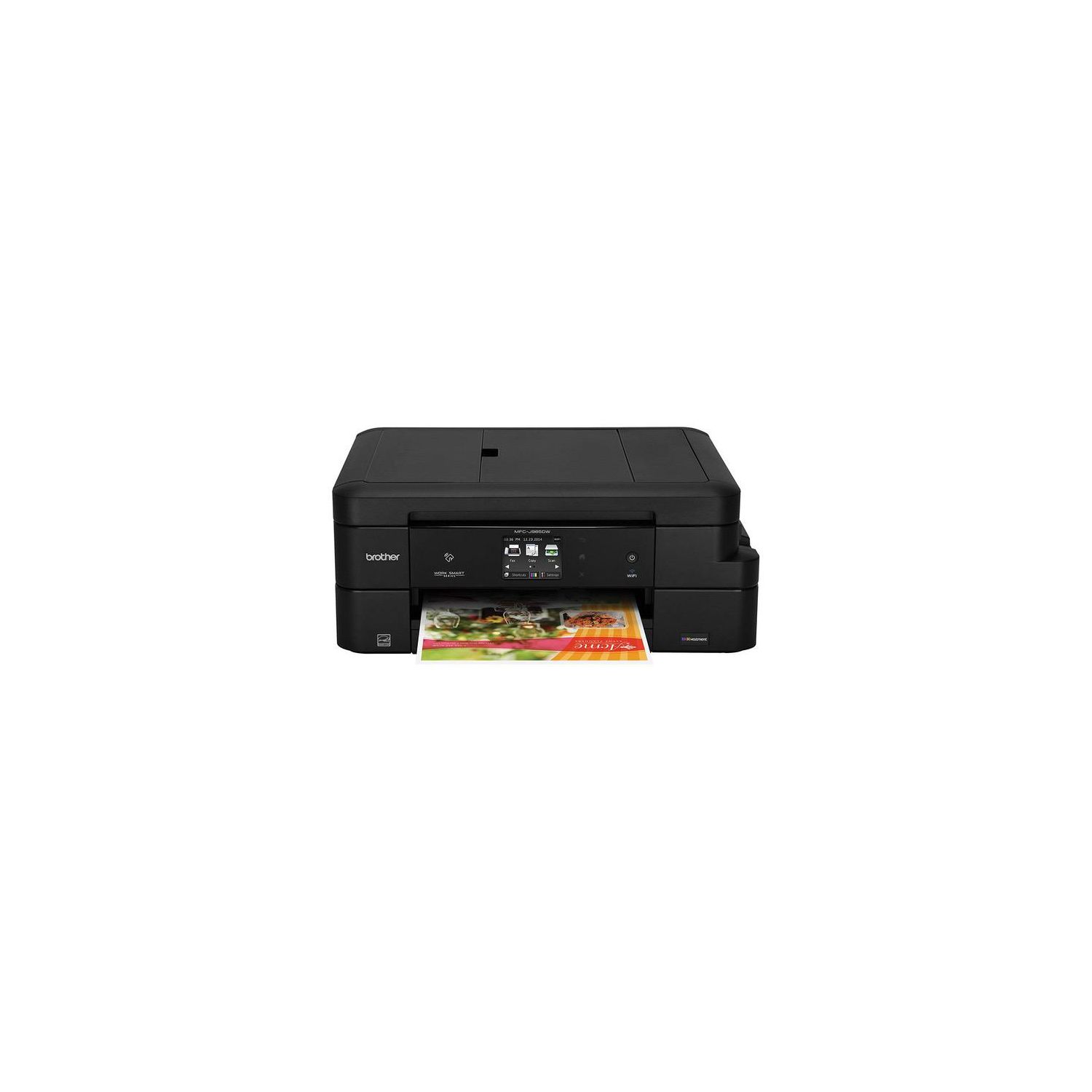
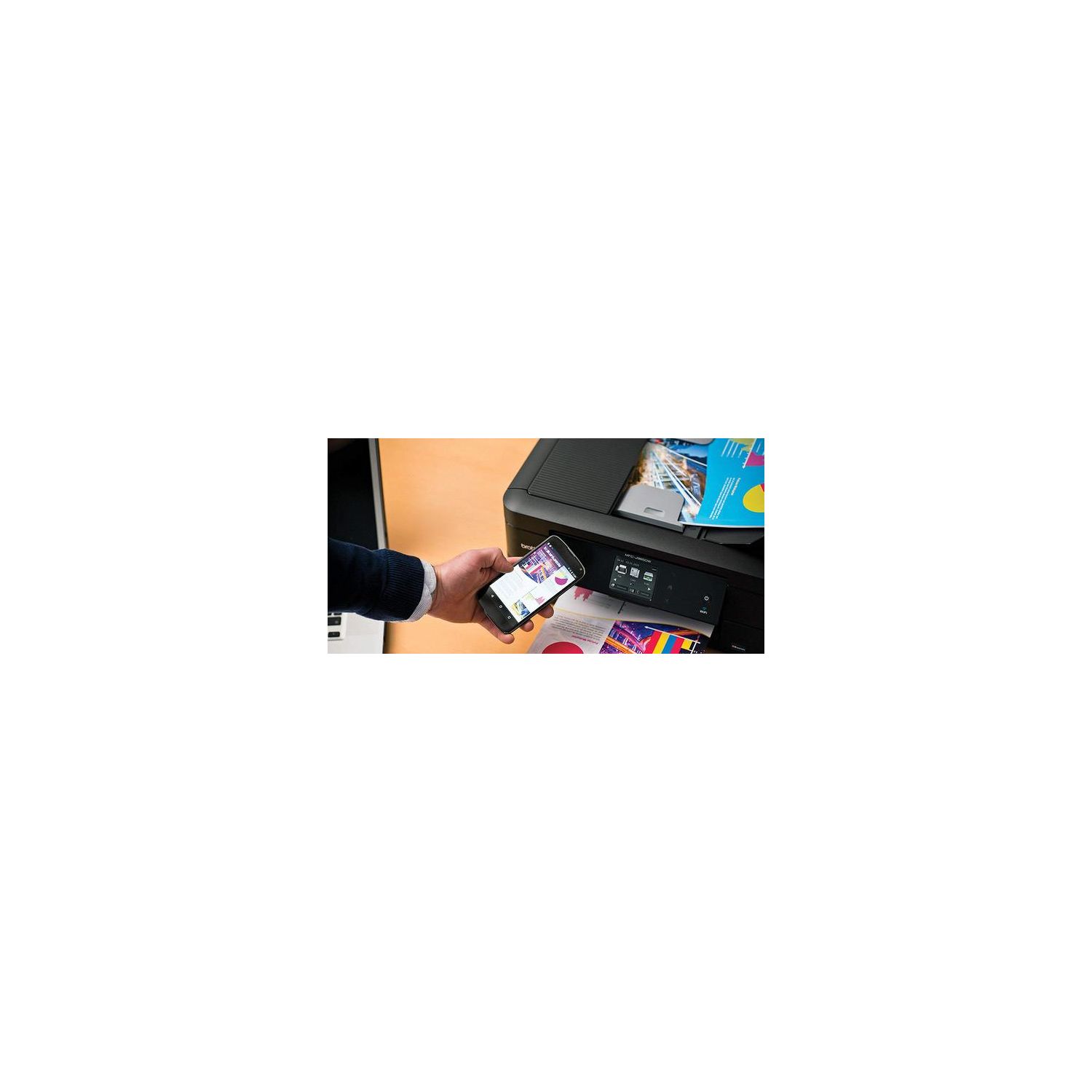
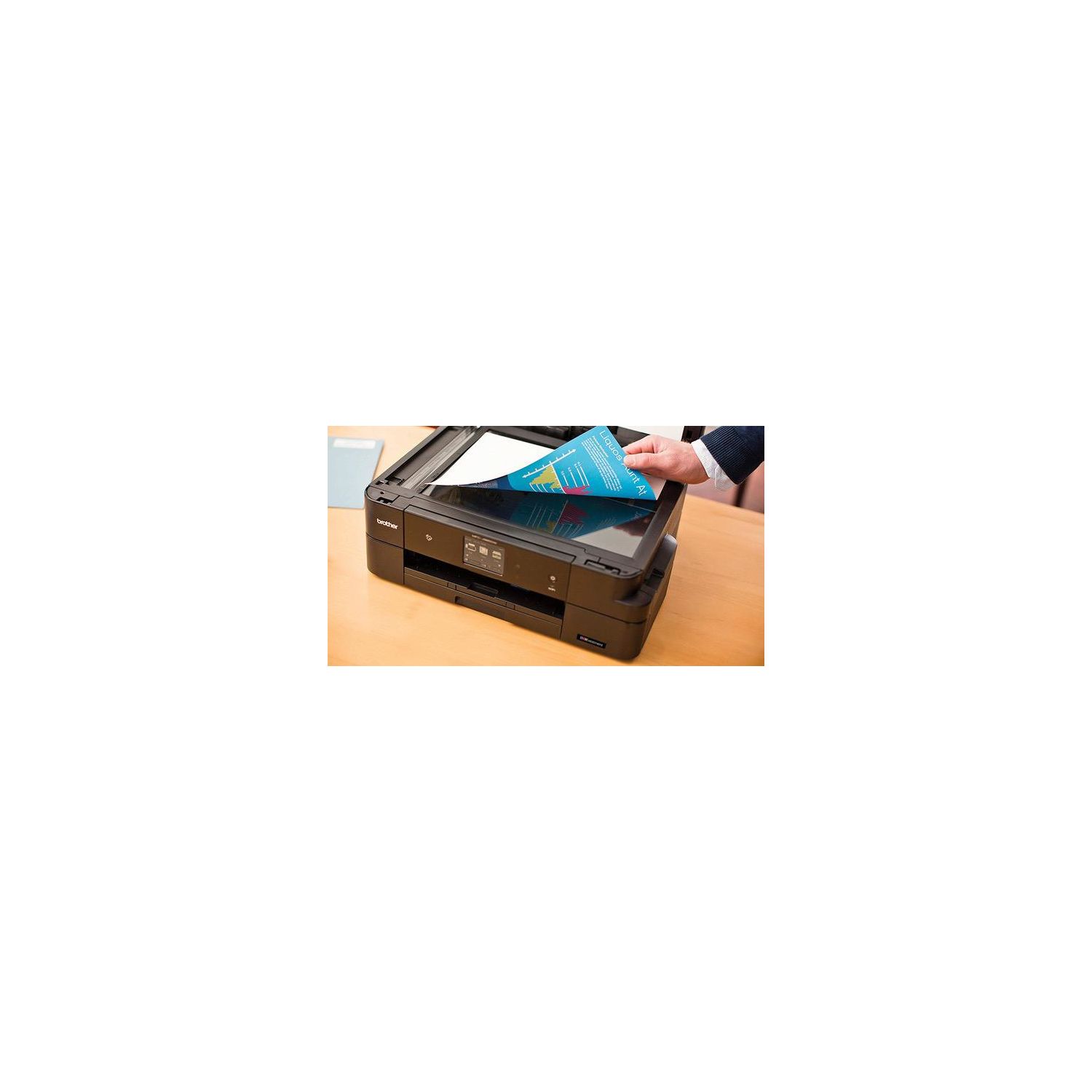
Make sure this fits by entering your model number. 12 SUPER HIGH-YIELD CARTRIDGES INCLUDED: This printer includes 12 high-yield ink cartridges that can print up to 7200 black pages and 3600 color pages BUSINESS CAPABLE FEATURES: Automatic duplex two-sided printing, up to 20-sheet ADF, and connectivity to desktops, laptops, mobile devices, and tablets WIRELESS CONNECTIVITY: Print and scan documents from virtually any location with Wi-Fi connectivity and the assistance of Wi-Fi Direct. No Duplex Scanning.Duplex Copying. Stand-alone Copying. Duplex Printing Capability AMAZON DASH REPLENISHMENT ENABLED: Upon activation, Amazon Dash Replenishment measures the toner level and orders more from Amazon when it’s low WARRANTY: The Brother MFC-J985DW Printer comes with a two-year limited warranty and free phone, email and chat support for the life of the product
Reviews
2.8
Reviews: 20
5 stars
25%
4 stars
20%
3 stars
5%
2 stars
10%
1 star
40%
S. Parker
1
I bought on Amazon in late June. I dont print very much at all. Maybe 30-40 pages so far if that? This morning I got a message about a paper jam; I went through the machines 6 prompts to clear it - though in the end, there was no paper jam after all. Then I get a message saying "Ink Absorber Pad Full" and to consult the troubleshooting guide. There is no troubleshooting - per Brothers not-very-user-friendly website, it is a "regular maintenance item" that is not under warranty. Seriously? After three months and very little use, I have to replace a part? That *really* stinks.
Pete
1
I was doing alright with this printer - it seemed rather stable even though the parts felt cheap and rickety, and the screen was tiny. Ill even go so far as to say that as advertised, an ink tank will get you through 1200 pages. Thats where the compliments end. After only 63 days of ownership and light usage, first the printer jammed whenever I tried to print double-sided. Next, the printer jammed every time. When you speak with Brother-USA "tech support", they have absolutely no idea how to troubleshoot anything. Their only purpose is to ask you a long list of questions and write down the answers. They have no technological knowledge and are either prohibited or incapable of exercising any critical thinking skills. For example, the first person I spoke to had me check the ink levels repeatedly, even though there was clearly a problem with the paper feed system. After being on the phone with "tech support" for over an hour, and getting nowhere, I gave up. They refused to submit a warranty unless I went through their interminable and ridiculous process. Now I own a high-tech paperweight that does nothing at all.
Michael Cook
1
After having it for two months. I am now dealing with it saying that there is a paper jam after each page printed. I have tried to restart it, do the setting changes, nothing fixes it. It is amazing how long the ink does last but I shouldnt have to waste my time calling the manufacturer because of this issue.
Barry Calhoun
1
Okay, so I should have listened to the reviews about Brothers customer support...unbelievably bad. I decided to replace my many-years-old HP Envy 6420 Wifi MFP. It has been an extremely good printer, but the ink was just getting ridiculously expensive and the scanner software wouldnt work on my Mac anymore. After much research, I decided to go with PC Mags recommendation for the Brother J985DW. My home network consists of two PCs and one iMac on Ethernet, and another PC and numerous iPhones and iPads using WiFi. I had my old HP hooked into the network via Ethernet for those workstations, and on WiFi for the mobile devices and the third PC. Everything worked great. After receiving the Brother, I simply removed the HP and hooked the Brother up the same way. But, in spite of a lot of troubleshooting, none of the Ethernet workstations could find it, and none of my mobile devices could see it. It was on the network with a good IP address, but neither AirPrint nor Brothers proprietary app could find the printer on any of my IOS devices. The only computer that could print was the PC that was using WiFi. (?) Called up Brother customer support for help, and explained the situation as above. The first thing the tech asked me to do was to make sure I hadnt plugged the Ethernet cable into the USB port on the printer!!!!!! Really!?!? She went through some basic things, putting me on hold numerous times, but the end result was, "Well, if its printing from the one PC, theres nothing wrong with the printer." Regarding the computers using Ethernet not seeing the printer, "That is a network issue that youll have to fix and regarding your iPhones and iPads not seeing it on WiFi, that is an Apple issue and youll have to get with Apple to troubleshoot that." In spite of my explaining that everything was working wonderfully before--that all that had changed was the printer--she wouldnt budge and ended the call. So, I had a printer that I could only use with one device. Unacceptable. So, I returned it to Amazon an hour later. Adios, POS! I then drove to my local Office Depot where I found an HP Officejet Pro 8710 on sale and after a quick look at the very positive reviews, purchased it, brought it home, unpacked it, and hooked it to my system in the same way that the Brother (and previous HP) had been. EVERYTHING WORKED WONDERFULLY! I didnt even have to do anything with the WiFi--I dont understand it--but all my mobile devices can print (and even scan) and I never even joined the printer to my WiFi network. I guess because its a network printer....? All my Ethernet-connected workstations connect wonderfully, as does my WiFi PC. Like night and day compared to the Brother. I dont know what the Brother engineers are smoking, but they could use a lesson from those at HP.
Hannah
1
I would give this negative stars if I could. First of all, all of my black/white text sheets take nearly an entire minute to print. Second, the printer often pauses in the middle of a job after the first page (or fourth, or whenever it feels like it) and either forgets the rest of the document(s) OR I come back to find them printed 8 hours later. I dont have time to sit and wait half an hour for a document to print. And its stupid to re-print something when the printer may just "remember" to print hours after I needed a document. The amount of paper wasted (and ink) is far more than I would have saved on "cheap" ink. These problems started immediately out of the box. Had I been smart, Id have returned it. Now Ive had the printer for less than 6 months and I regret buying it. I emailed tech support about it months ago and got a vague and completely unhelpful response. So 1 star for customer service, too. I did so much research on printers and thought this one would be great (I thought, "hey, everything gets a few negative reviews, but my luck is good and Ill be fine." WRONG). I dont buy things without doing research first. I know how to use computers and printers (Im not a tech whiz, but Im pretty decent with tech), and Ive found that Ive not had a single good printing experience with this printer. I literally avoid printing at home because I know that this printer causes so much aggravation. Its not worth your money.
Phil Ranker
1
At first this printer was great but I would strongly advise you to go in another direction. After a week or two of printing (we dont print a ton...a few pages a week) I would send the job to the printer and the pages would come out blank. So, I did the print quality test and no ink was showing up on the pages. The printer suggested that the ink nozzles were clogged and needed cleaning which was done by the machine. Then printing was fine. Until the next time I tried to print when I had to do the same exact thing. Essentially I have had the printer for a few months and have had to clean the nozzles about 10 times and I have printed, maybe, 100 pages. Not only is it so annoyingly inconveinent, but cleaning the nozzles frequently drains the cartidges of ink. One of the biggest reasons we got the printer was because it says it will print 2400 pages in black ink and 1200 color before needing new ink...well I have already had to buy ink for the printer and even with the new ink it is still clogging/needing cleaned. It is terrible and has been a nightmare.
M. Gorelick
1
This printers networking options dont work properly. I bought this multi-function printer with the specific goal of connecting it to my home Ethernet network, and was planning to use it as a shared resource for the 5 Macintosh computers that are connected to that network. Instead, I spent 7+ hours of frustration NOT getting the printer to show up on the Bonjour browser list. Among the things that didnt work were giving the printer a static IP address, updating the printers firmware, attempting to use their "CUPS" driver, and installing the printer drivers using Brothers own Mac installer. The symptoms are that the printer is connected (can be pinged, browsers on the network can access the printers web page, etc) but the printer does not appear on the list of available devices, so it cant be added to the list of printers on ANY of the Macs. These machines are on various, recent MacOS revisions (El Capitan, Sierra and High Sierra). Out of desperation (and with low expectations), I called Brother support. As others have stated, theyre great at reading a script, and thats about it. After some pointless troubleshooting (such as disconnecting my Ethernet cable on my laptop), the support engineer eventually punted and told me that I needed to contact "my network provider." Insultingly stupid answer. Ultimately, I was forced to return the printer and bought a Canon instead. I suggest that Amazon customers skip the intermediate step and just buy something else from the outset.
Yutygirl
1
Although this printer had high ratings, it has been a horror for me. It loads only 20 pages at a time, which I thought would be okay for my personal, household use as I usually just print letters. However, my husband gave me the task of downloading a 47 page tax return. I had to print in 20 page units. Then, for the last 7 pages, it refused to print them as they were over the 40 page limit! Even though I wanted to print only 7 pages? My husband will have to take the forms to the public library in order to print those last 7 pages. Also, the plastic parts, such as the tray, seem very cheap and flimsy. Brother sewing machines are good machines, but not the printers, at least not this one! I definitely wish I had chosen a different printer. I am 82 years old, so I will probably never have another one. Too bad!
Product variations
Column filling
Sort by Price Sort by Availability Sort by CODE Sort by Style
$29800
In stock
+
B01DBXM87A
Style:
MFC-J985DW XL
$13600
In stock
+
B01D8O2VKQ
Style:
MFC-J985DW
Contact us for a price
In stock
B0765Z45CG
Style:
Refurbished Model: RMFCJ985DW
$24900
In stock
+
B07D5RGWHG
Style:
New Model: MFC-J995DW XL (inc. 2 years ink)
You may be interested
  • Bestsellers
  • Recently Viewed
 
Fast and high quality delivery

Our company makes delivery all over the country

Quality assurance and service

We offer only those goods, in which quality we are sure

Returns within 30 days

You have 30 days to test your purchase