
















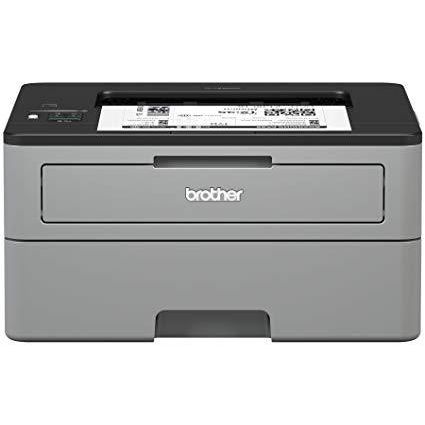
Brother Compact Monochrome Laser Printer, HL-L2350DW, Wireless Printing, Duplex Two-Sided Printing, Amazon Dash Replenishment Enabled

Write a review
B0763WDSYZ
New Model: HL-L2350DW
Target is a general merchandise retailer with stores in all 50 states and the District...

City: US, New York

Delivery
Pickup at your own expense
Tomorrow from 09:00 to 20:00, Store location
Free
Payment options
Apple Pay Google Pay Mastercard Visa
Cash, bank card, credit/installment payments, cashless payment for legal entities
Warranty and returns
Exchange/return of products of proper quality within 14 days Official manufacturer's warranty: 12 months
Features
Connectivity Technology
Wi-Fi
Item Dimensions
14.2 x 14 x 7.2 in
Item Weight
15.9 lbs
Operating System
  • Windows, Mac, Linux
Printer Output
Monochrome
Printer Technology
Laser
Style
New Model: HL-L2350DW
Description
This fits your .
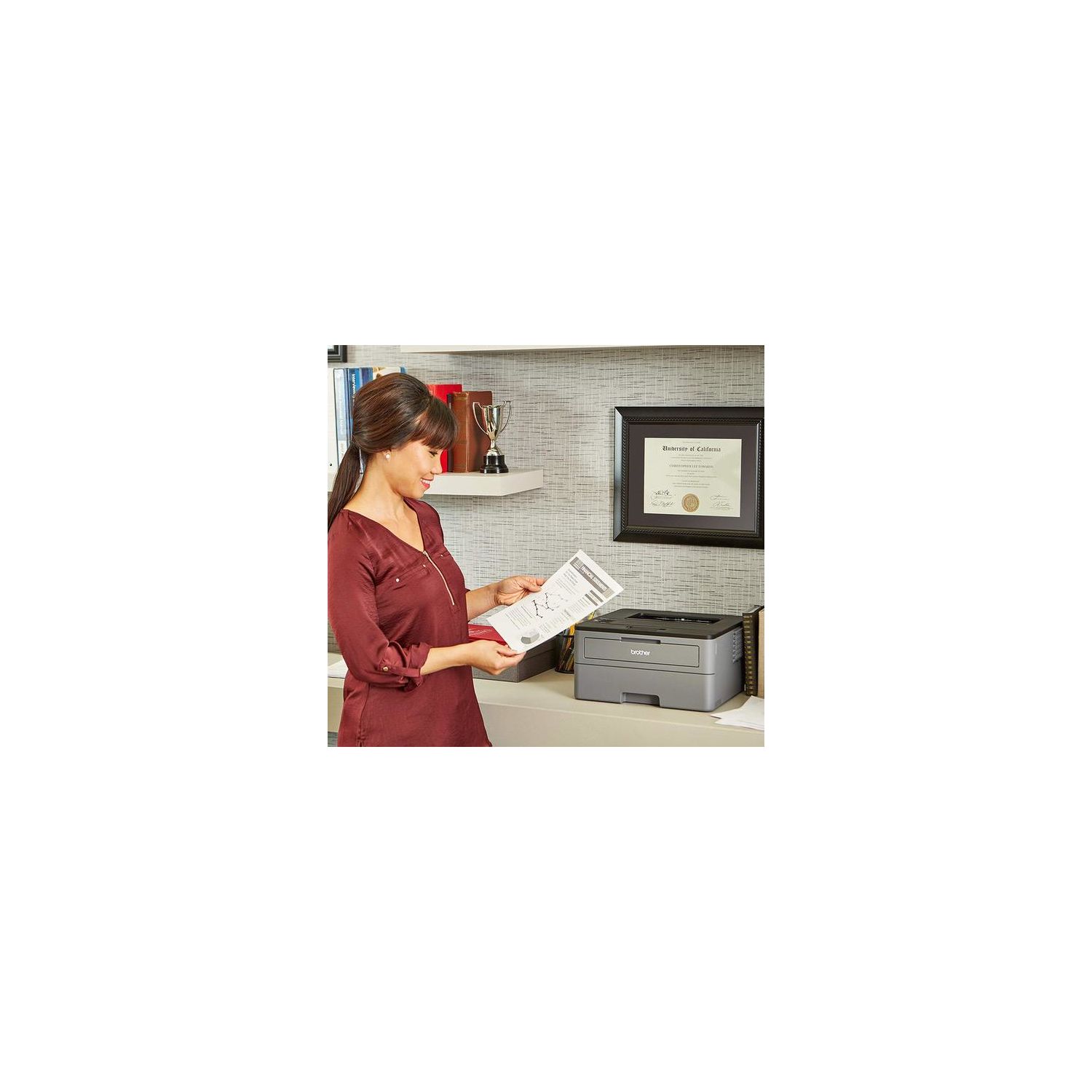
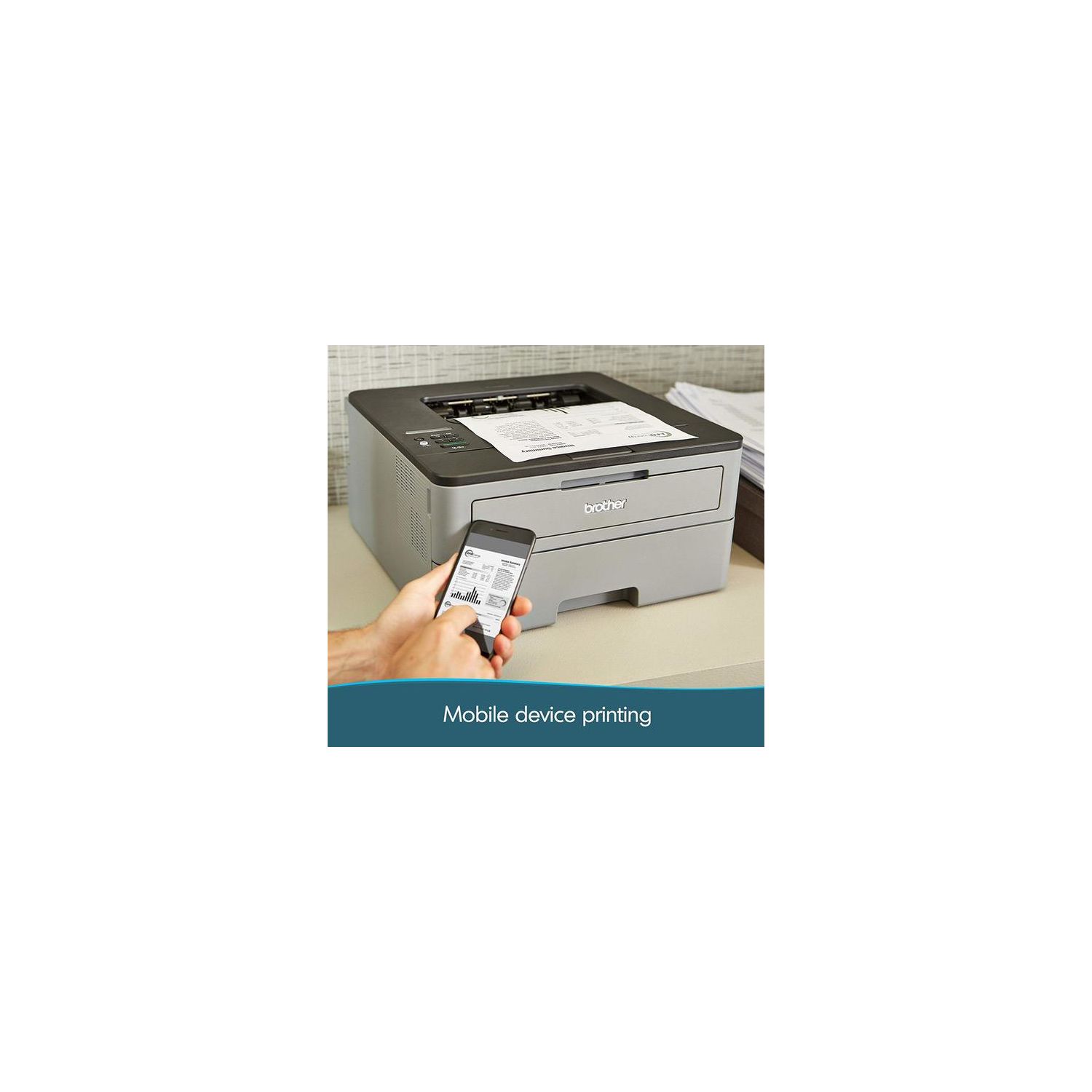
Make sure this fits by entering your model number. COMPACT BUT HIGHLY PRODUCTIVE – Perfectly sized to fit on smaller desks or in tight spaces, the Brother Compact Laser Printer is the perfect solution for the busy home or small office OPTIMIZED FOR EFFICIENCY – Packed with new features, the HL-L2350DW (replacement for the HLL2340DW) is optimized for efficiency, allowing you to print up to 32 pages per minute, making it a class leader(1). Maximum Monthly Duty Cycle- 15,000 pages.Recommended Monthly Print Volume- Up to 2,000 pages FASTER, HIGH-QUALITY PRINTS – This Brother compact laser printer is built with a 250-sheet paper capacity that helps improve efficiency due to less time spent refilling trays. It also handles both letter and legal-sized paper DUPLEX PRINTING – Printing on both sides is easy with automatic duplex (two-sided) printing. Using Brother Genuine high-yield replacement cartridges (TN-760) delivers up to twice the print volume at lower costs(3) WIRELESS PRINTING & EXCEPTIONAL SUPPORT – The easy-to-link wireless technology allows you to submit print jobs from your laptop, smartphone, desktop, and tablets(2). We provide free online, call, or live chat support for the life of your printer. At Brother, we want to ensure that your experience with us is exceptional AMAZON DASH REPLENISHMENT ENABLED: Upon activation, Amazon Dash Replenishment measures the toner level and orders more from Amazon when it’s low.Standard Interface:Wireless 802.11 b/g/n, Hi-Speed USB 2.0, Wi Fi Direct
Reviews
2.9
Reviews: 20
5 stars
25%
4 stars
20%
3 stars
15%
2 stars
0%
1 star
40%
guy
5
The only two differences between the HL-L2340DW and HL-L2360DW, which are the two newest printers from Brother in this category are: 1. The HL-L2360DW has 10/100 Base-TX Ethernet port to connect the router directly into the printer, and the HL-L2340DW does not have this feature. It will connect wireless to the router, which is fine for most people. 2. The HL-L2360DW prints 32ppm b/w while the HL-L2340DW prints 27 ppm b/w. You might never tell the difference. Other than that, all other specs are exactly the same between these two newer printers. Therefore, for most people, the HL-L2340DW will work just fine.
Gregger
5
I bought the Canon LBP600D or something like that, and it was awful. No mac drivers (we have a mix in our house). Come on Canon, its 2014, not 2002, every device should work on Mac, Windows, and even iOS and Android! Get with the times. Anyway, I tried to install that and it didnt work on my PC. I went to install it like every other printer Ive ever used by plugging it into power and my PC.. wrong! Youre supposed to install the software first. Couldnt ever get it to work, and this is coming from someone who used to setup technology solutions small offices such as printers, servers, networks etc. If I couldnt figure that out, then how can the regular non-tech person? Anyway, onto this printer. The Brother HL-L2340DW setup was a breeze. As easier as you could hope for, really. I placed it on the desk, pulled all the shipping tabs out, and protector pieces, installed the toner cartridge very quickly, then READ the instructions where it says to plug the USB into your computer (unlike the stupid Canon). I plugged it in, Windows immediately said "got it dude, youre good to go". Did a successful test print and moved on to downloading the driver software to setup the wireless. (I dont care to use the CDs hardware come with unless absolutely necessary as the driver on the site is much more likely to be updated). I downloaded the software at http://www.brother-usa.com/support/ModelInfo.aspx?R3ModelID=HLL2340DW#.VF0y6fldXch and installed it using the Wireless method (you have to be plugged in so you can easily setup WiFi on it via your computer, this option in the install is just telling the installation how you plan to use it so it can take the next steps accordingly). I setup the wireless, did a test print from my Macbook, success. Opened up my iPhone and went to the print option on a picture, and there it was, the Brother HL-L2340DW. Selected it, pressed print, and out came the print in absolutely perfect quality. This was a very, very, easy to install wireless printer. I highly recommend it based on its seamless install and print quality alone. If you search you can find replacement cartridges for $17 that offer up to 2600 full page prints. Not bad. The only complain I have is the built in power cable. Most devices will use the standard 3 prong power cable like you find in the back of a typical PC desktop computer. This one is permenantly attached, not making it easy to buy a longer one if necessary. I have about 4 inches of slack after setting it up, thankfully, but not everyone else will be so lucky. My main purpose for this printer was wireless, random printing of documents. However, I bought it for my girlfriend as shes in her grad program and needs to print about 10-50 pages a day and she was waiting in line at school every morning for 30 minutes to use their printer. I believe, in my experience, that a black and white laser printer is the best way to go for any student looking to print a ton of essays, articles, documents etc. You are paying a bit more initially for the printer, but between the volume of prints it is capable of yielding on a single toner cartridge and the efficiency, itll more than pay for itself! Think about it, up to 2600 prints for $50 (if you choose to buy the main brand toner replacement, or go ahead and buy the knock off brand for $17 and save money, or heck, look up on youtube "how to refill toner for Brother HL-L2340 printer" and youre sure to see some great tutorials and save even more money!) or you can go out and buy a $30 inkjet printer that gets 200-300 prints per cartridge, but how often do you end up replacing that cartridge? About 5x-10x more than a laser printer. Ink cartridges are about $35 for a complete pack. Multiply that by 5 (how many of those youd go through to achieve the print volume of one toner cartridge for a laser printer) and thats about $175 depending on the inkjet/cartridges. Suddenly youre in the hole, and the laser printer may still have some life left in its toner. It really depends on what youre trying to accomplish. We have no plans for photos on this, thats what our simple all-in-one is for. Periodic use, never in volume. Leave comments and Ill answer any questions you might have. Good luck! Summary: I love it, it works great, it was easy to setup, and the design is very modern and incredibly compact!
David J. Osbun
5
IF YOU ARE USING GOOGLE CLOUD PRNT: I purchased this for my mother, who uses a Chromebook. Out of the box it WILL NOT register under chrome://devices (after completing its WIFI setup, which was successful). The printer does not show up as a device. I reset the printer and still was not successful. After setting up the WIFI again, I connected to the printer via its IP address (using the Chromebook). I was able to update the printer’s firmware using this wireless connection method (Google Chrome browser). After the firmware update was successful the printer was able to be seen (and registered) in chrome://devices. I was then able to print using Google Cloud Print. This printer has great print quality and superb speed. I was able to print off 12 Ticketmaster tickets, with lots of
JK
5
I bought this for my gf to use as the base print with her foiling kit. It works well. Also the ability to print via phone app is handy.
JLW
5
I have a Chromebook and am in the midst of some grad school courses that require a lot of documentation - thus time for a new printer as well. Specifically, wireless, as all my work is kept in Google Drive. Researched this printer thoroughly, and thought being pretty tech savvy, I could have it up and working in no time. Wrong. The set-up guide is minimal. No, I did not want to have it set up as a "classic" printer, therefore needing another computer attached to it. Just give me GoogleCloudPrint! This is what I found: plug it in, press the buttons that get you to the wifi connection. Connected? Great...find the IP address it has been assigned and type that into your web browser. It will let you set up all options from that site - and definitely change the sleep time so it doesnt hibernate every other minute. Use this guide: Brother makes it hard to find on their site. http://download.brother.com/welcome/doc003013/cv_mfc4510dw_eng_gcp_b.pdf Walk through those steps and you can now print wirelessly. Once I found this guide, I had it printing within minutes. After hours of useless FAQs from GoogleCloud, Chrome, and Brother. Excellent print quality for my needs. Now a very happy student.
Product variations
Column filling
Sort by Price Sort by Availability Sort by CODE Sort by Style
Contact us for a price
In stock
B0763WDSYZ
Style:
New Model: HL-L2350DW
$24900
In stock
+
B0763TXM5Q
Style:
XL Version (incl. 2 years of Toner)
Contact us for a price
In stock
B00LZS5EEI
Style:
HL-L2340DW
You may be interested
  • Bestsellers
  • Recently Viewed
 
Fast and high quality delivery

Our company makes delivery all over the country

Quality assurance and service

We offer only those goods, in which quality we are sure

Returns within 30 days

You have 30 days to test your purchase