

























Comdet
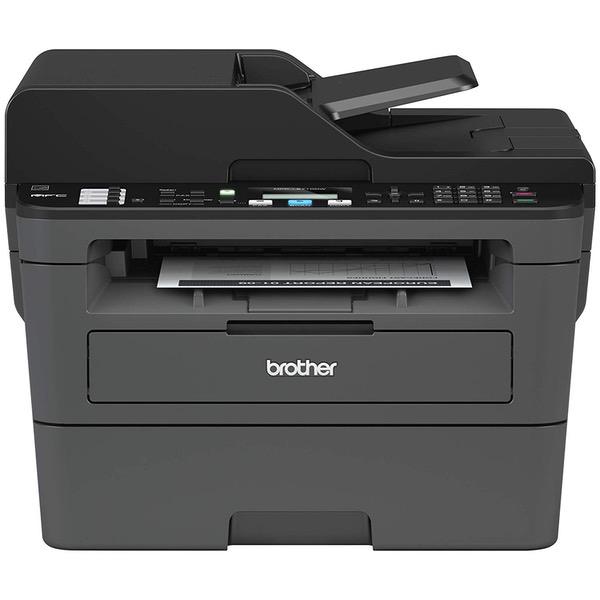
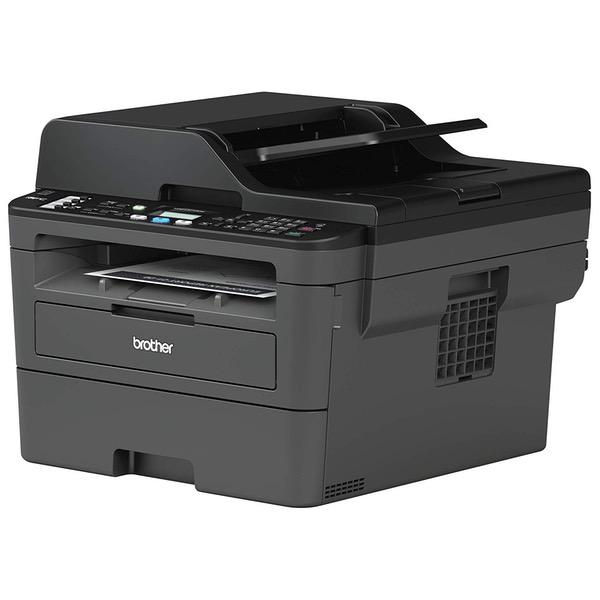
For the price, this is a pretty comprehensive all-in-one. It doesn’t excel in all areas, and the build quality is more suited to home use than office use, but it does bundle together a decent mix of features at a very good price. Setup: Very straightforward. Basically just take it out of the box, pull off the tape that holds the parts in place for transit, install the toner cartridge and you’re done with the hardware. It comes with a easy to read quick setup poster than walks you through all the steps. Build quality: For the price, not bad. It is not built for heavy-duty use. This is a printer where you need to take care when taking the paper tray in/out or opening/closing the scan bed. It’s best suited to home use or very light office use. The trays and frame are lightweight and won’t take kindly to getting banged around in a busy office. The footprint is pretty compact and I like that there are no output trays sticking out. Prints land in a “cubby” under the scanner platen. User interface: Very basic, but clean and simple. It has a small LCD screen that is reasonably clear. It can’t display much in terms of messages without scrolling. All the buttons are clearly labeled, but are also mostly small, rubbery and don’t provide much feedback. The paper tray holds a good amount (claimed capacity of 250 sheets) and easy to load. There’s a single-sheet bypass for things such as labels. Operation sounds are mostly hushed, with the loudest sound being paper being drawn from the tray. Its quiet enough that it cant be heard in use from an adjacent room. Software setup: To get it operational for PC or network use, you need to install the Brother software. If you’ve used any other Brother products it will look and feel very familiar; if you have not, it’s very straightforward. Just follow the prompts. The Brother software is comprehensive with regard to printing/scanning options and easy to use. There is an online manual, but if you have even basic PC experience it won’t present a challenge. It supports both direct-connect and network printing. I didn’t encounter any setup difficulties with either. Print performance: Not bad. It’s clear but not razor sharp, especially with graphics or very small text. It’s perfectly fine for printing text files and basic graphics (e.g., pie charts, etc.). It’s not great with photos but then again, since this is a B/W printer, it’s not a great choice for photos anyway. Copying: I was surprised at all the features it has. For example, it has a button dedicated for ID copying – it allows you to copy both sides of an ID card/licence on a single sheet of paper. It can also turn 1-sided originals into 2-sided copies and vice versa. There are a wide number of format options available – much more than I expected. The only real drawback is that the ADF is single-sided only. If you want to copy double sided originals you have to do it one side at a time using the glass top. Scanning: Does a decent job, and the Brother software provides for a range of tweaks that cover most of the common situations. Scans came through cleanly and were turned into PDF files. Faxing: Could not test it since it’s been years since I sent or received a fax. Toner: It comes with the TN-730 which is spec’d for 1,200 pages. It can also use the TN-760, which runs for 3,000 pages. Amazon carries both and the prices are not bad. The 760 is the better value, but if you are a light volume user, the 730 is a less expensive option. Loading the toner is simple. It is self-contained – no other consumables (such as a drum unit) need to be replaced. Rating: It’s a solid 4-star product. While I don’t expect the moon and the stars at this price point, the lack of a double-sided ADF is a real drawback. The print quality for graphics, while perfectly fine for everyday use and basic business correspondence, is not as sharp as other laser printers at the same basic price point. But the overall bang for the buck is definitely here, so it should be on the short list if you’re looking for an inexpensive, home-use laser that can handle printing, scanning and copying (and faxing, if that’s something people still do!).


