
















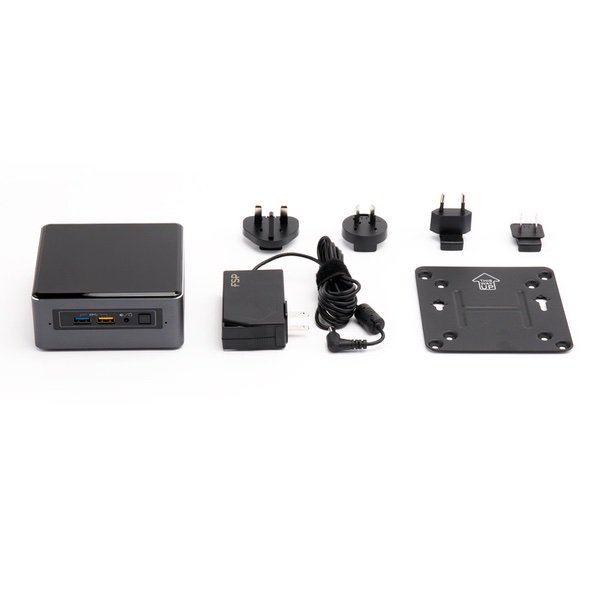
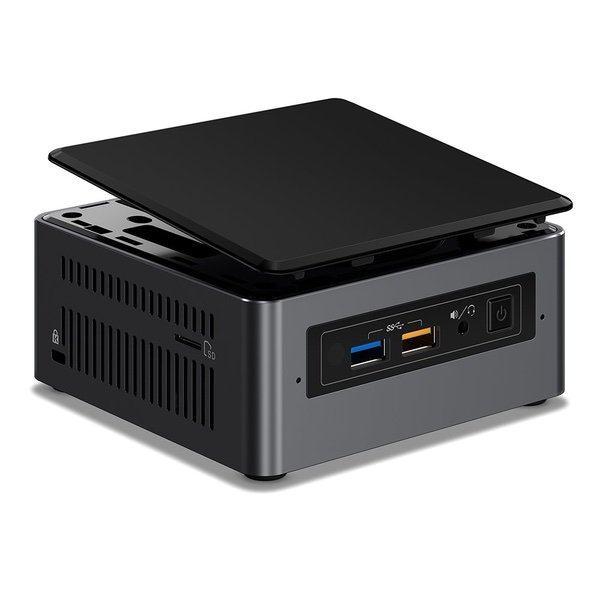
Intel NUC 7 Mainstream Kit (NUC7i3BNK) - Core i3, Short, Add't Components Needed

Write a review
B01MSZLO9P
Core i3|Short
Hard DriveFlash Memory Solid State Processor BrandIntel Processor2.4 GHz Core i3 Family
Target is a general merchandise retailer with stores in all 50 states and the District...

City: US, New York

Delivery
Pickup at your own expense
Tomorrow from 09:00 to 20:00, Store location
Free
Payment options
Apple Pay Google Pay Mastercard Visa
Cash, bank card, credit/installment payments, cashless payment for legal entities
Warranty and returns
Exchange/return of products of proper quality within 14 days Official manufacturer's warranty: 12 months
Features
Item Dimensions
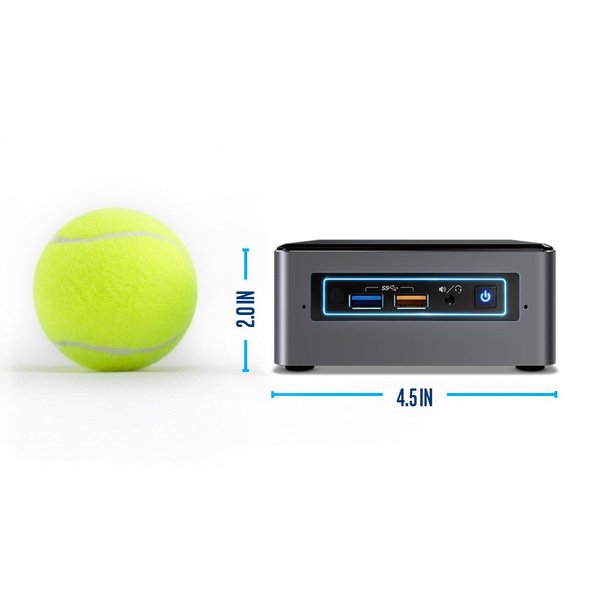
4.53 x 1.38 x 4.37 inches
Item model number
BOXNUC7I3BNK
Item Weight
1.9 pounds
Series
BOXNUC7I3BNK
Style
Core i3|Short
RAM
2 GB DRAM
Hard Drive
Flash Memory Solid State
Batteries
1 Lithium ion batteries required. (included)
Brand Name
Intel
Processor
Processor Brand
Intel
Processor Count
2
Processor
2.4 GHz Core i3 Family
USB
USB 2.0 Ports
2
Description
This fits your .
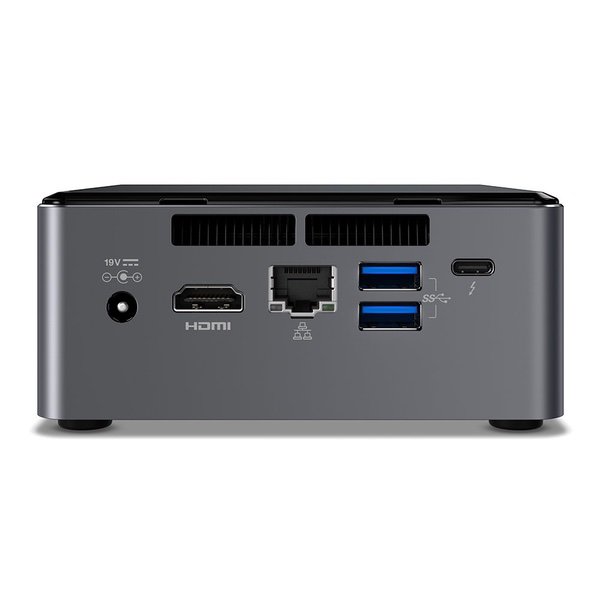
Make sure this fits by entering your model number. USB 3.1 Gen2 (10Gbps) and DisplayPort 1.2 via USB-C For best experience, make sure drivers are up to date
Reviews
4.4
Reviews: 20
5 stars
60%
4 stars
25%
3 stars
10%
2 stars
5%
1 star
0%
JB
4
"Intel BOXNUC7I3BNHX1 NUC Kit with 16GB Optane memory preinstalled" I purchased this NUC to replace an Intel Celeron-based NUC that recently went kaputz due to a motherboard issue (its totally dead/bricked). The little NUC is being used as a small Plex Media Server for use inside the home and the occasional internet stream. Added an 8GB RAM module (will add another 8 in the future) and the result is a stable little feller tat is able to "direct play" two streams inside the ome network and transcode / stream to one external viewer at the same time all while only using about 50% CPU. Not too bad. I went ahead and opted for the Intel Optane memory module but have never been able to get it to work. BIOS reports nothing is installed in the M.2 slot while the Windows 10 OS sees the module but states it is Disabled. Have gone through all the usual Intel-suggested / Intel-Requested troubleshooting but to no avail - their support stinks and is primarily just canned responses from an AI system or from persons in a far away call centre using copy/paste from their approved script ... totally 100% useless. At this point Ive given up on the Optane option - a few bucks down the drain but ... meh ... at least I have an awesome little NUC-based Plex server up and running once again. The package includes a VESA mount to attach the unit to the backside of the telly which saves space. It was easy to do - recommended. Several have mentioned the blue LED ring on the front is distracting. This can be controlled from within the BIOS settings along with the power button LED. They can be made to react to power state or even hard drive activity and can be dimmed quite low. Ive set mine to the lowest dim setting with the ring linked to hard drive activity and the power button LED linked to power state. With all room lights off it can not be seen. Although Im connected via ethernet the WiFi is quite strong and stable in my initial tests and the included IR remote receiver works perfectly when pairs with my Harmony remote control set-up. Bluetooth also has worked flawlessly when using bluetooth headphones to watch a movie. Audio output via HDMI seems to support up to 7.1 channels as reported by Plex and my receiver ... no issues. Overall: highly recommended. Skip on the Intel Optane option.
Sandeep
4
0:08 0:00 This video is not intended for all audiences. What date were you born? January February March April May June July August September October November December 1 2 3 4 5 6 7 8 9 10 11 12 13 14 15 16 17 18 19 20 21 22 23 24 25 26 27 28 29 30 31 2019 2018 2017 2016 2015 2014 2013 2012 2011 2010 2009 2008 2007 2006 2005 2004 2003 2002 2001 2000 1999 1998 1997 1996 1995 1994 1993 1992 1991 1990 1989 1988 1987 1986 1985 1984 1983 1982 1981 1980 1979 1978 1977 1976 1975 1974 1973 1972 1971 1970 1969 1968 1967 1966 1965 1964 1963 1962 1961 1960 1959 1958 1957 1956 1955 1954 1953 1952 1951 1950 1949 1948 1947 1946 1945 1944 1943 1942 1941 1940 1939 1938 1937 1936 1935 1934 1933 1932 1931 1930 1929 1928 1927 1926 1925 1924 1923 1922 1921 1920 1919 1918 1917 1916 1915 1914 1913 1912 1911 1910 1909 1908 1907 1906 1905 1904 1903 1902 1901 1900 Submit Adobe Flash Player is required to watch this video. Install Flash Player Its tiny, its powerful and its all i need. I use this for my home / project pc and its been really good. Was able to add a 256 GB SSD and a 16GB ram and it was alive. Running Ubuntu 18.04 on it and it runs smooth. The only reason i gave 4 stars is because of the fan noise. Its not crazy loud, but definitely noticeable - feels like a white noise machine running. Ubuntu is light, but the fan still runs at around 4k rpm. Attached a video for the sound... I always use headphones when i work, so it does not annoy me. RAM: HyperX Kingston Technology Impact 16GB 2133MHz DDR4 CL13 260-Pin SODIMM Laptop Memory HX421S13IB/16 SSD: SAMSUNG 960 EVO M.2 250GB NVMe PCI-Express 3.0 x4 Internal Solid State Drive (SSD) MZ-V6E250BW
Gabriela Garcia
4
Absolutely love it. One very important thing they dont tell you about the expandable hdd/ssd is the tray rack only accommodates a 2.5 * 7mm. I was lucky enough to buy a seagate 5tb 2.5 * 15mm hdd only to face myself with a good deal of tray rack mortification and the sata connector to the mb not allowing the nuc case to fully close on one side. Though its not noticeable you have to be careful not to over tighten but snug fit the screws to prevent damage to the mb. Over all... id buy it again, but intel needs better spec sheets.
Adam
4
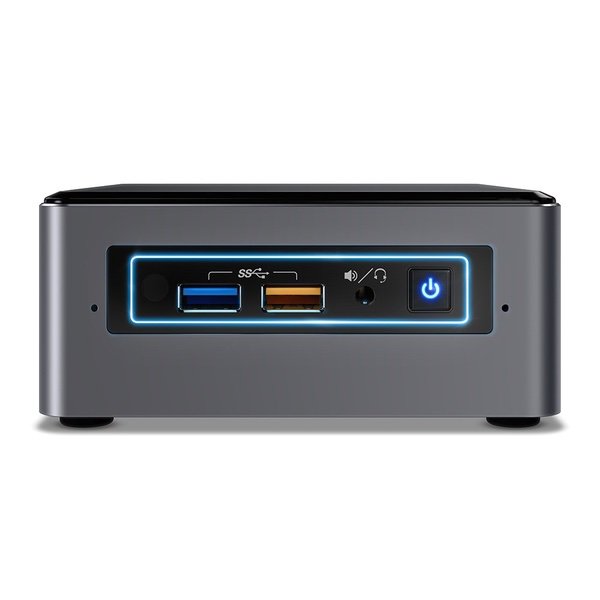
Im going to start with the bad as Id like people to know whats going on up front. At this time there is a problem with this generation i3/i5/i7, 7th gen Intel NUC units. If you are running at 1080P / 4K (typically this happens more with 4k), the display will go black for a few seconds (this also drops the sound), and it will return. This can happen at any time. Once an hour, or once every 10 seconds even. Its random. Currently, Intel has posted on their site that the previous version of graphics display drivers resolves this issue (Version ending in 4664), however it does not resolve the issue. Their forum currently has a dedicated thread regarding these units. I have two, one which is seeing this issue, one which is not. I believe the one which is working fine has the older bios 42, which is unaffected at this time. The only other qualm I have with this unit is that they decided to add a rectangular blue LED to the front of the unit which flashes and lights up when the NUC is turned on and performing tasks. I wish there was a way to disable this (or at least I havent found a way yet). Now onto the good. As always, the Intel NUC line of mini PCs is sleek, quiet, and powerful. This generation holds on to that with a new color scheme which I feel is much nicer looking than the previous white enclosure design. This metal enclosure has a textured gunmetal grey look to it and feels very well designed. The construction itself is simple. It only takes 4 screws to unscrew the bottom of the NUC to get to the 2.5" drive tray, and removing that, you can get to the M.2 mount, and ram slots. Ive owned 4 NUCs at this point. a Celeron 3rd gen, an i5 5th gen, and 2x i5 7th gen and these are the best yet. They are VERY quiet. Paired with an M.2 NVME drive and 16GB of ram, and it will perform beautifully. Ive run these with a Dell 24" 4k display and a 60" LG Plasma @ 1080P and both work very well. Im also glad that Intel moved the power-button from the top of the NUC to the front. It makes the whole look a bit cleaner.
Luke P.
4
My Synology NAS just wasnt strong enough to do transcoding for Plex but this NUC does a great job and the codecs that choked my Synology run smoothly with no hiccups. No issues runing Ubuntu 16.04, all the drivers I needed loaded by default but I dont run a gui desktop so cant speak for the graphics/sound. Running docker on it with a few other containers, it sits in my living room under the TV and I cant hear it at all. Front lights up blue around the black panel, can prob turn it off in the BIOS but I like it, has a Tron feel and isnt any brighter than a digital clock I have next to it. Only put in 8gb RAM at the time, but does fine so I dont think Ill need to upgrade. M2 SSD for the primary OS and 2TB disk for extra storage. This is my third NUC, most expensive one but worth it for the i7 and been running two weeks straight and its barely warm to the touch.
Product variations
Column filling
Sort by Price Sort by Availability Sort by CODE Sort by Style Sort by RAM Sort by Processor
$37900 $42900
In stock
+
B01N2UMKZ5
Style:
Core i5|Tall
RAM:
DRAM
Processor:
2.2 GHz Intel Core i5
$37900
In stock
+
B01N4EP1N0
Style:
Core i5|Short
RAM:
32 GB DRAM
Processor:
2.2 GHz Core i5 2.3 GHz
$44900
In stock
+
B01N0RL8Q4
Style:
Core i7|Tall
RAM:
32 GB DRAM
Processor:
3.5 GHz Intel Core i7
Contact us for a price
In stock
B01N4EOJNG
Style:
Core i3|Tall
RAM:
32 GB DRAM
Processor:
2.4 GHz Core i3 Family
Contact us for a price
In stock
B01MSZLO9P
Style:
Core i3|Short
RAM:
2 GB DRAM
Processor:
2.4 GHz Core i3 Family
You may be interested
  • Bestsellers
  • Recently Viewed
 
Similar products
$79960 $1,99900 -60%
New York, US
Gold
Operating SystemMac OS X SeriesiMac
Contact us for a price
New York, US
Gold
Processor BrandIntel ProcessorIntel Core i7
Show more
Fast and high quality delivery

Our company makes delivery all over the country

Quality assurance and service

We offer only those goods, in which quality we are sure

Returns within 30 days

You have 30 days to test your purchase