











TP-Link Tapo Doorbell (TDB21): Wi-Fi Video Surveillance, 2-Way Talk, Motion Detection
اكتب تقييم
$‎ 7999

TP-Link Tapo Doorbell (TDB21): Wi-Fi Video Surveillance, 2-Way Talk, Motion Detection

اكتب تقييم
94711242
Starget Electronics is a leading online electronics store offering a wide range of gadg...

المدينة: US, New York

Delivery
Pickup at your own expense
Tomorrow from 09:00 to 20:00, Store location
Free
Payment options
Apple Pay Google Pay Mastercard Visa
Cash, bank card, credit/installment payments, cashless payment for legal entities
Warranty and returns
Exchange/return of products of proper quality within 14 days Official manufacturer's warranty: 12 months
Description
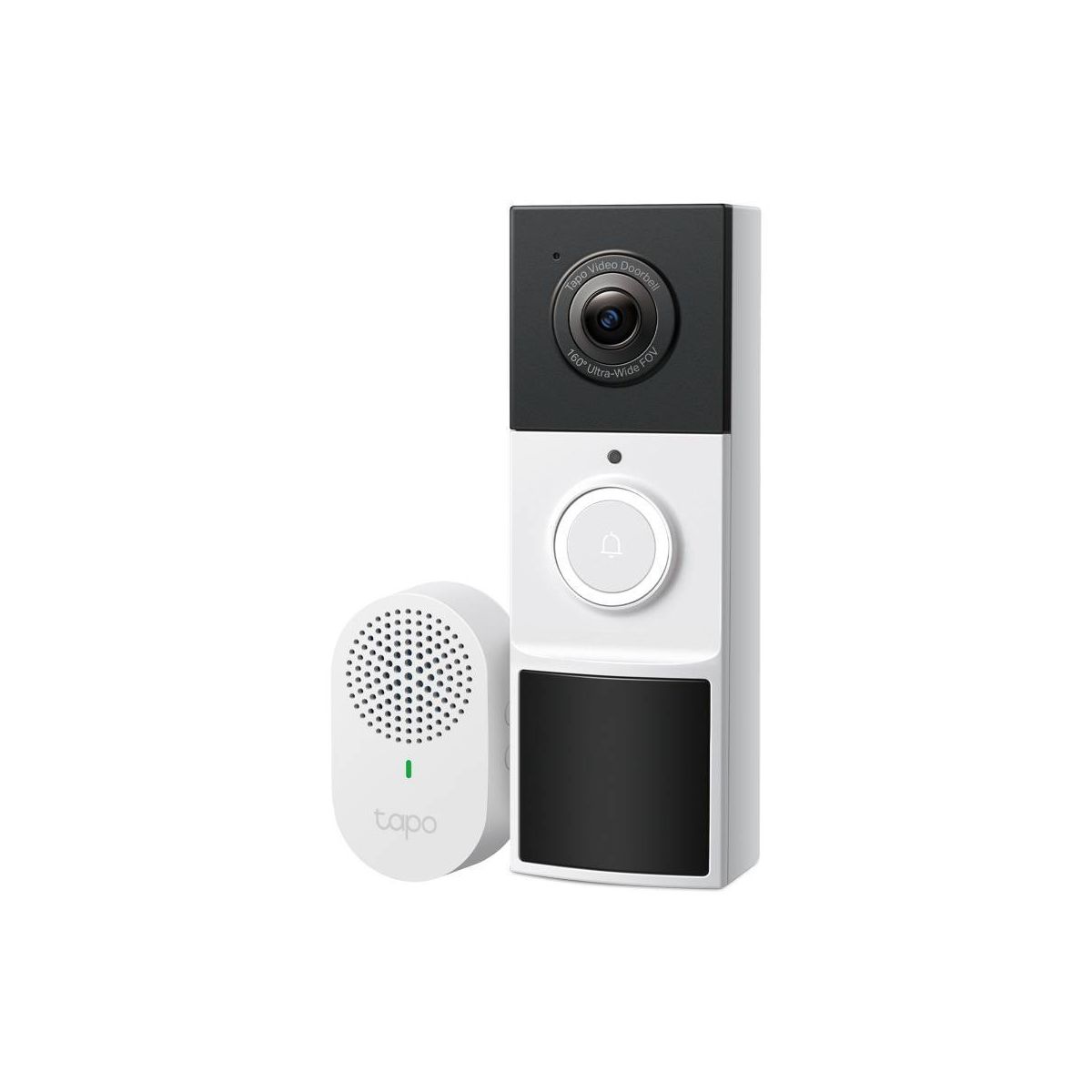
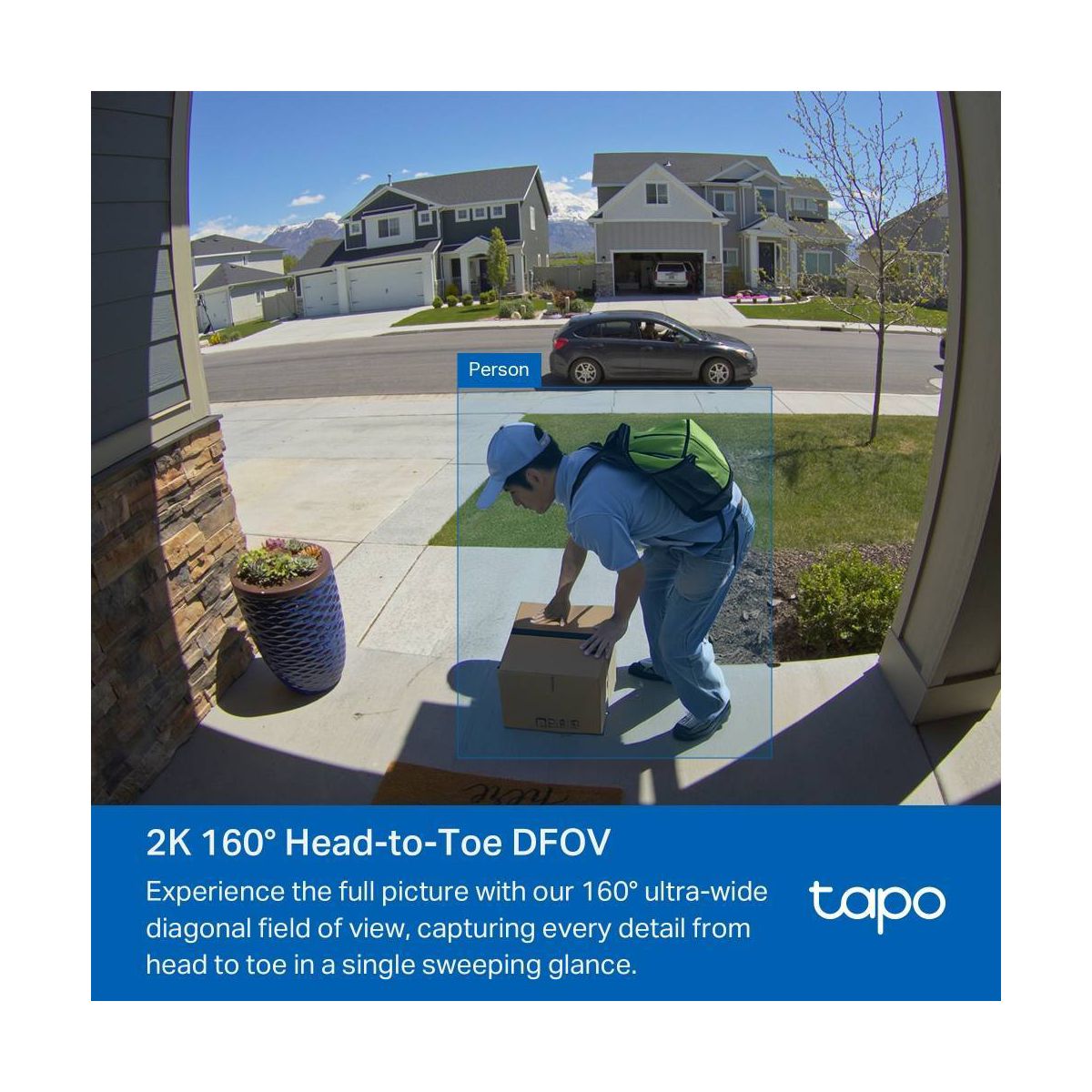
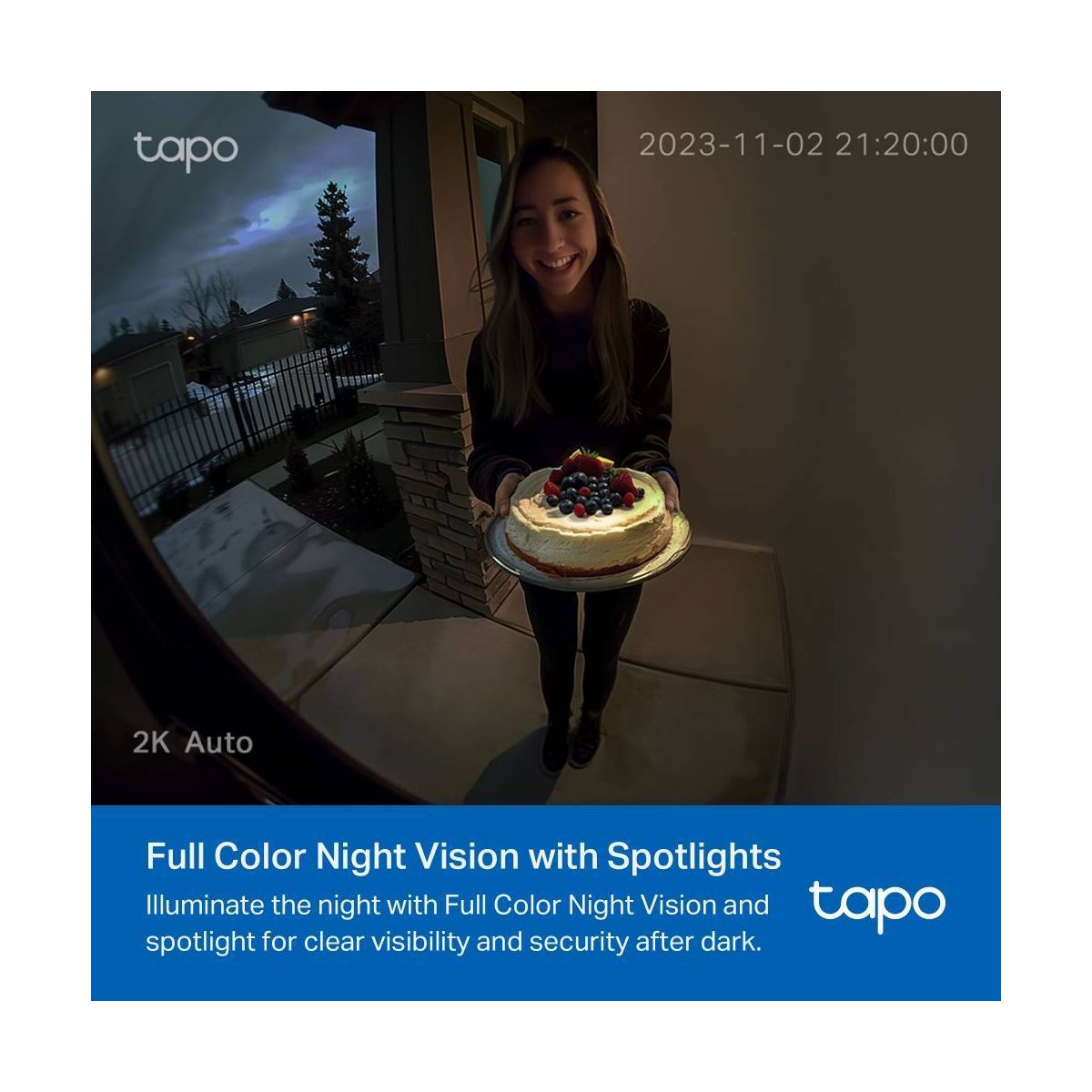
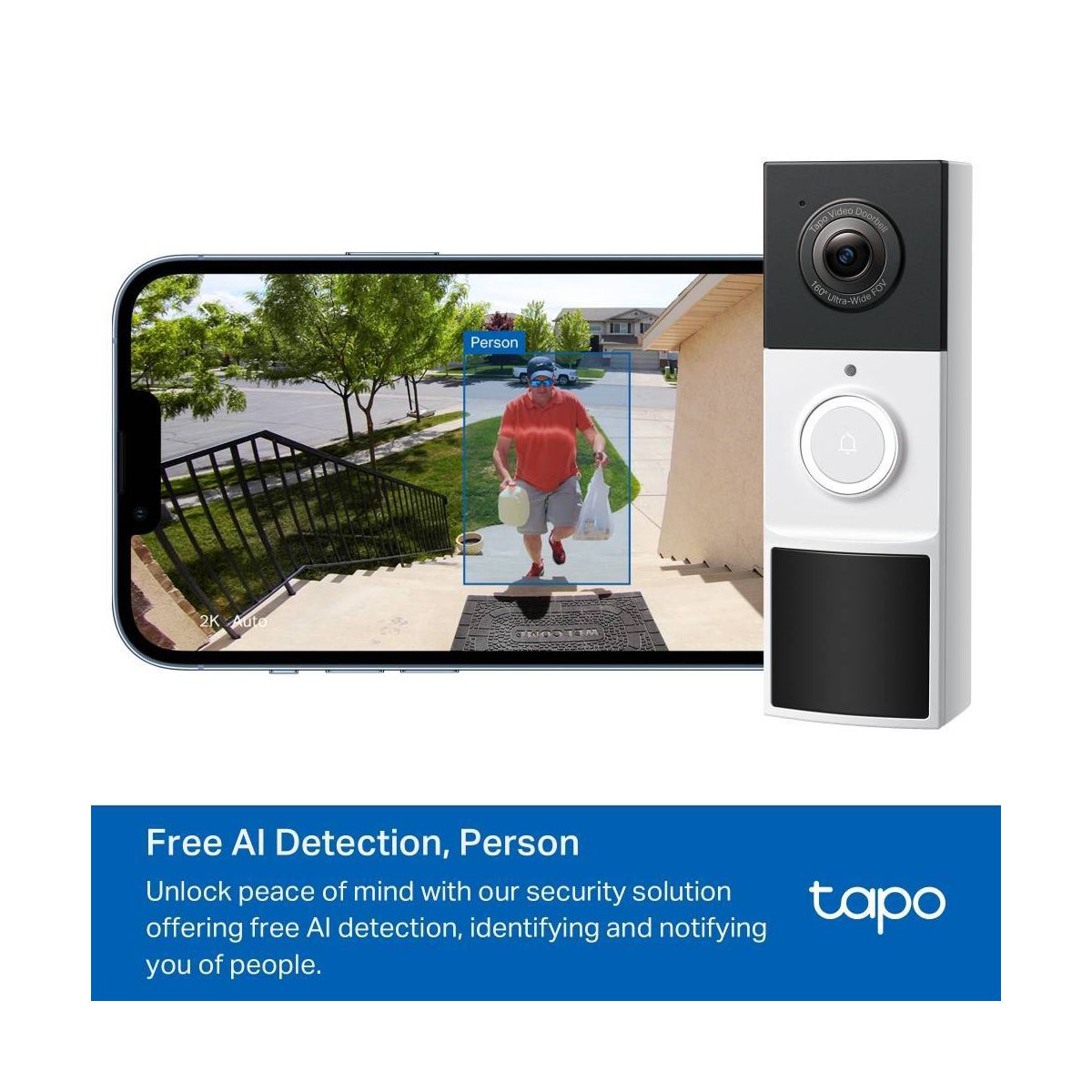
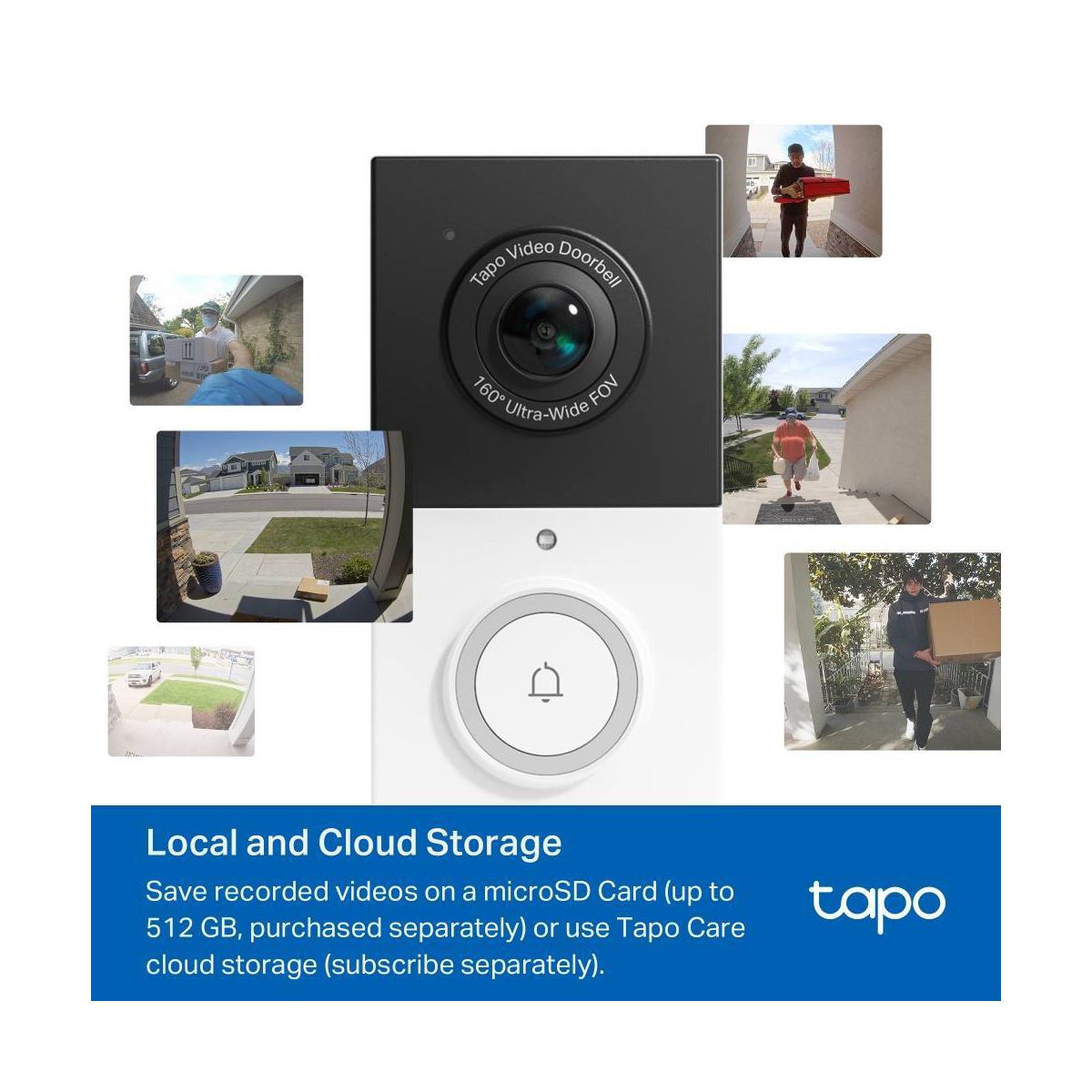
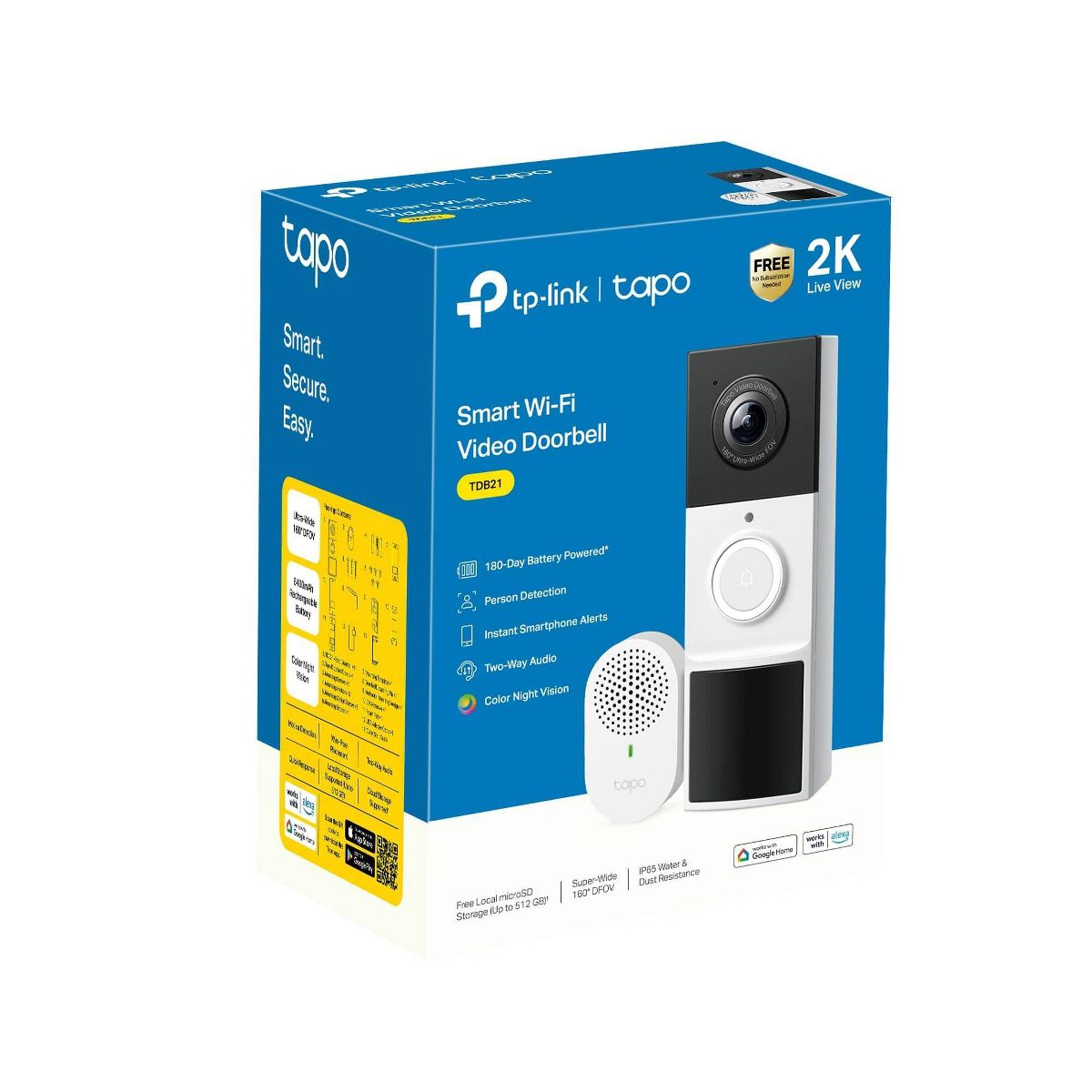
For exceptional front door and yard security, choose TDB21. Witness every detail in 2K resolution and ensure there are no blind spots with the expansive 160° head-to-toe field of view. Enjoy wire-free convenience with long-lasting battery. Choose flexible storage options with a microSD card (sold separately) or cloud storage with a Tapo Care subscription. The free smart AI feature detects people visiting your door, keeping you informed without any hidden fees. Finally, the doorbell offers clear color night vision and a spotlight for substantial security even in the darkest conditions.
Features
Brand Name
TP-LINK
Item Weight
.52 Pounds
Assembly Details
Adult Assembly Required, Tools Not Provided
Connection Type
USB-C
Dimensions (Overall)
5.91 Inches (H) x 1.52 Inches (W) x 1.97 Inches (D)
Features
2-Way Talk, Built-In Webcam, Built-In Speaker, Built-In Microphone, Senses Motion, Video Recordable, Controlled by Smartphone App, Night Vision, Wireless, Cell Phone Alert, Cloud Storage, Adjustable Mounting Kit
Focal Length
1.6mm
Indoor/Outdoor
Outdoor
Maximum Resolution
2304 x 1296
Mount Type
Adhesive, Screw Fittings
Operating System Compatibility
Android, Google Chrome OS, Apple iOS, Microsoft Windows
Power Source
Battery
Screen Resolution
1080p
Wireless Technology
  • Wi-Fi
Reviews
4.6
التقييمات: 20
5 نجمة
60%
4 نجمة
40%
3 نجمة
0%
2 نجمة
0%
1 نجوم
0%
Most Helpful Positive Review
Technogky
4
Great tool, decent quality
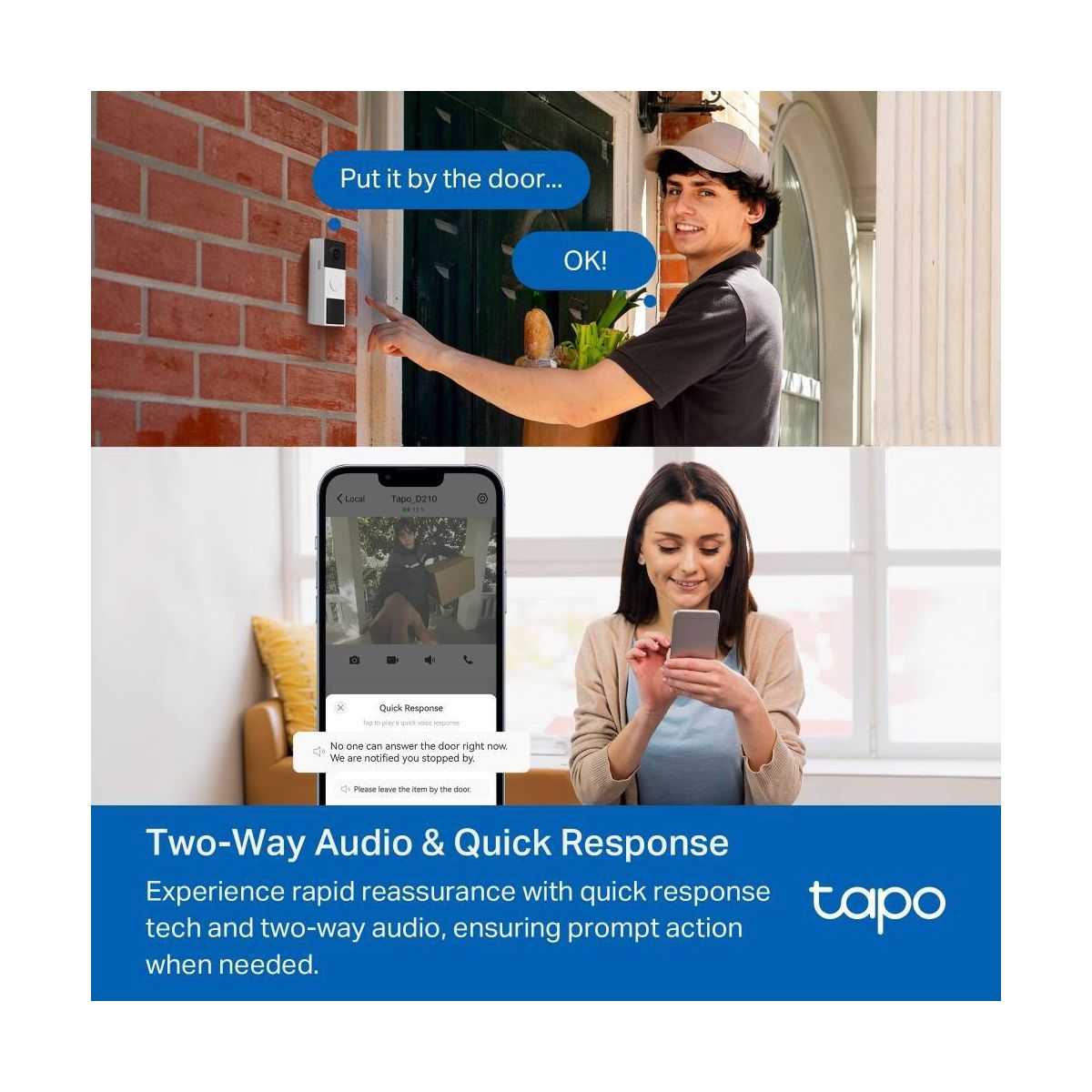
Set up is straightforward, though there are quite a few steps involved in getting the app up and running. This is due to the physical installation instructions (mounting and testing) being incorporated into the software setup, which I thought was just a little much. I would much prefer to set up the camera with my phone and home network, and THEN worry about the hardware install myself, so bundling mounting etc. with connectivity was kind of annoying (I wanted to test the doorbell in multiple locations before setting it up permanently). Note that paper instructions were also provided covering the physical installation and required tools. That being said, the installation is definitely step-by-step and thorough -- if you choose to follow TP-Link’s installation instructions exactly, you will be up and running by the time you are done with setup, which could be anywhere between 5-30 minutes depending on your physical install choice. The camera is secured with a flat wall-mounted bracket, though an angled wedge bracket is provided if you need to seat it at an angle. These brackets are secured with provided mounting tape. A bonus device provided in the box is the Chime, which you simply plug into the wall and pair with the doorbell at setup time. The chime will emit a much louder ringtone in the vicinity of the chime when someone activates the doorbell. If used, I would suggest this goes into a central location within your home. As far as I can tell, you cannot conduct conversations via the chime. Connectivity to your phone and home network is like any modern Wi-Fi enabled device. You are required to download the Tapo app, which is made by TP-Link. You will create an account, then follow prompts to add a device by connecting your phone to the camera’s own Wi-Fi signal, giving it a name, etc. The final step is connecting the device to your local Wi-Fi. TP-Link has a few customizations available, such as device name and even the icon that appears in your device list. Seemed kind of silly to me, but hey if you want to do that you can. The device features a two-way talk feature that allows a person to ‘ring’ your doorbell and give you the opportunity to both see and talk with the visitor, all from your phone. Pushing the doorbell will trigger your phone’s Incoming Call sound, so it’s hard to miss. The name you provide the device is what you will see on your notifications when someone rings. I found the audio quality to be pretty good, and video (2k Quality, 160-degree viewing angle) is great in broad daylight and the person-detection works reasonably well. The camera has a black and white night mode and color low-light modes that are sufficient for most cases. Something I noticed is that the camera will emit a camera shutter sound whenever the lens opens and close, so this could be a problem if you do not wish for people to ‘know’ they are being recorded for whatever reason. The device comes with a free 30-Day cloud storage trial, but a microSD card (512 GB Maximum) can be installed in the bottom of the unit if you wish to store video locally. The card slot is secured with a standard 4-tip Phillips head screw. If you ask me, this should probably have been a proprietary or unusual screw for added, though not foolproof, security similar to Ring’s star-shaped screws for battery storage. The unit has a built-in rechargeable battery that will go from 0-100% in a reported 7 hours – note that a 5V required USB charger is NOT INCLUDED with the unit! So plan ahead. FYI, the circular LED light around the ringer acts as a troubleshooting starting point-- the various color codes are outlined in the provided manual. So if you are having problems connecting to the device or using it, that’s the first place I would go to start troubleshooting. Also, I did not see anywhere on the box about any kind of replacement program for stolen units. So it’s possible that if your device gets swiped by thieves (SD card and all), you might be up the river without a paddle.
Technogky
4
Great tool, decent quality
Set up is straightforward, though there are quite a few steps involved in getting the app up and running. This is due to the physical installation instructions (mounting and testing) being incorporated into the software setup, which I thought was just a little much. I would much prefer to set up the camera with my phone and home network, and THEN worry about the hardware install myself, so bundling mounting etc. with connectivity was kind of annoying (I wanted to test the doorbell in multiple locations before setting it up permanently). Note that paper instructions were also provided covering the physical installation and required tools. That being said, the installation is definitely step-by-step and thorough -- if you choose to follow TP-Link’s installation instructions exactly, you will be up and running by the time you are done with setup, which could be anywhere between 5-30 minutes depending on your physical install choice. The camera is secured with a flat wall-mounted bracket, though an angled wedge bracket is provided if you need to seat it at an angle. These brackets are secured with provided mounting tape. A bonus device provided in the box is the Chime, which you simply plug into the wall and pair with the doorbell at setup time. The chime will emit a much louder ringtone in the vicinity of the chime when someone activates the doorbell. If used, I would suggest this goes into a central location within your home. As far as I can tell, you cannot conduct conversations via the chime. Connectivity to your phone and home network is like any modern Wi-Fi enabled device. You are required to download the Tapo app, which is made by TP-Link. You will create an account, then follow prompts to add a device by connecting your phone to the camera’s own Wi-Fi signal, giving it a name, etc. The final step is connecting the device to your local Wi-Fi. TP-Link has a few customizations available, such as device name and even the icon that appears in your device list. Seemed kind of silly to me, but hey if you want to do that you can. The device features a two-way talk feature that allows a person to ‘ring’ your doorbell and give you the opportunity to both see and talk with the visitor, all from your phone. Pushing the doorbell will trigger your phone’s Incoming Call sound, so it’s hard to miss. The name you provide the device is what you will see on your notifications when someone rings. I found the audio quality to be pretty good, and video (2k Quality, 160-degree viewing angle) is great in broad daylight and the person-detection works reasonably well. The camera has a black and white night mode and color low-light modes that are sufficient for most cases. Something I noticed is that the camera will emit a camera shutter sound whenever the lens opens and close, so this could be a problem if you do not wish for people to ‘know’ they are being recorded for whatever reason. The device comes with a free 30-Day cloud storage trial, but a microSD card (512 GB Maximum) can be installed in the bottom of the unit if you wish to store video locally. The card slot is secured with a standard 4-tip Phillips head screw. If you ask me, this should probably have been a proprietary or unusual screw for added, though not foolproof, security similar to Ring’s star-shaped screws for battery storage. The unit has a built-in rechargeable battery that will go from 0-100% in a reported 7 hours – note that a 5V required USB charger is NOT INCLUDED with the unit! So plan ahead. FYI, the circular LED light around the ringer acts as a troubleshooting starting point-- the various color codes are outlined in the provided manual. So if you are having problems connecting to the device or using it, that’s the first place I would go to start troubleshooting. Also, I did not see anywhere on the box about any kind of replacement program for stolen units. So it’s possible that if your device gets swiped by thieves (SD card and all), you might be up the river without a paddle.
fender777
4
Great smart doorbell
This smart doorbell from TP-LINK works really well. I found it was easy to install the physical hardware. The app was easy to set up and get connected. The doorbell has great picture quality, and the color night vision is a distinguishing plus.
Greeneee0
4
Nice Video Doorbell Camera
The TP-Link Tapo 2K Video Doorbell is a really good video doorbell option that doesn't require a subscription. The installation is straight forward and includes multiple options, templates, and hardware for install. The doorbell unit is a little bulky. The 2K video quality is nice and has a wide field of vision. Downloading and initial configuration via the Tapo app is fairly straight forward. There are a large number of configuration options available after the initial pairing and setup so you will want to make sure you read the instruction manual thoroughly. The initial charging of the device does take quite a bit of time but will last months depending on the number of video events. Removing and charging via USB-C is also easy using the provided tool or a paper clip. Pairing of chime adapter was just as easy as the initial doorbell setup. Multiple scheduling options for recording as well as the doorbell chime. For recording, simply install a microSD card and walk through the instructions for formatting and you are ready to start recording motion or doorbell ringing events. Alternatively, you have the option for the cloud recording subscription. When the doorbell button is pushed, you can receive a call on your device or push notifications and answer and communicate clearly. Tags available for person, pet, vehicle detection. Overall, the TP-Link Tapo 2K Video doorbell is a great video doorbell option with a long lasting battery life.
Jbeans
5
Great
This thing is great so far. The setup was pretty easy and pain free. The video seems to be clear and the sound is clear as well. When someone pushes the doorbell it gives a pretty loud ring to where you can hear it almost anywhere. Definitely recommend.
Lmr123
5
Great Camera
this doorbell was easy to install and quick to set up. Took a moment to hook up the wifi, but wasn't all that hard. Camera is really great. Looks good and the speaker is good quality. Recommend without hesitation.
luv2shop
5
Tapo Video Doorbell
I've used the other doorbell and I quite prefer this one. Install was very easy. The app walks you right through it. Clarity is really good and I think that it has a wider camera capture. Unlike the other doorbell this one comes with a doorbell chime for inside the home, and it's loud. Also, there's no subscription! You will need an micro SD card though. I like it.
Benny09
5
Wowed!
I previously had a Ring doorbell that everyone raved about, but I was never impressed with the camera quality. I decided to try the Tapo doorbell instead, and I’m so glad I switched! The video quality is noticeably clearer and sharper, even at night. Setup was quick and easy, and I love that it actually comes with the indoor chime with no extra purchase needed. Overall, Tapo has exceeded my expectations and is definitely an upgrade from Ring in both quality and value.
ctp127
5
I like the look!
I really like the way this doorbell looks. It’s got a slight modern feel to me. Directions were laid out well and super easy to follow! Lots of different mounting options, which is nice. I am a little dubious of the 180 days charged. I’m guessing twice a year, I have to take it down and charge it. Annoying, but doable.
Ljojo
4
Tapo doorbell camera
I placed this camera doorbell at my back door. I already have a Tapo device in my house, so it was easy to set it up to use on the same app. You can attach the doorbell using included screws or stick it to a flat surface. My siding has too much texture for the adhesive, so I stuck it to the flat smooth part of the sliding glass door.
Monica
5
Camera doorbell with no subscription required
I love this doorbell camera. It does not require a subscription. I purchased an inexpensive micro SD card for video storage. It has a loud chime for inside the house. Once mounted by the door it is very easy to configure on the app. You can adjust the sensitivity for alerts and it can call your phone when someone’s at the door or just give you a notification. We’ve had this for about two weeks and I have no negative comments. The picture clarity is good even at night. I’ve attached a screenshot from the app.

Showing 10 of 20 review

You may be interested
  • Bestsellers
  • Recently Viewed
 
Similar products
Fast and high quality delivery

Our company makes delivery all over the country

Quality assurance and service

We offer only those goods, in which quality we are sure

Returns within 30 days

You have 30 days to test your purchase