










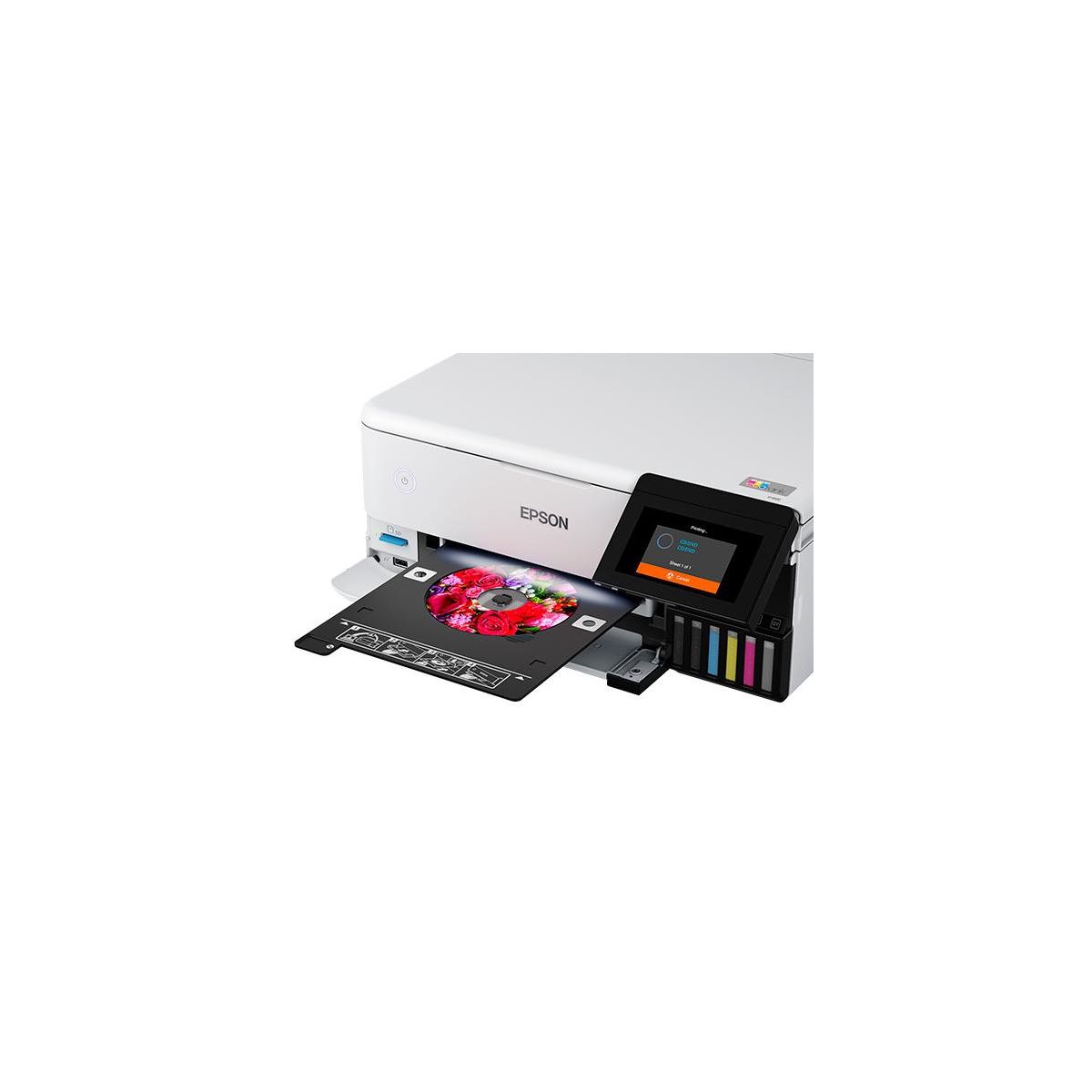
Epson EcoTank Photo ET-8500 Wireless Color All-in-One Supertank Printer
Write a review
$69999

Epson EcoTank Photo ET-8500 Wireless Color All-in-One Supertank Printer

Write a review
91135300
+
Add to wish list
Starget Electronics is a leading online electronics store offering a wide range of gadg...

City: US, New York

Delivery
Pickup at your own expense
Tomorrow from 09:00 to 20:00, Store location
Free
Payment options
Apple Pay Google Pay Mastercard Visa
Cash, bank card, credit/installment payments, cashless payment for legal entities
Warranty and returns
Exchange/return of products of proper quality within 14 days Official manufacturer's warranty: 12 months
Description
The EcoTank Photo ET-8500 wireless all-in-one prints lab-quality color photos, graphics and everyday documents — all at an incredible value. Epson’s cartridge-free, 6-color Claria ET Premium Ink system delivers vibrant colors and sharp text for all your creative projects. With low-cost replacement ink bottles, print 4" x 6" photos for about 4 cents each compared to 40 cents with cartridges. Print everything from borderless 8.5" x 11" photos to customized CDs/DVDs. You can even print on cardstock and other media up to 1.3 mm thick. For added convenience, each set of bottles lets you print for up to 2 years. Plus, save up to 80 percent with replacement ink bottles vs. ink cartridges — that’s about $2,000 on each set. The EcoTank Photo lets you do it all with affordable in-house printing.
Reviews
4.7
Reviews: 15
5 stars
80%
4 stars
13%
3 stars
0%
2 stars
7%
1 star
0%
Most Helpful Positive Review
CaptainKona
5
Will help elevate your cannabis brand
Does a wicked good job printing my cannabis labels. Print quality is excellent, the black specifically is impressive compared to my previous printer, very dark and vivid.
Most Helpful Critical Review
Bunnyinblu
2
I bought the ET 8500 to replace another Epson Printer
Where to start. I did a lot of research on Eco tank printers. I decided on the ET8500 after reading reviews and because I wanted to be able to print photo quality pictures from home. I am very disappointed in the photo quality. The photos come out very dark compared to what the pictures look like on the camera or computer screen. I’m not sure if there is anything I can do to change the way it prints. I have it selected for the premium photo paper I am using and I have selected the best print quality and I still get very dark, not bright-vibrant pictures. The picture that does come out is very nice but looks nothing like what was on the camera screen or computer screen. Maybe someone that has had theirs longer could help me. Any feedback would gladly be appreciated. I have only had it for 4 days so it is still very new and I really want to keep it but I can’t if the pictures keep turning out like they are.
Jakob
4
Great printer! and scanner. The liquid ink is a bit strange to handle after the cartridges. short time, you wont even notice it any more. A plastic bag is provided to carry the printer to avoid spilling the ink? Set up is very easy, almost done by itself. You need to install some drivers, its fast. The colour quality is amazing, even on plain paper. A fast, quiet photo-printer. No auto paper feed. Paper tray seems week, so far so good. A bit expensive to start with.
CaptainKona
5
Will help elevate your cannabis brand
Does a wicked good job printing my cannabis labels. Print quality is excellent, the black specifically is impressive compared to my previous printer, very dark and vivid.
Smith3
5
Best photo printer I have ever owned
I have have had this almost two years now and it is the best photo printer I have ever had. I mostly print photos but other stuff when my HP laser printer acts up. You have to print at least once week. I print color charts If I have not printed that week.If you miss a week (in Ohio) you may have to go through the cleaning process. Also it is very sensitive to the paper you use. You must set the correct paper type or you may have problem like some some of the bad reviews. Works great for me an amateure photographer.
hSam
4
Excellent printer
Great prints, but the ink wells do not show the colored ink levels...
Bunnyinblu
2
I bought the ET 8500 to replace another Epson Printer
Where to start. I did a lot of research on Eco tank printers. I decided on the ET8500 after reading reviews and because I wanted to be able to print photo quality pictures from home. I am very disappointed in the photo quality. The photos come out very dark compared to what the pictures look like on the camera or computer screen. I’m not sure if there is anything I can do to change the way it prints. I have it selected for the premium photo paper I am using and I have selected the best print quality and I still get very dark, not bright-vibrant pictures. The picture that does come out is very nice but looks nothing like what was on the camera screen or computer screen. Maybe someone that has had theirs longer could help me. Any feedback would gladly be appreciated. I have only had it for 4 days so it is still very new and I really want to keep it but I can’t if the pictures keep turning out like they are.
MamaMacReviews
5
This is a great printer!
This is a great printer with such a simple set up! Each ink has its own shape so you won't accidentally put one color in the other. The colors are clear and the pages print quickly. Turning on and starting set up from the QR code was so easy. I followed along on the paper instructions as well which was simple to follow. The touch screen presses easily and the white color is great. This is is great for photos and documents and is compact but will open when in use. The ink goes so far and the ease of replacement is amazing! I can't say enough good things about this printer!! Easy for anyone to follow with the step by step set up and extremely easy to connect to wifi as well! I highly recommend this printer!
ezp2781
5
SUPER PRINTER
This is a review for the Epson EcoTank Photo ET-8500 Wireless Printer that I received free of charge to do a beta test and review.”It is an excellent printer, it has refillable tanks, the inks are very cheap and the quality of the printing is incredible, I love it, in the office everyone wants the same one, it is also special for photographs, we love it. Epson gave it to us and it will help us a lot to print a lot at work, thank you very much Epson, because also the prints will be cheaper, highly recommended.
Heatherm
5
Vivid colors
This is a review for the Epson EcoTank Photo ET-8500 Wireless Printer that I received free of charge to do a beta test and review. I have been using the printer since I have gotten it to print multiple types of items. I have gone from printing a manual in black and white to full color photo prints. Each and every time I print something via wireless app it comes out flawless. Set up was straight forward. You just have to make it sure you get all packing tape off the printer both inside and out. Filling the tanks took no time and have a little left in each color. I did have one paper jam right after I set it up. I was following the instructions to clear jam to be met with same error. After multiple attempts I found that it was my own error in making sure the print was unlocked. Once I did that, I had absolutely no issue. I have moved from multiple size prints to test out how it all lined up and how the color was. Again each time I printed was vivid crisp and no issues. I am simply amazed by the eco tanks and the fact that it doesn’t look to be like I have even touched the ink.
Christie0713
5
So many great print options
I got the EcoTank Photo ET-8500 Wireless Color All-in-One Supertank Printer to review. When I first received it I was extremely excited and couldn’t wait to get it out of the box and set up. The initial set up was super easy, there wasn’t much to it other then taking it out of the box removing all the tape and pouring in the ink. Connection to wifi was very easy to figure out on the touch screen. No instructions really needed to get started. You can also direct connect with an Ethernet cord. I was able to print photo lab quality photos right from my phone. Connecting to my phone was very easy, you can use the Epson Smart Panel App or just use the print feature on your phone as long as your connected to the same wifi as the printer you are good to go the printer will just pop us as available and you select it and customize your print job. I printed over 100 4x6 photos that were just hanging out in my phone right to the printer. I printed on Kodak photo paper and they turned out a good as the photos I get when I order through the Free Prints app. The printer prints many sizes, on many different types of paper such as card stock. It will also print right to a disk by loading the disk into the disk tray under the #2 paper tray. My only negative thought is in regard to it not holding much paper. I believe I was able to load 20-25 4x6 photo sheets at a time and when it runs out you either have to force the print tray back into the printer to access the paper tray underneath or pull the entire tray out, load it up and then put it back in while the print tray is out in your way. I think they could of made the paper tray bigger to hold more sheets and the print tray could be better positioned to allow easier access to the paper trays. You can print from your phone, computer, tablet, you can scan and print or print from a SD card that goes right in the SD slot on the printer. In summary I absolutely love the printer and look forward to being able to print and share lots of photos with friends and family with out spending a fortune to have them printed. I definitely recommend owning one, you will just love being able to print your photos right away so your phone isn’t bogged down with them while you wait to send them to be printed. “This is a review for the Epson EcoTank Photo ET-8500 Wireless Printer that I received free of charge to do a beta test and review.”
dtanderson
5
Great color inkjet printer
This printer replaced a current black & white Epson EcoTank printer that I had. This printer is smaller than my previous model and has a much more detailed LCD screen. I had tried out a laser printer from another manufacturer that had a much smaller LCD screen that did not display much info (generic codes instead of actual error messages), so it is nice to have a nice size screen to get info from the printer. The setup was very simple using the Epson Smart Panel app installed on my phone. After setting up the printer, I was able to successfully print from all of my devices (Android Phone, Windows 10 laptop, and Ubuntu Linux desktop). The printer also has auto-duplex printing so that you can do double sided print. I love having the duplex printing since it saves on paper. The print and scanning quality looks great. I have not had any issues with this printer since I have been using it and would definitely suggest it to anyone looking for an inkjet printer with scanning capabilities. This is a review for the Epson EcoTank Photo ET-8500 Wireless Printer that I received free of charge to do a beta test and review.

Showing 10 of 15 reviews

You may be interested
  • Bestsellers
  • Recently Viewed
 
Similar products
Fast and high quality delivery

Our company makes delivery all over the country

Quality assurance and service

We offer only those goods, in which quality we are sure

Returns within 30 days

You have 30 days to test your purchase