
















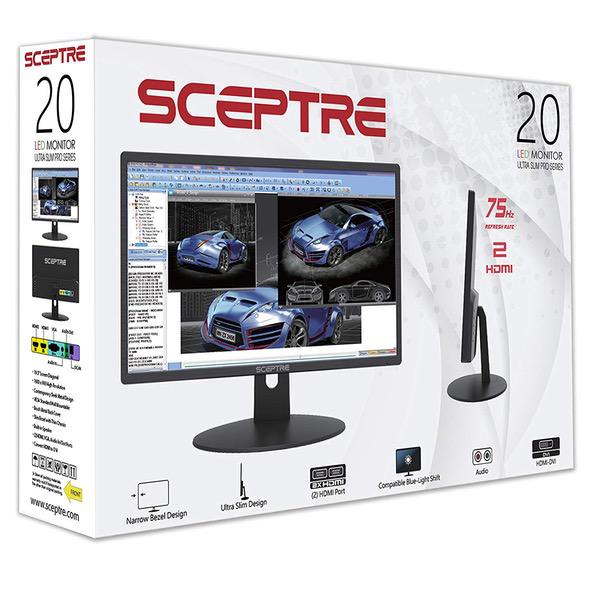
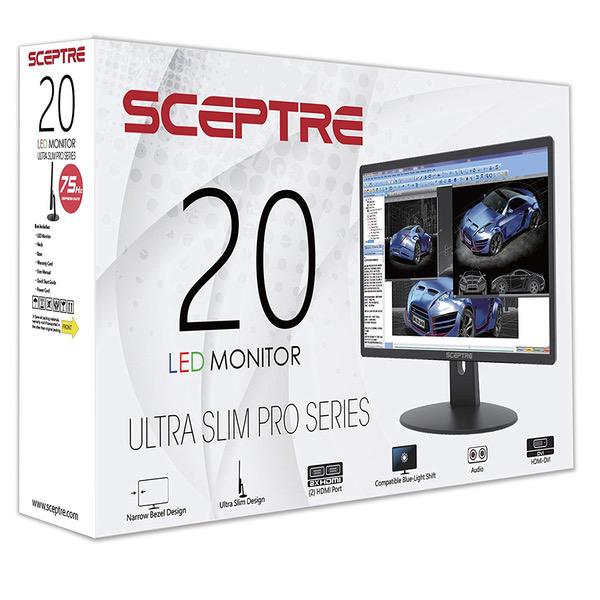
Sceptre E225W-19203R 22" Ultra Thin 75Hz 1080p LED Monitor 2x HDMI VGA Build-in Speakers, Metallic Black 2018
Write a review
6172

Sceptre E225W-19203R 22" Ultra Thin 75Hz 1080p LED Monitor 2x HDMI VGA Build-in Speakers, Metallic Black 2018

Write a review
B07774L6TT
+
Add to wish list
Target is a general merchandise retailer with stores in all 50 states and the District...

City: US, New York

Delivery
Pickup at your own expense
Tomorrow from 09:00 to 20:00, Store location
Free
Payment options
Apple Pay Google Pay Mastercard Visa
Cash, bank card, credit/installment payments, cashless payment for legal entities
Warranty and returns
Exchange/return of products of proper quality within 14 days Official manufacturer's warranty: 12 months
Features
Display Type
LED
Item Dimensions
19.56 x 6.57 x 14.44 in
Item Weight
4.84 lbs
Mount Type
Wall Mount
Refresh Rate
60 hertz
Screen Size
22 in
Aspect Ratio
16:9
Description
This fits your .
Make sure this fits by entering your model number. 22" contemporary sleek metallic profile Frameless bezel with thin chassis;Packaging Dimension (inches) : 22.04 x 14.57 x 4.21 inches HDMI, VGA build-in speakers. Dimensions With Stand (Inches)- 19.56 x 14.44 x 6.57 Inch. Without Stand (inch, W x H x D)- 19.56 x 11.49 x 1.22 Inch VESA wall mount ready Fast response time 5ms.Brightness:250 cd/m2 Mounting type: VESA Wall Mount Hole Pattern (mm) 75mm x 75mm
Reviews
2.9
Reviews: 20
5 stars
35%
4 stars
10%
3 stars
5%
2 stars
5%
1 star
45%
Franco Moran
5
I have a GTX 1060 laptop, set up is easy and there was no need for me to calibrate anything, I even dare say this monitor looks better than my own laptop screen at 1080p. At first i thought it didn not support 75Hz and the colors were washed out and it was too bright, also on the nvidia panel it said 1080p at 60Hz however this is what you gotta do to fix it. "CALIBRATION" 1. Connect via HDMI 2. Open Display settings and make sure that they are set so that only the 2nd display is turned on, do not put duplicate or extend. 3. Open Nvidia control panel and go to "Change Resolution" 4. You will see two lists, one will say HD, UHD etc, the other one at the bottom will say "PC", (changing the first list will project your laptop screen to the second screen however your laptop is 60Hz and the monitor is 75Hz that is why its limited to 60Hz and colors are washed out, changing the second list will basically use your laptop to power up the monitor at full 75Hz 1080p with the right color calibration.) 5. On list two "PC" change the resolution to 1080p and 75Hz And there you go, now you can use your 75Hz monitor for gaming, make sure to change the settings indvidually in games to 75Hz or they will still run at 60Hz and the colors will be washed out. Now onto the review *** REVIEW *** The screen resolution is full 1920x1080p at 75Hz, the colors are very accurate, it looks no where near like a TN panel, I would say its in between a TN panel and an IPS panel but closer to IPS. It comes with speakers which are ok for the price but I recommend headphones or your own speakers which are probably better if you got this for gaming. This is what comes in the package - Monitor - 4 screws for mounting - Two screws for setting up the monitor (non adjustable height( - HDMI to VGA cable - VGA to VGA cable I really recommend this monitor even if not for gaming, its a great price for what you get and it even comes with two cables. However one thing to note is that the difference between 60Hz and 75Hz is hard to notice in games. Playing Witcher 3 and Rise of Tomb Raider at locked in 75FPS wasnt anything much more amazing than 60FPS. However it is still an improvement. One last thing to confider if you’re debating on a 75Hz vs 144Hz monitor - If you have a graphics card such as the GTX 770,970,1060 Most games (witcher, call of duty, battlefield wont go back 80 fps on ultra / high graphics) so you wont be able to take advantage of a 144Hz monitor, so I suggest this one. UNLESS you play on medium/low settings. - If you have a graphics card such as a GTX 770,780,980,1070 and above, I suggest the 144Hz monitor since these can run most tiles at well above 100FPS so you can take advantage of the monitor. *** UPDATE *** Earlier on the review I said the difference between 60Hz and 75Hz was negligible, I take it back. I played on my laptop which is limited to 60Hz and it feels bad and slugish compared to 75Hz, once you go higher refresh rate you can never go back Its one of those things you dont realise until its taken away, great improvement.
Stevie
5
This is a really nice little monitor. I was not expecting much for a low-end monitor at a rock bottom price, but have to admit I am pleasantly surprised. Really, no cons at this price point. Pluses: 1. Very clear, sharp screen for a 1600 x 900 display. Has a better picture than a new 1920 x 1080 HP monitor I have. 2. Very good standard color saturation - not washed out at all. I did not feel the need to adjust color or brightness settings. 3. Good font clarity and sharpness. 4. Has integrated speakers, a nice surprise for such an inexpensive monitor, where many higher-end models dont include speakers. Speakers are not incredibly loud but are very clear and not tinny. The speakers work through the DVI to HDMI cable and there is no need for an extra audio cable. 5. Comes with a DVI-D to HDMI cable as well as a standard VGA to VGA cable. Monitor has a VGA output and two HDMI outputs, as well as audio outputs if you would rather not use the integrated speakers. 6. The monitor stand snaps to the base, and the stand screws into the monitor with just two screws. There is a strong hinge built in which allows easy tilting for your viewing preferences. Took a couple minutes to assemble. 7. Box comes with a screwdriver, so you dont need to have tools of your own. 8. Nice color-coded ports on the back. This is my first Sceptre monitor and based on this, I will be likely to consider this brand again. Very pleased.
JMinton
5
Needed two new monitors for a new PC in the office. Went with this because it was the best value in terms of size vs price. Id also purchased these for clients in the past and heard they were happy with them. After seeing the complaints about the colors being washed out, I gave my monitors away and decided if there were any problems with these Id either live with it or fix it. Out of the box the monitors were fine. The only complaint I can come up with is that the VESA mounts are lower on the back due to the slim design. After looking at settings, I determined that for me as an IT manager I didnt need to recalibrate the screens at all. Granted, I spend most of my time looking at text documents, configuration pages for network equipment, and the accounting software my company uses. I couldnt speak to color calibration for individuals doing video or photo production. One thought on the others experiencing washed out colors - HDMI out on a computer kind of expects a TV. Televisions and Monitors will sometimes have different ranges for black levels, which can cause the screen to look washed out. If youre experiencing this, check the control panel for your graphics driver. You should be able to adjust black levels and fix the issue. This has been a driving factor in my preference for just about anything over HDMI. (Display Port is king, for what its worth.)
Daniel Pena
5
Just got two of these bad boys. pulled them out of the box added the thread extenders put them on my monitor tree. Set up was easy, resolution is perfect for my needs (Business). Did some initial setup with adjusting the view area of the screen but the auto adjustment made that very simple. I use the VGA connections so cant speak to the HDMI but for the Price these are amazing. One thing that I will mention is that they use a proprietary Power cord but that is more just for information it has a very large plug so you will need to account for that when planning your Power set up.
Mark S
5
A very good value. I just needed a 20" monitor to replace one that had gone bad on a two-monitor system-I needed to match the size so that was important. I hadnt heard of Sceptre, but the reviews were positive, so I ordered one. It arrived in two days, well packaged and padded. I was impressed that a screwdriver and two different connector cables were included with the purchase. Assembly was easy and intuitive. Plugged it in and connected to my computer and it booted right up. Ive used it for one day and have been quite pleased. I imagine if it was side by side with a gaming display I might notice some quality disparities, but for my purposes this works extremely well. It takes up less space on my desk than the previous monitor while maintaining the same display area.
Jenni K.
5
Pros: Speakers Ports on back of monitor (especially the headphone port) 75hz refresh rate 5ms response time Beautiful picture Sturdy feel Wall mountable Cons: Height is not adjustable I sometimes wish the screen could be tilted down just a tad further (I like to lay in bed and watch movies) Ive had this monitor for 2 weeks now and I am seriously loving it. I honestly dont think you could find a monitor with as many features as this one for the same price. I built myself a PC about 3 weeks ago, and I thought I would not need a monitor as I had both an old TV and an old monitor laying around the house. Unfortunately, after hooking everything up I hated them both! They really looked quite awful. So I went ahead and looked for a monitor. I really didnt want to have to buy speakers (because who wants ANOTHER added expense?) and I hate wearing headphones because they usually feel uncomfortable after about an hour (Ive tried loads of designs... I guess I just have sensitive ears). So, this monitor was the perfect solution. For just under 100$ (I believe I paid $88), you get a full HD monitor equipped with built-in speakers, 2 HDMI ports, a VGA port, an audio in port, an audio out port (so yes, you can plug headphones directly into the monitor if you like! A great feature considering most headphone cords arent long enough to reach the port on the actual PC tower), and of course, the DC-in port for the power. I actually bought this monitor FOR the speakers, something that many reviewers advised against. However, I am quite pleased. If youre an audiophile or you plan to listen to a lot of music, then perhaps you wont be happy with the speakers. However, I enjoy them for a myriad of activities. I do use them to listen to music, but also a lot for watching YouTube/Facebook videos and streaming TV shows and movies. I personally havent noticed any buzzing and the sound quality seems pretty good to me. Maybe Im not very picky, or maybe the other reviewers have been VERY picky, but the speakers are really nice to have in my opinion. This monitor is also capable of 75hz refresh rate rather than the basic 60 youll get on most budget monitors, so if you are a gamer, you can achieve a bit higher of fps than you would with other monitors of the same price. Ive not played games at more than like 30fps (until now), so I cant vouch for whether or not 75 noticeably better than 60 or not. Either way, the games I have played on this monitor so far (Tera and Revelation Online) have looked beautiful. The picture looks great and setup was incredibly easy. Just plug it in and thats pretty much it. The default settings looked good to me, so I just left it that way, but changes are made easily enough via the buttons on the back of the monitor. Some people were griping about this, especially the fact that the power button is on the back, but I dont really find this inconvenient. The power button actually feels different than all the others (it has a little bump) and it is furthest to the bottom, so its VERY easy to locate by touch. I would say this monitor is definitely worth the money!
MJ Cougar
5
Best monitor for price I have found. I ordered and received two of these along with a USB-C mini hub for dual monitors on my notebook. I could not be happier. Do not expect big sound from the small speakers however they work well and fill the need. The image quality is fantastic and on par with my other 4k monitors of bigger brands. I must also state that the first two never showed up even though Amazon showed they were delivered and handed to a household member. I was not even home. After a couple of days chatting with AZ on line, they replaced them and they DID show up. Had them for a few months now and I am very pleased.
Product variations
Column filling
Sort by Price Sort by Availability Sort by CODE Sort by Screen Size
5156
In stock
+
B07743412C
Screen Size:
20 in
6172
In stock
+
B07774L6TT
Screen Size:
22 in
You may be interested
  • Bestsellers
  • Recently Viewed
 
Similar products
Show more
Fast and high quality delivery

Our company makes delivery all over the country

Quality assurance and service

We offer only those goods, in which quality we are sure

Returns within 30 days

You have 30 days to test your purchase