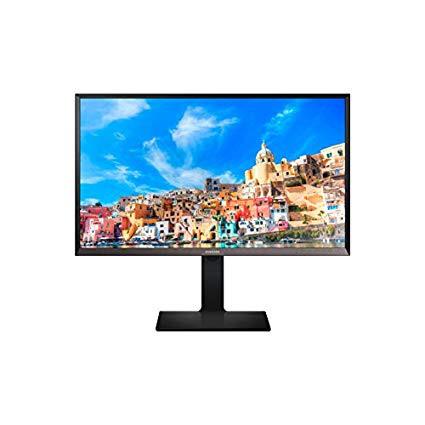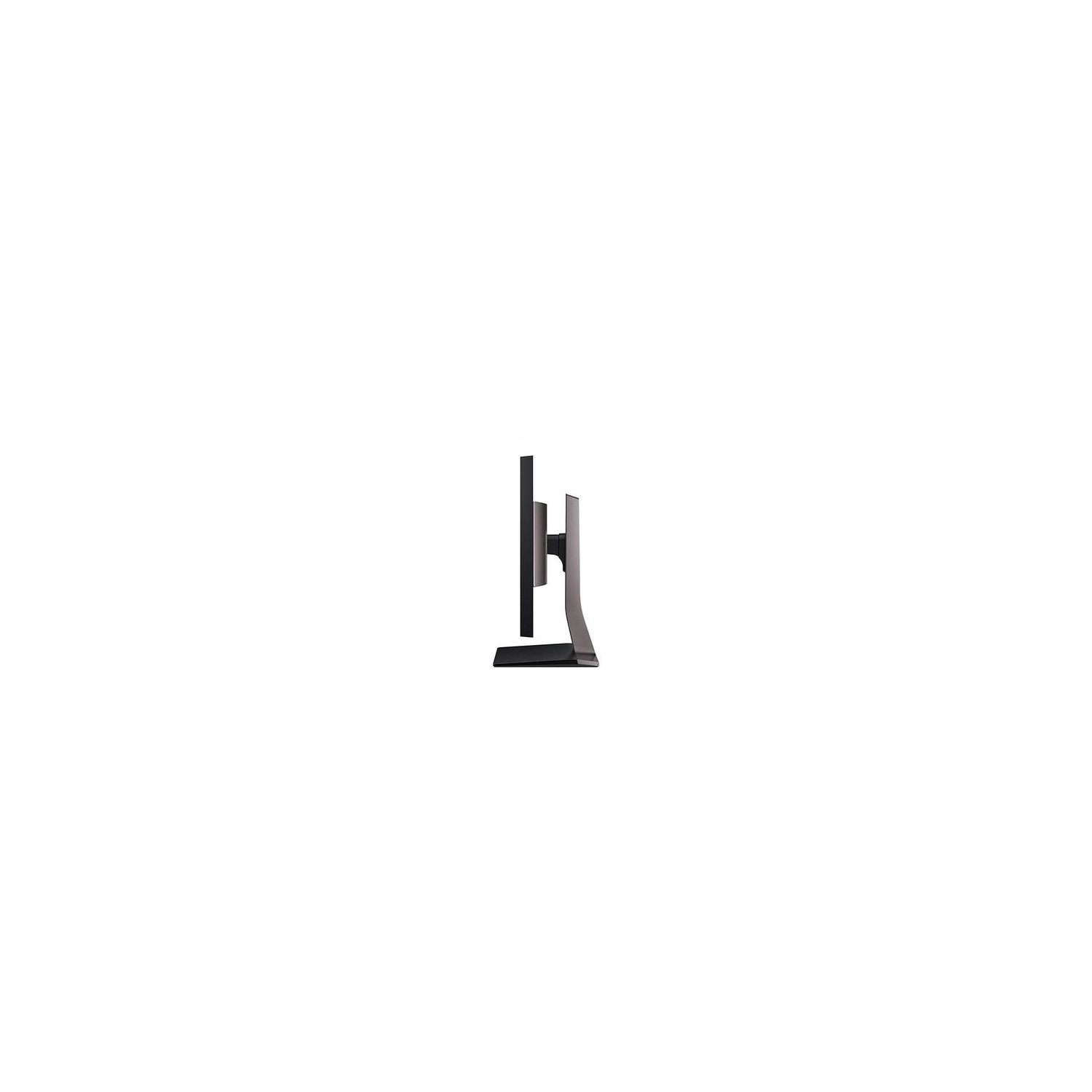
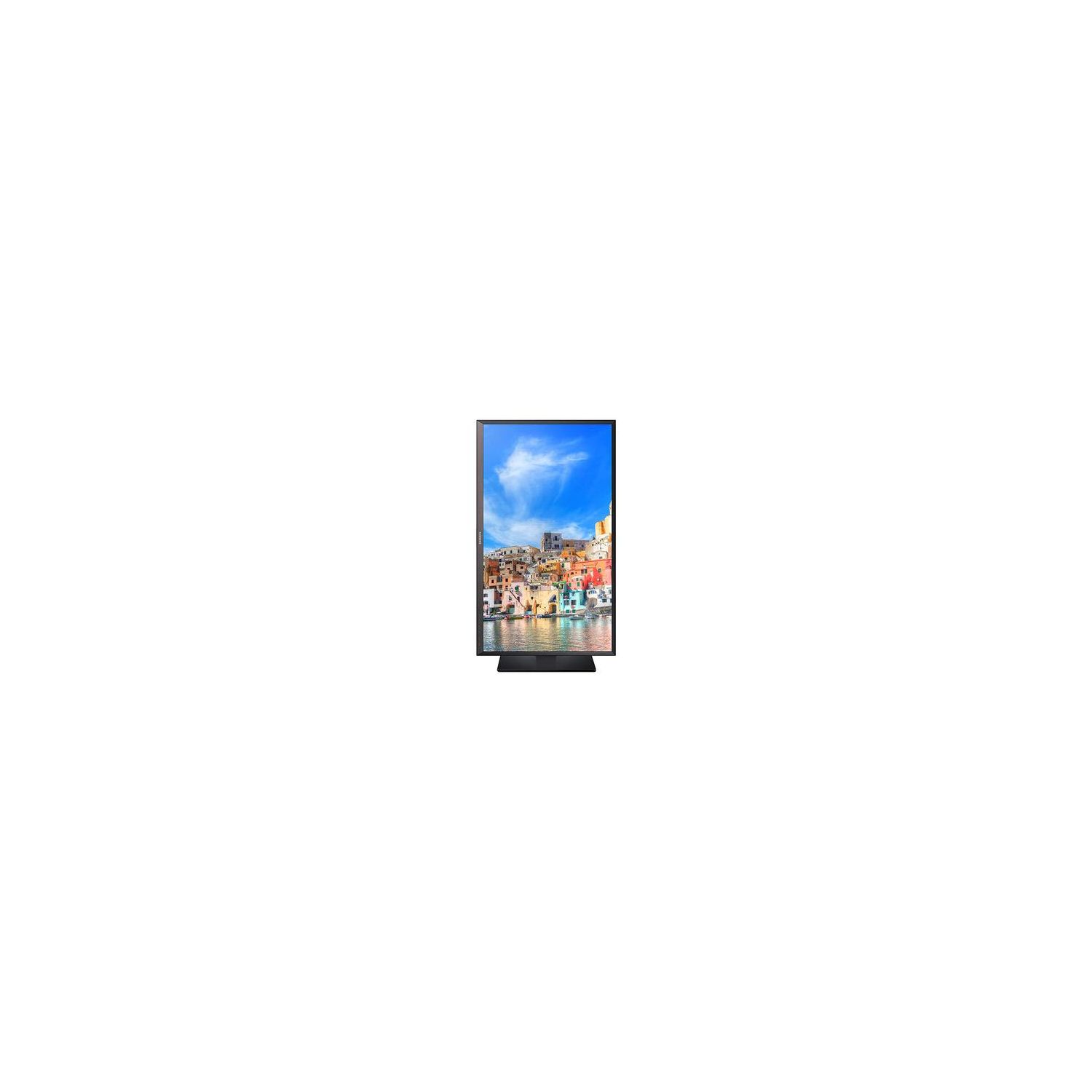
Samsung Electronics LS32D85KTSR/ZA 32 Inch WQHD LED Monitor, Titanium Silver/Matte Black
Write a review
$36900

Samsung Electronics LS32D85KTSR/ZA 32 Inch WQHD LED Monitor, Titanium Silver/Matte Black

Write a review
B00L3KNOF4
+
Add to wish list
Target is a general merchandise retailer with stores in all 50 states and the District...

City: US, New York

Delivery
Pickup at your own expense
Tomorrow from 09:00 to 20:00, Store location
Free
Payment options
Apple Pay Google Pay Mastercard Visa
Cash, bank card, credit/installment payments, cashless payment for legal entities
Warranty and returns
Exchange/return of products of proper quality within 14 days Official manufacturer's warranty: 12 months
Features
Display Type
LED
Item Dimensions
2.7 x 29.2 x 17.4 in
Item Weight
27 lbs
Mount Type
Wall Mount
Refresh Rate
60 hertz
Resolution
2560 x 1440
Screen Size
32 in
Aspect Ratio
1.78:1
Description
This fits your .
Make sure this fits by entering your model number. 2560x1440 WQHD, which is about 1.8 times clearer than Full HD Aspect Ratio : 16:09.Product dimensions with stand 29.18 x 24.80/19.68 x 11.02 inches,Product dimensions without stand 29.18 x 17.36 x 2.69 inches Resolution : WQHD(2560x1440) Response Time : 5 (GTG)ms.Power Consumption (Max):100 W Mounting type: Wall-Mount: VESA 100 × 100mm, Bracket 200 × 200mm
Reviews
4.3
Reviews: 20
5 stars
75%
4 stars
5%
3 stars
5%
2 stars
0%
1 star
15%
Kiyoshi Matsutsuyu
5
I know my monitors – and this one is fantastic... Ive owned a Seiki 4K monitor (39" @ 3840x2160), an Apple Thunderbolt monitor (27" @ 2560x1440) and an ultra-wide, 21:9 aspect ration LG UM95P (34" @ 3440x1440) and now this one. This one wins. 27" is a bit too small and anything over 34" is a bit too big. 32" is perfect. 4K (3840x2160) isnt useful in its native resolution for productivity, as the screen is either too big (have to pan your head around) or the text is too small (have to increase icon & text size, thus negating the point of extra resolution). Also, HiDPI mode might be nice, but 4K is too hard to push for games and 30hz is unacceptable. This Samsung monitor has a 91.79 PPI, which is fairly crisp, but not ultra-crisp.... The ability to PIVOT this huge thing is awesome for working with Excel data, iTunes playlists, *READING KINDLE* and taking notes. *for movies & console gamers* The 1440p resolution is exactly 4x as many pixels as 1280x720, which is what many PS3/Xbox360 games are running at, as well as movies you are streaming or have downloaded. That means that when blown up to 2560x1440, there are no interpolation artifacts, which makes the picture look great, as well as the 100% sRGB, which means you can turn on "FULL range RGB" color field for your games, images, etc. Ill never use a non 100% monitor again. My incredibly nice Sony laptop has 95% and my Macbook has ~70%; this monitor has fantastic color production with 100% coverage. I wish it had speakers, but at least it allows you to plug in headphones. This is useful if you have a console or laptop and dont want to constantly fiddle with audio connections. I leave my headphones plugged in; switching from PS3 to laptop allows me to have both plugged in at the same time, even picture-in-picture. Samsung got it right with this one. Also, the stand is very sturdy and is exactly the size of an Apple bluetooth keyboard. If you watch movies, play PS3/Xbox games that are in 720p (like GTA V), or could use an insane 2560 lines of *vertical* resolution for your productivity, this is the monitor you want. 2560 lines of vertical resolution (when in pivot) is 19% more than 4K would give you, by the way. Being able to raise/lower and tilt the monitor up/down is a huge bonus.
Jennifer Hazel
5
For anyone debating monitor size, I was worried about the 32" being too big, but now that Ive been using it for a week Im glad I went with this one! For the price, its a great monitor. Bright and clear screen, easy to set up, and impressively huge. I researched for hours, read blogs and top 10 lists, etc before buying it. I was trying to choose between 32" or 27", and with my laptop having only one hdmi output, I chose this monitor to be my second screen. I use it primarily for coding, web and graphic design. I saw some reviewers say that the edges of the screen are at the periphery of your vision, and as I sit pretty close I can see how that could bother you if you play games that require fast responses to stimuli coming from all directions. For my use, it doesnt bother me... the size of the screen allows me to easily work with 2 programs or browser windows side by side without resizing, so its ideal for computer work. I did play Path of Exile for a couple hours and it looked great, so should work well for most games that arent reliant on a ton of action on the edge of the screen. If you are wanting to play those games, you could probably just move back from it a bit and see just fine. Overall, the monitor is bright, good color, is huge, looks great, and I was using it within 10 minutes of opening the box! Had to move some stuff around on my desk, but totally worth it! My old 1080p 23" monitor looks like crap now sitting in the corner. If youre reading this because you want a large monitor, you wont be disappointed with this one.
Johnny_Amazon®
5
There are already many reviews both on here and all over the Internet, so my quick two cents are simply this: Until you see this monitor in person, you cannot fully appreciate how massive and awesome it truly is. In terms of TV size, a 32" is barely enough for your kitchen or den. But this is a COMPUTER MONITOR, made to be appreciate up close of a maximum four to five feet away, and at that distance, this is a truly magnificent viewing experience. * The image quality is excellent. Enough said. Colors, contrast, and brightness are up there with the best of computer monitors. * At 32 inches, 2560x1440 resolution is perfect - as a computer monitor, it gives you way more sharpness and real estate than a 32" 1080p monitor. I had a Samsung 28" 4K monitor that I had to sell, because using it at that resolution for everyday things other than gaming is not practical - the font and menus are way too small, so you either had to downscale, or bump up all the fonts, which really warps things and make some things unusable. I would imagine 32" 4K to be not much more better. QHD at 32" is perfect. * The quality is top notch. There is nothing to attach or install - everything comes already assembled right out of the box. Taking it out of the box was an adventure in itself. This thing is sturdy and hefty. The base of the stand is metal. * There are excellent options to adjust the height of the monitor(up and down), as well as the swing/pan left and right, and the tilt angle up and down. * There are a lot of connection options as well, with DisplayPort, HDMI, and DVI, as well as a USB 3 Type B in case you want to hook up a PC component. I have my PS4 hooked up via HDMI, and my PC hooked up via DisplayPort for that awesome 60Hz refresh rate. - There are no built-in speakers, so you will have to use the 35mm audio out to connect to external speakers.
Norm De Plume
5
All I can say is WOW! I traded up to this Samsung 32" from a really good ViewSonic 27" monitor. I wanted a larger screen for use in Photoshop, Picasa, Stock Charting, Excel and Word. The 27" screen peaked out 1920x1080 so I wanted to try 2560x1440 to see what kind of improvement I would see. Yowza! (and by the way, this is the first monitor Ive had that I would actually consider watching movies or videos on.) I didnt really shop competing models. I merely selected 32" monitors and drilled into Amazon Prime candidates with 4+ star average reviews and more than 200 reviews. This percolated to the top of the list. I couldnt be more pleased. At first, I thought I might have to return it because I got lazy and used the DVI cable that came with my old ViewSonic. The text everywhere was blurred - even when I dialed back the resolution and increased the font size. I took a quick look at the FAQs at the Samsung Support site for this monitor and very quickly found solution - Use the DVI Cable that came with the Samsung. Those extra pins made all the difference - crystal clear sharp text at the highest resolution settings. Wonderful color, contrast and absolutely no reflections visible on the matte screen. in a word, Stunning. This monitor is robust, has a solid stand and can be rotated 90 degrees for reading text from say a long Word Document or Kindle book. Be aware that you will need to tilt the monitor backwards a little to have the narrow edge clear the table surface. Also, if you put the monitor underneath a cabinet, that could require your moving the monitor clear of the overhang. Frankly, I tried using the monitor in portrait mode to read text but found in unnecessary for my purposes.
S. Lamb
5
WOW (!!) just doesnt say enough about this unit. The frame is industrial sturdy, the matte finish on the screen does not detract from the brightness of the display. I have a 23" Dell S2340L, and run that at 75% brightness. I get the same brightness from this Samsung unit at 20% brightness setting. When I turned it on initially, the thing was so bright my eyes ached. Had to bring it down quickly. Clarity is outstanding. There have been some reviews claiming that when connected to a Mac, this unit fails to wake up. True to some degree, but there are easy ways around that. Dont let it be a deal breaker. Once you purchase this unit, you will wonder what happened to the quality on your other displays. The USB 3.0 4-port hub on the rear works great, although like most USB 3.0 hubs, if you try to run bus powered platter hard drives, you will see the occasional loss of connectivity. Not sure why this is, but Ive seen it on every USB 3.0 hub Ive ever owned. The platter drives need to be plugged into the main computer to retain 100% connectivity. Also love the flexibility provided by the display stand. No assembly required. Display is attached to the stand in the box. Just pull it out, plug it in and go. Multi axis swivel/tilt/height adjustments provide you with display positioning bliss. All in all, could not be more pleased with the construction quality, display crispness, lack of reflection due to the matte finish, and just superior workmanship represented in the unit. Well worth the investment
Dragonfly Computers
5
These are great monitors, I got them for an absolute steal. ($270/piece). You can still easy find these selling for $400 - $700 on other sites. Anyway, tons of real estate, great colors, DisplayPort, lots of adjustment built into the stands. Plenty of room to go up and down, also easy to swap between portrait and landscape. 4 USB 3 ports on the back of each monitor (youre lucky if you get two on the other competitors in this segment). A couple of things to note: Install the driver, if youre running multiple monitors, in order to to install the driver for the second monitor, youll need to extract the .exe file to gain access to the .inf file, then go into to device manager, expand the monitors, find the one that says generic pnp monitor, and manually point it to the .inf file to install the driver for the second monitor. If you simply try to just install it again, it will only give the option to uninstall (because it sees it already installed). Also, if youre using DisplayPort (which you should) go into the menu on the monitor and switch it from DP 1.1 to DP 1.2. Lastly, I have had a few issues with the monitors not waking up from sleep. Now that Ive got the drivers installed and switched to DP 1.2 (also in the advanced windows power settings, under PCIE Express -> Link state mgmt -> set that to off). Since I did all that, I havent had it happen again, but the work around is just to power cycle it if it happens. Really pleased with these things. One thing to note, if you want to VESA mount these (they do come with a 100x100 mounting plate) they are really heavy and not too many monitor arms can handle these. In fact, I havent really found any that say they can handle the weight (27 lbs). So just be aware that mounting these things might not be possible.
Ken Okin
5
We previously had a 28 inch Samsung 720P TV / monitor (UN28H4500) with roughly 50 Pixels Per Inch (ppi) native resolution. Wanted to upgrade to a slightly bigger monitor, but a 32 inch at 1080p would only upgrade the resolution to roughly ~68 ppi. This monitor with the .27675mm dot pitch is almost 92 ppi which makes for a beautiful picture (after you get your graphics card to understand how to talk the 2560 / 1440 resolution....) A 32 inch UHD version (U32J590) at 137 ppi is a bit of an overkill for the ~2.5 foot viewing distance of a monitor but for only $50 more it may be a bragging rights option for many with graphics cards which support the resolution. You can search the internet for maximum discernible ppi at different viewing distances: Back to the S32D850T: The box is HUGE as, unlike most monitors, this one comes with an assembled and attached rather massive stand which supports height and viewing angle adjustment as well as rotation between landscape and portrait mode. Mine came with the wall mount adapter as well as ~5 ft HDMI, DP, and DVI cables (which may not be long enough for some so be sure to measure the cable length you need and order appropriately.) The monitor is rather heavy at almost 21 lb without the stand compared to the 8.2 lb of the Samsung UN28H4500. The wall mount adapter came with the 4 screws needed to attach the wall mount adapter to the back of the monitor after the stand was detached. The wall mount adapter has threaded holes for a VESA 200 x 200 mount. My previously purchased articulating mount kit from Amazon TV Wall Mount Fits Most 19"-55" LCD/LED/Flat Screens Up To 66 lbs. Full Motion Swivel Articulating Arm. Tilt, 20" Extension Arm, VESA 400x400, HDMI Cable And Bubble Level came with the 4 short screws needed to attach the mount to the wall mount adapter after it was screwed into the monitor. The entire unboxing, stand removal, wall mount adapter installation, and actual mounting to the existing articulating mount took roughly 1/2 hour. Then the fight began to get the graphics card to speak 2560 by 1440. It defaulted to 1920 by 1080 and the monitor did a great job of upconversion. After a while (and some cable changes) we prevailed and got the computer to display in the native 2560 / 1440 resolution. This is where I suspect most with older graphics cards might run aground, so it is a good idea to make sure your graphics card can support more than 1080p BEFORE your buy this or a UHD monitor. Otherwise you could just go with the gazillions of cheaper (~$200) 1080p 32" monitors. Bottom line. This monitor was the perfect balance of useable ppi and cost for our upgrade even if we dont take advantage of the portrait / landscape very adjustable stand.
Amazon Customer
5
I put a LOT of time into researching which monitor to choose. I wanted to move away from 2x 24" or 2x 27" monitors and into the realm of one really nice monitor that took up less desk space while still providing enough real estate to view 2 or 3 windows at the same time. I use this monitor for work and school, so the wide screen monitors wouldnt be best because they are mostly designed for gaming. Money was also not an issue. I was willing to spend up to $1,000, so this monitor at below $400 was a "low budget" choice. I was worried that I would "get what I paid for" by opting for a monitor with lower resolution than 4k. All that said, this is the nicest, highest quality monitor Ive ever had or even seen. The 2560 x 1440 resolution is PERFECT for office and school use. The finish is also amazing. The monitor looks great from any angle. Another reason I got this monitor is that the back looks so good. Usually a monitor is up against a wall and that doesnt matter, but because of my office set up the back of the monitor is facing the door. The monitor adjusts up/down, left/right, and tilts better than any other monitor Ive had or seen. This is better than any other monitor set up, was very affordable for all the features youre getting (loads of peripheral connections, and supports HDMI, DP, and DVI), and looks great. I dont usually write reviews, especially when there are already so many others already written, but I wanted to support this monitor and convince other discerning customers like myself that this monitor is the way to go.
K. Haley
5
Fantastic. For a WQHD monitor, 32" is certainly the way to go. As far as I can tell the display is flawless (no dead pixels, no variance in brightness, etc.). It ships with the monitor stand already attached, and includes hardware to wall-mount if thats your preference. Plus, it comes with 3 different types of cables--HDMI, DVI, and Display Port. The USB 3.0 hub on the back is a nice bonus and the ports can be configured to be fast-charging for phones, etc., that support that. The stand allows tilting up and down, left and right, raising and lowering (about 8 inches, I think--didnt measure it), and rotation between landscape and portrait. (In portrait mode the thing is super-tall; maybe some applications can use that--I dont.) Great monitor!
David Lisowski
5
I had been using the standard 1080 monitors and then used the QHD format on a smaller sized Samsung on a business trip where that is the standard. I loved it. I did a little research which said that 30 inch was optimal. I had this ordered before I returned (from Finland) on this trip. Now the standard 1080s I use at work are very limiting. The big advantage for someone writing code is you can display much more in the vertical dimension and understand it a lot more much faster and you can put another file that you might be referencing on the side of the same monitor in similar resolution. Using IDEs which have a great many windows this helps also. Color is very striking and I guess I need to buy one for the vacation house where I also telecommute from. I have been using a 24 inch secondary on the side, which seems to strain my video card, especially my work laptop which I KVM into this arrangement. I since I do a lot of Photoshop, Premier and Indesign I think the flat monitor is best.

Showing 10 of 15 reviews

Product variations
Column filling
Sort by Price Sort by Availability Sort by CODE Sort by Screen Size
$36900
In stock
+
B00L3KNOF4
Screen Size:
32 in
You may be interested
  • Bestsellers
  • Recently Viewed
 
Similar products
Show more
Fast and high quality delivery

Our company makes delivery all over the country

Quality assurance and service

We offer only those goods, in which quality we are sure

Returns within 30 days

You have 30 days to test your purchase