
















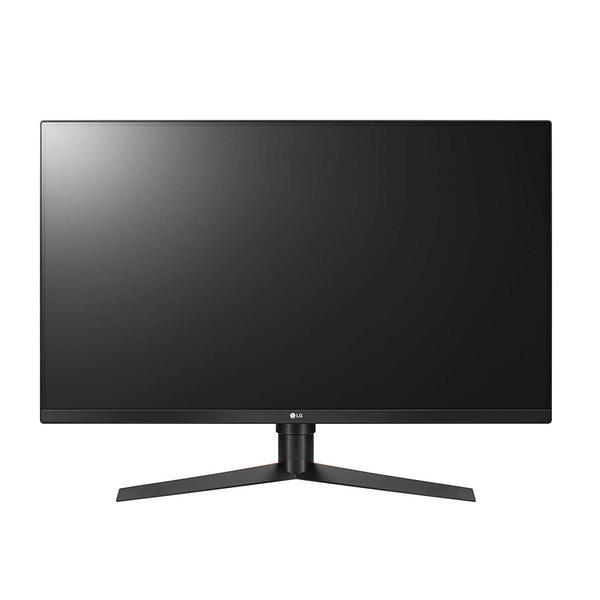
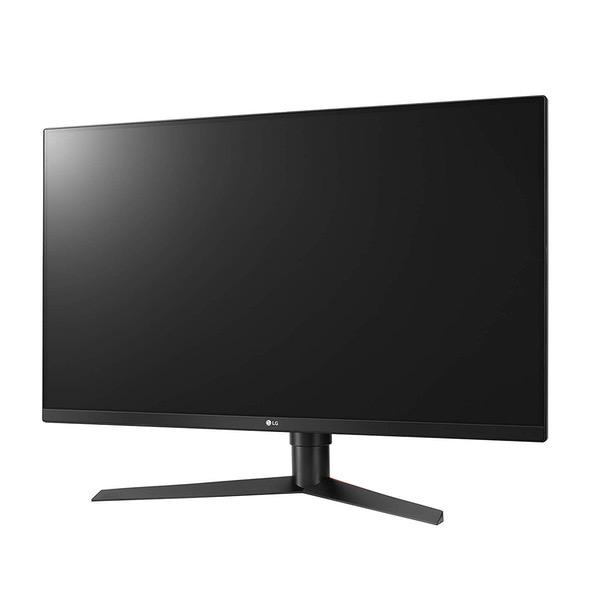
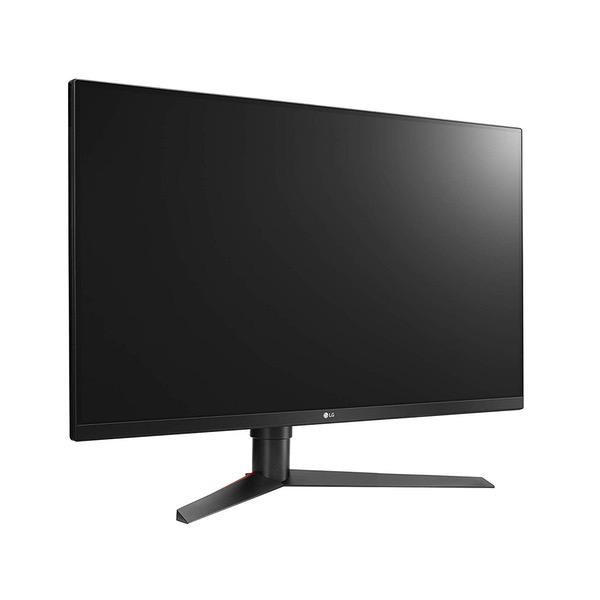
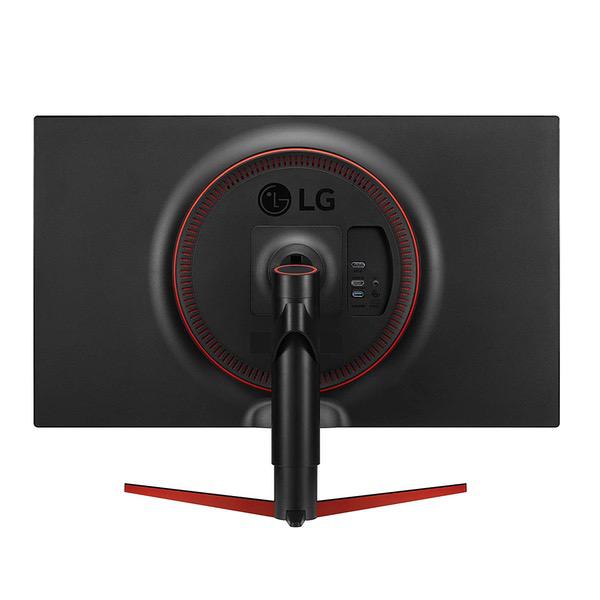
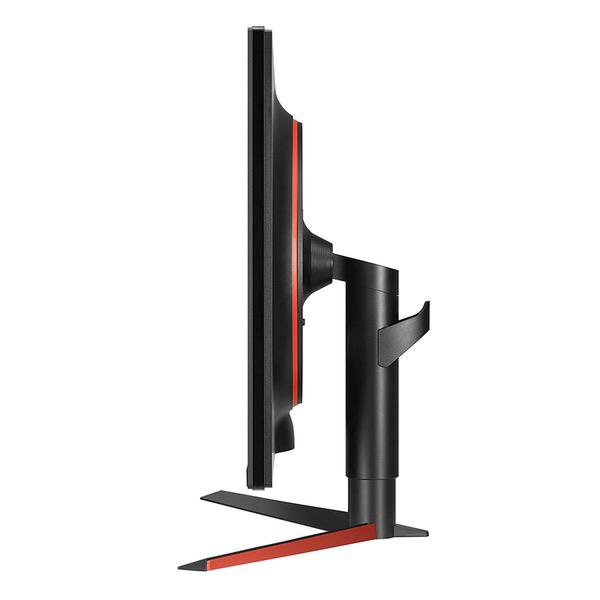
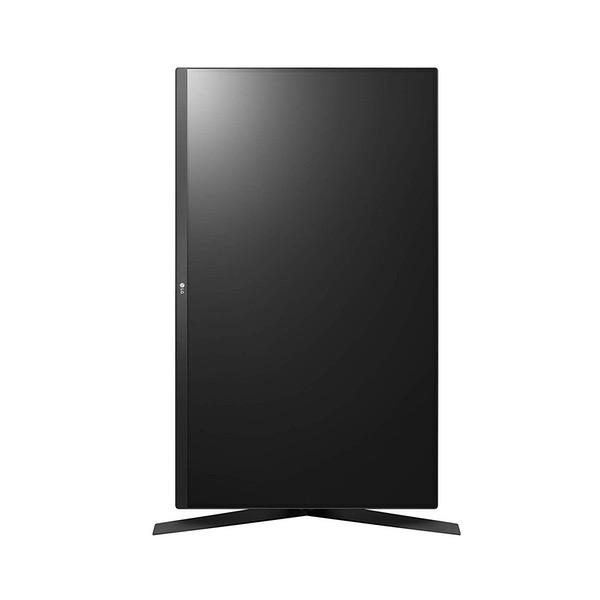
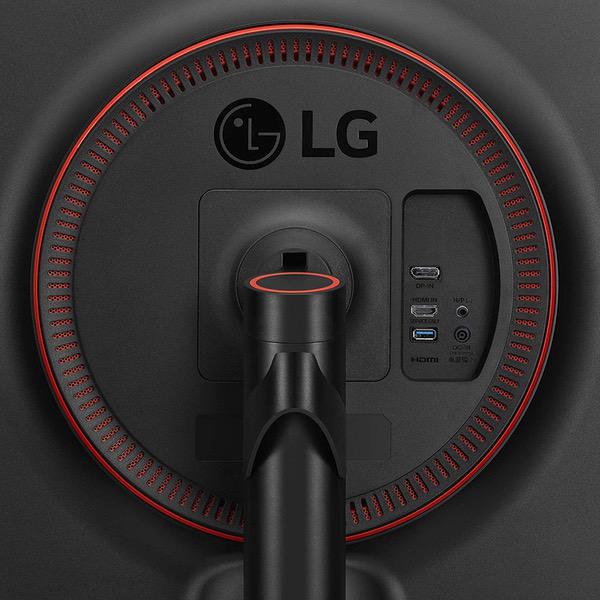
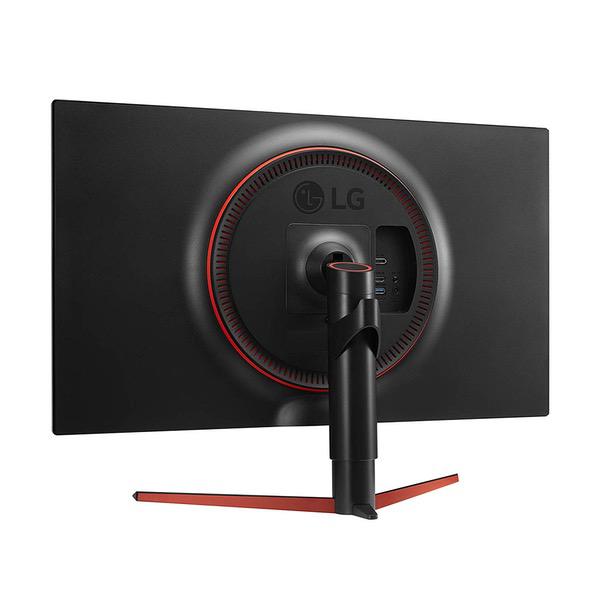
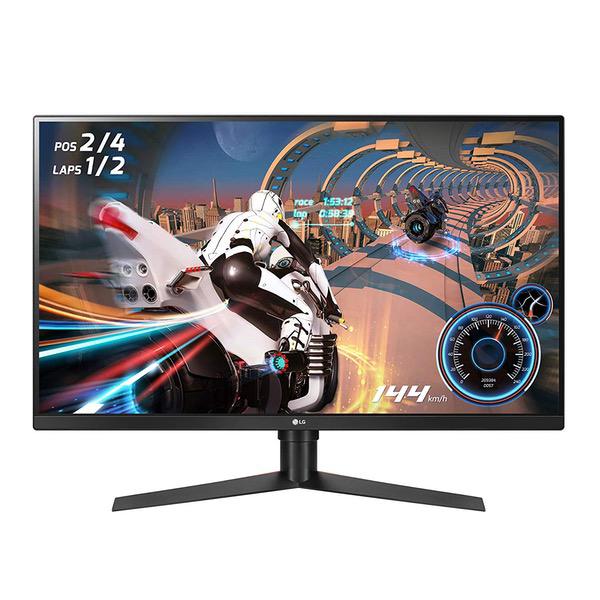
Make sure this fitsby entering your model number. QHD resolution - watch games come to life with vibrant QHD clarity and Detail. The precise 2460 x 1440 resolution and impressive 31.5" screen size combine for a thrilling, immersive gaming experience NVIDIA g-sync compatible - this monitor supports NVIDIA g-sync, an advanced Display technology that nearly eliminates screen tearing and input lag for a smoother, faster gaming experience 144Hz refresh rate - games played on this monitor are noticeably smoother and clearer when compared to game play on monitors with refresh rates of 60Hz or 75Hz Sphere lighting - gamers can customize the LED Sphere lighting with an array of different colors and lighting modes to enhance the gaming experience Advanced gaming Features - dynamic action sync assures smooth, action while Black stabilizer reveals enhanced Detail in dark scenes. The crosshair feature enhances accuracy in FPS games
I like the 32" size. Im coming from a 60hz 4K IPS so the image quality was a little downgrade but the 144hz smoothness in games is cool and most important helps my performance. This was my first foray into the 144hz scene. I was thinking I should have gotten the FreeSync because apparently now G-Sync and FreeSync are the same thing to nVidia cards. The lighting on the back is cool. Although you have to manually turn it off when you shut everything down. I wish the lighting would turn off with the computer turning off. The crosshair feature is awesome. When using the Hades with crossbar operator mod in hardcore mode in Black Ops 4 you can setup the crosshair to know exactly where to aim. I used to put painters tape on my monitor screen but that was annoying cutting out a small piece and finding the direct center of the screen.
Eamonn H.
5
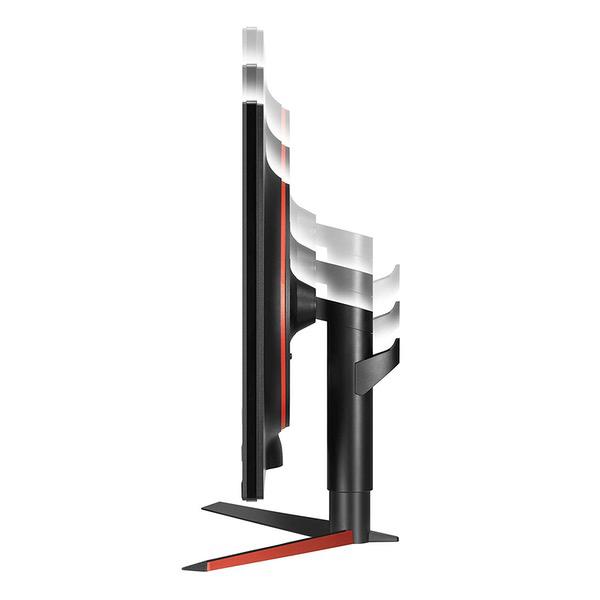
Edit (02/05/19): Ive owned this monitor for 3 months now. Ive had zero problems with it. It still works and looks great. I paired this monitor with a NVIDIA GeForce 2070 for gaming. For several years Ive been gaming on a 24" 1080p 60Hz monitor, and was curious what all the craze with high refresh rate monitors was, and to try out GSync. Higher refresh rate 4k monitors are new, and really really expensive, both for the monitor and the rig to utilize them, so I went with a 1440p monitor. Ive been blown away. I didnt think the move from 1080p to 1440p would be that drastic, but it has been. Also, when I first set the monitor to 165Hz, even moving the mouse in the Windows screen was a "woah" moment. The combination of the increase in resolution and higher refresh rate has made me feel like Ive been cheating myself in gaming the last few years that this technology has been out. If youve been on the fence about upgrading, I recommend it. I ordered this particular model over a similar Acer Predator, because this one doesnt have that gaudy design being pushed as "for gamers" that I noticed with almost all of the higher refresh rate "gaming" monitors. Even though this one was slightly more expensive, I felt it was worth it. The design of the monitor is sleek and professional. The build is very sturdy (no wobble except when youre moving it), moving the screen is smooth, and even though the screen can articulate 3 ways (without moving the base) it only moves when you want it to. At first glance, if youve been using a smaller monitor like me, youll notice that this thing is huge. It takes a while to get used to it, but you do. I would advise setting this monitor back 18-24 inches from your face, so you dont feel like youre sitting in the front row of the movie theater. The display port cable (that you need to use to utilize the higher refresh rates) that comes with the monitor is a little short, so you might need to purchase a longer one unless your computer tower sits close to the monitor. The installation software/driver CD is, like most hardware installation CDs, kind of crappy, but its easily fixed by visiting the LG website. To set up Gync, you have to enable it in the NVIDIA software screen that comes with the video card driver updates. To turn on the higher refresh rate for the monitor you have to enable it using the monitor settings screen, accessed by a joystick button on the bottom of the bezel. The monitor settings screen (what many call the OSD) will tell you when the higher refresh rate and Gsync is turned on; allow you to change response times and black correction levels for different kinds of gaming, movie watching, or for reading (low level blue light to reduce eye strain); change the brightness, contrast, and gamma; turn on/off a center screen target reticle, which can be red or green, and dot or cross; unfortunately there is no FPS counter in the menu. Navigating the menu and using the joystick button is easy. The button to the right of the menu button utilizes the LED bias lighting, or "sphere lighting" as described in the product review. The bias lighting works well and its meant to help reduce eye strain while looking at a bright screen in a dark room. You can turn it on/off, change the color (red, blue, green, cyan, different kinds of white, and rainbow), and the brightness. Upon testing the panel for imperfections and dead pixels, I couldnt find any. It was a huge sigh of relief because purchasing computer monitors can be a lottery. Thats another reason why I chose this monitor. Upon reading a lot of product reviews it seems VA panels have better quality control than similar gaming style IPS and TN panels. Across manufacturers, all IPS, TN, and VA panels are made by a select few companies, sometimes only one. The IPS panels are having a lot of problems with edge bleed, and I didnt want the infamous IPS glow, which makes dark scenes and contrast kind of crappy, even though IPS panels are supposed to be the best at color reproduction. TN panels are having a lot of problems with dead pixels, and I wanted better color reproduction and contrast than they offer. It seems I chose right, because this VA panel is awesome; no IPS glow, no edge bleed, no dead pixels, and the response time (4 or 5ms gray to gray) is fast enough that almost no one would notice it being faster (that TN panels offer). Sitting at least 18 inches away from the screen you wont notice a loss in quality along the left and right edges from the viewing angle being off, since this screen isnt curved. For gaming so far, Ive played The Witcher 3, Doom (2016 version), Path of Exile, and Heroes of the Storm, all on max settings at 1440p and 165Hz. The increase in resolution and refresh rate made the experience with all of them more enjoyable. The only stutter in gaming I saw was with The Witcher 3, and that was only because hair works was turned on (a huge drain on performance), even then the average FPS was still around 60. With hair works off it jumped 15-30 FPS and the intermittent stutter was gone. Even with the stutter, I noticed no screen tearing in any game, thanks to Gsync. Furthermore, Gsync made all the games, regardless of FPS, noticeably smoother. Beware that even though this monitor doesnt come with speakers, the provided software/driver will recognize it as having speakers, which can have your system switch to using them, which it did for mine, meaning I had no sound. I had to manually disable the ghost monitor speakers in the Windows settings back to my normal speakers to get sound again. Overall, I highly recommend this monitor for gaming if you pair it with a beefy enough NVIDIA card and overall computer system. For using it for office work or watching movies, it will definitely work and not be out of place, but it would definitely be overkill.
Jire
5
Pros: * The response time on "Faster" setting is amazing! So amazing that it appears FASTER than IPS 4ms panels, and only slightly behind a 1ms TN panel. This is really an incredible feat, although it introduces overshoot I dont notice it ever. This alone is a reason to chose this monitor over any other VA 165Hz, which all seem to have smeary and slow response times. * The picture quality is great, colors pop and the contrast is better than any monitor Ive had. Darks look REALLY dark, not quite OLED but way beyond what other gaming panels offer. * The size is perfect! It doesnt take up much space (well, not as much as youd think a 32 inch monitor might!), plus at this size its equivalent to 24 inch 1080p -- an excellent balanced PPI which is best suited for use 2 to 4 feet away depending on your eyesight. 1 foot away the pixels are still an acceptable size but you can definitely tell that theyre there. Personally, this is no issue and I dont see any issues unless youre using it on a super small desk and sitting super close. * Excellent stand, super easy to construct! * The lighting system is a really nice touch. The LEDs can get quite bright, so it serves as additional lighting! Cons: * Can only fine-tune monitor settings on "Gamer 1" and "Gamer 2" profiles. The other profiles youre stuck with what LG chose! * Profiles dont save everything, only game adjust settings. Picture adjust is global. Overall this is hands-down the best gaming monitor as of Q3 2018.
Amazon Customer
5
This is for the LG 32GK850G Im really liking 1440P resolution at 32". Had a Asus 27" 1440P monitor and was having a hard time staying on target with BF1 and other shooters. I know you lose pixel density going from 27" to 32", but you hardly see it in the game. The benefit of finding and staying on target while shooting is well worth the little loss in pixel density. I did have a 27" 1080P monitor at one time and did not like the way 1080P looked on it. Images were too jagged. I was leary about getting a 1440P at 32", but my worries are all gone. Monitor also has a variety of dots that can display on screen one of which is a simple red dot. If you play FPS, you know how cool a feature this is. IPS vs. VA, Ill take VA thanks. I have both, VA is warmer and not as harsh on the eyes. I gave my IPS ROG ASUS 27" 1440 monitor to kid. Everyone is getting hung up on 4k 27" vs 32". I humbly believe 1440 at 32" is being overlooked as a serious gaming configuration.
Product variations
Column filling
Sort by Price
Sort by Availability
Sort by CODE
Sort by Screen Size
$43500
In stock
B07LD9KTQ9
Screen Size:
32 in
$56500
In stock
B078TTXLW5
Screen Size:
31.5 in
Please sign in so that we can notify you about a reply