
















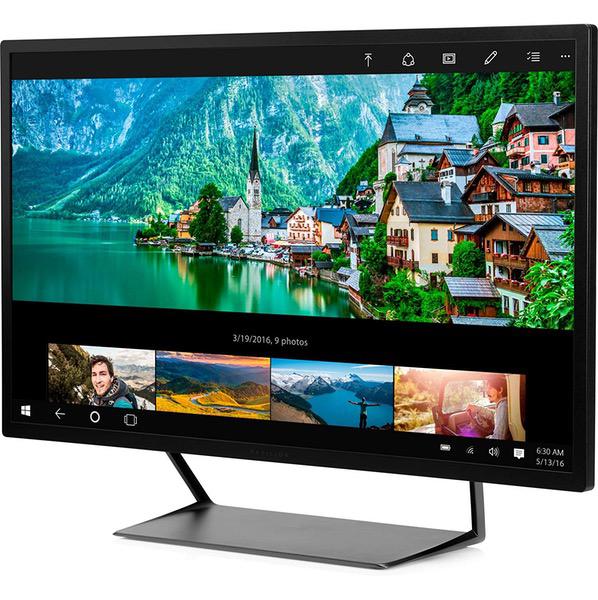
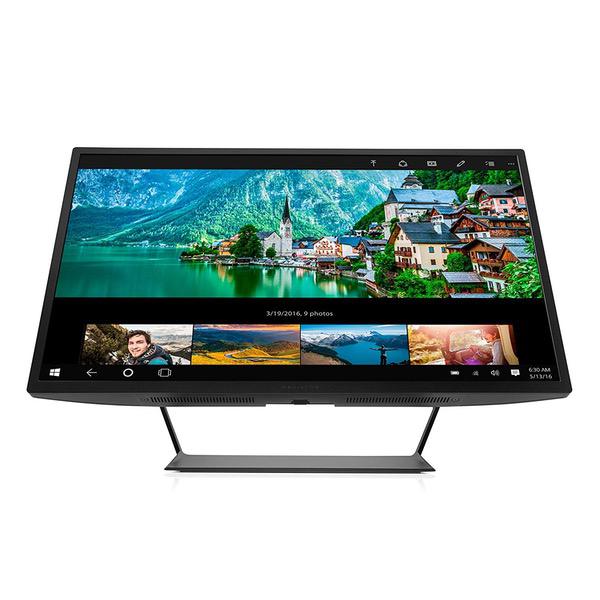
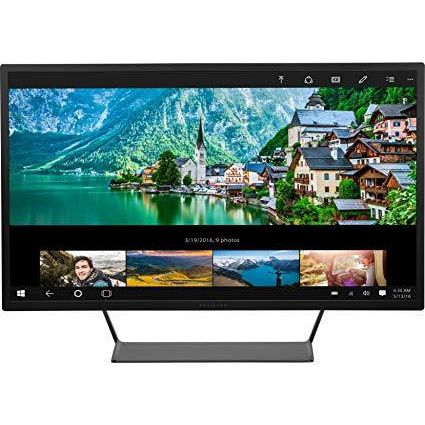
HP Pavilion 32-inch QHD Wide-Viewing Angle Display (V1M69AA#ABA)
Write a review
$31900

HP Pavilion 32-inch QHD Wide-Viewing Angle Display (V1M69AA#ABA)

Write a review
B01FGCJBGK
+
Add to wish list
Target is a general merchandise retailer with stores in all 50 states and the District...

City: US, New York

Delivery
Pickup at your own expense
Tomorrow from 09:00 to 20:00, Store location
Free
Payment options
Apple Pay Google Pay Mastercard Visa
Cash, bank card, credit/installment payments, cashless payment for legal entities
Warranty and returns
Exchange/return of products of proper quality within 14 days Official manufacturer's warranty: 12 months
Features
Display Type
LCD
Item Dimensions
7 x 29.1 x 20.6 in
Item Weight
21.6 lbs
Mount Type
Wall Mount
Refresh Rate
60 hertz
Screen Size
32 in
Aspect Ratio
16:9
Description
This fits your .
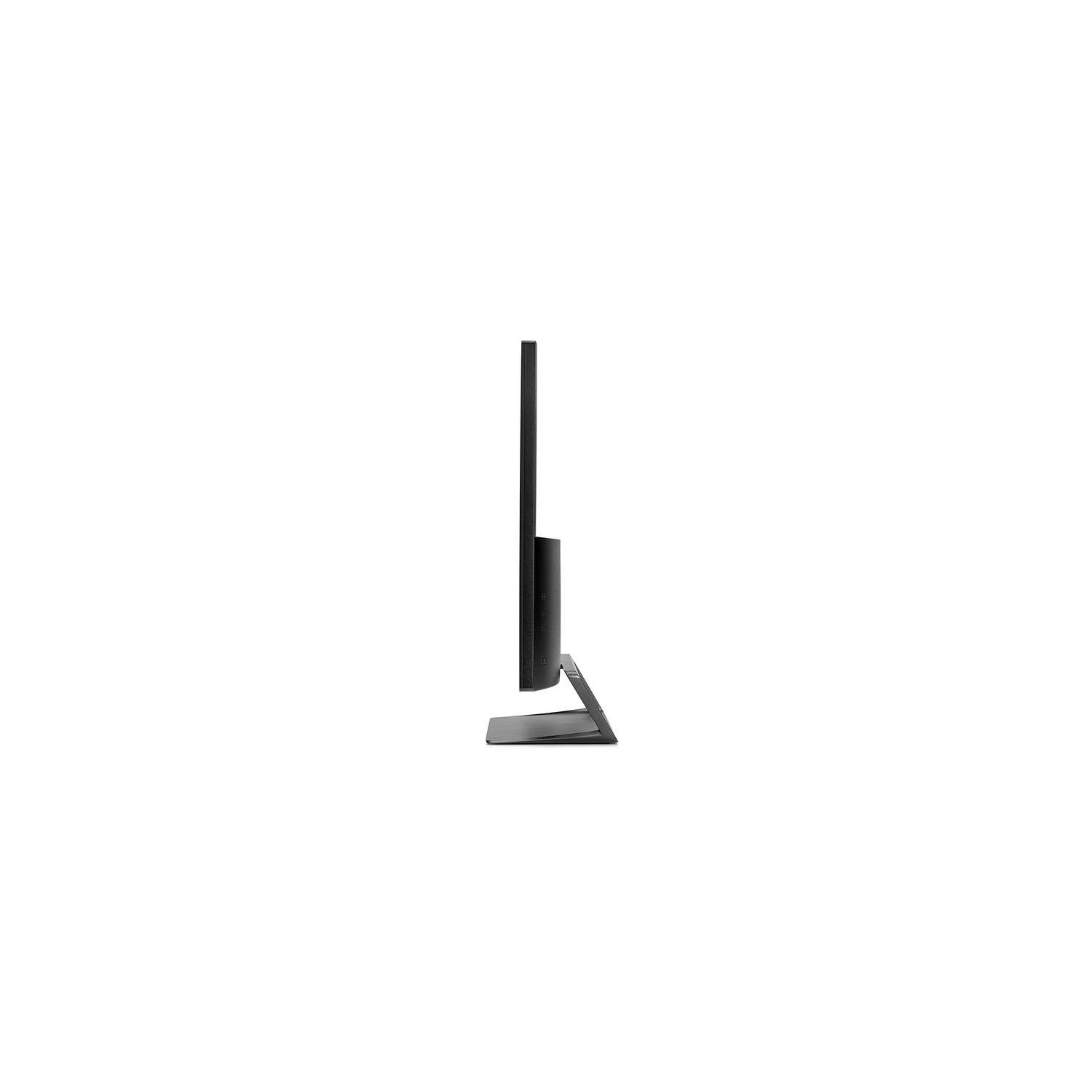
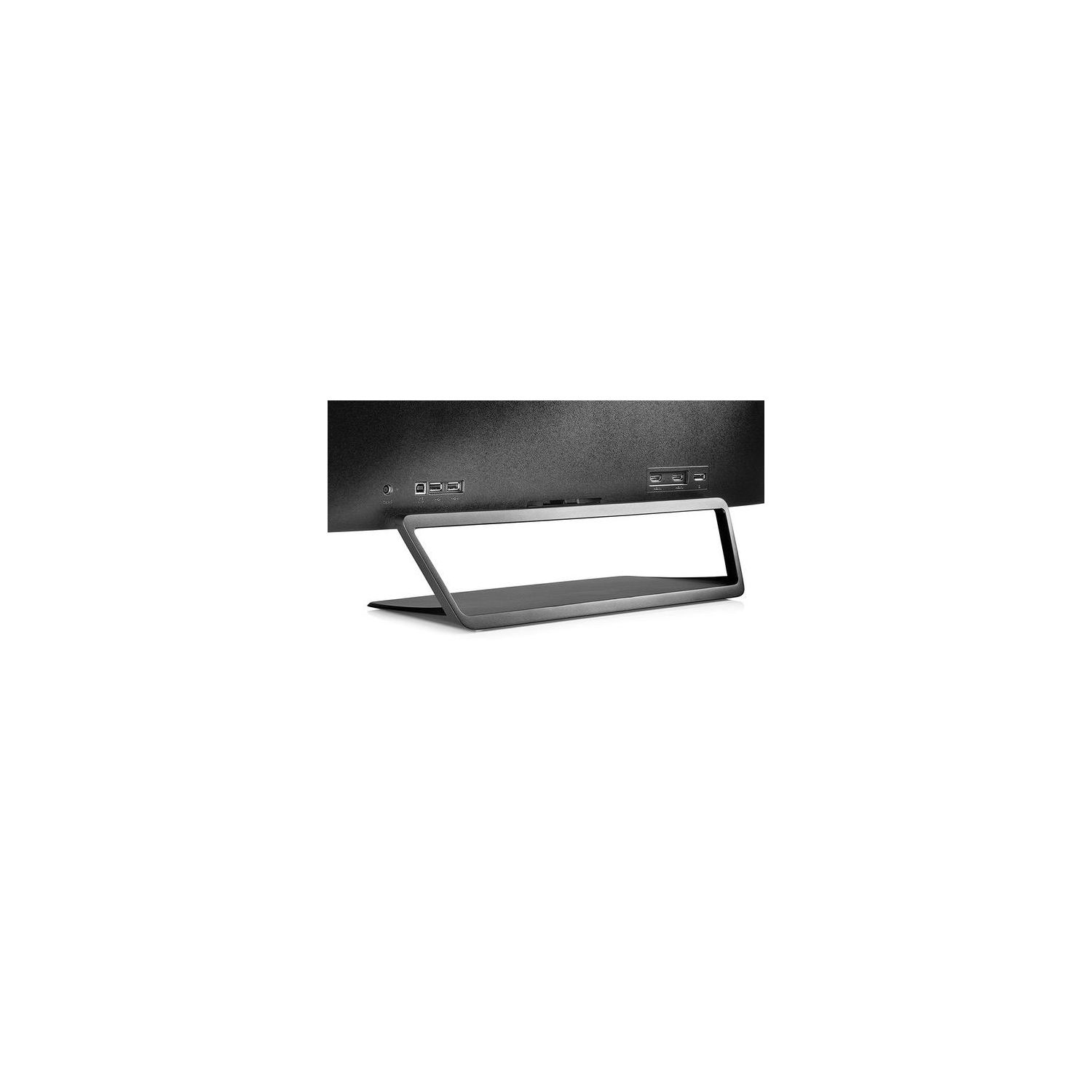
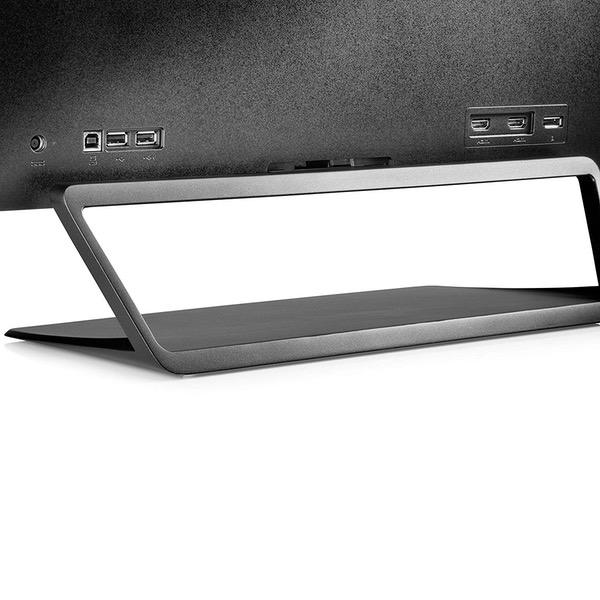
Make sure this fits by entering your model number. Unforgettable QHD picture: Brilliant details and captivating definition with 2560 x 1440 resolution. HP monitors are designed as ‘plug and play’ for all OS Highly accurate color: Standard 100% sRGB color space for ideal color reproduction. Perfect for photos, videos—all your creative projects. Dimensions (W X D X H)-29.1 x 7 x 20.6 inches(with stand), 29.1 x 2.1 x 17.1 inches (without stand) 2 HDMI (with HDCP support), 1 DisplayPort 1.2, Integrated USB 2.0 hub with 2 Downstream and 1 Upstream ports. Native resolution: 2560 x 1440 @ 60Hz; Contrast ratio: 3000:1 static; 10000000:1 dynamic Open and accessible: The display is suspended above a distinctly unique open-wedge designed stand, providing convenient access to rear ports, with your tablet or phone stored underneath. Seamless entertainment: With a 7ms response time, your action-filled content will look crisp and fluid without motion blur.
Reviews
4.2
Reviews: 20
5 stars
60%
4 stars
15%
3 stars
10%
2 stars
10%
1 star
5%
Scott Hirsch
5
For a monitor of this size and price, I think it deserves 5 stars. Yes, I can lean into it and see the pixels, but I find the resolution pretty good. I am not much of a game player except for the occasion Civ 6 but that game looks great on this monitor to my eyes. And I appreciated that it is running at a native 2560 x 1440 @ 59 Hz as opposed to, for example, 1920 x 1080, which would be the same aspect ratio and you certainly could run it at that resolution, however, I would surmise the native resolution is best. In this case it is paired with a NVIDIA GeForce GTX 1050 Ti 4GB graphics card. In other words, the larger the monitor the more important to have a corresponding higher resolution count, or at least that is what I would expect. Sometimes I cant get back to the Windows 10 desktop after playing Civ 6, and in the that case I have to use the computer reset button. Windows 10 takes a hard reset pretty gracefully so before I play Civ 6 I tend to close most other programs incase I cant get back to the desktop but that is no fault of the monitor Yes, I rather like this monitor. The on off button I prefer to use instead of a screen saver setting, so I have learned to feel for that button on the back right lower corner and it is very easy to find and use after a little practice. The only adjustment I had to make was to turn down the intensity and I found the menu buttons are not intuitive to me, but after playing around a few minutes it was OK and it will be unlikely I will need to use the menu again anytime soon so I am not knocking points off for that. It also would support other aspect ratios such as 16 x 10, 4:3, and 5:4 but there is no incentive for me to try those aspect rations. My previous monitor was a 27" monitor that is more than average in size but this baby is significantly bigger in real estate. Those 5 inches make a lot of difference. The stand is sturdy and it tilts up and down with the right amount of resistance, nothing to complain about. I would buy it again. I did not install any drivers with Windows 10 for the graphics card or the monitor. Just plug and play.
Orca
5
I have the Envy 32" as my monitor for my home gaming/office system, and I love the 1440p resolution at 60Hz. My wife (who works from home) decided to use my monitor as an external one day and instantly got hooked on the vast real estate. This Pavillion appears to use the same panel as my Envy, just without the added expense of built in speakers. It is a massive upgrade over the 24" Dell monitor she had been using and has pretty much eliminated the infinite scrolling she used to endure with her business apps. Just remember that it is a 32" monitor and will take up a fair amount of space on your desk.
Reviews & Beyond
5
If your looking for the ultimate monitor for PC then this one is the right choice. I am a Web Designer and this screen is the best possible option for this field. Images look so life like your eyes will have a hard time telling it apart from real or a photo. This monitor would be great for gaming in 2K or watching 2K videos which are both mind blowing. The menu system is very easy to navigate threw and this monitor has as much options as a TV does and more. This monitor out of the box will blow your mind then up the brightness to 93 then the contrast to 90 you will not believe how much more crisp the images will look. Just check out my picture it even shows in that. You cannot go wrong with getting this monitor! I have had many many monitors and TVs and this one blows any of those out of the water. So get this monitor you will never regret it. It comes with HDMI cable, Display Port cable, a Vesa Mount adapter, and many more things that you never get with a monitor or TV usually. I had mine on my desk then decided to vesa mount it and it works great as you can see in the picture. I just cant stop loving this monitor gonna keep this one for a long time.
Bubbles!
5
I ordered a 32 inch flat QHD monitor (no speakers) on Sunday and it arrived on Tuesday morning (2 day shipping). Ive only used it for 3 days, so read this with that it in mind. A) The reason I was looking - I use a 2 year old laptop with 13.3" screen. Its perfect for travel, but its too tiny to run multiple things on the same screen. I wanted to use a large monitor as my primary screen for my laptop. B) What I wanted - In an ideal world, I was looking for something that would pivot vertically (like a lot of the Dell monitors), but I also wanted reasonable screen resolution for the sizes (eg: multiple 24" monitors would have been ok with 1080, but I wanted better if I went for a 27"+). I was willing to go for a larger monitor if the vertical length met my needs. This one meets my needs for now. Its 15-16"screen approx vertically. For this reason, I was attracted more to the 16:9 models over the 21:9 models. I was very interested in curved monitors, but for $100-400 price range, I could only find 1080p models (Samsung 27"). That wouldnt work for me. C) Concerns I had - 1) Can this monitor run using my 8 GB RAM and a minuscule integrated graphics card? - Yes. It uses the same level of RAM with either display - my laptops screen or the monitor (5.5-7.5GB RAM out of 8 GB). I will probably buy a more powerful desktop/laptop with a NVIDIA graphics card, but I can survive until I pick out the right one! 2) Will everything show up clearly for this screen size? - Yes. Ive had zero issues. Im glad I picked QHD. I dont game or anything, but Ive used browsers, MS Office, Netflix, YouTube. I think it works well. I can see that theres a difference between my laptops screen quality and this one, even though theyre both QHD. This one is brighter. 3) What about the viewing distance? Will it be too close to me? - I measured. I instinctively shifted between 2.5 feet for tiny stuff (instead of squinting), 3 feet (browsing on Chrome), and 4-6 feet (full screen video - Netflix). For the latter, I use bluetooth headphones so I can move around the whole room if I get bored while sitting in one place while watching TV. - I changed the display settings on Screen 2 (this monitor) to 125% zoom, so that I can view it from 3 feet easily. If I could change it to 110-115% that would be ideal for me, but no such setting exists on my laptop. 4) Will I have to move my head to look from end to end? (someone had mentioned this on some website about large monitors as a detractor) - No! My eyes can see everything just fine :) D) Misc not covered in product description: - there are buttons on the right rear side of the screen. Power, volume (+, - ) and theres one more button I cant remember. - Setup was easy. It came with a huge sheet of paper that showed in pictures exactly how to set it up. I dont have a DVD drive (tiny laptop!) so I downloaded the driver from the website. It took probably 15 mins totally including the super slow HP Assistants tortoise pace. - YOU NEED YOUR OWN USB cable (not provided), but it provides you with everything else (HDMI, etc). I found an ancient USB 1.1 (!!!!) cable in my home, hooked it up and hoped for the best. It worked, even with videos! I ordered a USB 3.0 cable right after that, which hasnt arrived yet. But, yea, any USB cable will do :) - The base is made of metal. I wasnt pleased with the picture because it looked plasticky there. But It looks fine in person! - Appearance: I liked it! Id have been happier with thinner bezel size but honestly, for under $400, I dont really mind! - Package: It arrived in the same box youd get if you went to the store. So if you have nosy neighbors, everyone knows what you bought. Also, theres that hand "hole" (for lack of better words) where you stick in your palm to carry it. That was tucked in when it was delivered. It didnt rain that day, but if I hadnt been at home and it had, Id have been unhappy that there was a "water input center" in the box.
eric
5
Excellent color, excellent black levels, great uniformity, no dead pixels, everything is as advertised. They also made some very smart engineering decisions. The ppi for 32 inch, and paired with the average graphics card is a sweet spot. The base is a heavy slab of metal, very sturdy. I wanted to be impressed with this purchase and I am! Update. Although the stand looks and feels substantial, and is very heavy, the weight distribution of the monitor is forward of the stand. how do I know this? I barely tapped the back of the monitor while reaching behind, and from the side, to plug another cord in. While putting light pressure on the port with my head around the side of the monitor, it fell flat on its face. I barely touched it...:( cracked screen
rebirf
5
The screen is amazing, and its a big one. Average bezel size. Power and option buttons are on the back of the monitor which I do appreciate. The stand is a very high quality, solid piece of metal. Pretty heavy though. Comes with displayport and hdmi cables in the box which saved me a trip to the store. I would definitely buy this monitor again. Everything is running great at 1440p with a 7970gt. Something to think about: the design of the stand makes cable management a little difficult. I dont think theres a way to run the cables down the stand without them being visible. Ive never been great at cable management anyway, so Im not taking any stars off for that. Someone with more experience can probably make it look better.
J. D. B.
5
Absolutely beautiful monitor. The colors were spot on right out of the box and it is a good looking monitor. But be aware that you need to make sure that your video card can support the resolution this monitor requires. I had a 5-yr. old video card that wouldn’t support the monitor and had to replace it with a new card that wasnt cheap. Then I found out that my motherboard wouldnt support the new video card and had to purchase a new motherboard. So, make sure the video card and motherboard are applicable for the monitor. I needed to update my computer anyway so the monitor gave me a good excuse to upgrade my desktop computer.
GolferSkip
5
I have had this monitor since December of 2016. Used for web, email, Office applications, GIS, and coding. Am about to buy another to replace a dying 24" HP. Would recommend to anyone. Strikes the right balance between price/quality. Have had absolutely no problems. Use in a dual-monitor setup. Would not hesitate to use for gaming (online FPS).
Donald Christian
5
Pros: A fine monitor--I love the large display. It allows me to have multiple files open without needing to switch back and forth. Or, I can blow up a design to an incredible degree for fine tweaking. I am/was a graphic designer and detail means everything. Cons: Set up instructions were not crystal clear and I needed to purchase a different cable to gain full access to the maximum screen definition. I work on an Apple Mini.
MarieM
5
Working at my PC all day every day. Started my own business as a senior and it is successful, but my eyes are not what they once were. This is an absolutely wonderful monitor for people needing some eyestrain relief. I dont know how I lived without it. And it is plug and play for Windows 10, no challenge at all to set up. Highly recommend.

Showing 10 of 12 reviews

Product variations
Column filling
Sort by Price Sort by Availability Sort by CODE Sort by Screen Size
$31900
In stock
+
B01FGCJBGK
Screen Size:
32 in
You may be interested
  • Bestsellers
  • Recently Viewed
 
Similar products
Show more
Fast and high quality delivery

Our company makes delivery all over the country

Quality assurance and service

We offer only those goods, in which quality we are sure

Returns within 30 days

You have 30 days to test your purchase