
















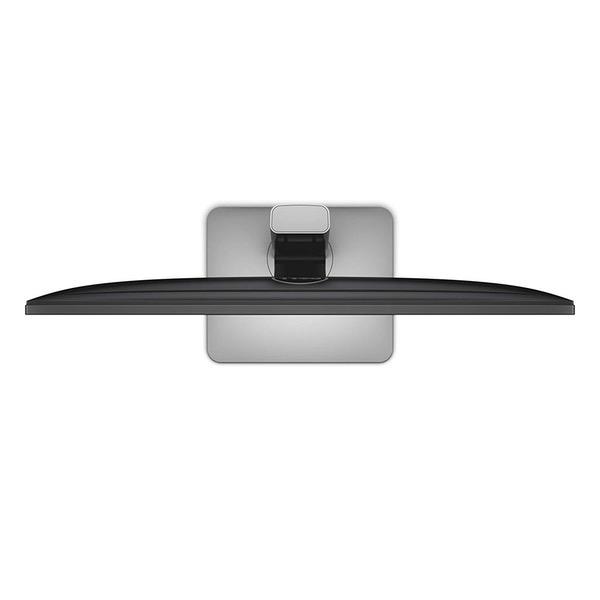
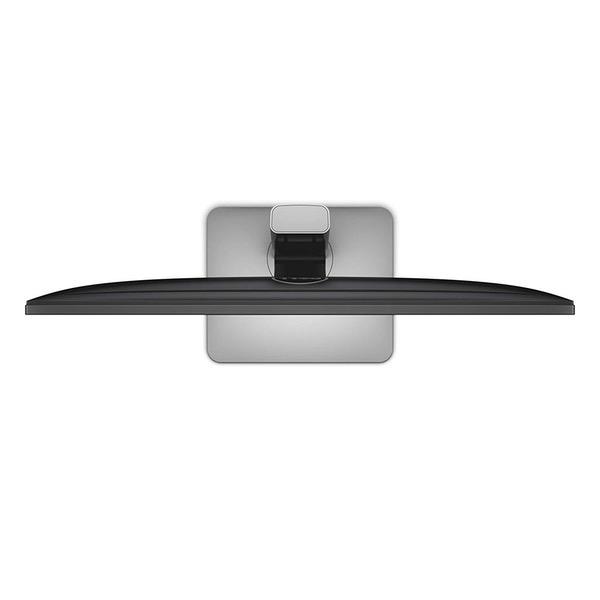
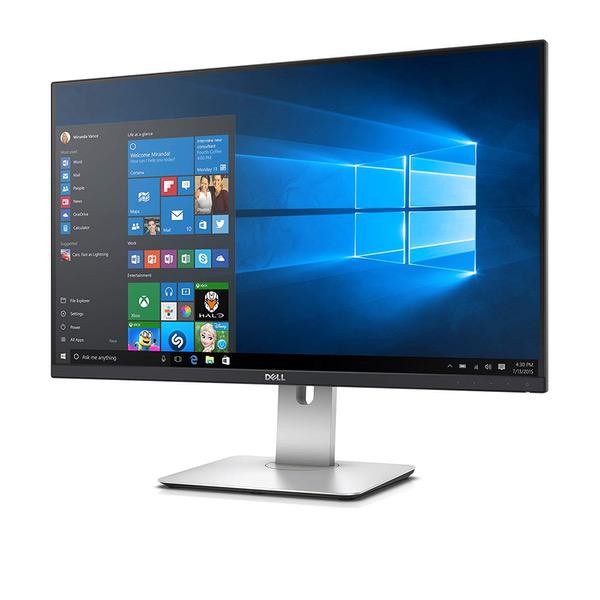
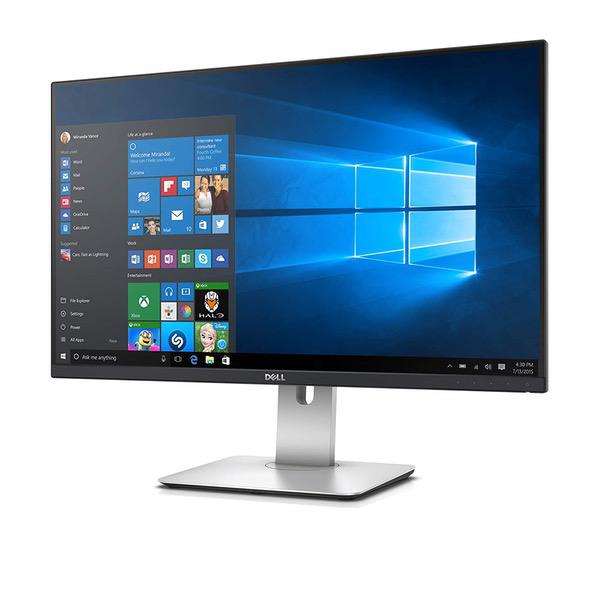
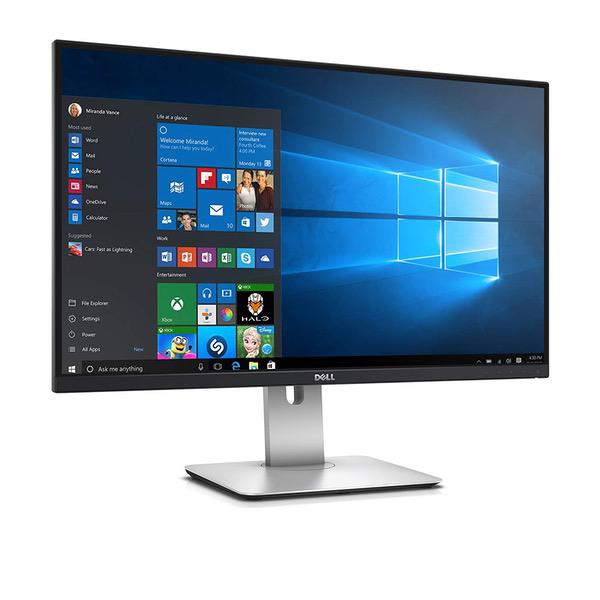
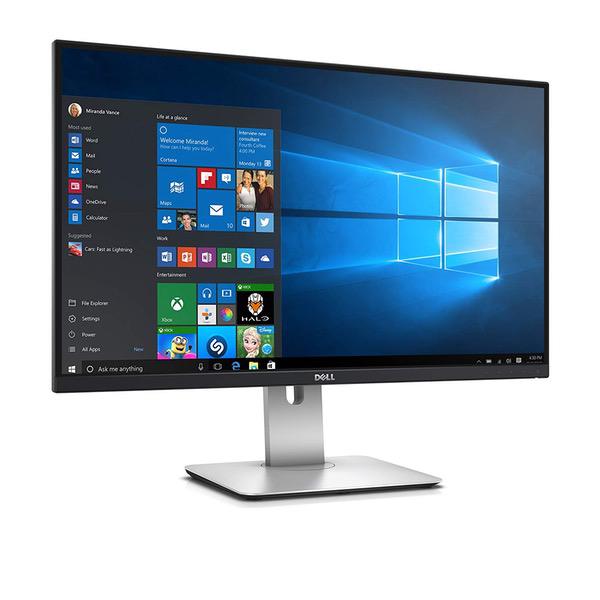
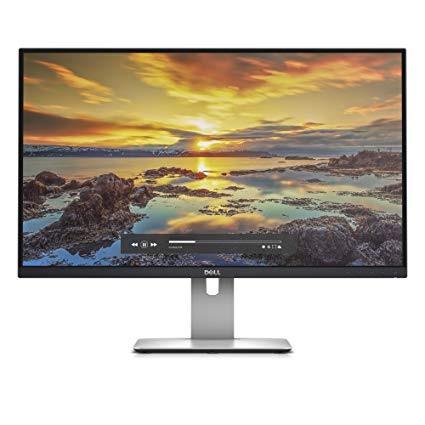
Dell UltraSharp U2715H 27-Inch Screen LED-Lit Monitor
Write a review
42891 46797

Dell UltraSharp U2715H 27-Inch Screen LED-Lit Monitor

Write a review
B00P0EQD1Q
+
Add to wish list
Target is a general merchandise retailer with stores in all 50 states and the District...

City: US, New York

Delivery
Pickup at your own expense
Tomorrow from 09:00 to 20:00, Store location
Free
Payment options
Apple Pay Google Pay Mastercard Visa
Cash, bank card, credit/installment payments, cashless payment for legal entities
Warranty and returns
Exchange/return of products of proper quality within 14 days Official manufacturer's warranty: 12 months
Features
Display Type
LED
Item Dimensions
24.12 x 8.07 x 21.61 in
Item Weight
10 lbs
Mount Type
Wall Mount
Refresh Rate
60 hertz
Screen Size
27 in
Aspect Ratio
16:9
Description
This fits your .
Make sure this fits by entering your model number. Refresh existing 27" Dell Ultra Sharp monitor with new and improved features to drive productivity and dual or multi-monitor usage A 27" QHD resolution 16:9 aspect ratio monitor with an ultra-thin bezel. In-plane switching, anti glare with hard coat 3H Fully adjustable features like tilt, swivel, height adjust including pivoting both 90 Degree clockwise or counter-clockwise, allowing the thinnest possible edges to be placed side by side Has an arsenic-free glass and mercury-free LED panel. Compatibility- All Operating System
Reviews
3.6
Reviews: 19
5 stars
63%
4 stars
0%
3 stars
0%
2 stars
11%
1 star
26%
Big E
5
This is an outstanding monitor for Mac users. I have two of these Dell monitors I use with my 2015 MacBook Pro Retina system via the Thunderbolt ports. I didnt have a single problem installing the monitors, and they worked with the MBP without any fuss, and using the cables that came with the monitor. The image quality is outstanding, rich and stable, and the lack of a bezel is welcome in reducing my desk space. The base of the unit is similar to Apples Space Gray, and it has an Apple-like design, which is welcome. In terms of construction, the monitor is solid and doesnt wobble. Im a long-term Apple user and this is one of the first big non-Apple purchases Ive made. I admit to a bit of a bias toward Dells monitors -- simply because they are from Dell -- but I must say that I am very pleasantly surprised and would make the same purchase again without hesitation. The only complaint that I have is that these monitors dont have built-in speakers. It would have been very easy for Dell to include speakers within the monitor, but they elected to keep the speaker external via the Dell Sound Bar 511, which is a bit of an ugly wart on the bottom of an otherwise attractive monitor. Obviously, it wasnt a show-stopper for me, and Ive purchased a small, $25 Anker speaker to hide behind the Dell monitor(s) to provide sound. In any case, if you are an Apple MacBook owner, dont hesitate to pick up one of these monitors for yourself. I hope that, like me, youll be pleasantly surprised with your purchase.
Rainy Day
5
I have both the 24" and 27" Dell models. Bought the 27" on Prime Now. They both work great. Specifically, I use them for software development and needed something with a high resolution for text, not video. The 24" runs at 1920 x 1200 (native) and the 27" runs at 2048 x 1152. They are both plugged into an older Nvidia GeForce GT 220 graphics card on a windows computer. I had bought a Samsung 28" UE5010 4K monitor at a big box store and it was considerably cheaper than the 27" Dell. Even though the Samsung had higher resolution and was bigger, I did not think the text quality was as good as it was on the Dell 27", so I took the Samsung back. I need something that is easy to read, and the Samsung side-by-side with the Dell was not that good. In fact, I preferred the Dell 24" over the Samsung 28". I also have two older Dell monitors that must have cost a grand each 10+ years ago, but the also still work fine. So hoping the new Dells have many years in them.
Chris M.
5
Simply the best monitor in its class on the market. This had low input lag, beautiful and accurate color reproduction, sharp text, and great thin bezel. If an IPS, 24inch, 2K monitor without costly g-sync is what you want this is THE one to buy. Its great for office use, artist use, and gaming. Good for gaming a long as you are content with 60hz. I am, and given I do digital art and game, this is fine compromise for me. Its IPS so the viewing angles are amazing. There is absolutely zero color shift when viewing this monitor at any sane angle. It has a best in class refresh rate and less than 10ms input lag meaning you will have decently responsive gaming. You might not win a CSGo tournament using one of these, but if your idea of fun is slapping on an action RPG or even playing an FPS in anything less than hardcore competition mode you will do fine. Again this monitor does compromise as its an all-around performer rather than a single-focused product. Still I game on this and Im quite happy. I even play racing sims on this and Im happy. Its got DC violate controlled backlight LEDs Thus 100% flicker free and NO headaches from s***ty PWM lighting. The backlight its not 100% uniform but from what Ive seen scouring reviews nobodys is. These have found to have no more than a 5% variance in luminescence across the panel in the two I own. There is IPS glow, its inherant to the IPS technology. Until we get affordable AMOLED displays this is just the price of getting good color. Its not a perfect monitor, but in terms of an all around great 2k display this one wins. This monitor also quite acceptably down-scales/interpolates to deliver a 1080p source. Their is only a minor blur effect, and most of the fuzziness is inherent to having a 1080p source on such a large display. So this will be able to drive Blue-ray or console content with a quite an acceptable experience. I could go into great detail about this montors color reproduction but its easier just to say Im a digital artist with far better than average-joes color sensitivity. Not only do I not have color blindness but Ive carefully trained my perception to pick out very subtle changes in color. Trust me when I say this is an *accurate* colored monitor. Mind you accurate is less saturated than most people think. Most display (like your samgsung phone that every gushes over, are over-saturated. But these can easily be tuned with a colorimeter or spectrometer to produce print-accurate color. With these I can produce paintings and order a finished print that is exactly what I expected. I use a colormunki colorimeter and use displayCAL to tune my color profiles. The slightly matte screen prevents glare and doesnt produce any graininess that I can see. Display port in and out lets you daisy chain in case your graphics card (like mine) only has 1 DP and you want dual monitors. Its a modern monitor that only supports modern ports, which thank god. VGA needs to just die already. That being said it doesnt have VGA or DVI connectors so plan accordingly. And hooray for VESA mounts. It uses 100mm mounts. Im able to mound them monitor arms and free up desk space for more junk and clutter! As a final thought. IMO, eventually the VESA standard Adaptive sync will end up winning the format war between AMD and NVidias absurdly priced, proprietary G-sync. But I think we are several product generations away from a GPU-montior synchronization technology becoming standard on all mid-range and up monitors. Thus its a safe choice to buy one these today if you cannot afford an Acer predator. For anybody who doesnt game at all, this is a no-brainer. This is the 2k monitor you have been looking for.
Jingo
5
Im a UX Designer and Software Engineer by trade, so text clarity and color accuracy are critical to my workflow. Fortunately, the U2715H delivers. Ive been through several of the 24-inch Ultrasharps for the past 5 years or so, but their color performance has always been middling. The U2715H came almost perfectly calibrated with a color depth that makes my now-secondary 24-inch Ultrasharps look depressingly washed out no matter how much I fiddle with them. Theres also the pixel density difference. For all those 1080P folks out there–its time to upgrade. Your eyes will thank you for it. Scaling isnt the headache it is for Windows with 4K monitors (trust me–I have the ASUS 28-inch 4K monitor and had to abandon hope of getting it to be useful for Windows 8.1 at 4K. Maybe theyll get it fixed in 10. Mac OSX works almost perfectly with 4K, however.) The bezel reduction in this years model is also a godsend. I dont game much these days, but the display has been perfect for gaming as well. Pros: Color accuracy Response time Looks Non-reflective, smooth (unnoticeable film) matte covering Power efficient OSD performance greatly improved over previous years Small bezels No real scaling issues Viewing angles are top-notch VESA compatible (standard for Ultrasharps, but still nice to know) Cons: Still pricey–getting a proper three-monitor setup at home will eventually set me back a bonus or two Bezel in product images appears to be slightly smaller than what you really get (not that its a huge deal–marketers gonna market) Port selection is reduced over some previous models Theoretically loses to TN panels for gaming responsiveness and refresh rate (but you already knew that) OSD buttons are soft touch, which will always be worse than physical buttons Regardless of the cons, the U2715H is one of the finest monitors in its range. The only other considerations for professionals are either twice the price with mostly negligible improvements for the normal professional (10 bits versus 8 for color, etc), or are those funky, curvaceous extra-wide monitors, which are not bad, but are slightly mismatched with the normal monitor setup and are essentially just two 24-inch monitors smooshed together. Prices still need to come down a bit more before they really challenge the U2715H, however. You could get two U2715Hs for just over the price of one of those! Madness, I say!
Macbook Guy
5
I bought two of these monitors. This is THE best 27-inch display Ive found. Heres why... Light Weight Vesa mountable - works perfect with my ergotron LX monitor arms Super thin bezel Minimal backlight bleed (there is some, but its hardly noticeable) No dead pixels Good color uniformity No reflective glare Works great with sunlight gleeming through the window behind me 3-year Dell Warranty All the modern connections - HDMI, mini DP, DP, USB 3.0 hub
Randy Carrero
5
I purchase this as a gift for my girlfriend and once taken out the package I notice the good design on the monitor. Once plugged in I was amaze on how good it display things. I own a dell 29 widescreen and to be perfectly honest I might change my for this monitor as well. The picture ration is great it has HDMI plug in and 3 USB plugs as well in case you don’t want to use your computer USB’s I’m using my monitor with the display port. Don’t know what that is it’s? Let’s just say it’s better than HDMI for computers ne honest HDMI was made for tv’s not PC’s. My computer quickly realize the new monitor and change graphic and ratio settings to meet the new monitor settings. If you are thinking on getting this monitor stop thinking and get yourself this monitor.
gargamel314
5
Lives up to the UltraSharp name! I upgraded to this 2 years after release, but considering I was upgrading from a 2007WFP (great monitor in 2006), it was a pretty big step up. From what I understand, the 2715H is basically the same as the 2717D, maybe some USB ports are located differently and the interface is different. My primary use is DAWs, and this monitor gives me the resolution and real estate needed to lay everything out in front of me beautifully. I am 100% happy with this purchase. When choosing a monitor, Id suggest looking at the youtube reviews of this so you can really see what youre getting into. Honestly, you cant go wrong with a Dell UltraSharp! They have never disappointed, and my old 20" lasted me 11 years! A few caveats: 1 - UNLESS YOUR DEVICE HAS A MINI-DP PORT ON IT, BUY A FULL-SIZE DP CABLE! This monitor does come with a DisplayPort-to-miniDisplayPort cable (not sure why that one is the standard monitor cable). My video card only has HDMI and full size Display Ports on it, so I plugged the full size DP plug into my video card, and mini-DP into the monitor. It at first wouldnt recognize the mini-DP cable. I pushed it in further and it finally worked, but then, the frequent blackouts noted in other reviews ensued. I ended up running out to pick up a full size DP cable. 2 - USB PORTS ARE ALL ON THE BACK! I didnt realize this until I ordered, but it didnt make a huge deal to me. My old ultrasharp had 2 USBs on the port console in the back, and then 2 on the side (very convenient). This has 3 USBs close together and a 4th spaced by itself on the display port console in the back, and then a 5th mounted on the back side of the monitor (has battery charging power for your phone, nifty!). I would have preferred them on the side, but its cool. But earlier might have made me decide between this and another monitor.
Ann
5
I have a late 2008 macbook pro and a late 2012 mac mini and had been running my mini with an old LCD 30" Cinema Display which finally developed the infamous blinking problem and needed replacing. Did my homework and this is the way to go - period. This monitor is fabulous and works perfect straight out of the box with the above mac computers (or later Im sure). Necessary cables are included (use the mini display port and works fine with either computer) and comes with a built in hub of USB 3 ports, etc. and the non-glare screen. I debated for weeks about this vs. the Apple Thunderbolt (kept looking at the Apple display at a Best Buy) and couldnt justify over twice the price, old USB 2 ports, a high glare screen, and a huge bezel. This literally took less than 15 minutes to hook up from opening the box to marveling at the screen. The stand is ingenious and easily adjusts by sliding the screen up, down, at an angle, or flipping 90 degrees (dont know why Id ever do the latter). My computers wont support 4k and I have no idea why any normal user would want this - I set the monitor to max resolution (2560 X 1440) and everything was too small (but crisp and detailed). Backed it up to 1344 X 756 for general reading/internet surfing use and easy to read if youre blind like me. Max for photoshop, etc. and looks amazing. Ive seen lots of repeat queries about using this with a mac (with all answered) but hope this sums it up. May buy a second one for dedicated laptop home use. Really happy.
Chandler Cain
5
I like this monitor. It doesnt have the highest pixel density on the market but I find it works better and more consistently than my 4K monitor. I use this more often except when looking at pictures. Good contrast ratio. Comes almost perfectly calibrated to sRGB and D65. Looks great out of the box. There is a little bit of light bleed in the bottom left corner, but thats typical of IPS. Also, supports 2560x1440 at 60Hz over HDMI. Update (November 2015) I am coming back to add to my review of this monitor because Ive had such a good experience with it. It has been a pleasure to use and its never given me any problems. Ive tried using my i1 Display Pro colorimeter on it and ended up just going back to factory defaults, because the defaults are almost perfect. Brightness gets up to 388 cd/m^2. Contrast is 1096:1. Color temperature is 6863K (supposedly a little on the cool side but in my experience its just about perfect). I was getting rather tired of profiling displays and adjusting settings, but this one has made that a non-issue. Ive noticed no ghosting or artifacts. Also, Ive had no issues with windows on my desktop getting moved around when the monitor goes to sleep. And it always wakes up. That being said, its not perfect. You can see some light bleed on the corners if you are looking at a black screen. Also, the color temperature isnt perfectly consistent from corner to corner. However, I dont notice any of this issues in normal use. And I consider myself rather attentive to those kinds of things. Ive seen a lot worse, and I imagine most people wouldnt even notice. All in all, it gets out of your way and just shows you a great picture the way its meant to be seen. I would buy it again.
The Mighty Thalurian, Emperor of Zornax IV
5
Monitor arrived in perfect condition; I used to worry about shipping large monitors like these, but now Im accustomed to receiving an abused outer box, with the actual product box being unscathed inside. Plugged in via Display Port (glad to finally ditch the clunky bigger DVI), and happy to report no dead pixels (you always hold your breath on that first power-on, dontcha?). Performance-wise, my older GTX 660 has trouble keeping up with videos in full screen, but windowed 1080p is no problem, and were talking about a 3-year old graphics card so this was totally expected; will upgrade to new card soon. Im able to view 125 glorious lines of code in one screen, which has a measurable effect on my productivity. I use this monitor almost exclusively for programming. So far everythings great, but one observation is that it took more time to get the image/colors tweaked right for text than I anticipated. Im not saying thats a huge drawback, or that the menu system is poor, its just that out of the box I wasnt satisfied with the initial presentation. The good news is that it is very configurable, the bad news is that you may have to spend extra time getting comfortable. For reference, the settings that made the most difference for me were Custom Colors all set to 90, Brightness 70 - 100, Contrast 90 - 100, and Sharpness 50 - 80 (the Sharpness seems to make the biggest difference for text). I sometimes switch to "Standard Mode" or "Multimedia" presets depending on the ambient light. I thought I might eventually get used to the "touch-sensitive" buttons for on-screen adjustments, but I have to admit I hate them more and more each day. I work in a dark room, and it would have been much better to have tactile feedback of actual buttons, even cheapo plastic ones. The touch-sensitive areas are definitely cool and professional, but I mistouch options more often than I hit them. Really annoying. Plus it feels weird to mash a flat bezel. At least Dell lets you customize 2 areas for quick access, thus minimizing navigation. Maybe with more practice, my rage will subside... The stand, as other have said, is amazingly good; the first factory stand Ive ever liked. However I did upgrade to an Ergotron vesa mount just to get more desk space, but fortunately the 27" stands attachment fits my other 24" Dell monitors, an unexpected bonus. I do see the backlight bleeding that everyone talks about, but it really is minimal on my screen. I almost never do dark colors, so its mostly imperceptible while coding. The anti-glare coating is great, no reflections whatsoever. The bevel is so thin, its practically begging for a companion monitor next to it. Even after the few criticisms I mentioned above, this is easily the most outstanding monitor Ive ever used for coding. I love this monitor, and glad that I spent a little more for quality rather than getting a cheaper option.

Showing 10 of 12 reviews

Product variations
Column filling
Sort by Price Sort by Availability Sort by CODE Sort by Screen Size
42891 46797
In stock
+
B00P0EQD1Q
Screen Size:
27 in
You may be interested
  • Bestsellers
  • Recently Viewed
 
Similar products
Show more
Fast and high quality delivery

Our company makes delivery all over the country

Quality assurance and service

We offer only those goods, in which quality we are sure

Returns within 30 days

You have 30 days to test your purchase