
















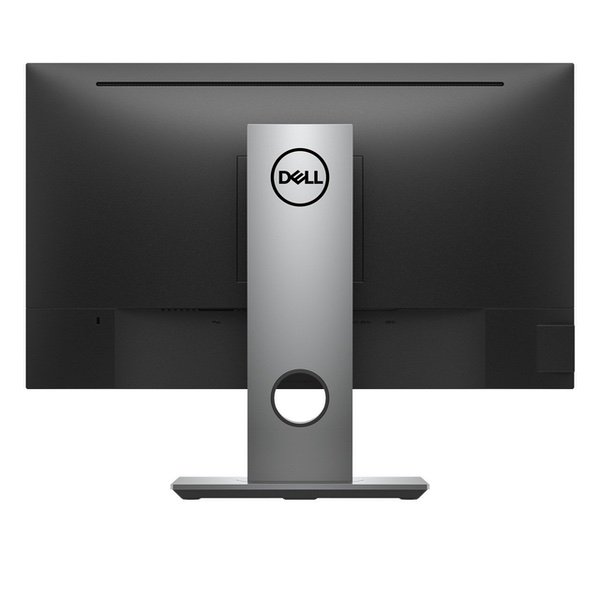
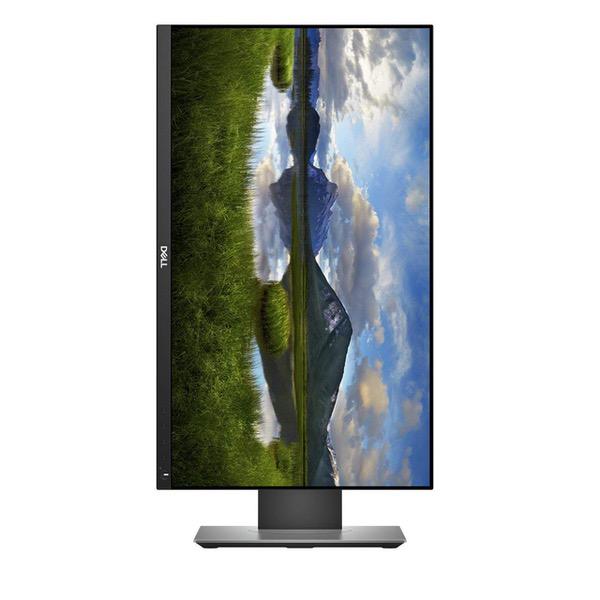
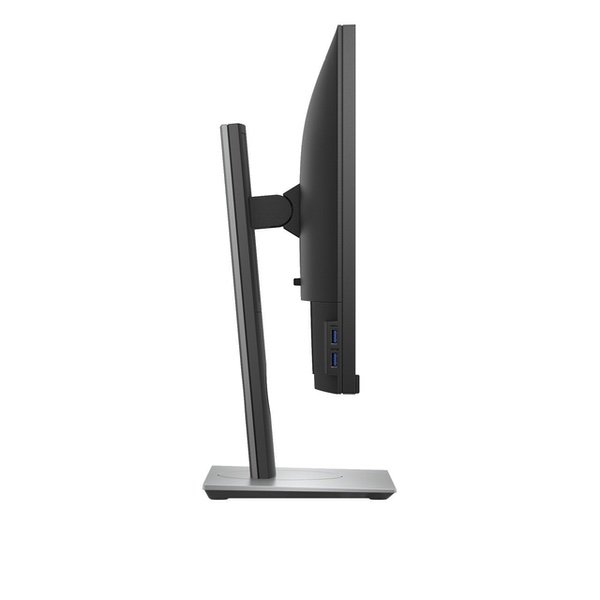
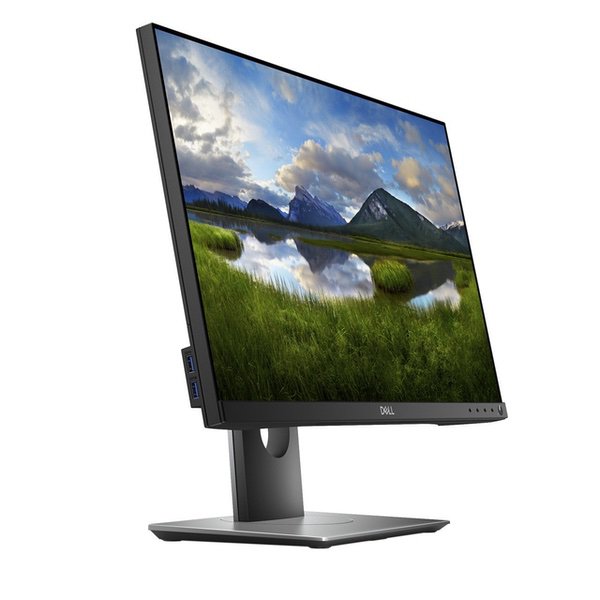
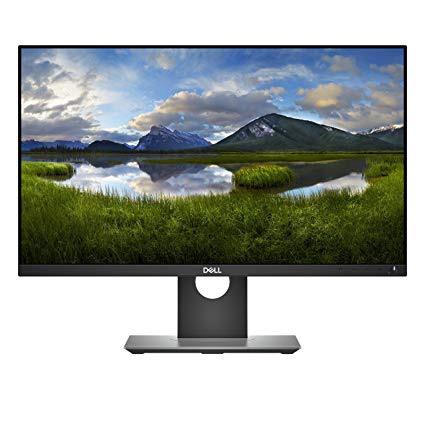
Dell P2418D 23.8" 16:9 IPS Monitor 2560 x 1440
Write a review
$22800

Dell P2418D 23.8" 16:9 IPS Monitor 2560 x 1440

Write a review
B074MMR1V3
+
Add to wish list
Target is a general merchandise retailer with stores in all 50 states and the District...

City: US, New York

Delivery
Pickup at your own expense
Tomorrow from 09:00 to 20:00, Store location
Free
Payment options
Apple Pay Google Pay Mastercard Visa
Cash, bank card, credit/installment payments, cashless payment for legal entities
Warranty and returns
Exchange/return of products of proper quality within 14 days Official manufacturer's warranty: 12 months
Features
Display Type
LED-Lit
Item Dimensions
21.22 x 21.22 x 19.17 in
Item Weight
12.83 lbs
Mount Type
Flat Panel Mount Interface : VESA (100 mm)
Refresh Rate
60 hertz
Screen Size
23.8 in
Aspect Ratio
16:9
Description
This fits your .
Make sure this fits by entering your model number. Maximum preset resolution 2560 x 1440 60Hz Adjustability : Height-adjustable stand (130mm), Tilt (-5° to 21°), Swivel (45° to 45°), Pivot (90° clockwise) White LED edge light system Response time 5ms In-plane switching (IPS) Technology; antiglare with 3H hardness
Reviews
4.6
Reviews: 20
5 stars
80%
4 stars
10%
3 stars
0%
2 stars
5%
1 star
5%
William Talada
5
Got this new monitor at work and loved it so much I bought one the next day for myself. The clarity is the best I have ever seen. The resolution is the sweet spot between UHD and Full HD (between too high and too low). It is perfect for my graphics Blender app and all of its windows to be displayed and still readable.
Johnathan Hocker
5
I was changing my setup to include a monitor mount for two monitors and these two fit the criteria that I was looking for in monitors. I bought them on a whim hoping for the best and I am very happy with the results. The packaging was pretty secure and the contents were nicely organized. The displays are sleek and the image is beautiful. The switch between HDMI and DisplayPort is seamless and adjusts appropriately. Very satisfied with this purchase.
Ryan978
5
So far this monitor has exceeded my expectations! It has great colors, fantastic viewing angles, good contrast and a flexible stand that makes it comfortable to work at. The 2560x1440 resolution is the sweet spot, especially for the price!!
Sood007
5
After sending back 2 other monitors, Ive finally found the best all around monitor in this price range. I work from home full time and need a monitor which can elevate higher than my laptop so that I can drag things up while Im presenting. Having limited diskspace, the higher resolution of QHD on this monitor allows me to split that screen into 2 so I have 3 things displaying at the same time. Controls are so easy to use and access. The thin frame on this is great esthetically, but functionally you still have a 1/4" area around the image thats not used by the display. Still, its one of the nicer looking monitors on the market with a clean crisp display. Overall, I highly recommend this monitor for general use (Im not a gamer).
Bonnie Fink
5
We didnt think that using a 2.7K (2569 x 1440) resolution monitor that was 24 inches or less would make a significant difference when compared to a normal HD resolution display, but weve had a unique opportunity to see the difference up close since we have two desktops, each running both resolutions. We recently purchased two of these Dell P2418D, 2.7K monitors. We already had two of the Dell P2419H on each computer and a couple of older HP monitors. The Dell P2419H monitors are 1920x1080, or full HD. They look pretty good, but when you place this P2418D next to them, its very clear that the extra resolution from a 2.7K monitor is significant. We use these monitors to edit videos in Davinci Resolve and photos in Photoshop and Lightroom. For pictures and videos, the extra resolution means we can squeeze a bit more information onto the screen. By doing that (squeezing more information on the screen), we get all the menus and other information that a program like Photoshop typically has, but with more room than we expected to view the image. You wouldnt think it would matter that much, but it is significant. For displaying text, weve settled on setting the text size at 125%, mostly to more closely match the size and appearance of the lower resolution monitors, so the screens look close to the same when moving from one screen to the other. When doing so, the graphics of Photoshop, Lightroom, and Davinci Resolve remain the same with the corresponding higher resolution. We cant speak to the actual color accuracy of these monitors because we dont have the equipment to test them, but in looking at an image or video across all four (two 2.7k P2418Ds and two P2419Hs) they look how we think they should look, and more importantly, they look the same. Theyre IPS monitors which is supposed to be better than older or cheaper monitors and they do indeed appear to be better than our older monitors. Theyre supposed to be pre-calibrated, or so Dell claims, and as we said above, they at least look the same from one to the next. Would we buy this monitor again? Certainly. Only four months ago we bought two of the 1920 x 1080 monitors, but had we known how significant the difference was we would have bought the P2418D in the first place.
Ryan Longacre
5
Very nice monitor. I got it as a second monitor to go along with the Dell 24 Gaming Monitor (S2417DG). Its slightly off as it has a matte finish compared to the shiny finish on the gaming Monitor, but other than that its perfect. Going to 1440p gaming from 1080p is well worth it.
Doug Payne
5
I had a 32" monitor but had to downsize to spare my eyes. I set the display in Windows to 125% to make the type larger. The extra resolution is also easier on the eyes. Nice sturdy stand that adjusts easily. I have retained the larger monitor and use it for a few tasks where I need acres of screen.
Lord John
5
It’s a dell screen, they always ‘just work’ because dell still has one thing that they can produce really well. Crisp and perfect resolution for anyone that can’t handle 4K.
BillH
5
Very nice monitor. Fits well in the space available on my desk. Stand has good adjustability and uncluttered design. I used the HDMI output and the monitor worked as soon as I booted up my HP desktop. (Win10 + all current updates). Best monitor controls Ive seen so far; 4 buttons with good tactile feel. Clear menus and selections on lower right of screen. Displays videos and movies flawlessly. Perhaps not the best choice for hard core gamers, but should work fine if you have a good quality graphics card. Recommended.
Dustin Berkley
5
I bought two of these for a dual monitor set-up. The IPS glow is minimal. Has Deep blacks, bright whites. Minimal Backlight bleed on only one monitor (which goes away when they aren’t set to 100% brightness). Quality control is great on them. Gonna calibrate them for color accuracy, but so far I’m very impressed. Haven’t noticed any ghosting (could just be me not really ever noticing it). And getting 6 extra USB 3 ports is a huge plus. (each monitor has 4). I used NVidia control panel to Overclock the refresh rate on them, both got to 85Hz with no skipped frames, a 41% increase in refresh rate! I would definitely recommend these to anyone needing a new, cheap 1440p monitor.

Showing 10 of 16 reviews

Product variations
Column filling
Sort by Price Sort by Availability Sort by CODE Sort by Screen Size
$22800
In stock
+
B074MMR1V3
Screen Size:
23.8 in
You may be interested
  • Bestsellers
  • Recently Viewed
 
Similar products
Show more
Fast and high quality delivery

Our company makes delivery all over the country

Quality assurance and service

We offer only those goods, in which quality we are sure

Returns within 30 days

You have 30 days to test your purchase