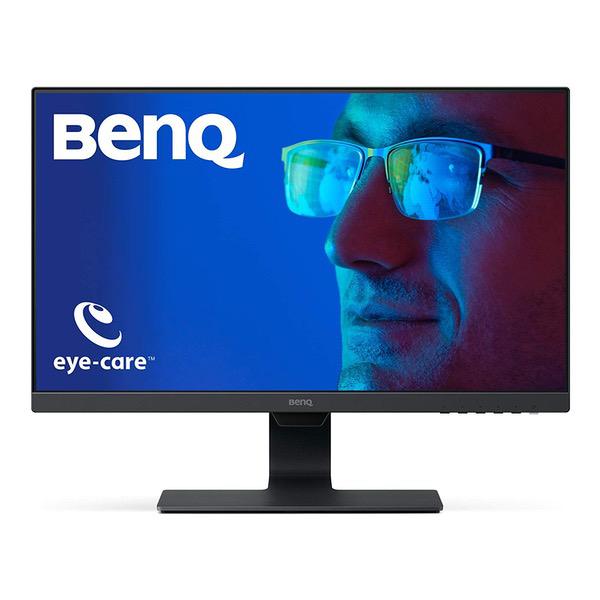
BenQ GW2780 Eye Care 27 inch IPS 1920 x 1080 Monitor | Optimized for Home & Office with Adaptive Brightness Technology
Write a review
$17900

BenQ GW2780 Eye Care 27 inch IPS 1920 x 1080 Monitor | Optimized for Home & Office with Adaptive Brightness Technology

Write a review
B072XFFQ4K
+
Add to wish list
Target is a general merchandise retailer with stores in all 50 states and the District...

City: US, New York

Delivery
Pickup at your own expense
Tomorrow from 09:00 to 20:00, Store location
Free
Payment options
Apple Pay Google Pay Mastercard Visa
Cash, bank card, credit/installment payments, cashless payment for legal entities
Warranty and returns
Exchange/return of products of proper quality within 14 days Official manufacturer's warranty: 12 months
Features
Display Type
LED-Lit
Item Dimensions
18.23 x 7.2 x 24.09 in
Item Weight
11 lbs
Mount Type
Wall Mount
Refresh Rate
60 hertz
Screen Size
27 in
Aspect Ratio
16:9
Description
This fits your .
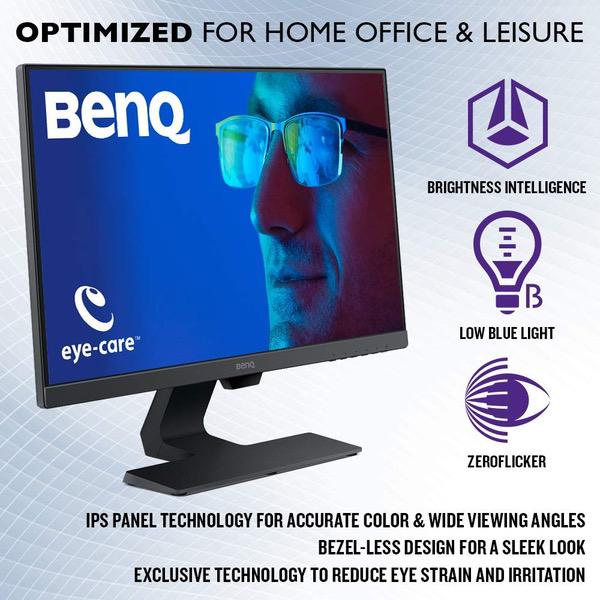
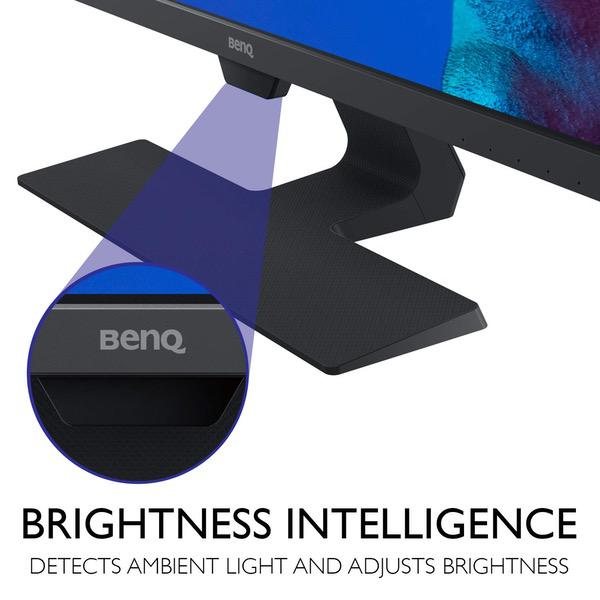
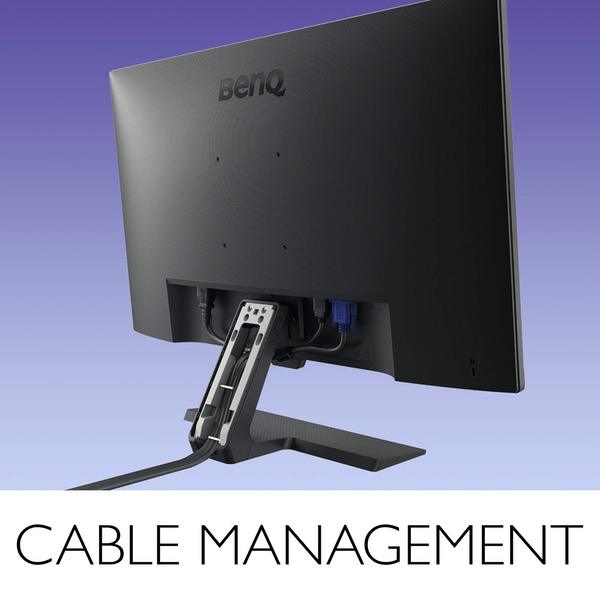
Make sure this fits by entering your model number. ENGINEERED FOR HOME OFFICE AND LEISURE : 27” Full HD IPS Widescreen with 1920 x 1080 Resolution and 250 nits of brightness WIDE VIEWING ANGLE IPS PANEL: 178° H/V wide viewing angles for clarity from any viewpoint. OS Compatibility- Windows 7,Windows 8,Windows 8.1, Windows 10 EDGE TO EDGE SLIM BEZEL DESIGN: Minimize distractions and create virtually seamless multi-panel configurations for maximum visibility Relieve eye-strain through self-adjusting brightness: Actively adjusts brightness according to on-screen content and ambient light conditions via BenQ’s patented BRIGHTNESS INTELLIGENCE Technology EYE COMFORT: Experience the difference with Low Blue Light and ZeroFlicker Technology CABLE MANAGEMENT SYSTEM: Neatly hides cables inside monitor stand; Mounting type: VESA Wall Mount: 100x100 (mm)
Reviews
4.1
Reviews: 20
5 stars
60%
4 stars
20%
3 stars
0%
2 stars
10%
1 star
10%
Gage
5
Pros: Works great and as advertised. I use it for gaming; response & lag time are no issues at all. I benefit as well from the improved viewing angles (had a TN monitor before). Have had it for ~2 months now with 0 issues. Settings are a breeze to change and the menus are intuitive to browse through. I work from home as well and have stared at excel sheets on here for hours with minimal eye strain so whatever their eye care system does it works. Cons: Brightness was a little much for me at first. Had to turn it all the way down and still thought it was too bright but Ive gotten used to it.
Evan
5
I am replacing my old iMac with a new PC but was very worried about finding a comparable screen for a reasonable price. I did a lot of research, read lists of "budget" editing screens, most of which were $300-$1000 -- still out of my current budget. Finally after reading tons of reviews on amazon I decided to try this one out and I am very pleased with this purchase! I got the 24 inch and played around with the settings a bit but really it was pretty great straight out of the box. I photograph portraits and weddings and I have a very vibrant style. Because of that I needed to make sure the color was pretty spot-on. I had used my husbands computer to edit a few times and found out the hard way that his screens color was way off and it can make peoples skin tones look sickly. So as soon as I get the monitor set up I pulled up images on both my iMac and the new BenQ screen and they looked very close! We actually noticed that my iMac whites are a little warmer so I pulled out a bunch of prints I have had made and started comparing and the BenQ seemed to be even More accurate to what my prints looked like! A lot of people complained that this screen is too bright, but I dont know if they have changed it since those reviews were written... it didnt seem too bright to me at all, I have it set to 100 brightness. Another reviewer posted settings to match the iMac display, but when I put the brightness level to 50 it was wayyy below the brightness of my iMac. So, I kept the settings pretty close to the automatic settings, I adjusted the gamma a little and a couple other things here and there. So I am very happy with this purchase, I will be sure to update if I have any issues or anything else to add!
Bill
5
Working as a programmer, I constantly had headaches before due to the eye fatigue. Then this "eye-care" monitor caught my attention, I just wanted to try and see whether it works, if not I will return. It indeed helped my eye problem. I tried many monitors at work, cheap and expensive ones, to find one that will help my symptoms, I found a few, but the price is either very high or many of them require a better computing setup to utilize their full potentials. For example, the best one I used is Dell 4K ISP, but it cost over $500 (2018) and its on sale. Other brands are good, but I slowly realize its just a brand many of them use the same manufactory. So the price is basically depending on how popular the brand is. BenQ is not a very familiar brand in the US, but I used to have a BenQ laptop I really like, so I had a very positive feeling about this brand. At the moment of purchase, I had about 3 options: this monitor, a Dell one, and an Acer one. I had an Acer monitor before and its bad, it looks really nice, but when you used it, you will know its "cheap". Back in 2015 the Acer monitor costed about the same price as this one, not worth it. Dell one was more expensive, about $400 dollars and 4K, however, I know 4K monitor normally requires a better setup, I had a mac mini (last generation) at home, it doesnt support 4K, why bother to spend so much for that. This monitor is as it described on its amazon page. I just got it about a few days, and after a day of work, and then use this monitor at home, I didnt develop the headaches i used to have. Hope its a durable one also.
Micah
5
Its a great product, I purchased 3 of them for a triple monitor setup on my current workstation. All three have very vibrant colors that pop well. The IPS model has amazing viewing angles. Have also done some gaming on them, they work great with my crossfire eyefinity setup. I did an unboxing and review of these on my Youtube channel if you are interested my Youtube channel is "Tech Sumo" and the video name is "BenQ GW2480 - Unboxing and Review - Eyefinity Setup".
papulia
5
This is a beautiful monitor. Have it paired with an ASUS Chromebox which attaches to the VESA attachment setup on the back of the monitor. I dont think you can beat the performance of this monitor at this price. The sound is marginal, but I use headphones or send the Chromebox audio to a MagicBox Bluetooth speaker. The viewing angles are as advertised (surprisingly wide) and there may be something to the claimed low blue light emissions -- subjectively this monitor seems much less harsh to look at than others Ive had
lori matthews
5
I think this looks really good. Im not playing games or anything special, just general stuff, but it has a good sleep look, is sharp, the buttons are hidden from the bottom and the menu is easy to navigate. The sound is not very loud, but its good enough for the basics. My OS lets me push the sound higher than usual, and it helps a bit. I think its plenty good enough for basic computer work and videos.
Amazon Customer
5
Bought this for my PS4. Seems to work fine. 1080p 60 hz No dead pixels Slim bezel Minimal back light glow
Chris D
5
I bought these based on the reviews that I found on the product and I was really impressed when they arrived. Packaging was spot on, the materials used feel great and they look awesome. I use these for light gaming and design work for my personal business and theyre great. I definitely recommend these because you cant beat them at this price point. Thanks BenQ!
Max Pynchon
5
I bought 2 of these for our large radio studio to replace older Dell flat screens. They were much better than I expected and the price was right. Id buy these again as they are excellent monitors. Edge to edge sharp and bright and the VESA mounts worked perfectly with my pre-existing arms.
Haley P
5
I bought this monitor to use at work. I am not the most tech savvy person and I only use it for work stuff, like viewing our security cameras, paper work, emailing, etc. But it has really impressed me. Colors are vibrant and I can definitely tell a difference in my eyes using this versus my old Dell monitor. I am experiencing less eye strain which has helped relieve headaches I was getting from presumably staring at my old monitor all day.

Showing 10 of 12 reviews

Product variations
Column filling
Sort by Price Sort by Availability Sort by CODE Sort by Screen Size
$11900
In stock
+
B072XCZSSW
Screen Size:
23.8 in
$17900
In stock
+
B072XFFQ4K
Screen Size:
27 in
You may be interested
  • Bestsellers
  • Recently Viewed
 
Similar products
Show more
Fast and high quality delivery

Our company makes delivery all over the country

Quality assurance and service

We offer only those goods, in which quality we are sure

Returns within 30 days

You have 30 days to test your purchase