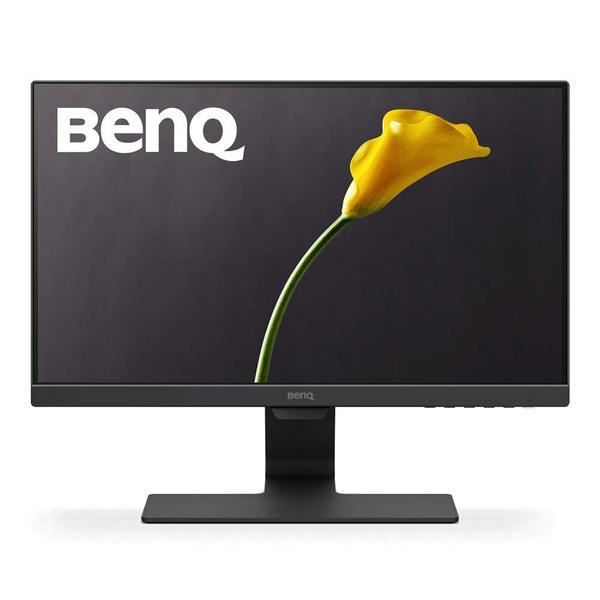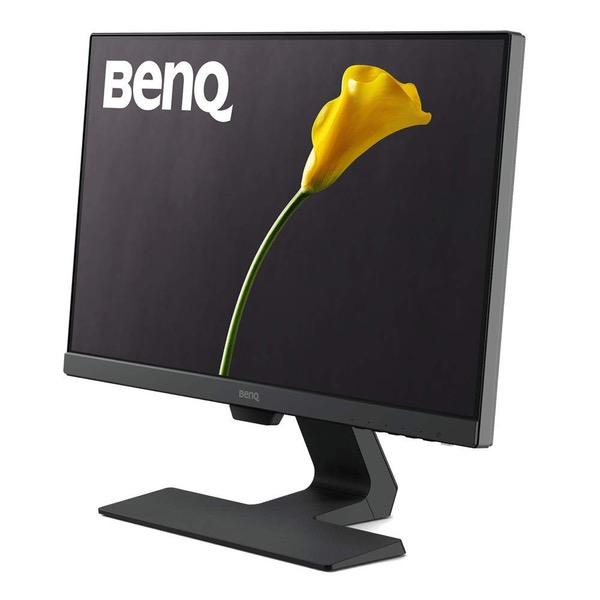
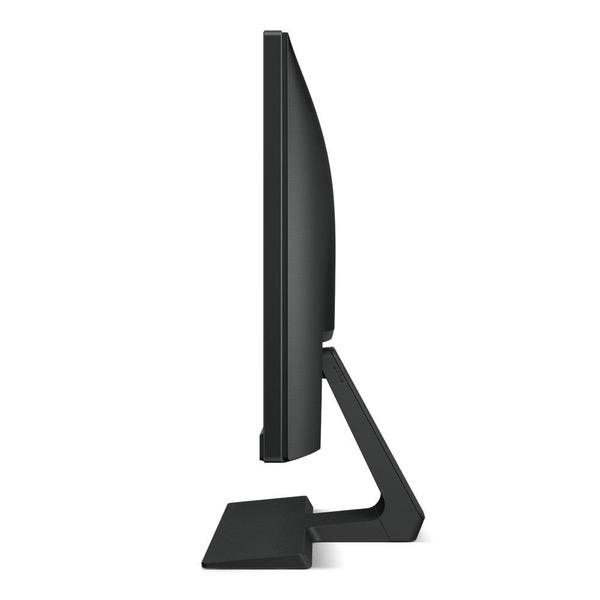
BenQ GW2283 Eye Care 22 inch IPS 1080p Monitor | Optimized for Home & Office with Adaptive Brightness Technology
Write a review
$10900 $15900

BenQ GW2283 Eye Care 22 inch IPS 1080p Monitor | Optimized for Home & Office with Adaptive Brightness Technology

Write a review
B07N5MG9LP
+
Add to wish list
Target is a general merchandise retailer with stores in all 50 states and the District...

City: US, New York

Delivery
Pickup at your own expense
Tomorrow from 09:00 to 20:00, Store location
Free
Payment options
Apple Pay Google Pay Mastercard Visa
Cash, bank card, credit/installment payments, cashless payment for legal entities
Warranty and returns
Exchange/return of products of proper quality within 14 days Official manufacturer's warranty: 12 months
Features
Display Type
LED
Item Dimensions
15.42 x 7.2 x 19.27 in
Item Weight
8.16 lbs
Mount Type
Refresh Rate
60 hertz
Screen Size
21.5 in
Aspect Ratio
16:9
Description
This fits your .
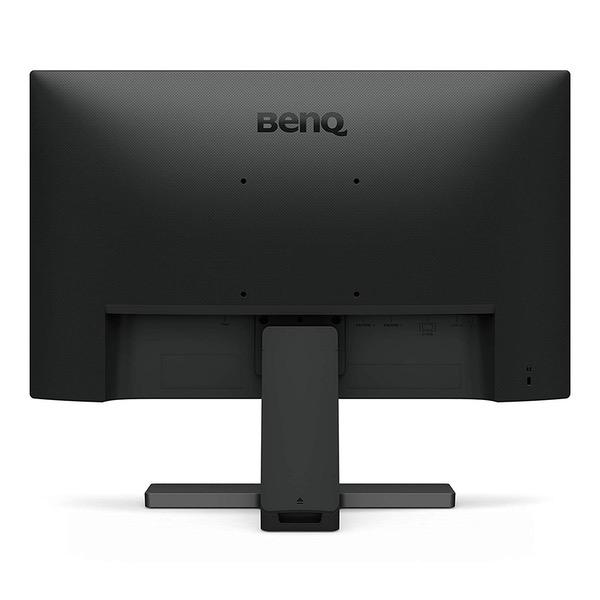
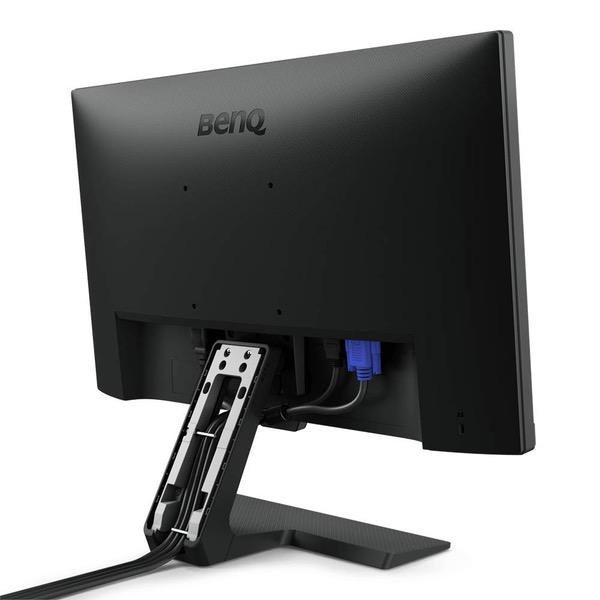
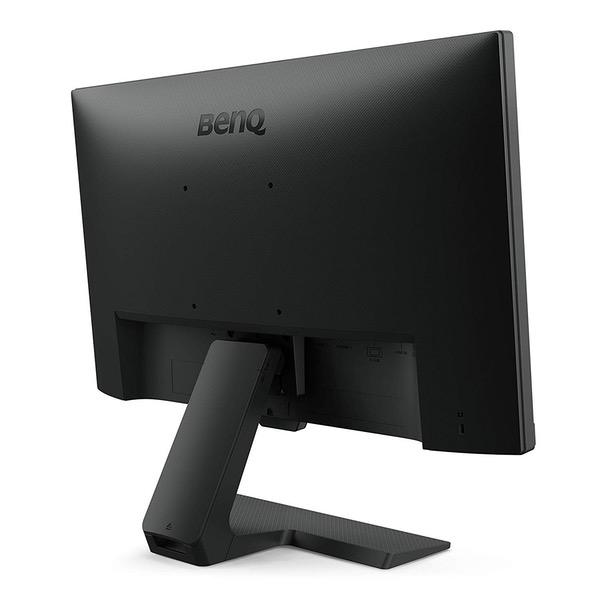
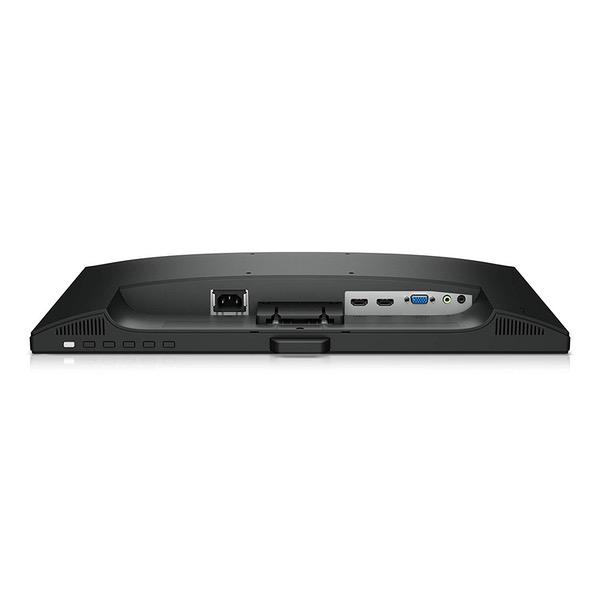
Make sure this fits by entering your model number. 21.5-Inch full HD resolution on IPS display Frameless monitor combines Ultra slim bezels with hidden cable management and exclusive Eye-Care technology to bring a new visual experience Brightness Intelligence Plus, benq’s patented Technology detects ambient light levels and on-screen content in your viewing environment to automatically adjust on-screen brightness and color temperature throughout the day Cable management system: neatly hides cables inside the monitor stand. Dual HDMI connectivity: 2 HDMI ports offer convenience to switch between media devices with ease.
Reviews
4.3
Reviews: 20
5 stars
60%
4 stars
20%
3 stars
5%
2 stars
15%
1 star
0%
lee
5
If youre reading this, then youre either at least considering getting a new monitor or ready to pull the trigger on buying one. Let me help you out, stop window shopping, and order this monitor. When it comes to tech purchases, I spend a wild amount time researching my options, their companies, their reliability, the reviews of course, comparing the technical specs, etc... I settled on this BenQ monitor pretty quickly and I definitely made the right decision. Heres why: Im a medical student, so I spend an inhuman amount of time reading from my computer. I recently got a check up by my eye doc and she noted Im having slight nearsighted vision (+0.25, so nothing major)...but compared to the 20/17 vision I used to have, this was pretty shocking news for me. I felt eye strain and headaches at the end of long studying days and decided to look into an external monitor for my 2013 MacBook Pro Retina that had a low blue light setting to help relieve eye strain. Long story short: this monitor is thin, light, and is constructed extremely well. Its sleek and looks very clean with my extremely fastidious/tidy desk up. Resolution and color richness is fantastic (I connect to my MBP via HDMI). I mounted it on an extendable arm which is mounted to my desk (see pictures). Set up is a breeze (automatic, basically) and adjusting the screen settings couldnt be easier. I do, actually, feel less strain in my eyes after reading from this monitor for long periods of time (4-14hrs per day). Honestly, for under $150, this is absolutely ridiculous. I did consider some of ViewSonics low blue light and flicker free monitors, but they were a bit more expensive, and I was curious to try a newer company like BenQ who was cranking out awesome technology for low cost (because for what it costs to make these monitors, theres no valid reason to charge $300+ for a 21.5 monitor). All in all, Im extremely pleased and beyond impressed with this purchase. Well done BenQ. If you have any doubts or questions, Ill be happy to answer them. I also took too much time out of studying to write this, so I hope its worth it to you.
Andrew V.
5
Overall this is a pretty good monitor. I got 3, each under $100, and for the price I think they are extremely competitive against other brand name monitors like Asus and LG. Pros: -Fairly light weight. -Decent brightness levels. -Easy options to turn on reading modes and lessen blue light (though you can do it on Windows 10 through night light). -Colors seem pretty good, though Im not using these for media production. -Speakers are just an extra when it comes to computer monitors. Handy to have if you dont have any speakers or just needed to test some sound. -Bezels are fairly small. Not distracting at all. Cons: -Speaker quality is not great, but thats expected. Cant really max them out without distortion. -Menu navigation make it a little hard to adjust brightness quickly, but thats just a nitpick. Other thoughts: For clarity, the 22 inch model I have is GW2270HM but theres a FHD and a VA version. The FHD model does not have a HDMI port or integrated speakers. As to my knowledge, the model number is the same for both versions. But on my actual monitor, it says HDMI in the bezels. I like this because its light weight, thin, flicker free, 1080p, and just simply looks good to the eye. The purple BenQ logo on startup is kind of "eh", but its not a big deal. Would definitely recommend these to anyone, whether FHD or VA version. I only got the VA version for just-in-case scenarios I needed sound without having to carry speakers or headphones around or I happened to be moving the monitors around.
S. K.
5
Note: This review is for the GW2280. This is a well designed monitor for the price. A lot of monitors in this price range lack features that this monitor has. Here are things I like about it: - 2 HDMI ports, so I can plug one into my computer and one into my game console - Monitor wakes up quickly from standby (compared to other monitors Ive used) - No DVI ports (why bother, since DVI doesnt carry audio. Some monitors in this price range have 1 DVI and 1 HDMI, but I think 2 HDMI is better) - Built in speakers (the sound quality isnt amazing but it is ok given the price) - Line in port (In case you want to transfer audio from your computer to the monitor via 3.5mm jack) - Line out port (In case you dont like the built in speakers or want to use headphones) - Intuitive OSD (on screen display) - Volume control is easily accessible from the OSD - Changing picture mode is quite easy from the OSD - Has VESA mounting holes in case you want to mount it somewhere - The bezel is quite thin - Uses a standard power cable without needing any power brick The only minor issue I have with it is that the standby LED is a bit bright, so you may want to power it off if you are trying to sleep near it. Instead I added a piece of electrical tape to the front of the LED. (See the attached picture) This blocks most of the light. There will still be some indirect light cast downwards but it does not bother me.
Josh
5
I ordered two of these for a dual monitor display. One works wonderfully and the other works wonderfully aside from frequent random flickers on the screen which are quite annoying. Unfortunately, I had assumed it was the VGA cable I was using temporarily until I could get a DisplayPort cable and I tossed the boxes on garbage day so no returns for me. I thought it may have been my video card, but after rotating monitors and various cables/ports around, it always follows that monitor. For the price, I can live with it...its annoying as all get out as my primary display, but wont be as noticeable on my secondary. Aside from that defect, the monitors are really nice overall. I ordered the HDMI version with the speakers (GW2280). I dont use the speakers so I cant comment on their quality, but I did learn the item description wasnt entirely accurate. The GW2280 was listed as having HDMI, D-SUB, and DVI-D but it actually has 2 HDMI and D-SUB. There is no DVI-D port. This too, isnt a deal breaker for most, but if youre ordering cables, youll want to make sure youre ordering the right ones (ie HDMI to DisplayPort). Update: After more thorough testing, I learned that my issue was my PCs graphics card for some reason only causing flickering in that monitor when setup as a dual display. I swapped towers and it works perfectly in both single display and dual display modes on that machine. Ive updated the rating to reflect this discovery.
Amazon Customer
5
The monitor has been on 5 minutes. It is everything they said it would be. Side by side with my old monitor(I use duals) it is clear I will need to purchase another BenQ(24" or bigger) for my primary! And this is with the old VGA connection, not even using HDMI. The price was unbeatable, too. Look at the pic. The older uses HDMI and the color is no where near the accuracy.
Michael
5
This is for the GW2280. Sometimes, I need to connect multiple devices (PCs, Raspberry Pis, Consoles, etc.) to a monitor. If youve ever tried something like that, you might know the annoyance of rebooting one machine (e.g., to enter the BIOS or view boot up messages) and then having the monitor switch to another input because it no longer receives a signal. This monitor does that by default, but actually has an option to turn auto-switching OFF. So that if I select VGA, HDMI 1 or HDMI 2 as input, it stays on that input no matter what. Thats hugely useful! Its VESA mountable as well, and has a proper 3 prong power input instead of yet another external power brick. Apart from that, not much to say: 1080p monitor with Speakers, looks nice, is priced really well ($90 at the time of this review), thin frame, light weight - a monitor that is positively boring.
Mr Soapdish
5
These monitors are sleek and perfect for office work. The sound leaves much to be desired but this is true of many monitor speakers. The thin bezel looks really nice and the margin is about 1/8" to the actual screen display. I had never considered Benq but after some research found they werent in the same lump category as many of these crappy displays on the market. The matte screen is a good balance for anti-glare but does reduce the sharpness a little. But I didnt buy these for gaming or watching movies, strictly for programming. These are super-light, VESA mountable monitors that, for the money, are a great addition to an office. The light sensors are a big plus and the low blue light does seem to be much more pleasant to look at when night comes. The menu is straight-forward and hopefully, these will last some years to come.
electronics guy
5
This review is for the BenQ GW2283 1080P IPS 21.5" monitor. As others have noted, the speakers aren’t anything to write home about, but the monitor is solid, you can configure it to not switch automatically, and it has three programmable buttons to perform common tasks. Also has VESA mounting that isn’t used or blocked by the desk stand so easy to use for a self-contained all-in-one system (what I did with an Intel Nuc). The stand also hides and organizes the cabling. No dead or stuck pixels yet either. Comes with a standard VGA cable. Mine did not come with an HDMI cable but I had spares.
john wick
5
Alright let me start off by saying that I thought I need a $169 BenQ 1ms monitor but nope this monitor right here is perfect! The GW2280 has amazing blacks like to the point where I can’t see the blacks really really cool! The 21.5 inch form factor makes being up close more enjoyable! Although it’s 5ms it feels really smooth on my end! The speakers are good enough for simple tasks but aren’t very loud which I don’t really mind! I love the design and the color accuracy for under $120 it’s amazing I think it was on sale for $99 once get one if you need a new budget monitor that can still do the same job as those $50 more monitors! 10/10 impressed will be buying another one very soon
GeEmWae8
5
Not a monitor pro but I like every aspect of it. Size, color, brightness. No dead pixels. response time is good. viewing from sides or top/bottom still visible. You can tilt but theres no height adjustments. Havent tested the speakers but monitor speakers, I mean, what can you really expect..... DVI, HDMI, VGA connections so it will work on any computer system. Just note that this comes only with one VGA cable. so if you need DVI or HDMI you need to purchase a cable for it.

Showing 10 of 12 reviews

You may be interested
  • Bestsellers
  • Recently Viewed
 
Similar products
Show more
Fast and high quality delivery

Our company makes delivery all over the country

Quality assurance and service

We offer only those goods, in which quality we are sure

Returns within 30 days

You have 30 days to test your purchase