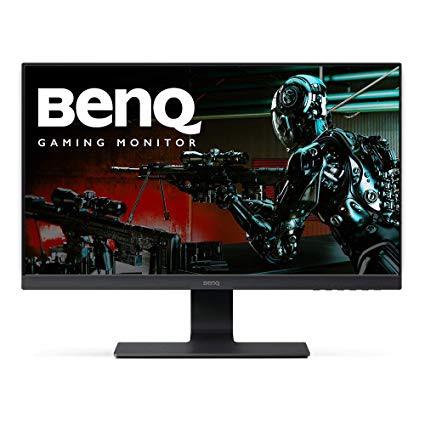
BenQ GL2580H Gaming Monitor 24.5 inch 1080p | 1ms (GtG) Response Time | Optimized for Home and Work with Low Blue Light technology
Write a review
$12900

BenQ GL2580H Gaming Monitor 24.5 inch 1080p | 1ms (GtG) Response Time | Optimized for Home and Work with Low Blue Light technology

Write a review
B075G67K5N
+
Add to wish list
Target is a general merchandise retailer with stores in all 50 states and the District...

City: US, New York

Delivery
Pickup at your own expense
Tomorrow from 09:00 to 20:00, Store location
Free
Payment options
Apple Pay Google Pay Mastercard Visa
Cash, bank card, credit/installment payments, cashless payment for legal entities
Warranty and returns
Exchange/return of products of proper quality within 14 days Official manufacturer's warranty: 12 months
Features
Display Type
LED
Item Dimensions
16.5 x 6.5 x 22 in
Item Weight
10 lbs
Mount Type
Wall Mount
Refresh Rate
60 hertz
Screen Size
24.5 in
Aspect Ratio
16:9
Description
This fits your .
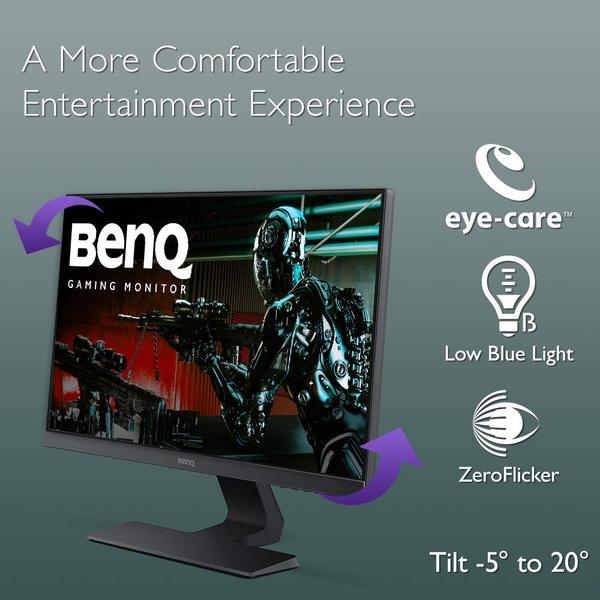
Make sure this fits by entering your model number. Stunning full HD Display Fast 1ms GTG response time Edge to edge slim bezel design Advanced eye care Cable management system Mounting type: VESA Wall Mount 100x100 (mm)
Reviews
3.9
Reviews: 20
5 stars
50%
4 stars
20%
3 stars
5%
2 stars
20%
1 star
5%
Jessica B Hunter
5
I bought this monitor to use with my new MacBook Pro 13" laptop- when I want a larger screen or am working on projects for my graduate school program, it will be very helpful. I have standard Dell 24" dual monitors at work, so Im relatively familiar with the size, and I was intrigued by the Eye Care tech on this monitor- the anti-flickering and the low blue light, paired with the excellent pricing for a monitor this size. I should also note that, because I work on computers most of the day, I also usually wear special computer glasses (Gunnar brand) that reduce blue light- however, I was hoping I could leave those glasses at work if this Eye Care tech was all it was supposed to be. So far (limited use over the past couple weeks), this is a fabulous monitor. I do not use it for gaming, and I wont be using it for graphics work, but I personally wouldnt have a problem with either of those things on it, regardless of specs. The multi port adapter with my macbook works really well- just plug it into the laptop and close the laptop and its automatically on the monitor. The display is bright and crisp, and I only notice a difference from my laptop because that is a Retina display. This is an excellent monitor, I really like the very slim bezel around the top and sides, and its very lightweight (to be expected) and unobtrusive. I have also noticed that I have less eye strain using it without my glasses than I have using a normal computer without my glasses- something that makes me very happy. This means I can leave my computer glasses at work, and not have to transport them everywhere. I actually noticed very little-to no eye strain when using this monitor. I have not yet played around with its settings. As I am using it with a Mac, I know it works a little differently- I dont believe there is a specific driver for it on an apple machine.
Michael Greenstein
5
I BOUGHT 2 OF THESE AND USED MY 22 INCH MONITOR IN BETWEEN. THAT DID NOT GO VERY WELL. THESE BEAUTIES PUT MY 22 INCH TO SHAME. I HAD TO PURCHASE A 3RD ONE. I LOVE THESE!!! I BOUGHT THEM FOR MY FLIGHT SIMULATOR. SEE PHOTO
Aiko
5
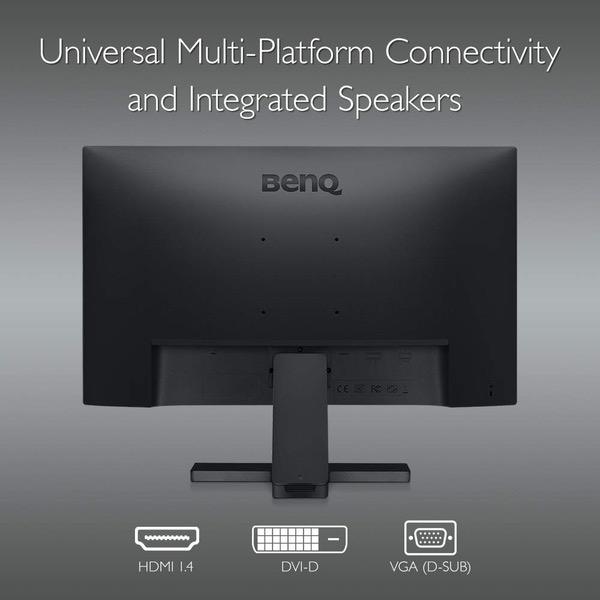
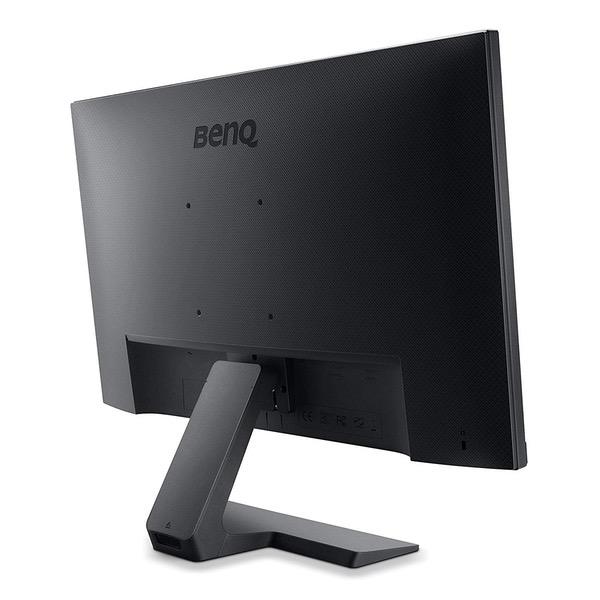
Purchased my first one of these (GL2580H) January 2018 and just bought a second one recently for a double monitor gaming/computer setup. Absolutely love it. ZERO complaints for either monitors. The slim bezel is beautiful. Automatically switches to whatever input is active (Xbox/PC; HDMI/DVI-D in my case). If none are active, monitor will be completely black to save pixels. Great options for picture adjustments like color, sharpness, hue, brightness, movie mode, surfing mode, low-blue-light mode, etc.. It has whatever you need. I did notice that the buttons on my newer monitor are easier to press/are not as stiff as my earlier purchased monitor, which is a VERY small thing that I find nice, but it wont be very noticeable to most people. Out of the box, the monitor was set really bright and has the potential to go even brighter, however, I turned it way down to about 30 (with probably no noticeable loss of image, shadow, or texture quality); this lessened the strain on my eyes while editing/gaming. PROS: - SO affordable and quality all around. My bf continuously says my monitors look better than both of his "24inch 1ms ASUS gaming ($180+) monitors". Perfect size, amazing quality, and beautiful image and aesthetics. - There are NO weird quirks or secrets of any kind with this monitor. Navigation/adjustment buttons are responsive. No sticking buttons, no long startup time, not weird visuals or bright power LEDs shining in your eyes. Nothing weird, everything great. - Clean cable management option on the stand that it comes with. I was able to fit 3 thicker cables (Xbox HDMI, PC DVI-D, and power plug) that were plugged in and ran down the back seamlessly without wires protruding anywhere. - Easily mountable. I ended up purchasing a desk clamp double monitor stand so that they are now fully adjustable and hovering above the desk instead sitting on the desk on their original stands. CONS (I would list NONE but here are some potential cons for other consumers): - Does not adjust vertically or rotate. Only adjustment is the tilt up/downwards on the stand that it comes with. (My 2 monitors are now mounted to that $30 desk clamp which gives me all these features anyways.) - No speakers on 24.5" GL2580H model but cant complain with its price. Most gamers use headphones constantly either way. Monitor speakers are usually quite poor anyways, and youd probably want to use your own even if it had some. It does have 3.5mm AUX input to plug in your own speakers as well as on-board volume/mute options. - Atop mounted webcams may touch the actual screen since theres little to no bezel frame around the monitor. I stream video games with a Logitech webcam that sits on top of the monitor and its mount does somewhat come in contact with the actual screen but you can adjust the webcam mount/clamp so its not too tight, or even hangs over the slightly.
ShineBright
5
I know this model is old but I cant find a match for my samsung so this was about the best rated for the money I could find. Was impossible to pass up during the holiday deal. I am using this with mouse without boarders for a work laptop and home gaming desktop and it has all of the features I need. Since i do not use the onboard speakers I cant really attest to it. Came in box with of course the power cable and also an HDMI cable. The stand cover has a bit of a mind of its own but Im guessing this is with all BenQ monitors so I take nothing off star wise for that. Clear, no dead pixels and glad I picked this over a 20 dollar cheaper scepter because the frame on the top is so thin it does a decent job of matching up with my samsung 24".
RangerX
5
This review is for the GC2870C. There are hundreds of reviews, but I wanted to add my perspective. After researching monitors over several weeks, I bought the BenQ for a very bright office at work. My IT department is the worst because they just dont care what workers need; I was using very old 19 inch Dells with terrible viewing angles and low resolution. They also supply very glossy Dell monitors that are practically unusable in a room with a window. What an upgrade is this BenQ monitor! Since I bought this with my own personal funds for use at work, price was an issue, and this monitor for around $160 fit the budget. My office is extremely bright, with a south-facing aspect in a very sunny climate. The south wall of my office is 100% window horizontally, and vertically, there is only three feet at the bottom that is wall and not window. So its very, very sunny. I do have a black screen I can pull down, but it doesnt black out the room and the sun still shines through it. Plus who wants to sit in a black room for eight to 10 hours a day? This monitor is fabulous in such a bright setting, even without the shade closed. There almost no glare, and images and text are crisp and easily viewed. The wide viewing angle helps tremendously, too. I was having terrible eye strain and headaches with my last monitors due to the glare and the awful viewing angle. So far after half a day, Ive noticed a huge difference. Im no longer squinting to read text. Keep in mind that this model (GC2870H) does NOT have speakers. Not an issue for me in an office where I use headphones. Overall, this is a great value and works well in a very bright office setting using a web browser and office applications. (I played HD video to test it out, and that looks great, too!)
iAppleGeek
5
Gotta be one of the most reliable monitors Ive ever used. Very good price for what you get. There is HDMI, VGA, and DVI allowing for multiple devices at once, and it automatically switches input when you turn off one device and connect another. The low blue light mode is a must have, especially when trying to reduce eye strain at night. Would recommend!
Tyler
5
This was my first real monitor purchase and I didn’t want to overspend on anything high end. I was a little skeptical because I wasn’t familiar with the brand but overall I’m very impressed so far. I’ve got two setup side by side and they’re perfect for it, no little bottom edge pieces sticking out like others I looked looked at so they fit seamlessly. The border around the picture is also very minimal. I plan on getting a VESA mount however I was surprised how sturdy the bases are and overall they seem like well built monitors. Definitely a good value and I recommend!
Gina
5
I had been using a 24" dell monitor that was gifted to me by a friend and was curious to take a dip a little further into the world of monitors because I do quite a bit of gaming on my PC. This was an immediately noticeable upgrade in picture quality and the tearing in my games has gone away completely without having to enable vertical sync. The low blue light modes are an excellent added bonus for heavy night-time users and there are 4 different levels of it which is great. If there were a spectrum of picture quality starting at my old dell lcd monitor and ending at my macbooks retina display I would put this one smack dab in the middle if not leaning a little towards the retina. And at this price point its pretty hard to pass that up.
Rose A.
5
love this monitor! I am using MacBook Pro 13" and usually read PDF and do surfing internet. My eyes feel comfortable with this monitor. I received perfect condition which doesnt have any damaged pixel. I also like the screen is not glossy then it does not reflect lights!! I definitely recommend this monitor to someone who has to watch monitor every day.
suitekids
5
seems nice at the moment, beautiful picture, colors are perfect, its only 2 days old, we shall see how reliable it is, my better half can break an anvil
Product variations
Column filling
Sort by Price Sort by Availability Sort by CODE Sort by Screen Size
$11900
In stock
+
B06XDSK4NN
Screen Size:
28 in
$12900
In stock
+
B075G67K5N
Screen Size:
24.5 in
You may be interested
  • Bestsellers
  • Recently Viewed
 
Similar products
Show more
Fast and high quality delivery

Our company makes delivery all over the country

Quality assurance and service

We offer only those goods, in which quality we are sure

Returns within 30 days

You have 30 days to test your purchase