
















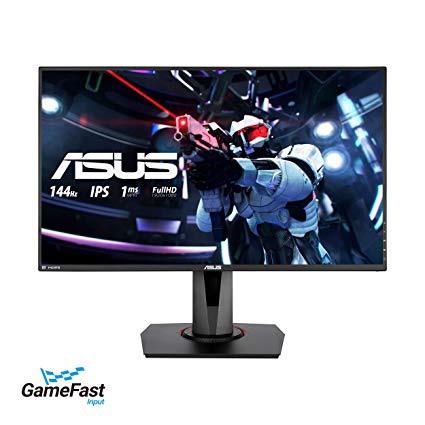
ASUS VG279Q 27" Full HD 1080p IPS 144Hz 1ms (MPRT) DP HDMI DVI Eye Care Gaming Monitor with FreeSync/Adaptive Sync
Write a review
$31900

ASUS VG279Q 27" Full HD 1080p IPS 144Hz 1ms (MPRT) DP HDMI DVI Eye Care Gaming Monitor with FreeSync/Adaptive Sync

Write a review
B07KXHTRT5
+
Add to wish list
Target is a general merchandise retailer with stores in all 50 states and the District...

City: US, New York

Delivery
Pickup at your own expense
Tomorrow from 09:00 to 20:00, Store location
Free
Payment options
Apple Pay Google Pay Mastercard Visa
Cash, bank card, credit/installment payments, cashless payment for legal entities
Warranty and returns
Exchange/return of products of proper quality within 14 days Official manufacturer's warranty: 12 months
Features
Display Type
LED-Lit
Item Dimensions
24.4 x 2 x 14.3 in
Item Weight
12.3 lbs
Mount Type
Wall Mount
Refresh Rate
144 hertz
Screen Size
27 in
Aspect Ratio
16:9
Description
This fits your .
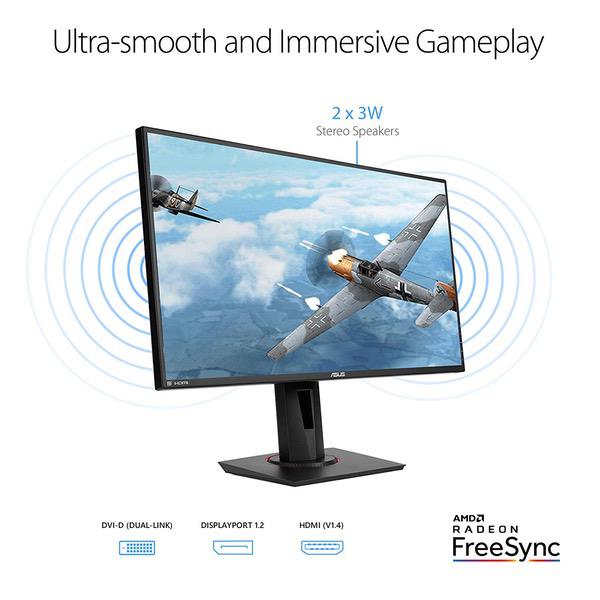
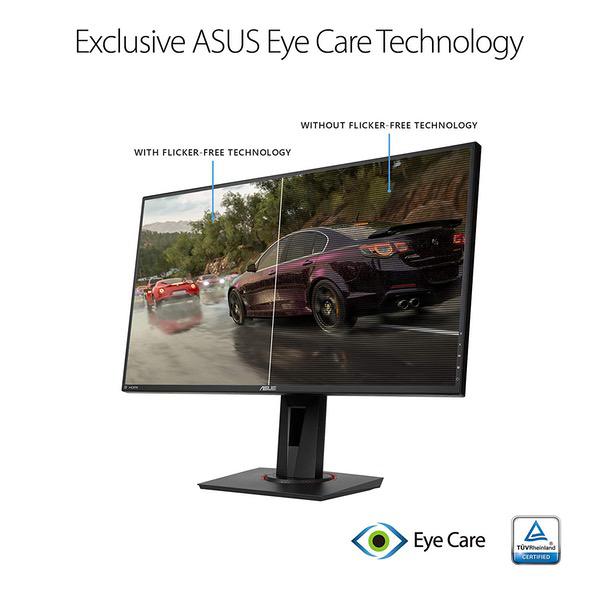
Make sure this fits by entering your model number. 27” Full HD (1920 x 1080) IPS 1ms MPRT gaming monitor with ASUS game Fast input technology for a fully responsive gaming experience Marathon ready with ASUS Eye Care technology to minimize eye fatigue and an ergonomic stand with full height/tilt/swivel/pivot adjustments to accommodate any desk Exclusive GameVisual & GAME plus functions to enhance color performance and control Free Sync/Adaptive Sync with 144Hz refresh rate for a tear-free experience with AMD Radeon GPU Shadow Boost enhances image details in dark areas, brightening scenes without over-exposing bright areas. Brightness(Max) - 400 cd/㎡ 144 hertz
Reviews
3.9
Reviews: 20
5 stars
50%
4 stars
25%
3 stars
5%
2 stars
0%
1 star
20%
Aeee
5
Ive been a gamer for many years, but I dont play competitive PC games as much as I used to. This IPS panel meets all of my requirements: Great picture, high refresh rate, a good native resolution for high FPS without needing an absolute beast PC. The speakers are the only weakness, but I would only ever consider using built-in speakers as a temporary backup. The frame doesnt feel too plasticky and it doesnt look bad. The physical buttons seemed a little awkward at first, but I got used to them fairly quickly. The options on the OSD menus provide more than enough settings for me. I doubt Ill ever need the "GamePlus" features. The only complaint I have is small: I prefer to have the monitor completely unpowered when my computer is off. I can do this using my UPS set to "green" mode and then plugging the monitor into the "green" outIet. Heres the problem: The monitor does not "wake-up" out of low-power mode until the computer reaches the OS login screen. My older monitors dont have this problem. I can live with this and it doesnt change my opinion of the monitor, but it is enough of a hassle (such as when I need to boot into the BIOS settings) that I no longer use this monitor in the "green" outlet. Quality control: The first monitor I received had an issue of horizontal artifacts appearing randomly. This reminded me of the screen noise you might see when a power tool or vacuum cleaner is plugged into the same circuit; at least on older televisions. Amazon support was fast and professional with the handling of the return and refund. Other: When I wanted to reorder this monitor (I liked what I saw, defect aside), it was only available from 3rd-party sellers. The monitor wasnt shipped in an additional shipping box like the first order which was sold and fulfilled by Amazon. The second monitor didnt survive whatever nightmare FedEx put it through. The box had holes in it and the panel was smashed. I returned it immediately for a refund. Maybe an additional shipping box would have given the monitor enough added protection. My *third* attempt to order this monitor through the Amazon site (direct from Amazon or 3rd party seller) was fruitless. it was unavailable directly from Amazon, the net cost had gone up by at least $60 from 3rd party sellers, and none of the sellers I contacted said they provide additional shipping protection. My third attempt to buy this monitor ended up being from my local Frys which cost the same as my first order. I ordered it for in-store pickup the next day. There have been no problems with this one and Im very happy with it! After a few days, ended up using the following settings for day-to-day work/gaming:: [First reset to defaults] GameVisual: FPS Mode, Brightness 23, Contrast: 80, Saturation: 38, Color Temp: User Mode: R94, G93, B100.
Christopher Basquit
5
I have been waiting for an IPS 27 1080p 144hz monitor for a while. I have no desire to go past 1080p for gaming purposes, but I wanted the size and refresh rate of the 27 and 144hz. This display is beautiful using the IPS panel. I have tried 4 other monitors that I returned because they were the crappy washed out TN panels. Nothing compares to IPS. As a gamer, 1080p allows you to max out every setting there is on the game with a mid range GPU (I am using a Radeon RX580 8gb) and still get high FPS. For anyone worried that text or images look blown up or pixelated, dont be, if you have the monitor at the appropriate distance from your face then you wont notice this. Pros: -IPS Panel colors and visual look cannot be touched by any TN gaming panel -27" at 1080p with 144hz Freesync, perfect for my preference of resolution -3ms response time on an IPS, anything under 5ms is perfectly fine for gaming, unless you are some pro playing First Person Shooters at QuakeCon -Stand is sturdy, goes up and down, and can twist the monitor if you really want that Cons: -Maybe the sound? But what person that is buying this monitor is actually using it for their main sound source? Calibration tips (my personal preference): Check out the vivid pixel settings, I really want a bit more pixel definition on the monitor and when i discovered this setting, I set it to 50 and it fixed everything Brightness: 70 Contrast 75: Color Temp: User Red-92 Green-92 Blue-90 Smart View: Off Vivid Pixel: 50
Fred
5
I upgraded from an LG 75hz IPS to this Asus 144hz IPS and was astounded at how much better and smoother the picture is. I wanted to stay at 1080p to keep the fps up, even with a Vega 56. The stand on this monitor is sturdy and has a crazy amount of adjustments. Freesync is amazing, though I rarely get past 144fps. No dead pixels or ghosting either. For those who dont want to jump to 2k or 4k yet, this is the gaming monitor to get!
Amazon Customer
5
No more excuses for TN panels for gamers. You can have your cake and eat it too! Night and day difference between a XF270H (1080p 144hz TN) and this monitor. You get great viewing angles and contrast. No browns when there should be black. No ghosting or any imperfections that I can see. Running a 2700x with 2070 and no problems with any screen tearing at below 144FPS. All around a great product, I wish it had a USB hub and perhaps a beefier stand that could make the monitor taller off desk.
Jon
5
Pro +Excellent picture once set up. I used my Spyder 5 pro with display cal. +IPS Panel @ 1080p with 144hz. +Contrast looks better than my Acer XB271hu Cons -1080 @ 27 inch is noticeable compared to 1440p @ 27 inches. But I play a lot of fast paced shooters so it helps having lower resolution. BF5 and Black Ops 4 for example still look very good though. -Horizontal lines with and without freesync on. Doesnt happen often while in game though.(Driver issue? I dont know have to wait and see.) -I was also experiencing system lock ups since using this monitor and latest nvidia drivers(Again driver issues?) -Also ELMB mode(similar to Nvidias ULMB mode) is horrible. Too much ghosting. Almost looks like a double image and blurry. This is probably the biggest issue with this monitor because I was hoping to use this feature. Its also nice and bright with ELMB mode @ 120hz. But again ghosting is a big issue. Can this be fixed by Asus? Dont know but it definitely needs work for future monitors. Hopefully this could be addressed with firmware update without having to send back the monitor. Also seeing as how this is an IPS panel I was suprised to not have any Black light bleed or ips glow except for bottom right corner (luckily I use 20 brightness level which gets rid of it mostly) but honestly my Acer XB271hu has it worse than this monitor and the contrast level looks way better than the Acer. If you can avoid using ELMB mode or dont need it and also have patience with Nvidia drivers I would recommend this monitor. I would have loved to give this monitor 5 stars but the ELMB ghosting has to be addressed. I dont know if its just this monitor but compared to Nvidias ULMB mode its terrible. UPDATE Decided to come back to this review and give 5 stars after giving this monitor another try. I sent back my first one because of the horizontal line issues and poor ELMB mode. My new monitor does not have these same issues so I guess the first one was just bad. This monitor is currently the best monitor to get @ 1080p if youre looking for 144hz and excellent colors. It actually beats my XB271HU after calibration with Displaycal software. The image looks better on this replacement monitor as well like more clearer. But one issue is IPS glow or Black light bleed in the lower right corner. I dont notice it much and is not that bad but it is there. I dont see any other monitor topping this one for a while @ 1080p if youre looking for good colors and high 144hz. Eventually they are coming out with 240hz IPS 1080p panels sometime this year but this monitor is the best 1080p monitor Ive seen.
Joseph Nagle
5
We play an electronics lottery every time we buy a cpu, gpu, panel, or anything else PC related. While I hope the folks who had problems get them resolved, the panel I received is glorious. No dead pixels, gorgeous picture, no problems. I was not able to get gsync to work, though experienced no noticable tearing with Doom 2016 running around 200 fps. I will look into seeing if there are any tricks to make the adaptive syncs play nice. I am running an i7 8700k and an RTX 2060. I wanted to keep the frames up, but they were crushing the 60hz panel I was using into oblivion. Screen tears like confetti. This panel is a beast. Out of the box settings were eye-searingly bright, but the controls are easy to use and Im very happy with the options to dial in preferred picture. There are additionally 3 settings profiles so that one could have a bright room game profile, dark room, and a productivity profile. There are multiple levels of blue light filter from zero to aggressive. Build quality is lightyears ahead of the 60hz BenQ I came from. The base is heavy and thin, allowing me to have my keyboard hovering above it, all the way to the vertical support. This is a great feature for those of us with gorilla arms. Base is easy to assemble with a single screw, and results in a smooth to adjust, solid platform. The bezels are super thin. The panel is matte, though not to the degree that it looks textured. Overall, this monitor has a premium look and feel. When you fire it up, that extends to performance as well. I will update if anything changes. TL;DR +build quality +responsiveness +picture quality +no rgb +price -waited too many years to go high refresh rate -seems like some QC issues exist for some users -obviously having a tough time building a cons list -no rgb
Mike
5
Great monitor. Went from a 60hz ips to this. I recently upgraded from a 1050ti to a rtx 2060 and this monitor switch was a bigger jump in quality as compared to the old monitor with the graphic card switch. Holy crap what a difference. Colors are great, super bright, no light bleed, free sync works with nvidia now, the shadow enhancement thing is great in games. The only thing i havent been able to get to work so far is the fps screen counter. Mine always stays at 144hz. I dont know why, will have to contact asus to find out. Also at first the monitor for me stayed at 60hz, you need to right click the desk top, go into screen resolution, advanced settings, monitor tab, then switch from 60hz to 144. With tax the monitor was about 350 and worth every penny. I also was worried you needed 2k for 27" as some people say online, but i can not notice any pixels. Perfect size for 1080p, i do not know what people are talking about. Plus you need a rtx 2080 to really push games to 144hz at 2k. And that will struggle to do that with most games.
Amazon Customer
5
Best investment I ever bought for gaming. Monitor feels great awesome picture quality! Gaming on this monitor on my xboxone feels so smooth. Recommend for anyone who’s looking for a gaming monitor for console.
Kim F.
5
Ive had this monitor for about a week now and its a very nice monitor the colors are great, no dead pixels, Ive been playing Doom4, The Witcher3, Divinity Original Sin 2, In Doom FPS in the 120s, and Im running it with an MSI R9 390 with no problems, I do still miss my LG 29" 2560x1080 75Hz widescreen with freesync too bad it only lasted 2yrs then just started smokin and burnt out, But this Asus monitor is a great replacement the colors are great. also great for photoshop. Overall its great monitor. only time will tell, but it does have 3yr warranty.
Steven
5
Great monitor for sure. I have a gtx 970 so I cannot check if it is gsync compatible or not as it is not on the list. But the counterpart VG278Q is gsync compatible so it might be? Not too sure. Someone who has a 10x series will have to review that part. Remember that this is an IPS monitor so you will definitely get better picture quality, but at the cost of the IPS glow. Yes, IPS monitors will always have the IPS glow, if you cannot handle that just get the 278Q it is $30 cheaper. I got used to the IPS glow after a while but I love my colors since I watch movies and do other things on my computer rather than just game. Also, make sure to change the monitor brightness to your liking, it is extremely bright at 100% on the FPS mode. Once in a while for specific games get tearing here and there, but that’s probably due to my gpu and cpu not being able to use the free sync/adaptive sync that it comes with. My CPU is also super weak and upgrading soon. However, if you’re looking for an IPS monitor that pairs with 1080p and not 1440p this is the ONLY monitor currently that carries it with 144hz from what I know. I didn’t get an light leak but if you do try to get a return and swap it out. If it doesn’t work for you definitely get the 278Q. I also went from a 22” 60hz to 27” 144hz, so MY opinion on it might be different from yours. Edit: G-Sync is compatible. Also, if you get screen tearing, make sure under nvidia control panel you switch the panel to 144hz, it will default to 60hz. Also use a display port vs the DVI they provide. I still got A bit of tearing the the DVI. The dp helped a lot on that. Good luck!
Product variations
Column filling
Sort by Price Sort by Availability Sort by CODE Sort by Screen Size
$31900
In stock
+
B07KXHTRT5
Screen Size:
27 in
You may be interested
  • Bestsellers
  • Recently Viewed
 
Similar products
Show more
Fast and high quality delivery

Our company makes delivery all over the country

Quality assurance and service

We offer only those goods, in which quality we are sure

Returns within 30 days

You have 30 days to test your purchase