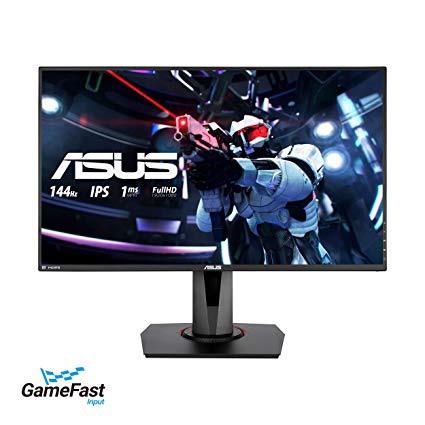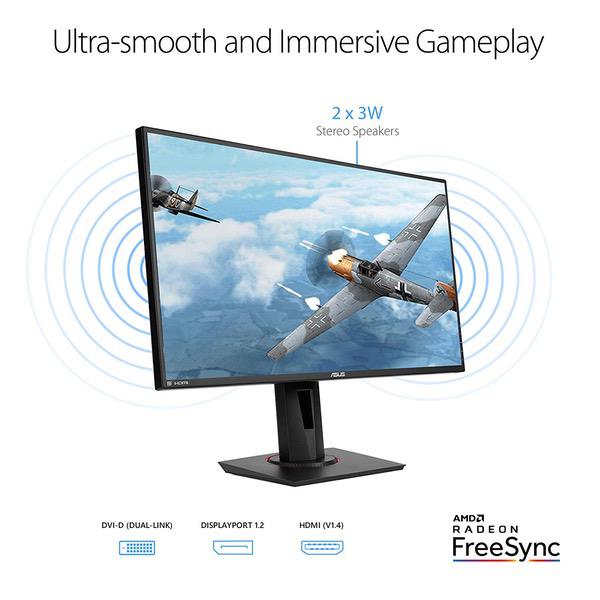
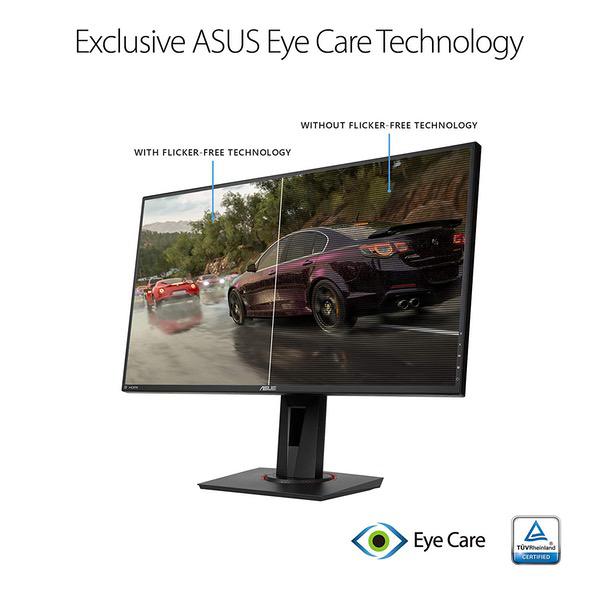
Make sure this fitsby entering your model number. 27” Full HD (1920 x 1080) IPS 1ms MPRT gaming monitor with ASUS game Fast input technology for a fully responsive gaming experience Marathon ready with ASUS Eye Care technology to minimize eye fatigue and an ergonomic stand with full height/tilt/swivel/pivot adjustments to accommodate any desk Exclusive GameVisual & GAME plus functions to enhance color performance and control Free Sync/Adaptive Sync with 144Hz refresh rate for a tear-free experience with AMD Radeon GPU Shadow Boost enhances image details in dark areas, brightening scenes without over-exposing bright areas. Brightness(Max) - 400 cd/㎡ 144 hertz
so far the monitor has been a great upgrade from my 24 inch 1080p 60hz IPS dell panel. The dell panel had amazing calibration out of the box which i think asus can go a better job at, but so far its been running my fps games with no hiccups 99% of the time. I do sometimes see some vertical fragmentation for a millisecond but only when it is changing or loading a map or new game mode. So far i love it and the build quality and stand are at least on dells level. Also i dont mind the joystick menu navigation on the side/back of the monitor. The freesync feature works perfectly with the nvidia card and the colors are great because its using an ips panel.
Link Hyrule
4
This display offers FreeSync alongside a 144hz refresh rate. It also boasts a 1ms response time, which will be perfect for competitive gaming. After the initial unboxing, it was a nice surprise to discover how streamlined the monitor was to set up, both physically and in reference to the first-time setup. No screws are necessary as the stand supports the monitor with sizable pegs on two sides, which can be inserted into openings on the monitors preinstalled mounting casing. The display can output a bright image with a bright backlight, but the sRGB Mode is restricted to about half of the backlight brightness of the other modes. The speakers on this monitor are without a doubt, terrible. Stereotypically tinny and lacking any bass or depth. Most users will use headphones regardless, so this usually is a non-issue. As for the accuracy, response, and overall usage, this is nearly perfect with slim bezels and a large display. Its hard to go wrong with this display.
Michael A.
4
I currently back to using my old Samsung S24D300 that is now 7 years old since I got it with no problems. That being said.... This product comes in a BIG BOX. Immediately in games you notice people and are able to see people in games like APEX LEGENDS from further away and aim better thanks to the bigger images. It can run up to 144HZ @ 1080P and AMD Freesync. The colors are bright and immersive and the response time is as good as you can expect. It includes different presets for different types of games (though I liked only the default and RPG presets as FPS blurs and lowers contrast for FPS). It also comes with a built in FPS Counter that can be adjusted to where ever on the screen, and a cursor for games that do not have them; though I find features like this unfair to other players without them. It comes with a stand that can easily be lifted up so you can stay at the center of the screen or pivot if you are into more professional programs. BIG CON: My only issue with this product is....I had to return it. From when I got it out the box; I had constant screen tearing; less noticeable when watching videos or playing games; but very annoying on anything else (Remember old TVs without a good signal?) it did improve a bit by raising my refresh rate from 60 to 100; but it was just annoying; in other words this is the first defective part I got in a while. I have stuck with mostly Samsung products for years because I never had any of them fail on me or display issues like dead pixels, etc. From reading the reviews it seems I am not the only one with this problem. ASUS should have better quality control on their product lines. I will attempt to purchase the same or similar monitor in a few weeks but if the next one has issues I will be going with another brand. All in all, if it actually worked as intended, I am sure I would stick with it for years until 4K or VR is more mainstream.
Amazon Customer
4
This is my experience with the Asus VG279Q. First off I want to clarify that prior to this monitor I have only ever used 1080p 60Hz TN panels. So this was my first experience with anything over 60HZ, my first experience with an IPS (IHVA) panel, and also my first experience with Variable refresh rate (Freesync/Gsync). The first thing I noticed was the limited viewing angle from above, something Im still struggling to get used to. I know that for my TN panels I get the best viewing angle when my eyes are about level with the top of the monitor. And if I stand up the monitor still looks fine. My TN only looked its worst when viewed from the floor looking upwards. Since I never sit on the floor and look up at it the TN viewing angles were adequate. For this IPS panel I get the best viewing angles when my eyes are about level with the bottom of the monitor or looking at it from below. And it has the worst viewing angle when looking down at it from any position higher than perfectly eye level. So raising it up was my first step to reduce the washed out foggy angle. The next step was to lower the brightness from the default 60 or so, down to around 23 *(Im in a dark room). That helped to get a calm neutral picture, especially for white file explorer windows or web pages. This being my first IPS, if I had to describe the IPS glow, I think mine is only a bit on the bottom left corner, fairly subtle. But the viewing angle from above turns the image into a silver grey fog when viewing at anything but eye level. If youre eye level or below, then you can have a good image even when viewing off center for the side. However, you really notice an issue when the monitor falls below your eye level if you stand up. I knew with my TN panel that the picture would get bad when viewed at the wrong angles, but this is more extreme because the monitor turns so foggy from above as seen in the pics. So its really bothering me to the point that I kind of wished I had gone with a TN that had these other features. However, now that I know its limitations I just avoid the problem angle and its all good. The settings can be dialed in more with certain modes. For example I use Racing Mode because it allows me to use the Blue Light filter option whereas the FPS mode does not for some reason. The blue light filter isnt needed, except when its a really dark room then it can come in handy so I like having the option. If I know I wont be using the blue light filter I made a profile for FPS mode because it allows me to adjust the saturation, color temp and skin tone options whereas racing doesnt for some reason. Its just weird that they make you pick and choose. The sRGB mode doesnt allow you to change anything, I guess they figure it doesnt need it. So I was thinking of choosing it - but I like to tinker more than the average guy. The SDR of contrast is genuinely full range and not limited range SDR like my old Asus VE258Q. The gamma is about .08 too dark, but using either Nvidias gamma slider, or the built-in OSD shadow boost on level 1 take care of that. The dreaded pixel density issue everyone seemed to worry about in a 27" FHD monitor is thankfully not an issue whatsoever. I dont notice even a hint of pixel density issue, honestly. So thats a relief. My VG279Q was stuck in 60HZ at first under the Nvidia display options heading for "native 1920x1080" But I was able to scroll down and choose a 2nd 1920x1080 option in the drop down that enabled all of the refresh rates. I immediately wanted to put it on 144HZ and enable the Gsync feature in the Nvidia control panel. I had to download the latest Nvidia drivers in order to get the Gsync feature to show up. After that I turned it on and went into a fast paced shooter. I put the graphics at a level to achieve a constant 144 fps, and I used the monitors built in frame rate display counter as well as Nvidias frame rate counter. The smoothness was outstanding. Everything was overall less blurry. Also no tearing ever. I loaded up Ace Combat 7 and flew around at 144fps locked and no tearing - an outstanding experience. I tried other things like running MAME and emulating old Mortal Kombat 1 with its weird 55HZ native refresh rate - and the Gsync allowed me to run at a its 55HZ perfectly with no tearing. So Im really happy with Gsync, and really happy with having more than 60HZ for the first time. These features are so cool, that I definitely wouldnt want to go back to 60HZ or no Gsync. As far as movies, 27" is superior to common 24" - 25" sized gaming monitors obviously. Watching movies benefits from the larger screen. The IPSs improved rich, vibrant colors are satisfying. Just gotta watch out for your viewing angle of course. Web browsing, writing this comment, its nice and clear at 144HZ. Its cool to see the mouse move around in more focus because the monitor can keep up with it better. This comes in handy when I tested drawing in Gimp with my Wacom tablet and stylus. As I make little gestures in my shading and drawing lines, etc - the higher refresh rate keeps up with everything and feels less laggy in the strokes. As far as colors go - theyre good. Again, its just that darn viewing angle issue that makes blacks look silverish and foggy from angles. If it wasnt for that then I would give it 5 stars. No dead pixels, no backlight bleed. Just some IPS glow (which is something all IPS panels have). So I figure Ill just get used to that. And a lot of great features. Its around 3 to 4 ms response time normally and around 1ms response time in the ELMB strobing mode. But that mode is greyed out in the OSD unless you disable Freesync and go into your PCs display settings and select a lower refresh rate like 120HZ or lower. I tried the ELMB mode, and it works fine. I can notice a sharper image in motion blur tests with ELMB enabled, but there is some ghosting. With ELMB disabled theres no ghosting but the object is blurrier. Im not sensitive enough to notice the difference between 1ms and 5ms response time in game though. However, I am very sensitive to screen tearing that I get when Freesync/Gsync is disabled. Also once I got used to 144HZ, going down to 120HZ looked laggier - so Ill just stick with the 144HZ and Freesync/Gsync. All in all, Im happy. Im not returning this monitor. I think it was well worth the price. I learned that TN isnt as bad as I thought as it turns out. People always said IPS has better viewing angles, but its not the case. So my recommendation would be to get a monitor that has all these features but TN if you require a more versatile viewing angle when seated or standing. Or to get this monitor if you can ensure youll only use it at eye level or lower. My bottom left corner is a bit foggy where it should be black. Not extremely mind you, but noticeable to me when Im looking for it. My settings that I prefer: Racing Mode, Brightness: 23, Contrast: 70, Saturation: 50, Color Temp: User mode (red:93,green:92,blue:100), Skin Tone: Natural, Smart View OFF, Sharpness: 50, Trace Free: 60, Vivid Pixel: 0, ASCR: OFF, Freesync: ON, ELMB: OFF, Shadow Boost: OFF (bumped up gamma in Nvidia control panel by .08). Other than bad viewing angles from above - everything looks beautiful with these settings. In the included pictures I show a movie still image at a good and bad angle, a black screen at a good and bad angle in the light, and then good and bad angles of solid black, red, green, and blue screens under ambient lighting.
JC
4
Its a good monitor for the price.. coming from a 2k monitor I wasnt too impressed at 1080. I ended up returning for the more expensive 2K version with gysnc. I dont regret it. If your coming from a 1080 to this its worth it.. if you already have a 2K then Id suggest looking for another 2k. 27inch in my opinion is too big for 1080 at close range.
Product variations
Column filling
Sort by Price
Sort by Availability
Sort by CODE
Sort by Screen Size
$31900
In stock
B07KXHTRT5
Screen Size:
27 in
Please sign in so that we can notify you about a reply