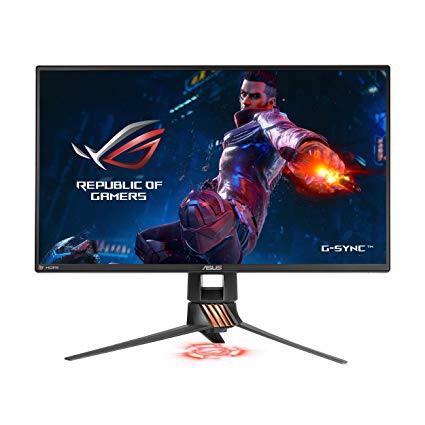
ASUS ROG Swift PG258Q 24.5” Gaming Monitor Full HD 1080p 1ms 240Hz DP HDMI Eye Care G-SYNC Esports
Write a review
$47900

ASUS ROG Swift PG258Q 24.5” Gaming Monitor Full HD 1080p 1ms 240Hz DP HDMI Eye Care G-SYNC Esports

Write a review
B06WRP3F5S
+
Add to wish list
Target is a general merchandise retailer with stores in all 50 states and the District...

City: US, New York

Delivery
Pickup at your own expense
Tomorrow from 09:00 to 20:00, Store location
Free
Payment options
Apple Pay Google Pay Mastercard Visa
Cash, bank card, credit/installment payments, cashless payment for legal entities
Warranty and returns
Exchange/return of products of proper quality within 14 days Official manufacturer's warranty: 12 months
Features
Display Type
LCD
Item Dimensions
22.3 x 10 x 15.2 in
Item Weight
12.4 lbs
Mount Type
Wall Mount
Refresh Rate
240 hertz
Screen Size
24.5 in
Aspect Ratio
16:9
Description
This fits your .
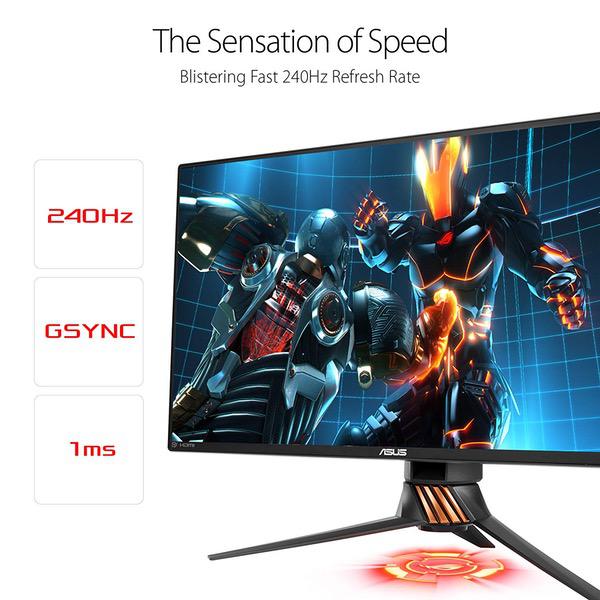
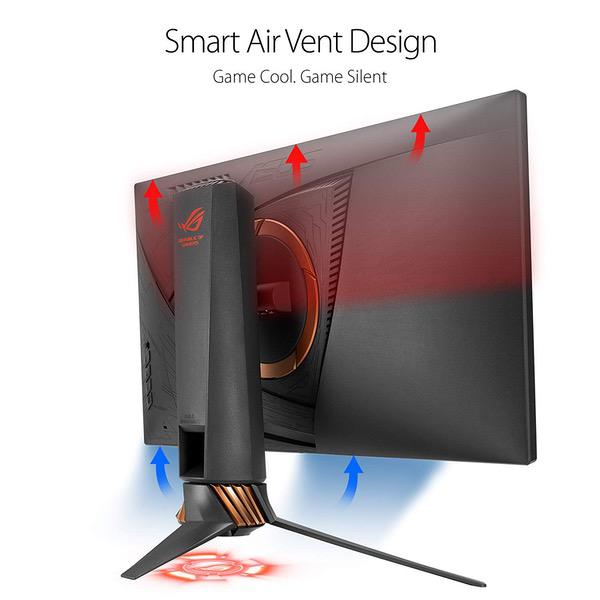
Make sure this fits by entering your model number. 25" Full HD (1920x1080p) panel with a 1ms response time and native 240Hz refresh rate with a frameless design and customizable LED lighting Effect Viewing angle (cr≧10): 170°(h)/160°(v).flexible connectivity options with DisplayPort 1.2, HDMI 1.4 and 2 x USB 3.0 Ports and exclusive game plus hotkey for in-game enhancements while Game Visual for optimized visuals NVidia G-SYNC ensures smooth game play by eliminating screen tearing and stuttering. Brightness(maximum): 400 cd/㎡, contrast Ratio (maximum): 1000: 1 ASUS Eye Care technology makes marathons even easier, reducing eyestrain and other eye ailments with TUV Rhineland-certified Blue light filter and flicker-free backlighting Compliance and standards- cob, CCC, CE, CEL level 1, cu, Earp, FCC, j-moss, kick, PSE, RoHS, UL/CUL, Vici, WEEE, WHQL (Windows 10, Windows 8.1, Windows 7), RCM, TUV flicker-free, standby, TUV low Blue light. Refer to the PDF attached below in technical Specification For user Manual Mounting Type: VESA wall-mountable
Reviews
3.3
Reviews: 20
5 stars
40%
4 stars
15%
3 stars
10%
2 stars
5%
1 star
30%
Frank Tejada
5
this monitor is awesome for gaming but it needs to be calibrated it for everything else. i did the following; -brightness: 25 -contrast: 40 color temp: user mode. R-95 G-99 B-99 gamma 2.4 OD: normal Adaptive contrast control: OFF Dark Boost: NONE since im using a msi laptop it came with MSI true color which i have in gamer mode and i tuned the display gamma to +8 and adjusted the color temperature to +1, after doing this, it looked like 200% better than out of the box, almost as good as my laptop monitor which also has a TN panel but it was factory calibrated by msi (MSI GT75VR 7RE). overall im very happy with this monitor, but some of you might find the screen quality a little disappointing out of the box, but after calibrating it, it really is a great display! (for a TN panel)
Amazon Customer
5
INCREDIBLE. If I had to choose one word to describe it, that would be it. 240hz is probably overkill if youre just a casual gamer, but I have over 2000 hours in FPS games (Overwatch, CSGO, etc) I NEEDED this upgrade. I also just couldnt keep playing at 60hz, it wasnt healthy. The new, higher refresh rate is an eye opening, there is so much to learn again from movement to aiming that it is the same game in paper but playing it is a whole new feeling. If I had to name a con, itd be price but its at $550 now which means it dropped from $600 and thats a step in the right direction. If the price of this product wasnt enough youll probably want to get a Gtx 1080ti to keep up the high FPS count (unless you game exclusively Csgo, which you can do with a less beefier Graphics card). Aside from that, I just hope it lasts, its a pretty premium price so this has to last me for a couple years, else its just not gonna be worth it.
Scott
5
I wanted a secondary monitor that was unique, and this one is perfect. while not as dramatic of a change like 60 to 144hz is, It was immediately noticeable to me. Others who are very experienced will notice the benefits, but to the common gamer this is absolute overkill. DO NOT buy this expecting to play like a champion, you will still play the way you have been used to on a 144hz monitor, but with a much smoother image. I can see this monitor having some "Holy Grail" effect and people buying this thinking it was the only reason they arent the best, because they are being held back. This is not the case. Buying this monitor is for great input lag, and a very smooth image making tracking and flick shots but easier for your eyes to track. That is all. As it is my second monitor, I am more than happy because I can switch between a 240hz monitor, and a more color accurate 1440p IPS 144hz monitor depending on what I am doing. I highly reccomend you focus your money on a quality 144hz monitor before buying this one, unless you both have money to burn, and are an avid fast twitch game player.
Josh Coleman
5
I bought a nice Dell 4K IPS monitor because I am picky about picture quality and was concerned about the TNS panels. After watching an Overwatch streamer (Surefour) and noticing this scene where he panning very quickly to track and shoot, I noticed how amazingly clear the picture was, and without any screen tearing. Being curious, I discovered he was using this monitor was then read up on GSYNC and thought I would give it a try. Oh. My. $&!# I can’t believe I’ve never seen or even considered GSYNC before. I always thought of it as a money grab or some marketing gimmick, but this has literally changed the way I play the game. For the first few hours, I couldn’t help just walking around and staring at everything and doing the fastest 180s with ZERO tearing. My GPU is a GTX 1070 so at 1080p it can crush most games at medium settings, which is helpful if you have GSYNC. The key thing to making it work properly is to cap the FPS, which I did in the game itself, to a few FPS lower than the screen refresh rate. I was extra safe and put mine at 235, but it is so buttery smooth. I honestly thought it amazing that overwatch hasn’t banned these panels with all the controversial talk around keeping competitive gaming fair. They’ve banned keyboard and mouse for the Xbox as that would give an “unfair advantage” over a person playing with a controller. Likewise, my aiming improved so much because it was so easy to clearly see where I was aiming, especially in a fast paced precision game where individual frames matter. Screen tearing is such an annoying aspect of being a PC gamer, and as a console owner as well, it’s even more annoying to see such perfectly optimized games in a cheap console. But with this monitor, it’s no longer a trade off and I think anyone looking to build a PC should figure out how to budget for a GSYNC monitor, whether this one or another one. I wouldn’t consider gaming without one ever again. Thank you NVIDIA.
Amazon Customer
5
GPU: GTX2070 Ive owned multiple 1920x1080p screens in the past but usually office type ones and never for gaming. The difference in 60hz vs 240hz is something that you have to visually see and is absolutley distinguishable. I see a lot of reviews saying that they wished for better RBG Colors, better "coating", etc for the price. For what you pay, for this monitor is pure performance to get the best our of your response rate & hz refresh with g-sync. If you play any sort of FPS, this is by far the best monitor that will give your visible difference in results. I still use my 60hz and 240hz monitors at the same and its night & day. You wont be at all "dissapointed" buying this monitor. Just a hint, you will need to do some initial configurations with each game you play. Take 5 minutes to make sure your Geforce Control Panel all are set to 240hz and games resolution/refresh rate are set as well. 9.5/10
Maxwell
5
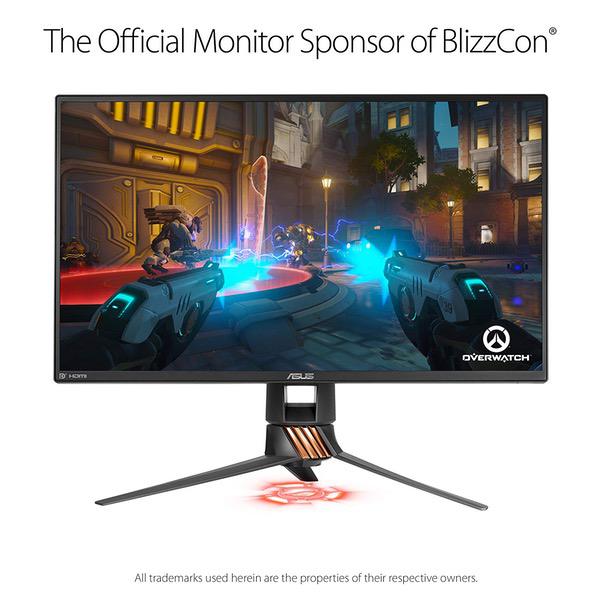
Very happy with it. Most 240hz with gsync chips will have similar performance due to nvidia tuning in the overdrive and allowing things like line buffering (faster more accurate pixel response and lower input lag). This one I wanted to go for due to my old asus vg248qe being the standard in competitive gaming for so many years. Also I wanted high brightness to be able to maintain contrast in bright rooms. The PG258Q has higher brightness than any other 240hz monitor and this also helps with bright ULMB if you want to use that. Still running strong half a year later. Also noticed that this is the monitor being used for overwatch league games.
José Sánchez
5
If you want a high-end monitor with the maximum 240 hz this is your best option, really help you a lot with the performance if you have a PC master race
Drew Gober
5
I purchased this monitor about 2 months ago, and I love it so far. I was worried about the dead pixels people were mentioning in some reviews, but mine did not have any dead pixels. This monitor overall is bright, so you may need to adjust the coloring of it. Overall, I love this monitor and I will most likely purchase another one for a dual setup. The quality of this monitor is good, and is pretty heavy, and well built. The plastic piece on the back that holds the cables is quite cool too, you may have to finagle with it a bit to get it on correctly. I think the red light that reflects below the monitor is sort of useless, but it does look sort of cool at night. The price is decent for this monitor, I don’t have any words on that. Great monitor, great for gaming, and overall well made.
Product variations
Column filling
Sort by Price Sort by Availability Sort by CODE Sort by Screen Size
$47900
In stock
+
B06WRP3F5S
Screen Size:
24.5 in
You may be interested
  • Bestsellers
  • Recently Viewed
 
Similar products
Show more
Fast and high quality delivery

Our company makes delivery all over the country

Quality assurance and service

We offer only those goods, in which quality we are sure

Returns within 30 days

You have 30 days to test your purchase