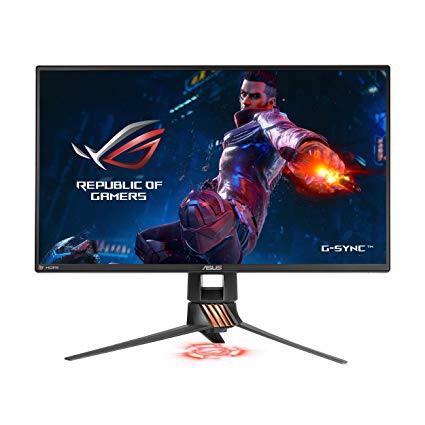











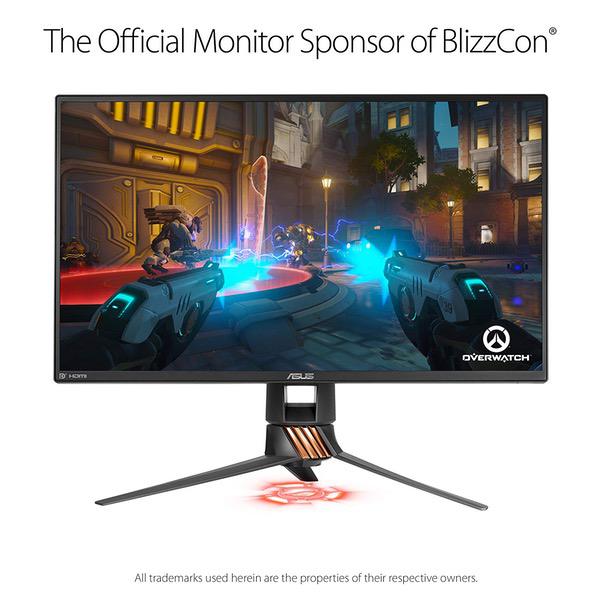
ASUS ROG Swift PG258Q 24.5” Gaming Monitor Full HD 1080p 1ms 240Hz DP HDMI Eye Care G-SYNC Esports
Write a review
$47900

ASUS ROG Swift PG258Q 24.5” Gaming Monitor Full HD 1080p 1ms 240Hz DP HDMI Eye Care G-SYNC Esports

Write a review
B06WRP3F5S
+
Add to wish list
Target is a general merchandise retailer with stores in all 50 states and the District...

City: US, New York

Delivery
Pickup at your own expense
Tomorrow from 09:00 to 20:00, Store location
Free
Payment options
Apple Pay Google Pay Mastercard Visa
Cash, bank card, credit/installment payments, cashless payment for legal entities
Warranty and returns
Exchange/return of products of proper quality within 14 days Official manufacturer's warranty: 12 months
Features
Display Type
LCD
Item Dimensions
22.3 x 10 x 15.2 in
Item Weight
12.4 lbs
Mount Type
Wall Mount
Refresh Rate
240 hertz
Screen Size
24.5 in
Aspect Ratio
16:9
Description
This fits your .
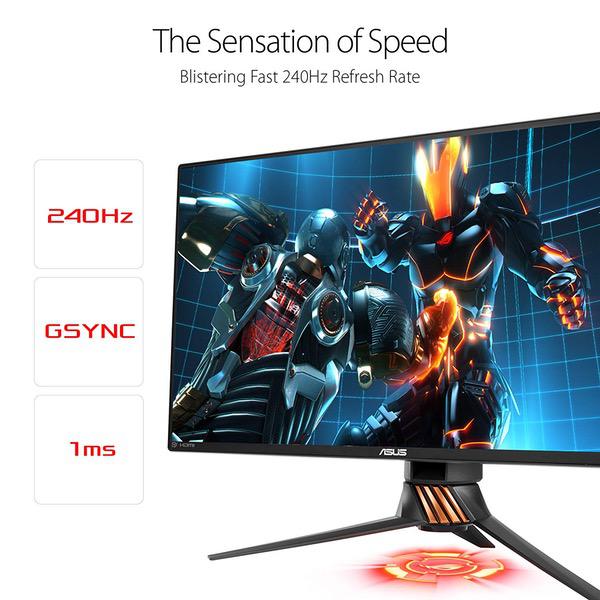
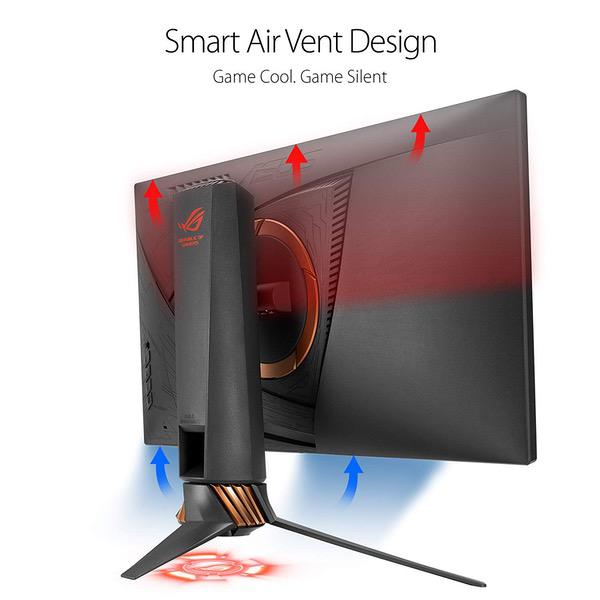
Make sure this fits by entering your model number. 25" Full HD (1920x1080p) panel with a 1ms response time and native 240Hz refresh rate with a frameless design and customizable LED lighting Effect Viewing angle (cr≧10): 170°(h)/160°(v).flexible connectivity options with DisplayPort 1.2, HDMI 1.4 and 2 x USB 3.0 Ports and exclusive game plus hotkey for in-game enhancements while Game Visual for optimized visuals NVidia G-SYNC ensures smooth game play by eliminating screen tearing and stuttering. Brightness(maximum): 400 cd/㎡, contrast Ratio (maximum): 1000: 1 ASUS Eye Care technology makes marathons even easier, reducing eyestrain and other eye ailments with TUV Rhineland-certified Blue light filter and flicker-free backlighting Compliance and standards- cob, CCC, CE, CEL level 1, cu, Earp, FCC, j-moss, kick, PSE, RoHS, UL/CUL, Vici, WEEE, WHQL (Windows 10, Windows 8.1, Windows 7), RCM, TUV flicker-free, standby, TUV low Blue light. Refer to the PDF attached below in technical Specification For user Manual Mounting Type: VESA wall-mountable
Reviews
3.3
Reviews: 20
5 stars
40%
4 stars
15%
3 stars
10%
2 stars
5%
1 star
30%
Kerry Kobashi
4
Having gone from 60Hz to 144Hz, the difference is obvious. Going from 144Hz to 240Hz I can tell. Animation is way more fluid, stutter free. The beauty is, that when playing games pushing above 144FPS, Im getting all the frames between 144FPS and 240FPS in front of my eyes. For first person shooters, this is a luxury. This is a specialty monitor. I dont recommend buying this if you dont have a GPU that can push over 144FPS in all your games. You will never see it. Hope that makes sense. The reason why I gave this 4 stars is because the color quality looks washed out. Yes, its a TN monitor. Not IPS. Compared to a dozen other monitors I have, its not very good. Using it to watch videos or do Photoshop work, I wouldnt recommend. Its way too bland. A very important thing to note is that you must use Display port to get 240Hz. For the life of me, Asus should just forget even providing HDMI support. Nobody in their right mind is going to spend this kind of money for using HDMI at 60Hz. With all the cables that come with the product, there is so much waste and additional cost. Cost that is passed onto the consumer.
Emilio R.
4
I was so very worried and concerned with placing an order for this monitor with a lot of reviews stating they had a monitor with dead pixels, missing parts, mishandled package, and just flat out not working! Well I am here to put your mind to ease. - 1st though there is one minor con to this monitor fresh out the box but then again most monitors are like this now a days. This monitor definitely needs some time and careful tuning with its colors. The whites are very yellowish and almost like a dingy yellow. You will need to find your balance but here is what i found to work for myself personally: GameVisual: Racing Mode or Cinema Mode (I read that Racing Mode is default and preferred choice but I tried other modes and only found Cinema Mode to be the only other acceptable one personally) Blue Light Filter: 0 Brightness: 30 Contrast: 60 Color Temp: User Mode - R:90, G: 75, B: 90 Gamma: 2.4 or 2.2 (Again maybe my eyes are just funky but these are my settings and made things a lot whiter than out of the box state. These settings are strictly for Racing Mode but if youd like to know my other settings I could update this post later on.) -------- Now the dead pixel that everyone keeps saying they are getting, - This simply has not been a case for me at all! I have been using the monitor since Day 1 of purchasing it and leaving it running 24/7. Not a single dead pixel. No real issues. Viewing at angles can make it look awkward and off but you should always be viewing and looking at the monitor straight on for the majority. - I would NOT recommend this monitor for those strictly using it for photoshop but for gaming and movies its great. Colors again just need to be adjusted accordingly to your preference. - Currently the monitor does not pull 240FPS on any game I have ran on it yet but does pull towards the 144FPS range aka 144Hz. This is even with Gsync enabled. Games I have ran so far: The Division 2 (Avg FPS: 100 on High Settings with some minor tweaks to other graphic settings) Ark (Avg FPS: 80) 7 Days to Die (Avg FPS: 90, at my base. 130 in open space) League of Legends (Avg FPS: 206) PC Specs: Video Card - GTX 1080 Ti Processor - i7 6700 RAM - 32GB *Again keep in mind these settings were MOSTLY set to high with minor tweaks in some graphic settings to my liking. - Overall the monitor performs well and makes every game feel like its running smoothly. No screen tears, no major issues that I have come across or noticed, and seems to definitely be very crisp in all games ran on it. So, would I recommend this monitor above others? Quite simply, no. It is a fantastic monitor and performs well but you could get a 144hz Monitor with Gsync probably cheaper and would run just as beautifully if not more so. Overall the monitor is great, its colors are pretty rough til you get the right adjustment for yourself, gaming performance is excellent but the price is still a bit high for not even being able to achieve 240FPS with my current PC build then again that is also on the games that I play. Some of their settings could be tweaked a bit further to push their FPS limits higher but then Id have to sacrifice the graphic quality of the game in order to achieve more FPS. I think as it stands I enjoy the FPS that I am pulling and love that I am not sacrificing much in the settings of these games to get the FPS I am, but I would love to be able to achieve a more stable if not steady 144FPS/144Hz with these games. To just add-on that I came from a BENQ 60Hz Monitor that I was using for over 5 years and you can definitely see the difference in smoothness plus the more consistent FPS I get with this monitor compared to that one. The only real downside for me is that the colors are hard to balance a bit in my opinion and really hard to achieve that pristine white that I look for in my white colors.
Masta
4
So far it works well. The picture quality isnt the best by any means. Its actually very bright for a monitor. I usually only have it on for gaming because its so bright and yes I have messed with the brightness settings. The size is great though and playing games on it with its high refresh rate is definitely amazing. I notice it the most when playing shooter type games. So if you’re interested in getting this monitor remember its peak is gaming and not meant for working on digital media.
Product variations
Column filling
Sort by Price Sort by Availability Sort by CODE Sort by Screen Size
$47900
In stock
+
B06WRP3F5S
Screen Size:
24.5 in
You may be interested
  • Bestsellers
  • Recently Viewed
 
Similar products
Show more
Fast and high quality delivery

Our company makes delivery all over the country

Quality assurance and service

We offer only those goods, in which quality we are sure

Returns within 30 days

You have 30 days to test your purchase