
















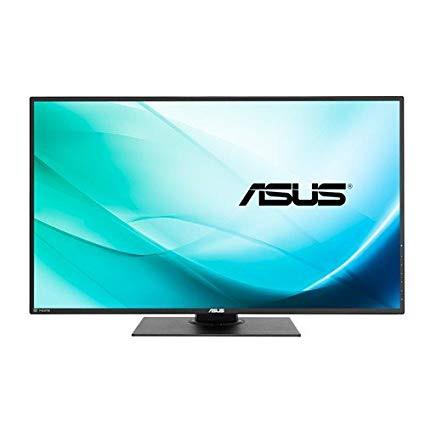
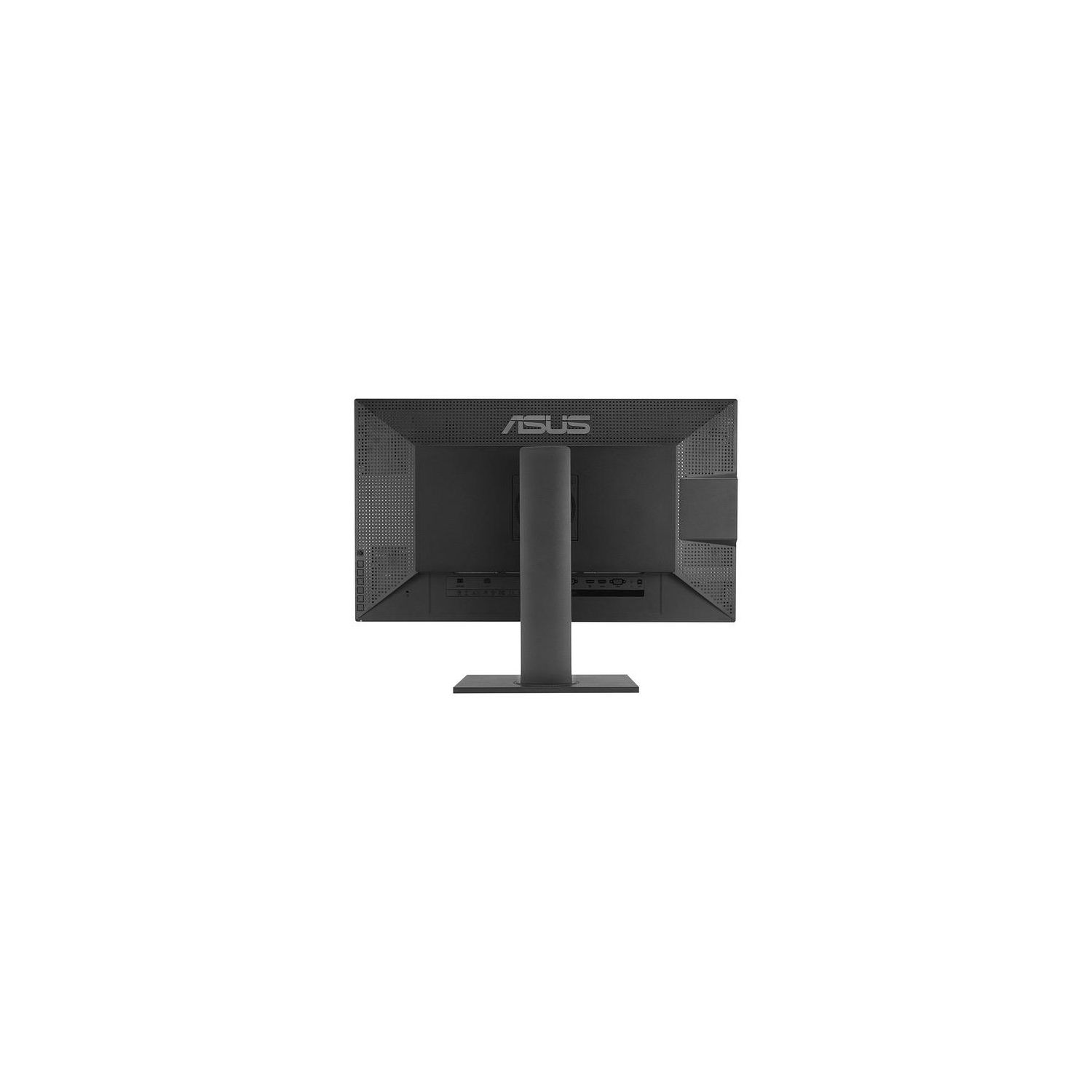
ASUS PB328Q 32" WQHD 2560x1440 4ms DisplayPort HDMI DVI Eye Care Monitor
Write a review
$38900 $43900

ASUS PB328Q 32" WQHD 2560x1440 4ms DisplayPort HDMI DVI Eye Care Monitor

Write a review
B00XI4PAD2
+
Add to wish list
Target is a general merchandise retailer with stores in all 50 states and the District...

City: US, New York

Delivery
Pickup at your own expense
Tomorrow from 09:00 to 20:00, Store location
Free
Payment options
Apple Pay Google Pay Mastercard Visa
Cash, bank card, credit/installment payments, cashless payment for legal entities
Warranty and returns
Exchange/return of products of proper quality within 14 days Official manufacturer's warranty: 12 months
Features
Display Type
LED
Item Dimensions
33.3 x 13.8 x 21.7 in
Item Weight
26 lbs
Mount Type
Wall Mount
Refresh Rate
4 hertz
Screen Size
32 in
Aspect Ratio
1.78:1
Description
This fits your .
Make sure this fits by entering your model number. 178 Degree/178 Degree ultra wide-viewing-angle eliminates color shift for excellent visual performance ASUS Eye care technology with TUV certified Flicker free and Blue Light Filter for less Eye fatigue; Ergonomically-designed stand with Tilt,Swivel,Pivot,Height adjustment plus wall-mount capability for comfortable viewing position Provides 100% sRGB color space with WQHD resolution (2560x1440) Extensive connectivity with HDMI , D-Sub, DisplayPort, Dual-link DVI-D and USB 3.0 x 4. Eye care Monitor with VA Display LCD panel and LED backlight
Reviews
4.5
Reviews: 20
5 stars
70%
4 stars
10%
3 stars
15%
2 stars
5%
1 star
0%
D. B. Indermuehle
5
This is for the ASUS PB328Q 32" I was a little bit hesitant about ordering this monitor because of some of the reviews. Some reporting that the monitors that they had received went through poor QC. Spending close to $500 on something that may be faulty is a little unnerving. But... I really wanted a monitor with these specs so I pulled the trigger. Low and behold this is a beautiful monitor. I loved it so much, that I ordered 2 more. My first 1 was ordered April of 2016 and the other 2 May of 2017. Previous setup was 3 ASUS VS247H-P 23.6" TN panels. They were great monitors. But, I was a little disappointed in them with using Lightroom. When I received my first PB328Q I was amazed by the size, colors and how deep the blacks are compared to the VS247H monitors. I cant stress how big of a difference their is in the black levels. Viewing angles are also very impressive. I notice very, very little color or brightness changes when moving side to side or up and down. Looking across the monitor at an extreme angle text is still perfectly readable and color is slightly washed out. The menus are very easy to navigate with the toggle on the back right side. The stands are very sturdy and allow for a great range of adjustment. Monitors can be moved up and down with 1 finger and they turn from side to side with ease. With the heft of the these monitors, the bases do not slip and slide when adjusting them. Putting them into portrait mode is great for if you want to look at a whole Word document and not have to scroll to read an entire page. PB328Qs are connected to a GTX 980ti graphics card via AmazonBasics 10 DisplayPort (DP) cables (which are compliant to DP version 1.2). I had to go into the NVIDIA control panel and change the refresh rate from 60Hz to 75Hz. Also change DP input version from 1.1 to 1.2 in the monitor settings itself. Having extra USB ports come in handy for plugging in web cams, flash drives or even a dongle for XBOX One controller. Each monitor has 4 USB 3.0 ports on the left side. Witch is great, but... If having a multi monitor setup they do get blocked by the other monitor sitting next to it. So you just have to be mindful of what and where you may want something plugged in the ports. Also be careful if you have something such as a dongle for XBOX One controller plugged in. They stick out few inches and could potentially damage the port of dongle when turning the monitors. With a resolution of 2560x1440 I am able to display 4 720p YouTube videos perfectly on each monitor (added photos to show how much screen space is on 1440p). Games are also so much... How shall I say... Prettier??? The level of detail that you get with 1440p over 1080p is truly awesome. With the 980 TI games are all set at highest settings and still get between 70fps - 120fps (games such as: BF4, BF1, GTAV, Titanfall 1&2, PUBG etc.). As for the 75Hz for gaming... I cant say weather or not it actually makes much of a difference, perhaps slightly. But being a weekend gamer, when I can, Ill take whatever advantage I can get. I highly recommend the ASUS PB328Q monitor for anyone looking to upgrade to a larger monitor with good colors and blacks and dont want to spend the money on the ultra high end, ultra wide monitors with an ultra high price tag that comes with those monitors. I was able to purchase 3 of these with 10 power, DP and USB 3.0 cables for about the same price as a single ultra wide costs. And I get a lot more screen real estate for the price. I sit roughly 36" away from the center monitor and with a 32" monitor, its a perfect size for reading text, using MS Office, playing games, editing photos or anything else. I would also like to point out that their size is not small. At about 28.75" wide, with 3 of these sitting on my desk they take up around 75" of desk space.
Renifer
5
I love this display! I am a Linux user, and it just worked right out of the box, no special settings required. In fact, I kept my current monitor hooked up, and it recognized both and set up dual monitor configuration. This panel is *perfect*. No defects. No dead pixels or other quality problems. Very effective packaging with double boxes and lots of foam. I hooked it up using HDMI, and it immediately synced at 60Hz without my having to adjust a thing. Since this monitor is not 4K, there were no problems scaling. Lots of screen real estate, so I bumped up the font size just a bit as Im older, and my eyes are not as sharp as they once were. I set my settings to force fonts to 120 DPI, and it worked extremely well, and made fonts much clearer and easier to read. If you do a lot of reading as I do, its a very good monitor for that, as it has special settings for color and brightness so that its easy on the eyes, and it have five presets for adjusting blue light down so that it doesnt interfere with sleep. The on screen display to configure the monitor is easy to use. It comes with cables to connect HDMI, Displayport or DVI, VGA, audio and for USB passthrough. Im a programmer, and I play strategy games and watch videos. I can turn the monitor sideways, change the orientation to portrait, and read a *ton* of text, whether its a book or code. Movies with a lot of dark or poorly lit scenes are amazing and show a lot more detail that my old monitor, a Samsung 22BW. Contrast is greater than on any monitor Ive seen. It has a "Darkroom" mode that I didnt know about, that dims the screen perfectly for night use, and its very easy to select in the OSD. Photo editing is a dream on this thing. The large screen area means that I can load large photos and I dont have to scroll or adjust. Colors are truly amazing. Im a photographer, and Im thrilled with the color accuracy. Photos that have fog actually *look* like fog instead of just washed out. The design is clean and simple and effective. The stand holds the screen firmly but moving the screen takes only the lightest touch, and its very configurable. I like being able to lift it up so that Im not hunched over, I can sit up straight. The viewing angle is quite good, and my family can all watch a movie together from different angles without color shift. I have ordered a faster graphics card to drive this unit, as I have a Geforce GT720, and while it works better than I expected, I have noticed that there is some stuttering on some games and on very detailed movies with action scenes. Its subtle, but its there. The new Geforce GTX 970 should fix that. I will update this review and report on the differences. The new card will have Displayport, and I want to drive this monitor at 75Hz, as it requires Displayport 1.2 (the monitor comes with version 1.1 as default) and a high end graphics card. The manual has a list of supported cards. One slight criticism is that this monitor did not come with a manual, but I did find that online on ASUSs website support link. I didnt take any points off because manuals are pretty easy to obtain online, but this would be a problem if the display didnt function properly, and while this was not a problem for me, as the setup was a breeze, if things went wrong for some reason, it would be difficult. Not much of an issue for those upgrading from an older monitor, which is going to be the case for many. Also, once manuals are printed and shipped, inevitably something requires a change to the manual, and most manuals are now found online. If youre looking for a 32 inch monitor, and youre not sure what to get, you deserve to give this monitor a look. Its awesome.
Rob
5
Purchased this to replace my dual 24" setup (two ASUS VS247H-P) in my office. I wanted a single large format monitor, as I was having issues with the dual setup on my graphics card, and the dual setup was quite large on my desk overall. Ive come to love ASUS panels the past few years, but I always do my homework, so I researched ASUS and competitor offerings, and thought this would fit the bill at the price point I was willing to pay. I absolutely love it! Brilliant picture. No backlight bleed or dead pixels to contend with. Amazing monitor for business use. Combined with virtual desktop features in Windows 10, I can set up task-oriented virtual desktops and quickly switch back and forth, with all the windows on the screen I need at any given time. Highly adjustable positioning should fit nearly any use case. Stand is very sturdy. No wobble at all on my desk (I have a rather sturdy executive desk, so YMMV) Anyone looking to game on this thing will probably be disappointed, as the limited refresh rate and 4ms response time isnt going to cut it for fast action gaming. However, that isnt the use case for this monitor, and for what it was designed to do, it does extremely well. I would recommend this monitor to anyone looking for a quality business-class panel.
Kelly Monahan
5
I have always favored a better picture quality over features of a monitor, 144hz is great, gsync is cool but to me never worth the price over the same product with freesync. My first monitor was an Asus pa248q. I loved it. This was my first and only ips monitor and it was a great monitor, and its still going strong. I started to play a lot of fast paced fps games so I decided to get a 144hz monitor. I purchased an LG 24gm77. By far the best picture quality I had come across for a tn panel. How the 144hz panel feels in game is a game changer for fps. But, once I found myself playing less and watching more YouTube and movies (Blu-rays) I kept switching back to my ips. But knowing that it wasnt on par with my Panasonic 55vt60 plasma tv I started looking into reviews which let me to this monitor. The Asus PB328Q. Coming from monitors that are 24" and going to a 32"is awesome! Ultrawide has its place but I use my PC for everything along with having a blueray player hooked up also so the 16x9 aspect ratio is perfect. This monitors color accuracy is astonishing! The sharpnessof the image, the whitest whites and very deep blacks, (Not as good as my plasma) and the contrast ratio is crazy! The 75hz refresh rate is a welcome addition. Obviously its not as smooth in games as 144hz but to get this type of color accuracy with 144hz I would have to spend upwards of $800-$1200 and Im not willing to spend that much. Coming from 1080p to 1440p is far better than I thought it would be. The desktop icons are not to small like I thought band everything especially when surfing the web is so much sharper! This is the perfect all around monitor. Every time your in-game or watching a movie, video or photo editing you know your seeing it as it was meant to be seen and are not missing out on anything the developers or directors put I to that game or movie. You will not find a better monitor than the Asus PB328Q for $464. I dont know why picture quality like this isnt standard!
Castillonis
5
Excellent monitor. Sturdy base that is adjustable. Use display port to view at higher resolution. Use display port version 1.2 or greater to get higher refresh rates. I use this monitor mostly for software development. I need the extra space for my editor, documentation, debugger or output as well as terminals. Once you use monitors that are larger than 24 inches, it is better to use one larger monitor versus two. Also, I do not see any light leakage that some people complain about. I have a few systems that are fed in via an HDMI switcher, but my main desktop uses the display port. I like the on off switch at the back of the lower right hand corner as well as the small joystick and click button that is above.
Brent Doolittle
5
Currently typing the review using this monitor and I LOVE IT. Its just the right size for my desk, the bezels are slim, and I really like the buttons on the back. My only gripe with it would be that I wish the USB ports were recessed in the back so anything plugged in doesnt have to stick out to the side and potentially block me from having another monitor on the other side. Purchased this from Amazons Warehouse deals, at $300, almost $150 less than it was selling for when I saw it new. The stipulation was that the item would come in original packaging, but the packaging is severely damaged. Great, I thought. Well, certainly the monitor will turn on at least, and that would be fine. Nope. When I got it, the box it came in just looked like it had been pushed across the floor as the ink on the box was faded and one of the corners looked like it had had sandpaper taken to it. Other than that, there were zero things wrong with this monitor. No scratches, no cosmetic damage, no quirks or plugs that didnt work or anything like that. So hey, take a chance with Amazon Warehouse deals. This monitor is great.
Sandra S.
5
great monitor, It is worth the money and will last until you want to buy a new one, and last looking perfect. Have bought other monitors, this one is the best. Dells is good, but 800$. This is the one to get. Very happy!!! Thin Frame, very heavy mount, feels strong tough, smooth nice material, vesa mountable. solid design during adjustment and on the mount, feels like it wont break from frequent adjustments as some of the other plastic samsung or aoc ive returned. Deep Dark matte black finish, matte screen. Speakers are decent for small night listening without bass. Auto detects inputs which is great for game systems. Mute and night light options for the front led and speaker. The back menu knob moves very easy and the menus have a lot of options for quick settings. USB goes fast as it should. Runs at 75hz!
Steve Mason
5
I first bought my mother at Christmas 2016 a 32" 4K monitor from another manufacture and is was nice but it wasnt an IPS style panel and the higher resolution was wasted for her as everything was too small and hard to see, she in her 70s. So I bought this monitor to replace the 4K and she just loves it, the colors are more rich and the native resolution is perfect for this size screen. Her brother-in-law needs a larger screen too so Ive bought a second one of these monitors for him too. ASUS make great monitors reasonably priced and are my go to monitors when I need something above average. I also have a ProArt Series 4K (PA328) which is twice the price or more than this monitor that I got for Art work and photography. The ProArt 4K, which I like, is more accurate but I do like this monitor more for the color richness, my ProArt is more of a very flat matte display which the average person might not prefer.
Frank
5
Love it. Was interested in either the BenQ or Asus. The Asus beats the BQ in almost every aspect, but without sacrificing gaming performance (no ghosting, up to 75Hz refresh). AND: flicker-free led back-light. Color is almost identical to ips based screens, but no edge bleeding, and nice/deep blacks, and ppl dont have an "orange" skin tone (ips). And the fact that its (almost) perfectly calibrated right out of the box, is a big plus. Everything i want to have "different" than stock (settings/button layout etc), can be customized. even the power led can be turned off. The only reason i would see, to upgrade? when theres a 40" version available ;-)
Uncle Bob
5
This is one BIG monitor. If you decide to set up two of them (dual monitors) take a careful look at your workspace. The WQHD resolution works much better on this sized monitor than 1080P. Yes, higher resolution might be better. Sometimes the fonts and icons get mighty small when you go over the top on resolution. Thats not the case with these. The balance of size and resolution seem about right to me. One nice surprise, the monitor comes with *all* the cables. If it will plug into the monitor, you get a cable. They are about 6 feet long. That may or may not be ideal for every setup. It *is* nice to get the cables. The stand works fine. The monitors go into portrait mode with no big problems. Even a little Intel NUC is happy driving one of them. Highly recommended !!! Bob

Showing 10 of 14 reviews

Product variations
Column filling
Sort by Price Sort by Availability Sort by CODE Sort by Screen Size
$38900 $43900
In stock
+
B00XI4PAD2
Screen Size:
32 in
You may be interested
  • Bestsellers
  • Recently Viewed
 
Similar products
Show more
Fast and high quality delivery

Our company makes delivery all over the country

Quality assurance and service

We offer only those goods, in which quality we are sure

Returns within 30 days

You have 30 days to test your purchase