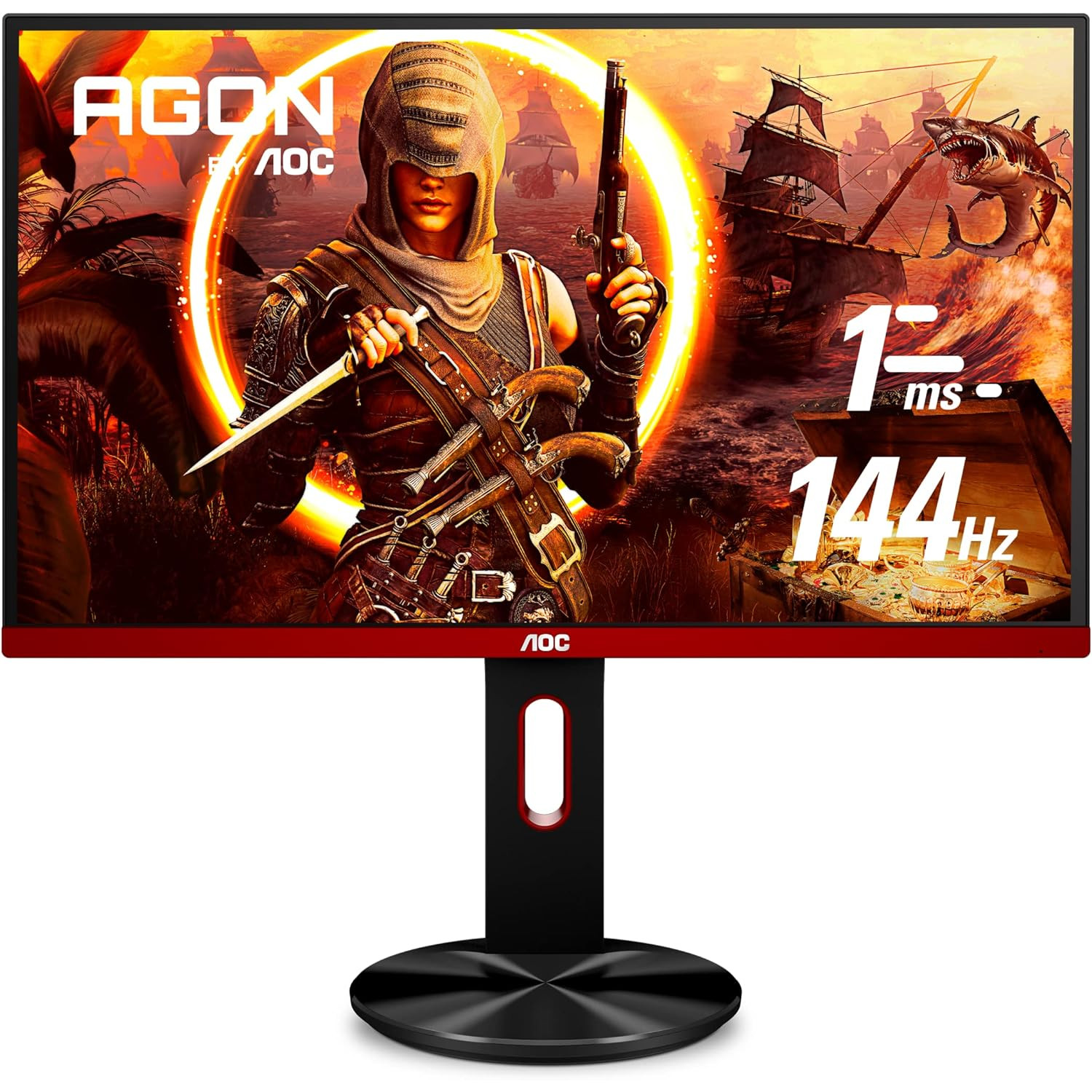
AOC G2590PX 25" Frameless Gaming Monitor, FHD, 1ms, 144Hz, NVIDIA G-SYNC Compatible, 96% sRGB, Low Input Lag, DP/HDMI/VGA, Height Adjust, VESA
Write a review
17891

AOC G2590PX 25" Frameless Gaming Monitor, FHD, 1ms, 144Hz, NVIDIA G-SYNC Compatible, 96% sRGB, Low Input Lag, DP/HDMI/VGA, Height Adjust, VESA

Write a review
B07R4XPVKG
+
Add to wish list
Target is a general merchandise retailer with stores in all 50 states and the District...

City: US, New York

Delivery
Pickup at your own expense
Tomorrow from 09:00 to 20:00, Store location
Free
Payment options
Apple Pay Google Pay Mastercard Visa
Cash, bank card, credit/installment payments, cashless payment for legal entities
Warranty and returns
Exchange/return of products of proper quality within 14 days Official manufacturer's warranty: 12 months
Features
Display Type
LED
Item Dimensions
Item Weight
Mount Type
Wall Mount
Refresh Rate
144 hertz
Screen Size
24.5 in
Aspect Ratio
Description
This fits your .

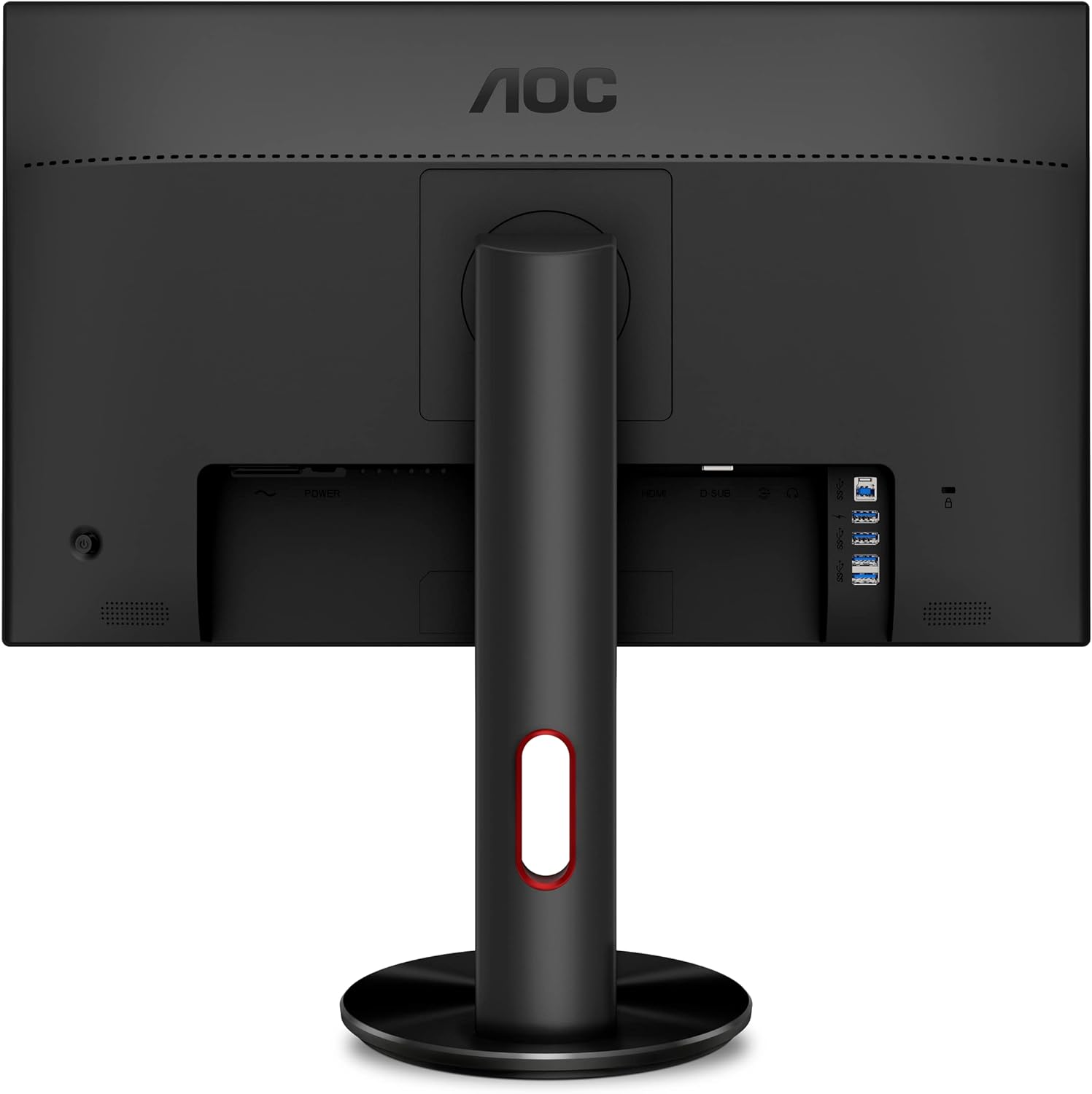
Make sure this fits by entering your model number. 24. 5" AOC Gaming monitor with 1920 x 1080 Full HD resolution TN panel Rapid 1ms response and 144Hz refresh rate 144Hz refresh rate for ultra-smooth gaming Mad Free Sync for smoothest competitive game play DisplayPort 1. 2, HDMI 1. 4 (x2), VGA inputs (HDMI, VGA cables included) w/ audio line out (3. 5mm) for convenience AOC low input lag delivers lag free Display from the video signals AOC low Blue mode and flickers for wellbeing during extended gaming sessions

Reviews
3.7
Reviews: 20
5 stars
30%
4 stars
45%
3 stars
5%
2 stars
0%
1 star
20%
Kingston Leung
4
Pros: -144hz with FreeSync - Adjustable stand - Looks pretty high end - Pretty good selection of ports - Compatible with laptops at 144hz via display port Cons: - Way too bright - Color are super washed out before calibration - Your friends wont get off your setup Overall, this is a pretty decent monitor after color calibration. Here are my settings: Contrast: 43 Brightness: 0 Color Temp: User Red:25 Blue:25 Green:25 Also, I used the ICC colors for this monitor (found with a quick Google Search). 10/10 Highly recommend.
Josh F.
4
UPDATE: Since Nvidia now supports the use of G-sync with freesync monitors, this is an additional factor when considering this monitor. While using display port 1.2, I simply switched the (enable G-sync on this monitor for full screen and windowed view) on and hit apply. People it works flawlessly. This is an absolute win for this monitor. No flickers detectable by my eye whatsoever. With this new feature for my Nvidia card now considered, and the price for this monitor in consideration as well, I am now updating my rating to 5 stars. The flawless use of G-SYNC for under $200 USD is simply unbeatable. Dont get me wrong, this monitor still has its issues (as you will read below), but it is just too diverse of a serious budget gaming monitor to not give it 5 stars. Wow, I use to be that guy that hated to play on 30 fps when I first went to PC... Never wanted to go back. Then I heard about 144hz and I was under the impression that the eye generally sees at about 60 fps (news flash: I was very wrong). Im gonna sound like a nut when I say this but its like if butter was added to your screen, everything is just so smooth. 60 for now sadly feels choppy to me however since my recent revelation. In any case 144fps has helped me play more comfortably, but also has improved my aim since my movement is now more precise and smooth (from what Ive noticed in the past 4 days). Edit: (aim is certainly better after months of use). ANYWAYS, YOURE HERE TO LEARN ABOUT THIS MONITOR. I cannot speak to freesync as I have an Nvidia card (READ UPDATE AT THE TOP OF THE REVIEW). However, I can speak for the monitors refresh rate at 144hz with practically no ghosting on medium overdrive (the little blurry you see on moving objects). Worked right out of the box, plugged the display port in (to get the full 144hz) and switched power on, no problem. Lots of angle adjustment, which is excellent, but not useful to me (EDIT: ANGLE ADJUSTMENT HAS BECOME PRACTICALLY INVALUABLE TO ME NOW THAT I HAVE MUCH LESS DESK SPACE THAN I USE TO HAVE). The USB hub however is perfect. DO NOTE: the quick charge USB port on the side of the monitors is not a real quick charge as I have tested with my phone. But the charging speed is fairly decent. The hub itself however works fantastically which I have my mouse and keyboard plugged into, more room on my PC now! MY ONE CON AS OF NOW: Initial color calibration is absolutely utter garbage. The brightness is way too high and the contrast is terrible. Make sure you go into display settings and so color calibration right away, because it truly is garbage... HOWEVER: If you can put up with getting the color adjusted (and note the color is not great as it is a tn pannel (tho note viewing angles are still fairly solid regardless)), this monitor is well worth just shy of $200 USD. I honestly dont think Ill ever go back to gaming on 60hz for first person shooters. It just feels way too clean. Their is no way for me to show you 144hz but try it yourself, and you tell me you want to go back to 60 hz. VERDICT: Well worth the money if youre willing to take a little while to adjust the colors. Very Happy with my purchase. I also got the 4 year warranty so I will update if I run into and technical issues and I would recommend getting a warranty too, just in case since it is a hefty purchase. (Edit after months of use still no technical issues).
c3h8
4
Works as (cheap) 144 Hz Monitor. TN Panel- (Vertical and Lateral Off Center viewing will suffer considerably) Factory color calibration is terrible. Note: AOCs i-Menu utility (manual download) is neat. Note to windows users- the panel did not default to 144 Hz output operation and required manually being set within the monitor properties dialogues.
Adam W. Medders
4
Mine did not come with a Displayport cable. It came with HDMI. Its too bright out of the box. I followed someone elses review on setting it up and it helped a lot. Its not the best looking monitor. I certainly wouldnt want to work for 8 hours looking at it. I feel like I can see the pixels, which is weird to me. If you want a monitor for work, get an IPS panel. My second is an IPS and I much prefer looking at it. Im writing this review from it and the text is just kinda harsh. Almost like theres some sharpening going on. I dont know. That said, for gaming, this monitor is amazing. I plugged it in and the nvidia experience stuff popped up with a notice that a g-sync compatible monitor had been plugged in. I have played Dayz, Borderlands 2, and a little bit of Fallout76. I have it paired with a RTX 2070 and my games look amazing. Im not really one to notice graphics or anything, so I have to make myself pay attention, but when I have paid attention, its been great. The fact that I dont notice any issues in game is probably a really good thing. The price is really good. I would prefer it had come with a DP cable, but I was able to get one of our many spares from work for free. I just know this could be a negative for other buyers and something they should be aware of.
Samantha
4
Everything about this monitor has been great, except for two minor details, both of which seems to be software or driver-related. Firstly, when first plugging in the monitor to my computer via display port, the monitor would only say "no signal", and turn itself off. After some research, I discovered that this is a known issue with an easy fix; all Windows power settings must be set to "never turn off", and this (oddly) appears to fix the issue. Second issue, for which I have yet to find a fix, is that you cant move ANY window without the window snapping to full screen! This has been actually incredibly obnoxious in just the two days Ive owned the monitor already, and is the SOLE reason my review is not 5 stars.
Daniel G
4
I cant believe how far tn displays have come. The viewing angles are more than adequate. I used to have a tn panel that only half the screen looked right from the ideal point of view. The bezel that you see in the picture is a complete lie (thats why not 5 stars). The plastic frame is that skinny but the actual screen doesnt have pixels ~1/2cm from the edge (see photo). The deception is so immature... The frame rate is 144hz (cant ever go back to 60hz after seeing this) and for gaming its AMAZING. Works with gsync (but requires a display port cable. Look up the correct version of displayport) too as of January 15, 2019. Slightly wobbly stand BUT it supports VESA mounting! YAY! For $200 no regrets. Ive tried 1440p and 4k but for gaming I personally find 1080p @144hz worth more than 60hz 4k. Best budget display for gaming, tv shows/movies. Experts say dont get it for photo editing etc...
RiffRaff
4
I ordered this at 1am and imidiately tried to cancel the order, it didnt work and I am very glad it didnt because this Monitor is awesome. I have it hooked up via display port on my Origin EVO15-S Laptop, the 144HZ really makes a difference in the picture quality. The calibration out of the box is not good so I suggest you set it as following. Brightness: 37 Contrast: 43 Color temps R:57 G:48 B:44 Gamma: 1 All in all a awesome buy but I am not a gamer so that aspect I cant advise in.
Nachts
4
Remember that you have to set the monitor to 144mhz, but once you do, Freesync is already activated. Then you have to go into the Nvidia control panel to activate Gsync. No dead pixels on my model, and Amazons shipping and service is as outstanding as it always is. Pros: Freesync works perfectly with an RTX 2060 144mhz! For cheap! (youll never go back to a 60hz monitor if you game) At the time of my purchase Feb 2019, this is the most inexpensive Freesync monitor that Nvidia has validated for use with G-sync Looks beautiful on my desk, the red stripe looks great Almost invisible bezels on the top and sides Great picture and performance (*once calibrated*) Not too hard to calibrate with settings you see in other reviews Cons: Very horrible color calibration out of the box - way too bright and washed out and the colors are off Gamer-y red stripe at the bottom of the monitor may not match your setup and/or visual preferences Bottom line: Its well worth the money and I would gladly choose this monitor again. It will only take you 2-3 minutes to re-calibrate. Liberate yourself from 60hz and game on!
robert
4
Why would anyone want to go back to a 60hz monitor? Not to mention tearing, lag input, high response time. This is definitely an upgrade. However, the question at hand is how flipping cool is it? Well you first have to use HDMI it comes with one and VGA (lol) but not display port cable. At first the setting are not set so you have to download drivers. I am using G drivers from AOC website. Depending on what you are doing you can have game sync and customize those settings for each app. It doesnt always work as not all games have it but it is cool when it does. The shadow control makes everything look washed but when you play a game it looks just fine it is just with stills that it has problems with. Might have to supplement with an IPS monitor for when you want to get work done. That being said this one is frakking fantastic for the fun.
You may be interested
  • Bestsellers
  • Recently Viewed
 
Similar products
Show more
Fast and high quality delivery

Our company makes delivery all over the country

Quality assurance and service

We offer only those goods, in which quality we are sure

Returns within 30 days

You have 30 days to test your purchase