
















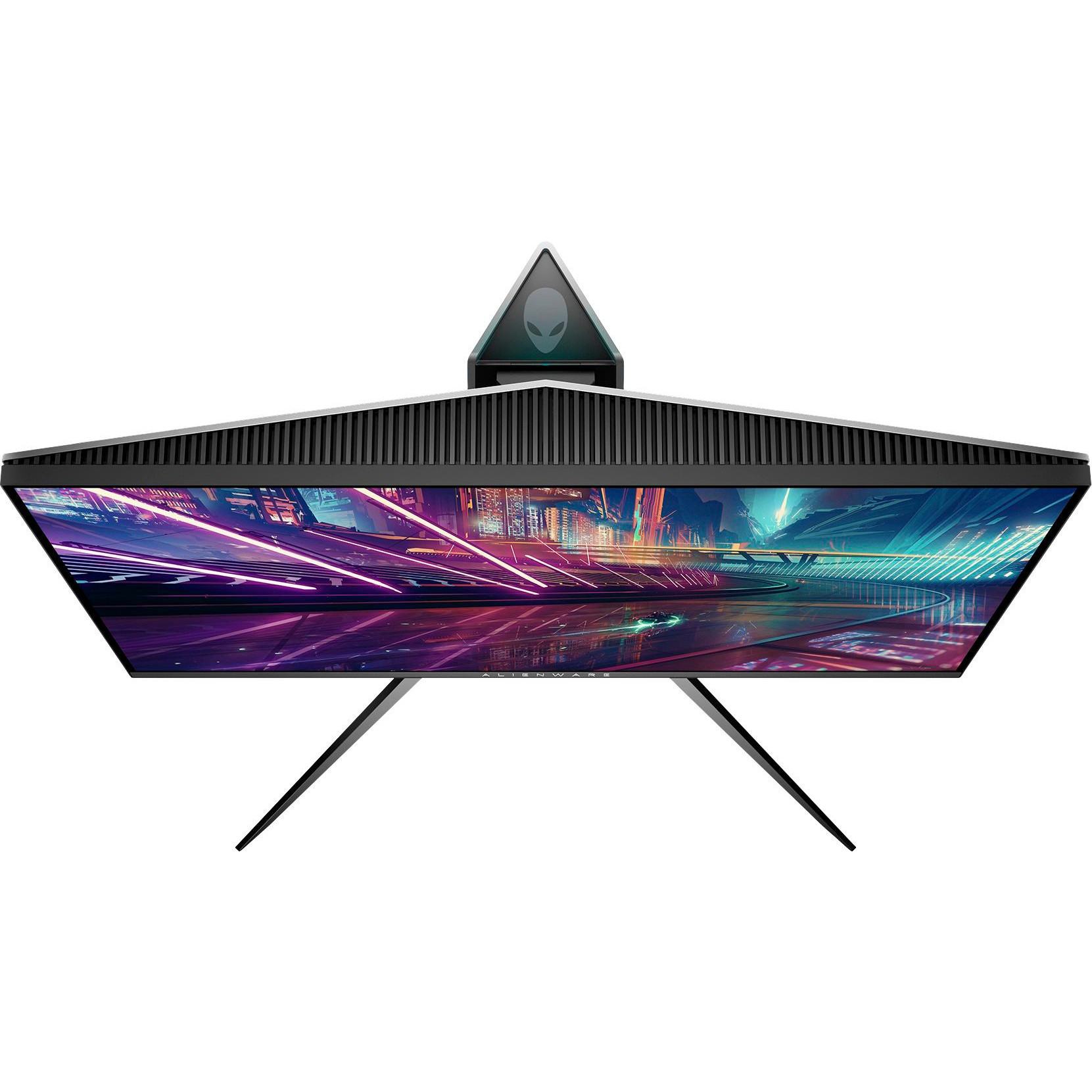
Alienware 25 Gaming Monitor - AW2518Hf, Full HD @ Native 240 Hz, 16:9, 1ms Response Time, DP, HDMI 2.0a, USB 3.0, AMD FreeSync, Tilt, Swivel, Height-Adjustable
Write a review
$32900

Alienware 25 Gaming Monitor - AW2518Hf, Full HD @ Native 240 Hz, 16:9, 1ms Response Time, DP, HDMI 2.0a, USB 3.0, AMD FreeSync, Tilt, Swivel, Height-Adjustable

Write a review
B0733YCKM5
+
Add to wish list
Target is a general merchandise retailer with stores in all 50 states and the District...

City: US, New York

Delivery
Pickup at your own expense
Tomorrow from 09:00 to 20:00, Store location
Free
Payment options
Apple Pay Google Pay Mastercard Visa
Cash, bank card, credit/installment payments, cashless payment for legal entities
Warranty and returns
Exchange/return of products of proper quality within 14 days Official manufacturer's warranty: 12 months
Features
Display Type
LCD
Item Dimensions
21.88 x 10.57 x 20.56 in
Item Weight
13.47 lbs
Mount Type
Table mount
Refresh Rate
240 hertz
Screen Size
25 in
Aspect Ratio
16:9
Description
This fits your .

Make sure this fits by entering your model number. Designed for the enthusiast, the AW2518HF delivers a futuristic style and precise form with solid stability Lightning-fast 240Hz native refresh rate combined with 1ms response time delivers buttery-smooth gameplay with virtually no input lag Compatibility- All Operating System. AMD Free Sync eliminates choppy gameplay and broken frames with fluid, artifact-free performance at virtually any framerate Specific gaming OSD (onscreen display) design keeps your user experience in the gaming theme. Brightness : 400 nits Game comfortably in your zone with a height adjustable stand, tilt, swivel and pivot features. Refer to the PDF attached below in Technical Specification for Installation manual

Reviews
4.4
Reviews: 20
5 stars
55%
4 stars
30%
3 stars
10%
2 stars
5%
1 star
0%
Joseph Barker
5
Bought 3 of these to upgrade my battlestation and couldnt be more pleased. It is like that time you went from a mechanical harddrive to a solid state harddrive and your world changed. Good future proof monitor for when cards could actually hit these kind of FPS so I expect these to last for a good 4 years. I guess you could go buy a 120hz monitor but, 240hz is gonna be better no matter how you think about it and these monitors have some of the slimmest bezels. Side by side its about an inch. Eyefinity works great with this setup as does games that support spreading across 3 monitors like PoE or WoW. These monitors also auto adjust to what you are doing such as watching a movie, gaming, browsing etc so they pretty much hit everything I wanted in a monitor. See the picture and welcome to my new world I live in =)
Jason Fox
5
Best monitor out there IMO, i got this one on discount too, cause it had a minor scratch somewhere on it! I Still cant find it though, came in original packaging as well, no components unwrapped. NOTE to people using 240hz, this monitor has HDMI 2.0 on both HDMI ports and is DisplayPort 1.2 compliant. Make sure your GPU has these ports aswell, you will need HDMI 1.4 or DisplayPort 1.2 on your GPU to use 240hz. The cable will not matter, but you cannot use a DisplayPort to HDMI cable, as this limits the monitor to 60hz. The HDMI cable that is included is made well and should support this. Sadly it does not come with a DisplayPort cable despite DisplayPort being better.
Robbie M
5
This monitor is amazing! 240Hz really does feel buttery smooth. I upgraded from 144Hz to 240Hz as I play a lot of CS:GO, and it is well worth it! Included with the monitor is an HDMI cable that supports 240Hz, if your GPU can handle it. Im running on a GTX 1070 and it handles 240Hz with ease. Very happy with the purchase!
Alan
5
Great monitor. Even without G-SYNC. I got the cheaper version because I was strapped for cash and my main monitor is a 165 hz IPS with G-SYNC. I got this monitor strictly to play FPS games on it, namely overwatch. For what I use this monitor for, its fantastic. I saw my accuracy go up 5-6%. I would not use this as my main my monitor though because I feel TNs just cant reproduce the colors that an IPS can. But for the price I paid, its one of hell of a bargain for 240hz.
E. A.
5
Great TN 240hz monitor. The colors are good, and I like the different presets (FPS, Movie, Standard etc. For preset color adjustments). It also has a dark stabilizer, similar to benqs black equalizer. My only compliant is I prefer the smaller/square platform stands for the monitor, as I have a smaller desk that I share my PC and monitor with. The two platform spokes are wide, and slightly protrude on my QCK+. I bought this out of whim to see if 240hz was worth it (I own the 1440P/144hz Dell monitor). I will say playing CSGO death match for about 40 minutes, the game play was much smoother, and it felt like I could flick smoother/more accurate. I would recommend this monitor.
hip63
5
I bought this because after much research, its pretty much the best bang for the buck. I have a ASUS Strix GTX 1070 and although this monitor has not (yet) landed on Nvidias officially certified compatible with g-sync list yet, I can say with confidence that this monitor does indeed work with G-Sync very well. The only game Ive heard anyone mentioning as having issues with g-sync on this monitor is Elder Scrolls Online (which I do not play). Great picture quality, good brightness and silk smooth gameplay and works with G-Sync while costing roughly $120 to $150 less than the official g-sync version of this same monitor. Ive only had this monitor for 3 days now but I can say that it has worked flawlessly with these ganes: Destiny 2 Borderlands 2 Star Wars Battlefront 2 Left 4 Dead 2 Warhammer - Vermintide 2 (damn, thats a lot of "2"s, lol) Anywho, a great monitor!
Roi Soleil
5
Pro: I dont think you can get a better gaming monitor for the price. Set for max resolution and Freesync activated, this does everything I could possibly want. Paired with a Sapphire NITRO 580 and an Intel 8600 ... it screams. Very, very easy set-up too. Con: The USB jacks, HDMI and DP jacks are on the back and in a recess that is accessed vertically. Its very awkward to access and put the jacks in. Not a big deal, just a little hard to see and access. Once theyre in of course, you probably wont have to access it again. Highly recommend this monitor to any gamer on a moderate budget.
Cody
5
This thing is amazing. I wanted a decent monitor to play ps4 on and this thing blew my mind when i turned it on and started playing APEX Legends. The color is amazing. No dead pixels, and it’s amazing how far TN panels have come over the years. I could not have made a better choice.
Linh Ngo
5
I am a content creator who edits videos and loves playing games. I have a Dell Ultrasharp 4K IPS 27” panel, which has served me well especially for Photoshop. But I needed something for gaming, with silky smooth refresh rates, and decent color accuracy. This display is also from Dell, except under their Alienware brand. In order to drive the display at 1080p 240Hz, you need to connect to a graphics card through DisplayPort 1.2 or higher. I use a GTX 1070 Ti, so playing games like Overwatch and CS:GO is excellent. The display has better viewing angles than any TN panel I’ve seen, and the brightness goes up to a sustained 400 nits (450 sometimes). I’ve calibrated the display and achieved 99% sRGB, and 82% Adobe RGB, and a Delta E of around 2. Colors pop on this TN, and that’s an accomplishment. The stand is built like a tank, I bang on my table after dying so much in Overwatch and it doesn’t budge. It includes an HDMI, not a DisplayPort, so I had to buy my own, but that’s okay they’re like <$10 US. The USB hub is very convenient. And the bezels are very thin, like my Dell Ultrasharp. I wouldn’t be surprised if Dell used the same Infinity Edge tech as their other flagship displays.
Thomas Patrick
5
I purchased this monitor towards the end of February for $279, an absolute steal! Im very impressed with the design and image quality, couldnt be happier. Ive never actually had a gaming monitor so this is the first time for me getting to experience a high refresh rate. As soon as you switch the settings from the default connection via HDMI @ 60Hz to 240Hz, there is a noticeable difference in the way the cursor moves across the screen and the colors seemed to pop more as soon as I switched to 240Hz. Its very smooth and makes for a great experience. I ran into an issue using the DisplayPort initially. One HUGE con worth mentioning is that the I/O port on the back is almost useless because there is a raised piece of plastic just underneath the ports and it makes it ALMOST impossible to insert the DisplayPort cable, it actually feels like its not going in correctly/at an angle because youre unable to get it flush and flat enough to plug it in. Horrible design flaw, honestly dont know why that little piece is there. Im not sure if that was why I couldnt get the display working with DP or what, but I couldnt get it working with DisplayPort (it could have been a defective cable, too). I had to use the included HDMI cable and by default it runs the monitor at 60Hz. You have to go into display settings and set the refresh rate to 240Hz. Boom, done. Although, Windows is showing it actually running at 239Hz. I heard that HDMI wouldnt be able to run 240Hz, but it is and setting the refresh rate in Overwatch its also running at 240Hz.

Showing 10 of 11 reviews

Product variations
Column filling
Sort by Price Sort by Availability Sort by CODE Sort by Screen Size
$32900
In stock
+
B0733YCKM5
Screen Size:
25 in
$27900
In stock
+
B0733YCKM5_B4F4
Screen Size:
21.5 in
$62900
In stock
+
B0733YCKM5_2834
Screen Size:
34.1 in
$87800
In stock
+
B0733YCKM5_190B
Screen Size:
31.5 in
You may be interested
  • Bestsellers
  • Recently Viewed
 
Similar products
Show more
Fast and high quality delivery

Our company makes delivery all over the country

Quality assurance and service

We offer only those goods, in which quality we are sure

Returns within 30 days

You have 30 days to test your purchase