
















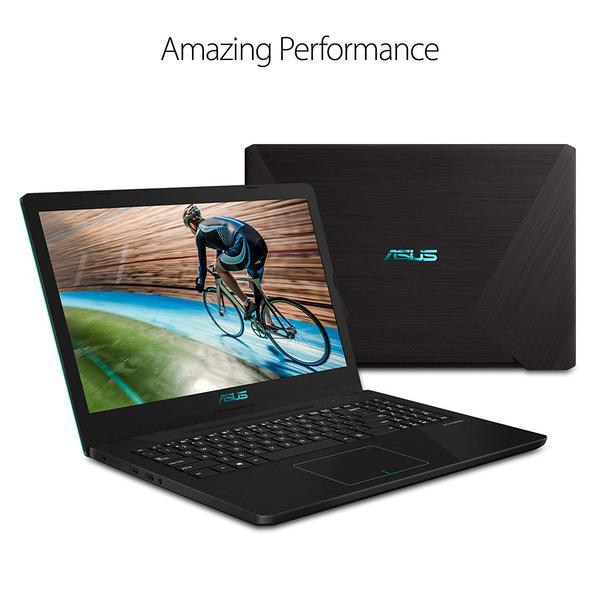
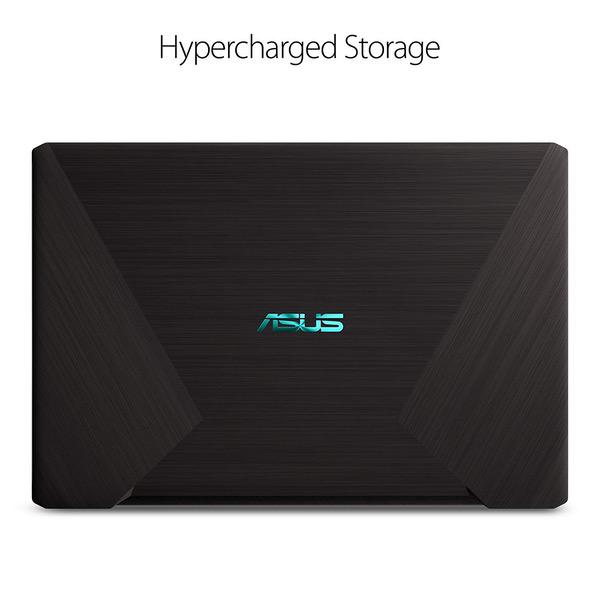
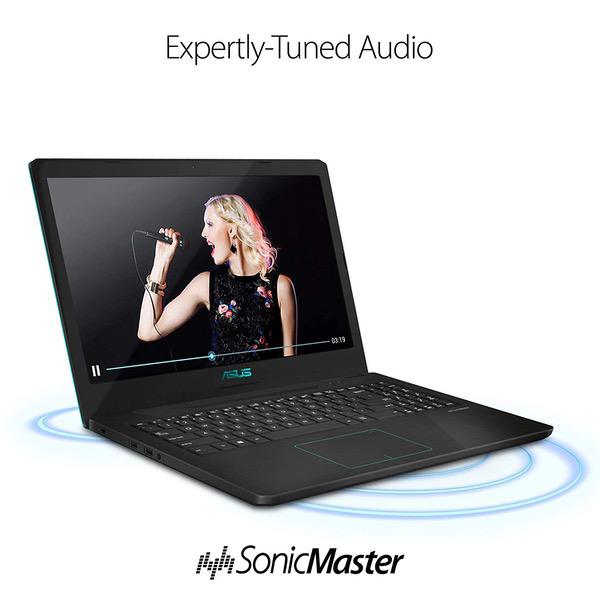
ASUS Vivobook K570ZD Casual Gaming Laptop, 15.6” Full HD IPS Level, AMD Quad Core Ryzen 5 2500U CPU, GeForce GTX 1050, 8GB DDR4, 256GB SSD, Fingerprint Reader, Backlit KB, Windows 10 – K570ZD-ES51
Write a review
$59000

ASUS Vivobook K570ZD Casual Gaming Laptop, 15.6” Full HD IPS Level, AMD Quad Core Ryzen 5 2500U CPU, GeForce GTX 1050, 8GB DDR4, 256GB SSD, Fingerprint Reader, Backlit KB, Windows 10 – K570ZD-ES51

Write a review
B07MKLLVFZ
R5-2500U | GTX 1050 | 256GB
+
Add to wish list
Hard Drive256 GB Mechanical Hard Drive Processor BrandAMD Processor3.6 GHz Ryzen 5 2500U
Target is a general merchandise retailer with stores in all 50 states and the District...

City: US, New York

Delivery
Pickup at your own expense
Tomorrow from 09:00 to 20:00, Store location
Free
Payment options
Apple Pay Google Pay Mastercard Visa
Cash, bank card, credit/installment payments, cashless payment for legal entities
Warranty and returns
Exchange/return of products of proper quality within 14 days Official manufacturer's warranty: 12 months
Features
Graphics Coprocessor
NVIDIA GeForce GTX 1050
Item Dimensions
14.7 x 10.1 x 0.9 inches
Item model number
K570ZD-ES51
Item Weight
4.32 pounds
Operating System
  • Windows 10 Home
Series
VivoBook K570
Style
R5-2500U | GTX 1050 | 256GB
Wireless Type
802.11a/b/g/n/ac
RAM
8 GB DDR4
Hard Drive
256 GB Mechanical Hard Drive
Batteries
1 Lithium Polymer batteries required. (included)
Brand Name
ASUS
Processor
Processor Brand
AMD
Processor Count
4
Processor
3.6 GHz Ryzen 5 2500U
USB
USB 2.0 Ports
2
USB 3.0 Ports
2
Description
This fits your .
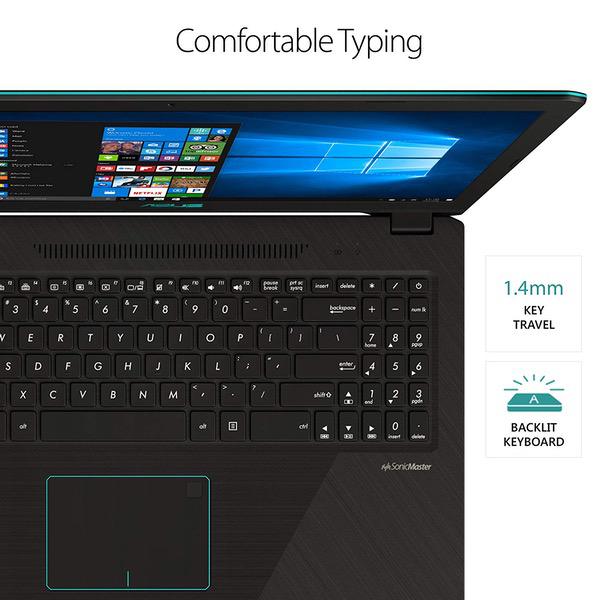
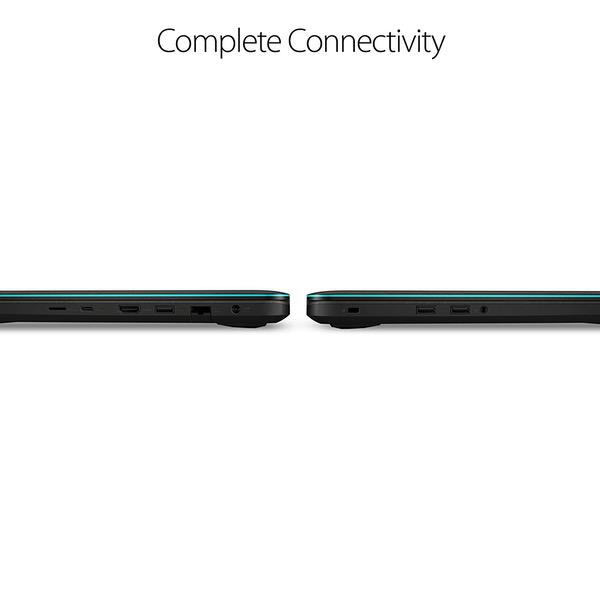
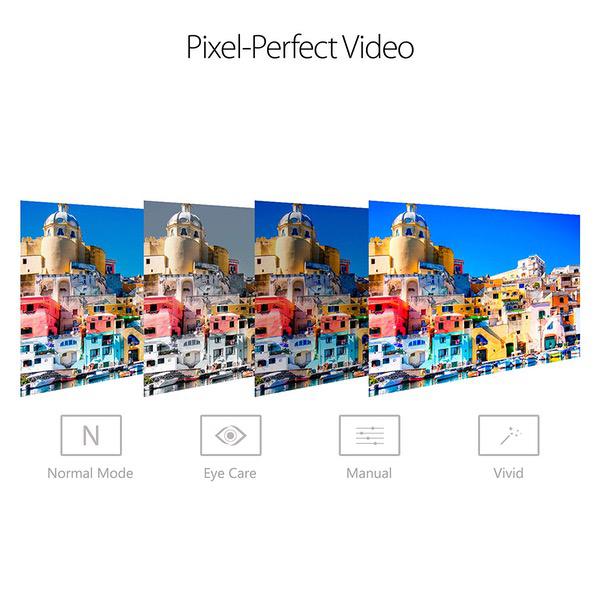
Make sure this fits by entering your model number. Amd Quad-core Ryzen 5 2500U Processor (Up to 3.6 GHz) and NVIDIA GeForce GTX 1050 2GB GDDR5 Graphics 15.6” FHD IPS level display 8GB DDR4 RAM; 256GB M.2 SSD; Windows 10 Home Fingerprint reader and backlit keyboard; casual gaming laptop Comprehensive connections including USB 3.1 Type-C (Gen1), USB 3.0, USB 2.0, HDMI, & headphone/mic port.Bluetooth 4.2 Durable thin and light chassis & long-lasting lithium polymer battery charges up to 60% capacity in just 49 minutes; lightning-fast dual antenna 802.11AC Wi-Fi keeps you connected through any congestion or interference
Reviews
4
Reviews: 20
5 stars
40%
4 stars
30%
3 stars
20%
2 stars
5%
1 star
5%
James Hylton
5
(CLARIFICATION: This review is specifically for the K570UD-ES76, which includes the i7 processor & 16gigs of RAM. Dont let the 2 & 3 star reviews fool you: most of those that Ive seen are for the i5 processor version, and thats an entirely different computer for all intents and purposes. Also, the pictures Ive included are after 3 months of use; my keyboard has a dust-cover over it.) My first (and only) ever laptop was the ASUS K55A-DB51, so that is technically my only point of reference for comparison. Considering that the K55A lasted the better part of 5 years, I decided to stick with ASUS upon deciding to get a new laptop. (I should note that my K55A is still perfectly functional: the reason for the upgrade is that 1] 5 years of wear & tear as a college student have taken their toll, and 2] the software can no longer keep up with my work.) Heres the basic comparison: K55A - i5-3210M Processor, 8Gb RAM, Intel HD 4000 Graphics, Windows 7. K570UD - i7-8550U Processor, 16Gb RAM, Geforce 1050 GTX Graphics, Windows 10 Definitely an upgrade. As of 6/30/2018, it has been two whole days since I received the K570UD, and it is a world of difference in comparison! I will be judging the laptop overall by Software, Interface & Connection, and Casing & Durability. Software: 4.8 / 5 Immediately upon finishing the basic setup I put the software on this laptop to the test, using several games to push the software as hard as I could. The first thing I fired up was Wargamings World of Warships (Set to Medium graphic settings w/ 4x anti-aliasing; my K55A could handle it on Low graphics), while simultaneously downloading & Installing about 6 different other games via Steam, while also playing a YouTube playlist in the background. I had 2 web browsers open (including the one with YouTube) during this time (Google Chrome & Firefox: Sorry Edge, but your predecessor makes it hard for me to trust you). I ran the machine for a good three hours this way. During that time I hit 60% memory usage on average with occasional bursts to 100%, but it never slowed my laptop down or interrupted my gameplay. The GPU usage never went above 78%, so I am confident that I could set the graphics on World of Warships even higher if I wanted to. The CPU was all over the place, hitting 100% several times every other minute or so, which caused very brief (no more than 1 second) hiccups in gameplay, but I hardly even noticed them. If I did this on my K55A, it would punch me in the face right before it blew up in my face... The fact that I was actually on Power Saving mode (didnt realize that until after this little test) makes this even more impressive to me! I also ran SolidWorks (one of my engineering programs) on a separate (and more realistic of my intended use) test, and it ran flawlessly. Interface & Connection: 3.8 / 5 There are two USB ports and an audio-jack on the left side. The right side has one USB, a USB-C (never used one of those before), an HDMI port, an Ethernet port, and a Micro-SD slot (as well as the charging port). Very similar to the layout on the K55A, except its in reverse (On the K55A most of the ports are on the left side vs the right). This layout actually makes it slightly inconvenient since Im right-handed, and if I have an Ethernet cable plugged in it gets in the way of my mouse when I use it. Of course if youre left handed, this shouldnt be a problem, and even then its not so inconvenient as to be unworkable. The thumb scanner is easy enough to use if set up properly. Another rather curious issue is the absence of indicator lights for the CAPS Lock, Scroll Lock, and Num-Lock keys. I dont know why they would exclude them, but it makes it difficult to know if they are on or not. During my little "test" there were some minor heating issues near the back of the laptop, but the rest of the keyboard and pad stayed cool throughout the test. Casing & Durability: 4.6 / 5 (Updated) My K55A went through a lot in 5 years, and still runs quite nicely. That said, I cant vouch for the K570UDs long term durability quite yet. Since I am a Mechanical Engineer, I can at least give some pointers. The casing over the keyboard appears to be aluminum; the rest is plastic. The case covering the screen is slightly flexible, but not enough for me to worry. 11 screws secure the bottom cover, and all eleven need to be removed to reach the inside components. (I kind of miss the K55A setup here: that one has a panel that when removed gives access to all up-gradable components, and only required two screws be removed.) The heating vents are all in the back of the laptop, which I dont mind. (Its actually nice not having a heating vent toasting my left hand anymore). Overall, Id say its more durable than my old K55A, so I expect to get a good 3-4 years of use out of it as long as I take care of it. UPDATE - 9/17/18: After three months, I am quite impressed by how well my K570UD has held up. The only problem I have encountered is that the bezel near the back has developed minor wear, likely from rubbing against the inside of the backpack I carry it in (My backpack has a slot specifically for a laptop). Its minor enough that Im not too concerned, but I have now included pictures. Conclusion: I bought this knowing that it was not the "best of the best" out there. I spent a good 3 months researching various laptops before I decided on this one, and even then only after researching the K570UD for a good 2 weeks. As such, I was aware of what to expect long before I had even bought it, and so far I have yet to encounter anything that I didnt expect. ASUS likes to strive for excellence, and I think they did so here. My criteria were very simple: I wanted a laptop that was more than capable of handling my school work, and better than my K55A in all specs. The K570UD is not the best, but it is more than enough to handle anything outside of VR. If youre like me and looking for an upgrade from an older laptop, then this is a fantastic machine to upgrade to! If youre a PC gamer and want to play games but you dont really care about 4K graphics, this machine will get the job done! And if youre a college student that wants a good laptop that can handle hefty programs, then I can also recommend this to you! I cannot recommend this to you if you: Want only the absolute best. Want to take over the world (unless its a game world, then maybe). Want a laptop that is also a Swiss army knife. Literally. Are on a budget of under $1,000. Are actually shopping for shoes and you have no idea how you got here. Thus, my rating is 5/5 stars for personal satisfaction, 4.55/5 stars for meeting/exceeding expectations. I will update this review as I see fit. P.S. A lot of reviews Ive seen mentioned dings & pits on the screen. I had no such issues, so if you encounter that I would suggest you contact customer support or the folks at Amazon, and Id bet they can sort you out. -UPDATE - 7/19/18: I have encountered an issue that warrants a heads up I believe. The computer still works great, but I have repeatedly had issues with WiFi connection; whenever my computer wakes up from sleep or hibernation, it seems to have increased difficulty locating or finding connections. Right-clicking on the WiFi icon and activating the troubleshooter usually fixes this problem (Usually the troubleshooter just resets the WiFi connection/receiver). Once it does connect, its smooth sailing and connection all the way, so this is mostly a minor inconvenience. I havent determined if this is hardware or software related, so I wont change the score on my review until I determine that.- UPDATE - 9/17/18: Thank you to those who responded in regards to the WiFi issues. Ive confirmed that its a Windows problem, so my score remains unchanged. I want to add that most of the issues I had (few as they may be) have been traced to Windows, and not the computer itself. I also added pictures showing my laptop 3 months later.
Tyler
5
ASUS makes some of the best computers on the market, and this is no exception. If you are upgrading from a mid-level PC, you will notice a substantial difference. This is a premium PC, one of ASUSs higher-end models (along with the ZenBook). It comes with an SSD (for the OS), an HDD (for storage), 16GB RAM, and an Intel i7 processor, and a NVIDIA GTX 1050 4 GB GPU. This laptop is more than capable of handling most business needs. It can effortlessly run multiple RAM-intensive programs and its read/write times are pretty good. I mainly use this PC for development and it can Eclipse, Firefox, and another program or two with no decrease in speed. The keyboard is backlit, and feels great. Typing is very comfortable and the premium feel of the laptop becomes very apparent here. Another feature which elicits the premium feel of the laptop is the 15.6" FHD display. The graphics on this PC are amazing. If you are coming from another PC with similar specs, you may not notice the difference, but upgrading from a PC at half the price of this one, it becomes very noticeable. This laptop is also very light. While obviously not as light as, say, a MacBook Air, it is still easily under five pounds and can be carried around under your arm or in a backpack with no problem. The fingerprint scanner isnt the best, and is more of a gimmick. Its nice to be able to unlock the PC with your finger, but its really not much faster than typing a password or PIN. Ive had it say it cannot recognize my fingerprint, only to tell me that fingerprint is already added when I try to add it as a new one. This PC also is not for anything other than casual gaming, but if you want to game intensively, you probably would be looking for other PC anyway. This is a great laptop and if you need a PC for business, development, or even just streaming/browsing, look no further.
Al
5
I was looking for a laptop that can handle mutable actions that would fit into my life style and Asus fit the bill. For business the ram power and storage was great and the speed is awesome. The SSD storage and sound production module fits perfect connected to my high end sound system using JRiver media. The size and weight for traveling is great. I wish the charger adapter was as smaller. Battery time is also great. For now I believe my selection was great.
Amazon Customer
5
Ive had this vivobook (I7 8th gen processor, 16gb ram, 256gb ssd, 1tb hdd) for a month now and use it for photo editing and some gaming. This does both well. When gaming the fan does spool up and is noticeable when not wearing headphones, but doesnt bother me at all. I went with this laptop because it had a matte, non touch screen in addition to the hardware config I wanted. I hate the shiny screens so the matte was a must. The mouse pad works well and the fingerprint reader works just as well as my phones. Battery life is were this machine suffers. Even when working on spreadsheets or documents the battery life isnt good. This wasnt a big deal for me since I do most of my computer work at home, but if you need a computer to last all day on battery power this wont do it. Overall, very pleased with the laptop.
Omega Elite
5
I upgraded from an Asus GL551JK and I am very satisfied. In case you don’t know, I purchased the 15.6’’ Vivobook for 1099.99. It comes with an i78550 Processor, 16gb DDR4 RAM, GTX 1050 4gb Dedicated, 256 SSD, and 1TB. This is a comparative review. Pros: - It’s thin and light. - It’s not a fingerprint magnet except for the trackpad. - Quicker than my old laptop. - Great price for a decent gaming laptop. - Nice design and a nice change from the usual red and black gaming laptops. - You can’t really find a gaming laptop as equipped and good-looking as this one for this price. Cons: - Keys and trackpad are fingerprint magnets.
Brad Hagan
5
I own a managed service company and have over 20 years in IT and even more in PC gaming. We use Asus for workstations at several sites and have hundreds vivo minis deployed and managed. When I saw this notebook, i picked up 2 for my team members. I will be getting more of these and have recommended them several times already. I went with the AMD Ryzen 5 version with the Nvidia 1050 GPU. We upgraded the SSD and doubled the RAM. These units are awesome for mobile users who work on tech and they offer a solid gaming experience for off hours or down time. Unbeatable for the money....and they are now $100.00 cheaper than when we got them. Asus made another great product!
Jonathan
5
I mostly use Eagle and AutoCAD with this computer and it runs the programs very nice. the AutoCAD I do is 2D. I do use fusion 360 for 3D work and it does well. I dont do very intricate things on these programs as I am still in college and trying to learn these programs. Also, MATLAB runs very smooth and running scripts on computationally heavy problems is much better than my old computer. The battery life is not very good, but it is not essential for what I need the laptop for. A couple hours unplugged is all I really need. As for gaming, I tried Guild Wars 2. Runs very smooth and the graphics look good. Recommended settings arent max. With battery saver mode off it can run high graphics. A fan is a MUST if you plan to use this for gaming. I recommend getting a fan regardless though.
Alice
5
My brother loved this machine dearly. After reviewing several prices and specs of computers around the interwebs, we decided on this and boy are we glad! Used for gaming, basic animation, programming and coding.
Product variations
Column filling
Sort by Price Sort by Availability Sort by CODE Sort by Style Sort by RAM Sort by Processor
$59000
In stock
+
B07MKLLVFZ
Style:
R5-2500U | GTX 1050 | 256GB
RAM:
8 GB DDR4
Processor:
3.6 GHz Ryzen 5 2500U
$41960 $1,04900
In stock
+
B07B2DTYFX
Style:
i7-8550U | GTX 1050 | 256GB/1TB
RAM:
16 GB DDR4
Processor:
4 GHz Intel Core i7
You may be interested
  • Bestsellers
  • Recently Viewed
 
Fast and high quality delivery

Our company makes delivery all over the country

Quality assurance and service

We offer only those goods, in which quality we are sure

Returns within 30 days

You have 30 days to test your purchase