
















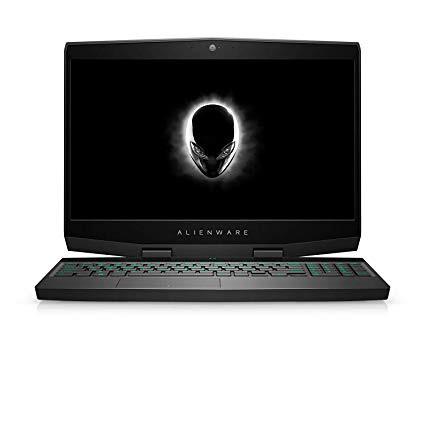
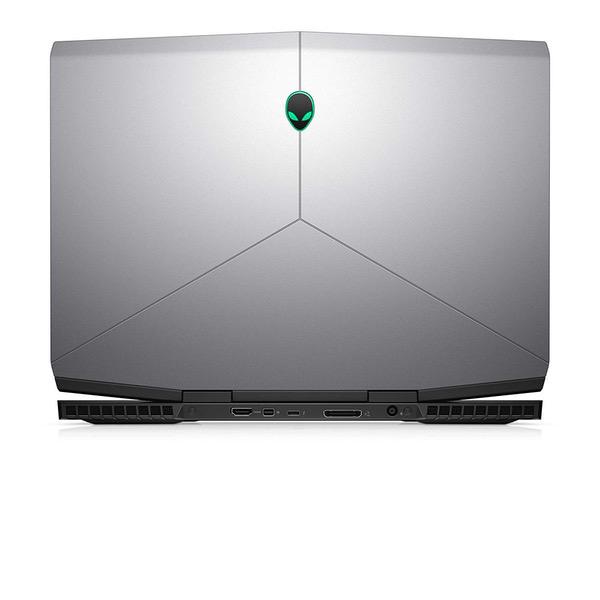
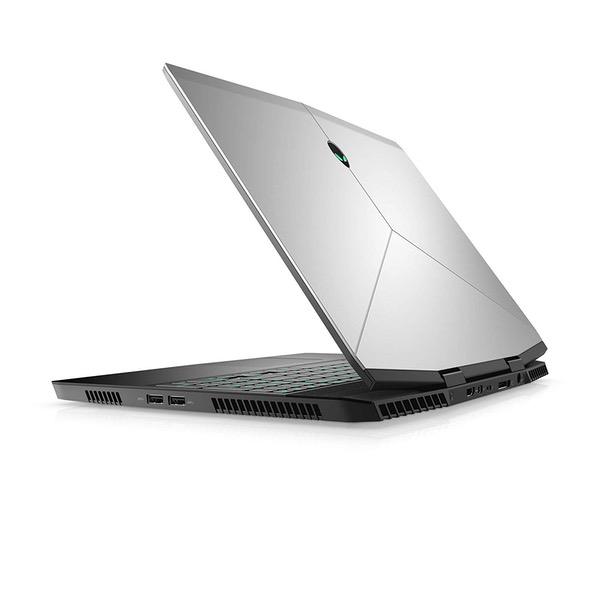
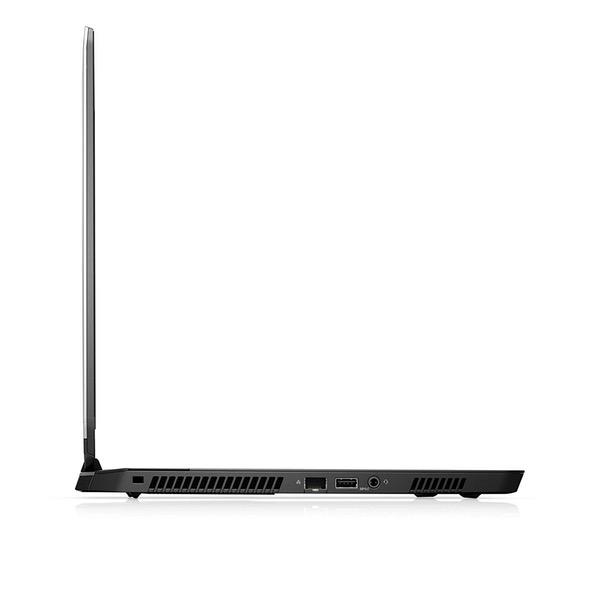
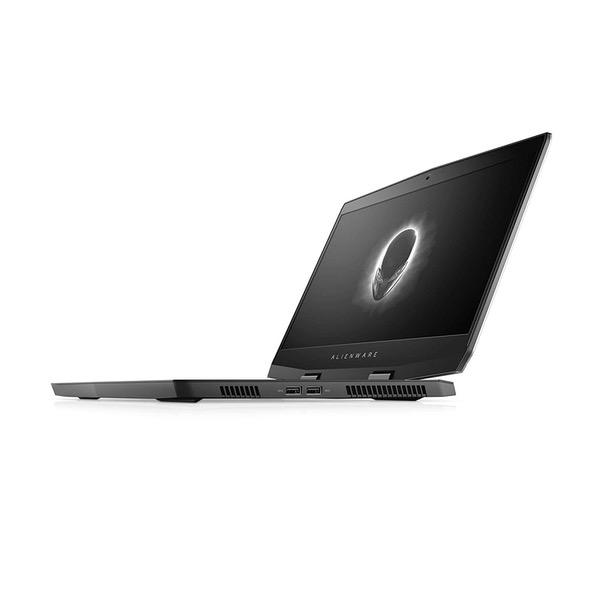

Alienware M15 Thin and Light 15" Gaming Laptop i7-8750H, GTX 1070 Max Q, 128GB NVMe SSD + 1TB SSHD, 16GB DDR4 2666Mhz, 17.9mm Thick & 4.78lbs, Magnesium Alloy Chassis
Write a review
59344 1,48359

Alienware M15 Thin and Light 15" Gaming Laptop i7-8750H, GTX 1070 Max Q, 128GB NVMe SSD + 1TB SSHD, 16GB DDR4 2666Mhz, 17.9mm Thick & 4.78lbs, Magnesium Alloy Chassis

Write a review
B07MP4LK82
It’s Black Friday all month long with new deals each week.
Promotion expires within:
+
Add to wish list
Hard Drive128 GB 128GB PCIe M.2 SSD + 1TB (+8GB SSHD) Hybrid Drive Processor BrandIntel Processor4.1 GHz Core i7 8750H
Target is a general merchandise retailer with stores in all 50 states and the District...

City: US, New York

Delivery
Pickup at your own expense
Tomorrow from 09:00 to 20:00, Store location
Free
Payment options
Apple Pay Google Pay Mastercard Visa
Cash, bank card, credit/installment payments, cashless payment for legal entities
Warranty and returns
Exchange/return of products of proper quality within 14 days Official manufacturer's warranty: 12 months
Features
Graphics Coprocessor
NVIDIA GeForce
Item Dimensions
10.8 x 14.3 x 0.7 inches
Item model number
AWm15-7861SLV-PUS
Item Weight
4.78 pounds
Operating System
  • Windows 10 Home
Series
Alienware M15
RAM
16 GB DDR4
Hard Drive
128 GB 128GB PCIe M.2 SSD + 1TB (+8GB SSHD) Hybrid Drive
Brand Name
Dell
Processor
Processor Brand
Intel
Processor Count
6
Processor
4.1 GHz Core i7 8750H
Description
This fits your .
Make sure this fits by entering your model number. Display: 15.6" FHD, Ultra Thin Bezel - Anti Glare IPS Processor: New Intel Core i7-8750H 2.2 - 4.1GHz (6 Cores) Graphics Card: NVIDIA GeForce GTX 1070 8GB GDDR5 RAM & Storage: 16GB DDR4 2666 Mhz, 128GB PCIE M.2 SSD + 1TB SSHD Operating System: Windows 10
Reviews
3.8
Reviews: 20
5 stars
50%
4 stars
10%
3 stars
20%
2 stars
10%
1 star
10%
Aydan
3
As I write this, I am still debating keeping the laptop or not. Ill boil down my pros and cons so people know what they are getting into when considering the Alienware m15 2019 edition. Pros: - Purchased on a daily deal sale! 20% off. For the specs this was a very good price - Dual Channel Ram. Quite a few laptop makers are using single-stick RAM even though in-game testing by multiple outlets has shown that dual channel RAM can be a real performance boost - Alienware suite. Alienware bundles their computers with a very simple-to-use, but helpful GUI for tracking hardware components and setting profiles for games. Plus the bloatware included was pretty non-existent compared to many other vendors. - Chassis build. Its a solid hunk of mostly-aluminum that offers very little flex (this is a good thing) and plenty of stability. Plus...to me it just looks nice. - Easy to upgrade. Unlike several laptops with a flipped motherboard (making upgrades extremely challenging), the Alienware m15 puts its components within easy reach. Undo 8 little screws, gently pry off the back panel, and youll have access to the RAM, M.2 slots and battery. - The keyboard. Key travel is decent and the keyboard is sufficient size for all but the meatiest fingers. Backlighting is GREAT. There are six RGB zones if youre into that sort of thing too. - Its Merican. Hey, Alienware is an American company (owned by Dell now). Support the home team! Even if these are built in China anyways :( Cons - HEATING. Big con here, folks. While the i7-8750H included is rated to a max temperature of 100 degrees, this pushes far too close to that threshold too often. Moreover, after a session of intense gaming, the Alienware logo button (on/off) can become exceedingly hot. As I captured in Shadow of the Tomb Raider, this laptop gets great FPS on a very demanding game but at quite the heat cost. This might degrade the laptop over time. - Screen backlight bleeding. Unfortunately this is a common issue with many laptop makers. The backlight bleeding is "just acceptable" enough to me that I hesitate to return the laptop as the screen itself has no noticeable dead pixels yet. - Fingerprint magnet. Holy crap...whatever rubberized finish they placed for the wrist-rest, and the vents directly above the CPU/GPU, it must be a forensic scientists dream. Overall, the Alienware m15 performs as expected for its terrific specs. SoTTR on "Highest" settings easily tops 60+ FPS in every scene and 90+ in most. In other, less demanding games like Fortnite or Apex Legends, a user will see the true benefit of the 144hz display. A few problems keep it from being a sure-fire win and this is a very crowded thin-and-light category. If not for the terrific sale price, I would not recommend this over any of the numerous similar machines such as the Lenovo Legion Y740, the Acer Triton 500 or the HP Omen 15t.
JohnY
3
Pros: Great for only gaming, good framerates, with a slight underclock it had good temps like every laptop with an i7 8750H ->The NMVE SSD is really quick and snappy ->The screen quality is good, great IPS screen. ->Quick Wlan ->The keyboard is fine, Ive used better ones but this one is fine Con: Not for regular work outside, I will elaborate in the points below ->Fan never turns off (even in light use, browsing etc) -I underclocked the laptop to 1ghz with throttle stop. Raised laptop 1 inch off the table for good air flow. I turned the fans to the lowest possible in the Alienware control center software (I uninstalled, with removing registry info and reinstalled it 3x, as well because I had lighting issues with Alienware keyboard lighting) and still didnt work. I updated all of the drivers and bios and nothing changed. I eventually got the temp went down to 38C in the CPU and GPU. One fan turned off because the laptop was cool enough but the 2nd fan kept going. The 2nd fan stayed on and never turned off. Never. Its always on. It is a constant swooshing sound thats very clearly audible in a quiet room. So if youre doing anything other than gaming in a quiet room and you dont want to here a constant swoosh while just browsing or checking your email this is not the right laptop for you. This is the things that made me return the laptop. I am sure a bios update and a software update might fix it. But this thing has been out since mid-2018. I honestly dont expect it will change. ->Battery life is bad if you get the smaller battery (which I had) -But I thought the advantage, was that instead there was space for a 2.5" HDD, and I already owned a 2.5 SSD. But it turns out its near impossible to get it working. See below. ->Does NOT come with a 2.5" HDD caddy or wire and no extra screw for extra M.2 and no heatshield -Want to upgrade your laptop with a 2.5" HDD? = There is nothing to keep it stable and screwed into the chassis -Want to just tape the 2.5" HDD with really strong tape into the laptop and forget about the screws? = There is no wire to connect it to the motherboard and its a proprietary wire. -Want to upgrade with an M.2 instead? = There is no screw or heatshield to hold in place or keep it cool -Want to buy the separate pieces (HDD caddy, HDD cable to motherboard, screws, heatshield)? = DELL DOES NOT sell them, they say they can only give me the part numbers, Ive even read on forums people not getting the part numbers from the Dell customer service. -Want to buy the parts online from ebay or any other online store with the part numbers? = No One Sell Them... near impossible to find, I couldnt find them anywhere. -> I did not like the mouse pad, it was small and felt like plastic and honestly a bad build for a high priced premium laptop. Also, when pushing down lightly on the mouse pad with the finger, you would get a creaking noise. This was light pressure, not enough pressure to get full click put a bit stronger than a tap. I am not the only that had this problem, it seems to be a design flaw. You could live with it if youre not a perfectionist but its not nice. ->The bezel around the laptop is unnecessarily big. Especially for the price. This laptop sells close to the prices of the MSI GS65, ASUS Zephyrus, and the Gigabyte aero and all of them are smaller in form factor. ->The size and weight of the whole laptop is relatively large compared to the other options. -> The Alienware control centre was buggy with me, with issues with the lighting of the keyboard and the alienware sign even after uninstalling and installing it. Conclusion: why did I give it three stars? Honestly, if you only game on it, its a fine laptop. It gives high FPS, I use an external mouse, screen is fine, load times are fine, I dont mind the fan sound when I was gaming because its actually cooling the laptop and most people have a headset on. The problem for me is I wanted a laptop I could use for light use at home, email, and browsing and not making constant fine noises. I also wanted a laptop that I could take with me to work or study outside and this is not that laptop. It literally didnt fit in my backpack laptop pouch because it was just too large. The thing that bothered me the most were the fans that were literally always on, even if you cool it to the point that it does not need the fans to be on anymore. Also, the price was too much for a laptop that was heavier and bigger than its competitors. with more flaws. This laptop sells close to the prices of the MSI GS65, ASUS Zephyrus, and the Gigabyte aero and all of them are smaller in form factor and do everything better than the Alienware laptop. I am sad to say this but there is literally no reason to buy this with the alternatives around. I tried my best to like it and I didnt give up easily but it just didnt work out. Its sad because for gaming it was great but thats where it ended for me.
kelly
3
First of all, this laptop is one of the sleekest, most streamlined gaming notebooks Ive ever seen. It feels solid and the screen, keyboard, and overall aesthetics are brilliant. The fans can be a bit loud when the system is under load but that is to be expected with any gaming laptop. Be aware of Windows Updates pushing firmware (BIOS) updates - while performing a "Windows" update, my computer hung during a BIOS update causing the fans to not run and the power button (even holding down for 7-10 seconds) to not respond. I had to (with Alienware/Dell tech support on the phone), remove the bottom cover and disconnect the battery. We were able to get it properly updated but we aware. I will post more as I own it longer than 10 hours.
User
3
I used to own an Alienware 15 m3 in 2018. I sent it for screen replacement twice within the first year. This m15s Windows key broke (internally not structurally, reset PC didnt fix it) within the first week! Seriously wtf! The laptop can handle any game at 1080p. The base battery lasts around 4 hours wifi + battery saver power plan. However, I dont care because the QC is so shit. Think about it, what are the odds of getting two defective laptops in a row? Moreover, the warranty is only a year. You are screwed if defect happened after a year. This is a nightmare.
Product variations
Column filling
Sort by Price Sort by Availability Sort by CODE Sort by RAM Sort by Processor
59344 1,48359
In stock
+
B07MP4LK82
RAM:
16 GB DDR4
Processor:
4.1 GHz Core i7 8750H
You may be interested
  • Bestsellers
  • Recently Viewed
 
Similar products
76531 1,91328 -60%
New York, US
Gold
ColorGray SeriesMacBook Pro
39031 97578 -60%
New York, US
Gold
ColorGray SeriesMacBook Pro
Show more
Fast and high quality delivery

Our company makes delivery all over the country

Quality assurance and service

We offer only those goods, in which quality we are sure

Returns within 30 days

You have 30 days to test your purchase