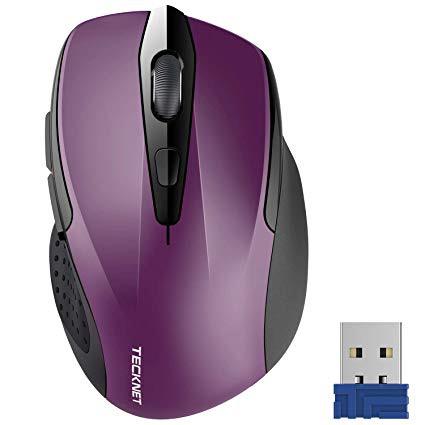

TeckNet Pro 2.4G Ergonomic Wireless Mobile Optical Mouse with USB Nano Receiver for Laptop,PC,Computer,Chromebook,MacBook,Notebook,6 Buttons,24 Months Battery Life,5 DPI Adjustment Levels
Write a review
$900 $5000

TeckNet Pro 2.4G Ergonomic Wireless Mobile Optical Mouse with USB Nano Receiver for Laptop,PC,Computer,Chromebook,MacBook,Notebook,6 Buttons,24 Months Battery Life,5 DPI Adjustment Levels

Write a review
B015NBTAOW
+
Add to wish list
Target is a general merchandise retailer with stores in all 50 states and the District...

City: US, New York

Delivery
Pickup at your own expense
Tomorrow from 09:00 to 20:00, Store location
Free
Payment options
Apple Pay Google Pay Mastercard Visa
Cash, bank card, credit/installment payments, cashless payment for legal entities
Warranty and returns
Exchange/return of products of proper quality within 14 days Official manufacturer's warranty: 12 months
Description
This fits your .
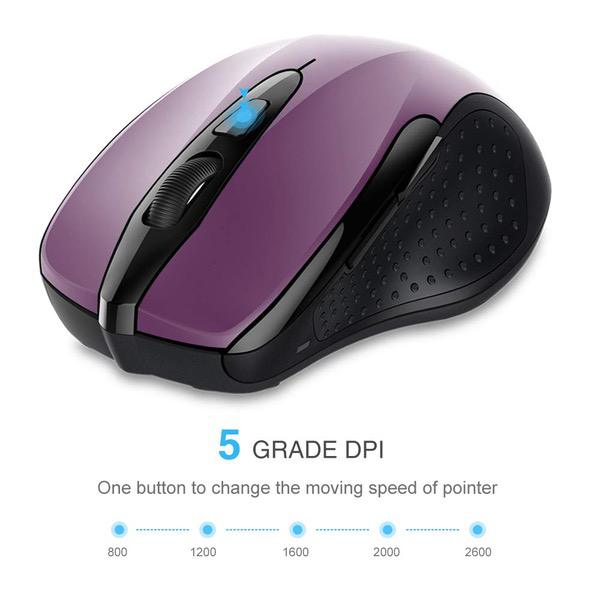
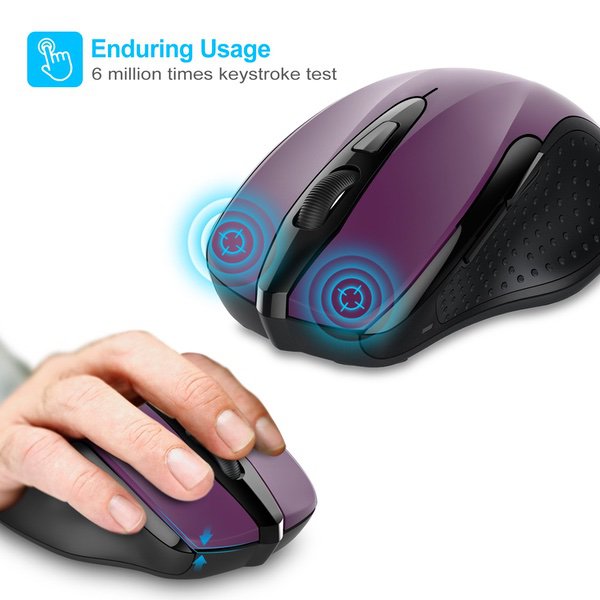
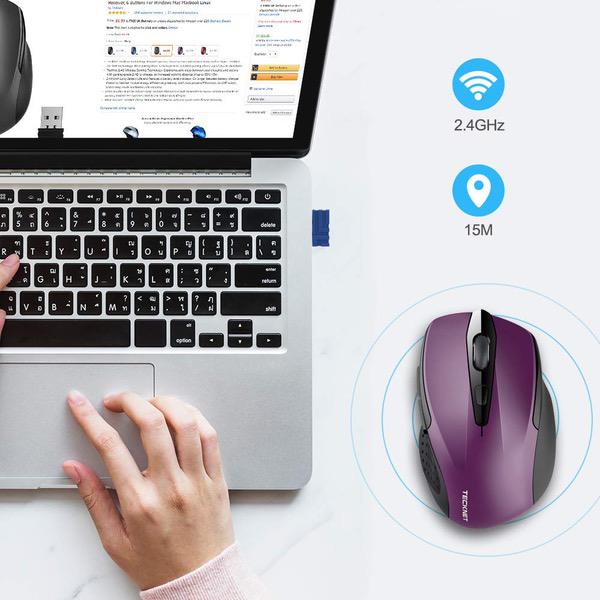
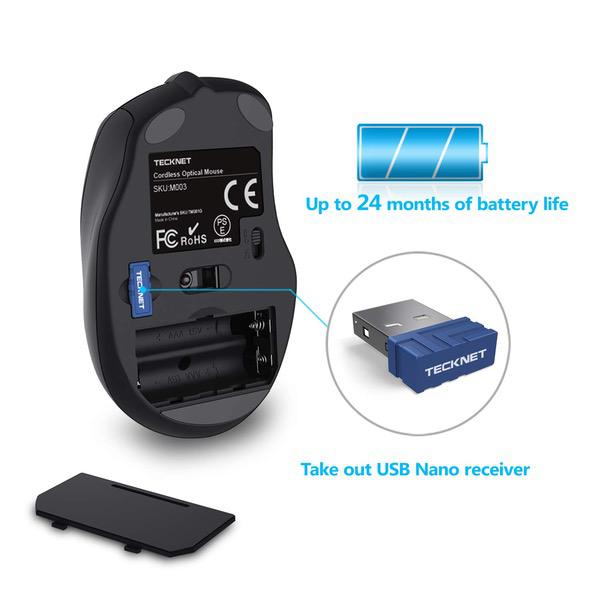
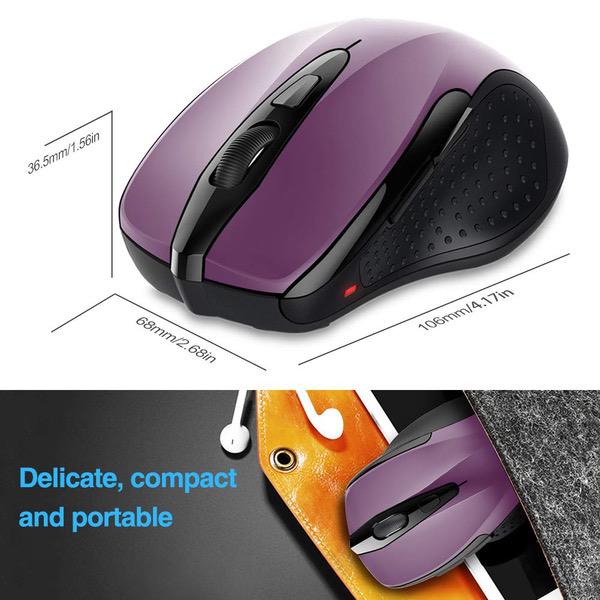
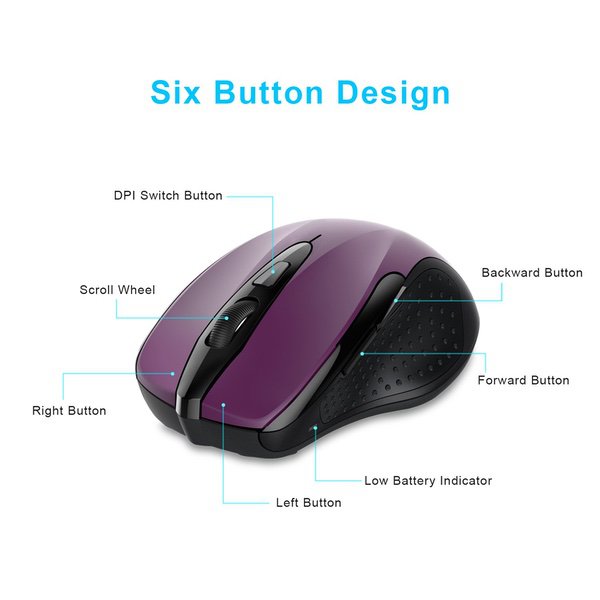
Make sure this fits by entering your model number. Plug & Play - Comes with a tiny USB Nano receiver(stored within the back of the mouse) , just plug it into your PC and then forget it. 5 Adjustable DPI Level (2600/2000/1600/1200/800) - choose your own cursor speed. 2.4GHz Wireless Mouse- Ensures reliable connection with an increased working distance of up to 33' (15m) and eliminates delays, dropouts and interference. Contoured shape with soft rubber grips provide all-day comfort. TeckNet Tru-Wave Technology - Provides precise, smart cursor control over many surface types. TeckNet Co-Link technology – after pairing there’s no need to re-establish pairing after a signal loss or shutdown. Hassle-free Design - Up to 24-months battery life with a battery level indicator. Smart auto-sleep mode saves power (battery life may vary based on user and computing conditions). Compatible with Windows XP, Vista, 7, 8, 8.1,10 and Linux. Works with Notebook,Chromebook, PC, Laptop, Computer, and more.(batteries are NOT included)
Reviews
3.7
Reviews: 20
5 stars
50%
4 stars
15%
3 stars
10%
2 stars
0%
1 star
25%
WX_Guy
1
First, the mouse is uncomfortable in my hand. There are some rough spots on the left side and overall it is uncomfortable. Battery case is difficult to open first time. Dongle stores outside battery compartment where it can be easily lost. .All of that is personal preference. Granted. What is unacceptable is that the mouse does not work, wont connect/pair. And apparently, it cant be returned. Save your money and avoid this product.
Kirt
1
i do like the idea of having a back and forward button however they need to find a different place for them cause if you just pick up the mouse you hit the button.. and i as far as comfort i feel that my middle finger hangs over the mouse i would prefer the right side of the mouse be longer then the left side of the mouse , because the middle finger is longer .. i have used this mouse for about a month now i originally gave this product a 3 star but after using it for a month i really dont like it reason is the forward and back buttons on the side just above the thumb .. you hit the forward and back buttons all the time accidentally. so now its a 1 star product.
Itiswhatitis
1
It simply didnt work. I inserted five sets of batteries--all of which worked in other devices--but it never lit up and it never responded. I confirmed my wireless network, updated my driver, deleted/reinstalled my USB Controller, offered up my second-born child--nothing succeeded in establishing a connection between this wireless mouse and my PC. Too bad. I really liked that kid.
dragonfly
1
here is an excerpt from the main desription; "Compatible with Windows XP, Vista, 7, 8, 8.1,10, Mac and Linux." notice it says it is compatible with Mac - but the directions that came with it say this: "Operating System - Windows 2000, 2003, XP, Vista, Win7, Win8, Win8.1, Win10. Note: The scroll wheel only works under the operating systems listed above. If you use the mouse under a different operating system, the mouse may either not work or loose its enhanced features." i have a Mac and it works - for about 10 seconds and then stops working... if i turn off the on/off switch on the bottom and then turn it back on it will work again - for about 10 seconds... i tried it plugged into my surveillance NVR (not Mac) - did the same thing...
Splitfx
1
Not sure if it is my specific PC settings, but batteries last only a few days. You wouldnt believe the frustration not being able to wake the computer up the day after brand new batteries are place in the mouse. You would have to babysit you on/off button to drag out the length of use with each battery change. If I wasnt using rechargeable batteries, then the cost of consumable batteries would have tripled the cost of this mouse in the first month of use. Ultimately, I switched to using a wired mouse, and threw this in the garbage!
You may be interested
  • Bestsellers
  • Recently Viewed
 
Fast and high quality delivery

Our company makes delivery all over the country

Quality assurance and service

We offer only those goods, in which quality we are sure

Returns within 30 days

You have 30 days to test your purchase