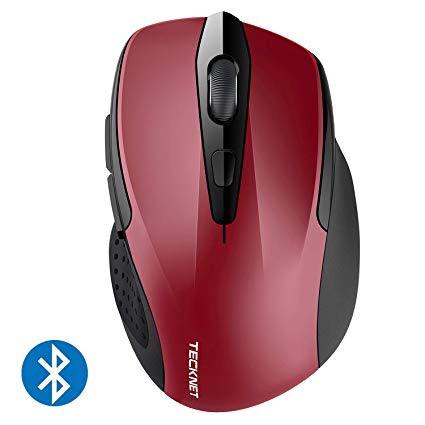
TeckNet 2600DPI Bluetooth Wireless Mouse, 12 Months Battery Life with Battery Indicator, 2600/2000/1600/1200/800DPI
Write a review
$1400 $5000

TeckNet 2600DPI Bluetooth Wireless Mouse, 12 Months Battery Life with Battery Indicator, 2600/2000/1600/1200/800DPI

Write a review
B07FV8NPD7
+
Add to wish list
Target is a general merchandise retailer with stores in all 50 states and the District...

City: US, New York

Delivery
Pickup at your own expense
Tomorrow from 09:00 to 20:00, Store location
Free
Payment options
Apple Pay Google Pay Mastercard Visa
Cash, bank card, credit/installment payments, cashless payment for legal entities
Warranty and returns
Exchange/return of products of proper quality within 14 days Official manufacturer's warranty: 12 months
Description
This fits your .
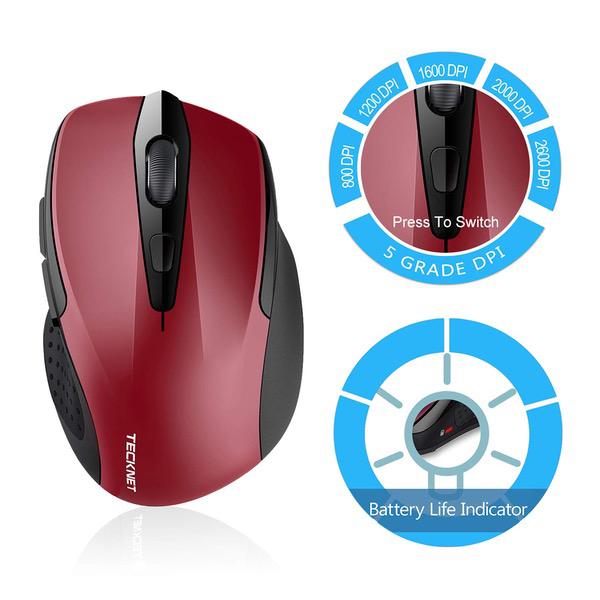
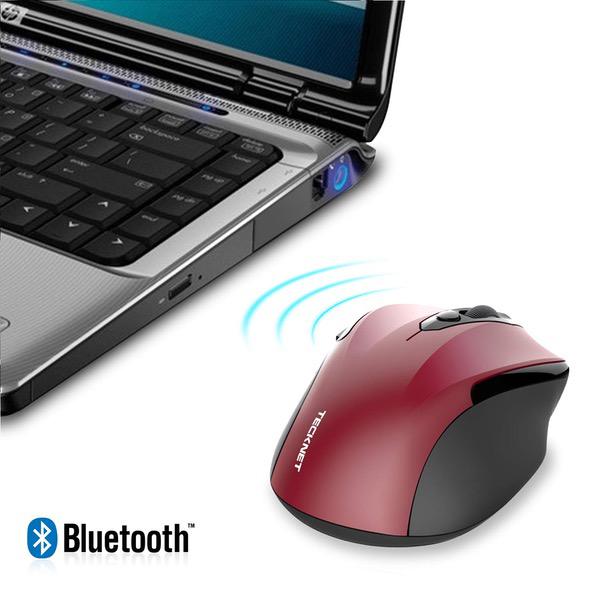
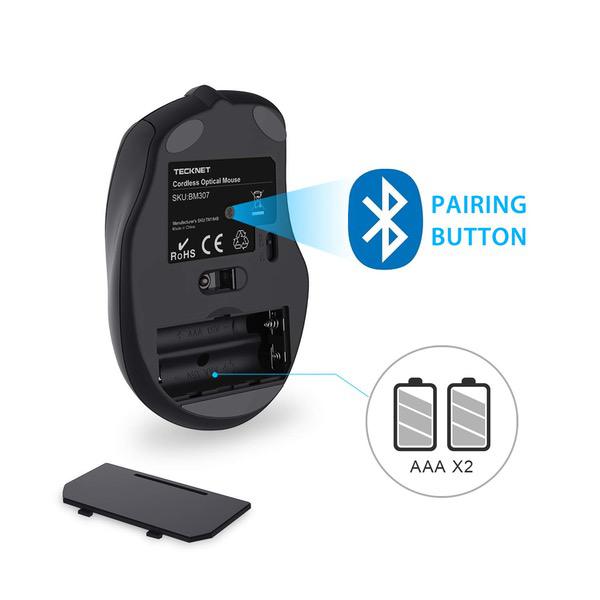
Make sure this fits by entering your model number. Connects directly to Bluetooth-enabled notebooks laptop or PC without the need for a receiver. 12 Months Battery Life, with battery indicator light TruWave technology for precise, smart cursor control over many surface types. 5 DPI Selection:2600/2000/1600/1200/800 Works with Bluetooth-enabled computers running Windows XP, VISTA, 7, 8 and 10.Don't support iPad bluetooth connection. (for iPad all series) Battery: 2 x AAA size battery (NOT INCLUDED). Box Contains: 1 x Wireless Bluetooth mouse, 1 x User Manual, 1 x Warranty Card
Reviews
3.4
Reviews: 20
5 stars
30%
4 stars
35%
3 stars
5%
2 stars
0%
1 star
30%
Andy Phan
5
I purchase this mouse to be used for my MS Surface Pro Tablet. However, I am impressed with it.It is bigger than I thought and very comfortable to hold. It did take some time to get used to the blue touch area on the left site. I replaced the default press action with "open Cortana" using the Microsoft Mouse and Keyboard center, which is a separate download, but needed if you want to change any of the default actions on the mouse. The mouse paired very easily and quick on my Windows 10 machine. I opened settings, then Devices, then Bluetooth. The mouse was visible there and I clicked on Pair. The mouse paired pretty quickly. I will be ordering another one real soon.
bry
5
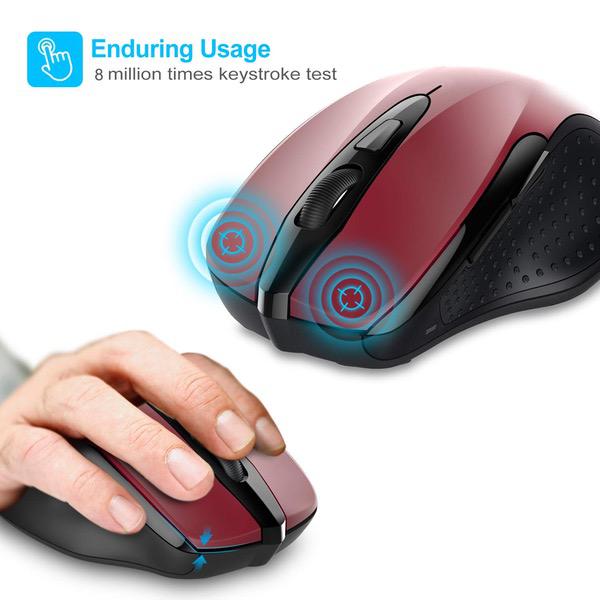
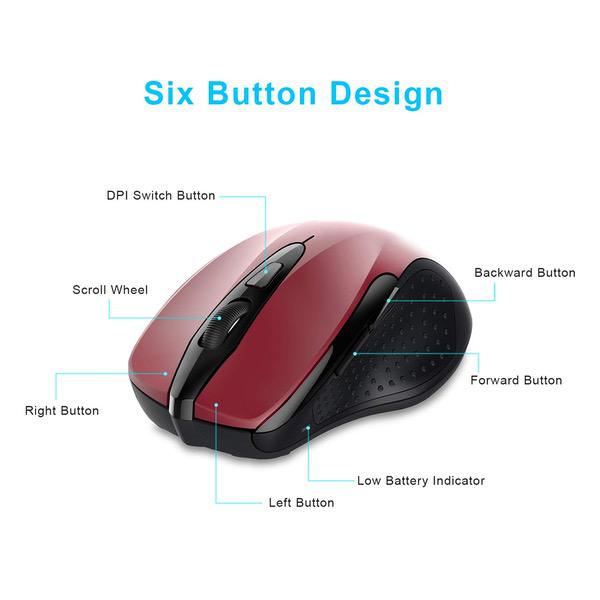
This is a fantastic mouse for the money, and would recommend for anyone that needs a high value bluetooth mouse. I have had no issues paring this mouse with my Chromebooks, Windows 7 laptop, iMac or MacBook. Once the mouse has been paired, the connection was solid and did not have any issues. Since I have not had and used this mouse for more than a couple days, I cannot speak to the battery life, however I am sure that the mouse will last a long time (using two AAA batteries). One feature that works surprisingly well on this mouse is the DPI button (the one below the scroll wheel). I have it dialed into the "slowest" setting and it works great for me. You can really crank this mouse up where even the slightest movement will send the cursor flying across the display, however I find having the slower cursor works better for me. If you want a rocket fast cursor, this mouse will provide that experience for you. When I first felt the forward and backward buttons on the side of the mouse, I was surprised as to how "soft" they felt. Compared to the TeckNet BM306 and the Logitech M705 Marathon (non-bluetooth), the side buttons have a longer travel and end with a softer click than the short and firm responsiveness found on the other two mice. This does not bother me, and in fact has kind of grown on me a little bit. The right, left, and scroll wheel (middle button) have great feel and a clearly defined response once the any of the buttons have been fully depressed. The scroll wheel works great and displays the responsiveness you would expect in any mouse. No complaints here. Feel free to take a look at the photos of the unboxing, the mouse itself, and some comparison shots between some other popular mice.
IamMe
5
My first thoughts of this mouse: - It fits perfectly in my hand - All the buttons are easily reachable, but not easily accidentally pushed - I feel like I can use this mouse for a long time without feeling fatigued Things to know: - It requires 2 AAA batteries - You will need to have a device that supports Bluetooth (pretty much all electronic devices have Bluetooth now) Setting it up: - Insert 2 AAA batteries - Make sure the switch near the battery door is set to ON - Double check to make sure Bluetooth is switched ON on the device you are going to use it on - Hold down the button located near the switch (on the underside of the mouse) for a few seconds - The low battery indicator should blink - On your device, check the Bluetooth dropdown menu for the TeckNet mouse, and click on it - The mouse should pair now - if not, start back from the beginning and verify that you did not miss a step Notes: - The mouse goes to sleep automatically after a few minutes so save battery, so there is no need to switch the mouse OFF if you walk away from it - Upon returning to a mouse that went to sleep, simply click once, and it will automatically wake back up without hesitation - I personally have no complains for this mouse whatsoever, it feels like a very quality mouse - It glides very nicely and effortlessly, and tracks just as nicely - The button below the scroll wheel adjusts the DPI (dots per inch - which controls how quickly the cursor moves compared to how far you move it) (higher DPI = moves faster; lower DPI = moves slower) - I believe there are 5 DPI settings that it cycles through - The 2 buttons located on the left side will vary based on which operating system you use. For my Mac, they do not seem to function. For Chrome OS, the lower button will go back a page, the upper button goes forward a page (in an internet browser) - I do not own a Windows computer, but I imagine it would function the same as Chrome OS
D. Harrison
5
This is an early review, in use just one day. I have had two of the previous model: they used a single AA cell. This one uses 2 AAA cells. Bluetooth pairing to an HP laptop went quickly with no problems. The fit in the hand seems identical to the older one and the buttons seems to be exactly where they were before, needing no time for me to get used to it. I like this mouse better than other Bluetooth ones I have used, better fit to my hand (I am right-handed, think it would be a bad choice for left-hand use.) It works smoothly and has forward/back browser buttons. The scroll wheel works well with slight indents as it is moved, nothing to inhibit motion, just enough to let you know it is turning. It does not seem overly sensitive to the surface being used as a mouse pad. One of my previous ones began to have erratic Bluetooth performance, but it was dropped from a 30 inch height onto carpet many times, more than a dozen, hardly a flaw of the mouse. A second one of the previous model is going strong after a year and a half, has been on a lot of travel and never dropped. If this newer model lasts as long as the previous one, I will be very happy to continue giving it a 5-star rating.
Thomas Colby
5
Connected right away, and reconnected without hesitation after reboot. I think it would fit a smaller hand than mine perfectly, but I really like the feel, and have no reason to deduct any points for the size of my hands. I have had this mouse about 2 weeks, so durability is unknown at this time, but I am very pleased so far.
Satisfied-Customer
5
I have no affiliation with TeckNet nor was I compensated for this honest product review. This is my second TeckNet BlueTooth cordless mouse and I cannot be happier with the product. My first mouse would give me about 6 months of use from a single AA battery. Not bad because I use my computer 6 days a week, for at least 10 hours a day. This new mouse has a rated 24 months of battery life using (2) AAA batteries. I dont know if I will remember to update this review in a couple years when the batteries are finally replaced! I replaced the mouse because I misplaced my last one and I cannot use the touchpad on my laptop. I find the mouse super comfortable to hold in my right hand for use, the buttons have a good tactile click you would expect the mouse to have. The center scroll wheel has mild detents that make it easy to gauge how many lines you are scrolling through. To change the resolution of the mouse is a simple pressing of a button just below the scroll wheel. Pressing the button results in the power indicator LED flashing from 1 to 5 times, indicating what the resolution of the Optical Pickup is set at with the choices being 2600, 2000, 1600, 1200, and 800 DPI. The mouse tracks well on most surfaces, but not on glass. I highly recommend this mouse for daily use as well as for a travel mouse. It does not take up much space in your laptop case and it is not too small to handle.
You may be interested
  • Bestsellers
  • Recently Viewed
 
Fast and high quality delivery

Our company makes delivery all over the country

Quality assurance and service

We offer only those goods, in which quality we are sure

Returns within 30 days

You have 30 days to test your purchase