
















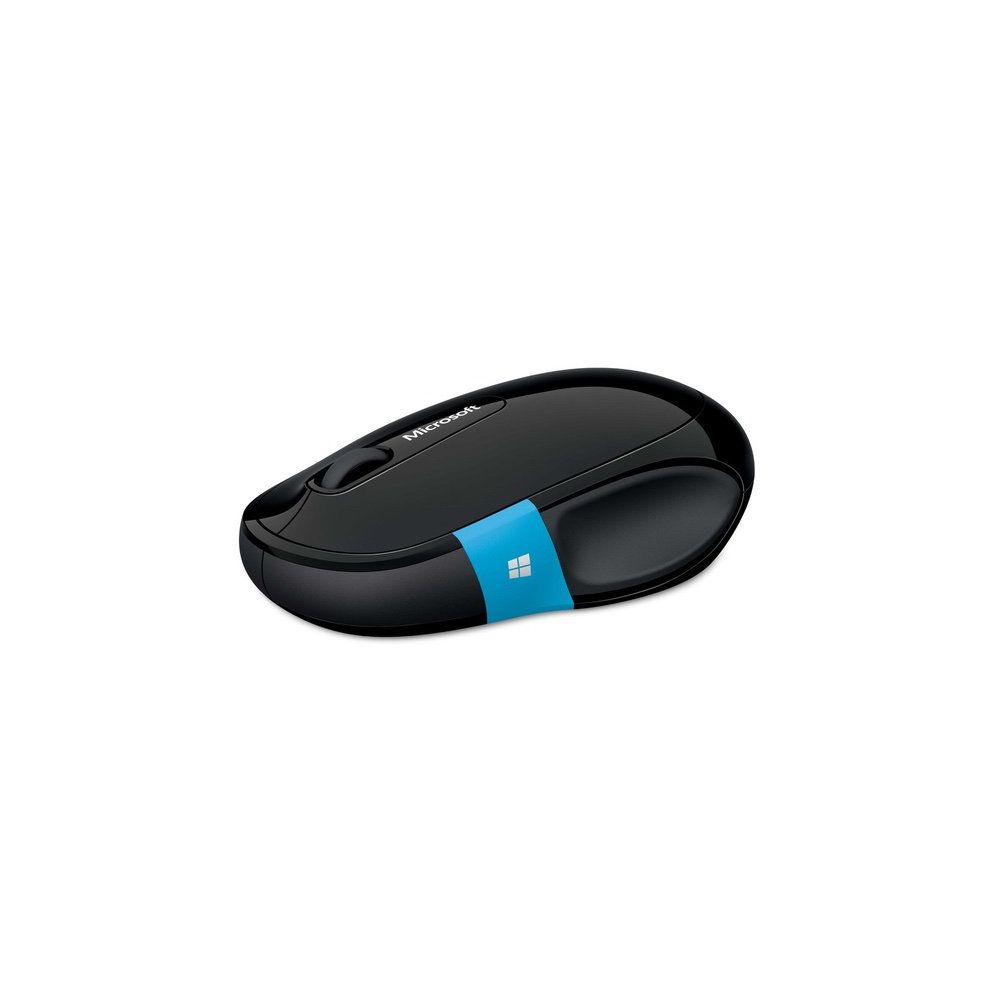
Microsoft Sculpt Comfort Bluetooth Mouse (H3S-00001)
Write a review
$2200 $5000

Microsoft Sculpt Comfort Bluetooth Mouse (H3S-00001)

Write a review
B00BZC31WQ
+
Add to wish list
Target is a general merchandise retailer with stores in all 50 states and the District...

City: US, New York

Delivery
Pickup at your own expense
Tomorrow from 09:00 to 20:00, Store location
Free
Payment options
Apple Pay Google Pay Mastercard Visa
Cash, bank card, credit/installment payments, cashless payment for legal entities
Warranty and returns
Exchange/return of products of proper quality within 14 days Official manufacturer's warranty: 12 months
Description
This fits your .
Make sure this fits by entering your model number. Windows touch tab for easy access to apps andthe Start Screen Wireless Bluetooth connectivity - non transceiver required 4-Way scroll wheel for navigating up, down, left and right Works on virtually any surface with Blue Track Technology Designed for comfort Works with most Android tablets
Reviews
2.8
Reviews: 20
5 stars
35%
4 stars
5%
3 stars
5%
2 stars
15%
1 star
40%
User
1
Works great, until it doesnt. This is the second one of these that Ive had and they both developed the same issue. The mouse will work beautifully, then all of a sudden it gets wacky, not smoothly responding to movement. Sometimes, the cursor just stops moving altogether. I have to keep a wired USB mouse at the ready so I can continue to work. Try the MS mouse again later and its fine until it starts acting up again! Ive had several MS wireless mice in the past and always liked them. The last one I had for several years, which is a good lifespan, considering how much I use it. Unfortunately, that model had been discontinued so I bought the Sculpt. Not happy, and Id send it back, but its gone past the return period (as I tried many things to make it work). Ive gone back to a cheap-o, freebie wired Dell mouse, and it works perfectly.
Angelo S.
1
My mouse worked great - until it didnt work. 7 months later, it completely died. It wouldnt connect to anything anymore. We tried new batteries, yelling at it, praying over it. Nothing.No big deal, right? These things happen, thats what warranties are for! Thats when Microsoft began to show its true colors - I cannot get this thing replaced. In the last two days, I have spent over an hour on hold. I have had the line disconnected 8 times. I have placed 11 calls to Microsoft. I even had one of their supervisors call me back to find out what happened to my case - when I explained the situation, he said hed transfer me to the correct department, then hung up on me. Im not rude. I dont yell. Im a nice guy, I say please and thank you. Every call, without fail, one of three things happens: 1) The call just drops, usually after Ive been on hold for a few minutes waiting to be transferred. 2) Im sent to the wrong department. Im often sent to the supplemental parts department, who tells me they dont handle the warranty on this mouse and that its the surface department. The surface department says they dont handle it and transfers me back to the supplemental parts department. Usually, this results in the call just dropping. 3) The representative stops responding and the call drops after a few minutes. So, yeah. I have zero faith in Microsofts customer service. I have spent over an hour on the phone with them, and have yet to even speak to the right person. This mouse is good. Microsoft is garbage. Dont buy this mouse.
Kelly H.
1
I purchased this mouse end of January 2019, and in less than 2 months it no longer works. It started slowly, where it would randomly disconnect from my bluetooth and no longer be recognized (Im running a Windows 10 lenovo thinkpad). I would have to painstakingly restart my laptop and unpair repair to fix the connection. Now, I cannot even repair this device and trying everything, it still no longer pairs. Do not buy this piece of hot garbage - cant believe Microsofts own mouse works so poorly with their own operating system. Google bluetooth connectivity problem with this mouse and you will find others that have the same complaint and problems as me.
It Really Is That Simple
1
First off, I will admit that I cannot prove whether this issue is a mouse issue or a computer issue BUT, this mouse just flat out doesnt work consistently (and, as of yesterday, not at all). First it hardly worked at all, and I discovered through other reviewers on here that there is a power management setting that can be updated so that the computer stops shutting off the connection to the mouse to save power. That helped resolve the issue of it shutting off all the time. Ive had to change other settings too. But even after all of that, it still sometimes takes a while to connect, and lately it seems to occasionally not work at all and I have to shut it off and back on. Today Im feeling like the guys on the movie Office Space and would really love to give this mouse the ax treatment like they did to their printer/fax! Ive replaced the batteries and restarted the computer and today its just not functioning right - AGAIN - and Im pretty tired of it. Considering going back to a USB mouse if it means it will actually work all the time. Frustrated.
S. J. Luke
1
Absolute crap. Tried on a Windows 7 laptop, Windows 10 desktop, Windows 10 Surface Book, and Android Pixel C tablet. It would connect / pair then disconnect every few seconds. For Windows 7 it would never fully connect, it would show up on the connected hardware list but was never usable. For Windows 10 and Android it would occasionally connect, and for a few seconds I could control the mouse in very jerky/jumpy motion. Then it would disconnect.
Sean Kim
1
The mouse worked fine for the first two weeks. I liked having instant access to the window key as well as a configurable swipe up/down behavior which I had mapped to volume control. I first noticed the issue one day when I kept failing to click on a UI button. All of a sudden I needed to make a conscious effort to press down hard on the left click button for the OS to register the click. This made normal computer operations an impossible chore, and I knew after 5 minutes that this was not a problem that could be ignored or adapted to. I tried the usual software methods - reinstalling the driver software, re-registering the bluetooth device and a bunch of others. Nothing worked. I turned my attention to hardware instead: putting layers of scotch tape around the click receptor to make the click more sensitive. This seemed to alleviate the issue somewhat, but doing this had dulled the tactical feedback of the clicking action, which completely ruined my perception of whether the click had registered. You dont need to look hard to find this same issue being angrily discussed over many internet forums - this is not a unique issue that Im facing, but rather a problem that signifies a seriously troubling QA process associated with this hardware product. Save your money and look elsewhere if youre looking for a mouse that will actually allow you to left click.
mg New York
1
*update* after using this mouse for more than a month, I started to have pain in my thumb - I switch out mice and eventually the pain went away -there is an awkward groove that your thumb has to sit in. now I am sorry i got these Pros: This connects up right away with my my mac book pro, it has decent accuracy even on surfaces that are less than ideal. Much more reasonable price that most device of this type. Really decent battery life. Scroll wheel is a little tight, but responsive and has both left and right click buttons. Has a manual off switch to save battery life. Connects right back automatically after turning off (to one device - see below) Cons It does frequently disconnect even during use, but will come back if you wiggle it. It is a little annoying if you are working on documents but if you were playing a game or giving a presentation this would be more problematic. I cant get it to un-connect from one laptop and connect to another device - not another laptop or desktop. That is only a problem if you want to switch it out between devices, but if you want that you should get something else because it wont work. Summary - for my needs it was ok and worth the price. Update have had a couple of these now (hard to find a decently priced mouse without a dongle) and they all quit working after a couple months. The replacements also had the same problem. Either some click functions dont work, or the scroll wheel, or both . Gave up on this brand and am happy with the Logitech Bluetooth Mouse M557 for PC, Mac and Windows 8 Tablets (910-0 03971) https://www.amazon.com/gp/product/B00JUHDYSO/ref=oh_aui_detailpage_o02_s00?ie=UTF8&psc=1 at a very good price
Dan Still
1
My first Bluetooth mouse. I read a lot of reviews and was ready for more trouble than I have had. The unit seems to go offline occasionally for no discernable reason. Prepared for this issue by the reviews I had read I installed Microsoft mouse and keyboard software (latest updates) and am using Windows 10. As it goes offline less than once a month I do not find it to be a real problem. I would consider once a month to be a problem however so I trust Microsoft will continue to work on the issue and eventually solve it. ( make sure your Bluetooth does not turn itself off to save power and that you have Windows 10 or else you may not be ready for a Bluetooth mouse) I am mostly bedridden and drop the mouse to the floor several times a week. This causes the battery door to jump off and the batteries to fly out and hide in the least accessibile spot . So far this has not caused any unexpected problems. My last Microsoft mouse had an inferior covering on the mouse wheel roller that failed quite early in the lifecycle. That failure was the primary cause that mouse needed replacement and I considered it premature and unsatisfactory and I will be watching this mouse for improvement in that issue UPDATE after about 6 months unit quit broadcasting Bluetooth signal and no longer works. Warranty service may cover this unit however I can find no clear channel to affect a request for service.
You may be interested
  • Bestsellers
  • Recently Viewed
 
Fast and high quality delivery

Our company makes delivery all over the country

Quality assurance and service

We offer only those goods, in which quality we are sure

Returns within 30 days

You have 30 days to test your purchase