
















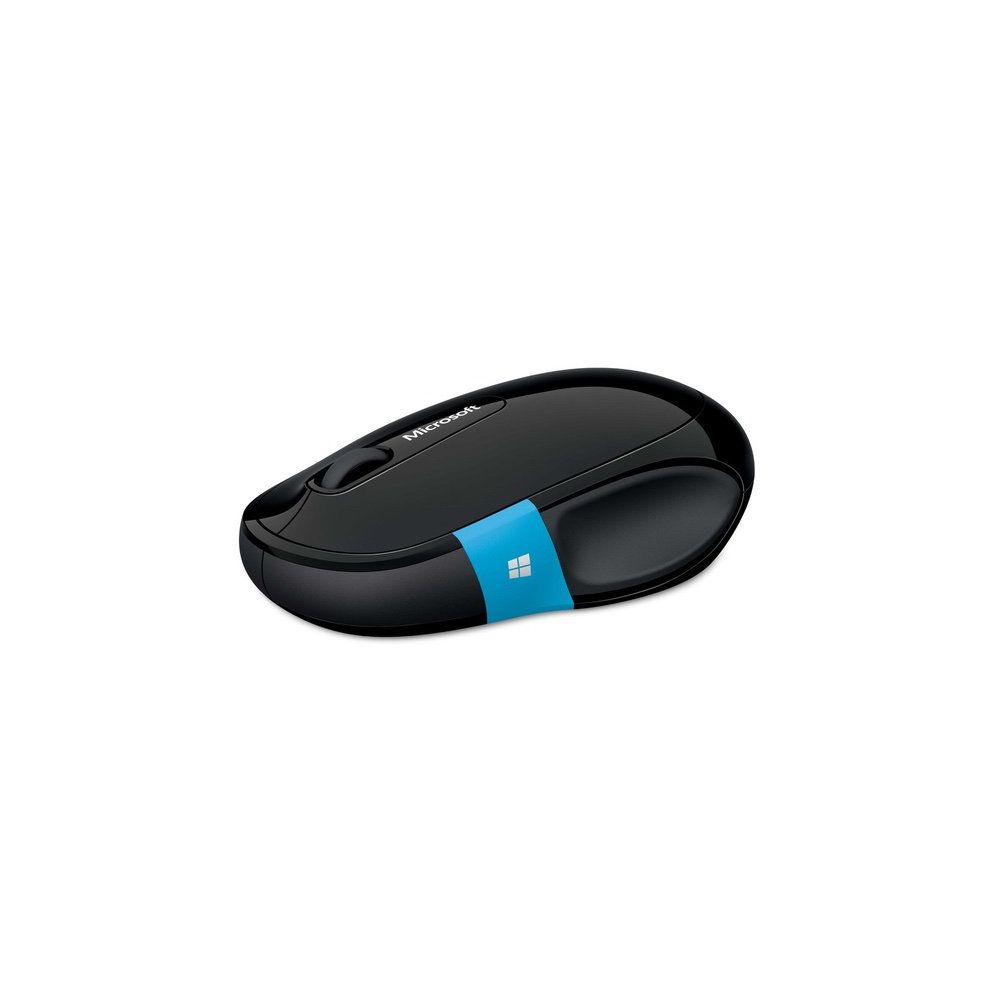
Microsoft Sculpt Comfort Bluetooth Mouse (H3S-00001)
Write a review
$2200 $5000

Microsoft Sculpt Comfort Bluetooth Mouse (H3S-00001)

Write a review
B00BZC31WQ
+
Add to wish list
Target is a general merchandise retailer with stores in all 50 states and the District...

City: US, New York

Delivery
Pickup at your own expense
Tomorrow from 09:00 to 20:00, Store location
Free
Payment options
Apple Pay Google Pay Mastercard Visa
Cash, bank card, credit/installment payments, cashless payment for legal entities
Warranty and returns
Exchange/return of products of proper quality within 14 days Official manufacturer's warranty: 12 months
Description
This fits your .
Make sure this fits by entering your model number. Windows touch tab for easy access to apps andthe Start Screen Wireless Bluetooth connectivity - non transceiver required 4-Way scroll wheel for navigating up, down, left and right Works on virtually any surface with Blue Track Technology Designed for comfort Works with most Android tablets
Reviews
2.8
Reviews: 20
5 stars
35%
4 stars
5%
3 stars
5%
2 stars
15%
1 star
40%
Michael
5
Simple mouse that is functional but still looks good. Very comfortable in the hand. Powered by batteries. A convenient Windows button on the side to open the start menu. Ive used this mouse with both Mac and PC. Download Microsoft Keyboard and Mouse Center software so that you can easily remap the buttons. I wholeheartedly recommend this product but before you buy make sure you read the important advice below. Important Advice: Install the software mentioned above! The only downside to this mouse is that the windows button on the side is touch sensitive and programmed by default to move a browser forward or back depending on how you swipe it with your thumb. This is the dumbest feature I have ever seen on piece of hardware in my life. Your thumb will naturally rest around where the button is, so naturally you will accidentally swipe it from time to time! For the longest time I had no idea why I would occasionally lose progress while typing something online. Then I researched online and found out about the insane touch button. Once you disable it the mouse is perfect.
Hoppaguy
5
The Good: - Comfortable to use all day - No lag with Bluetooth - Works we’ll with my Dell Latitude 7480 with Bluetooth and Windows 10 - No need for USB receiver The Bad: - None The Bottom Line: This is a very comfortable Bluetooth mouse. The best part is you don’t have to plug in the USB receiver every time you want to use the mouse. There is no lag with my Dell Latitude 7480 laptop with Bluetooth. There is a scroll wheel and a customizable side button. Overall if you’re looking for a Bluetooth mouse this is a nice option! *If you found my review helpful, please let Amazon know by clicking the helpful button below!
Jay Adamczyk
5
Got tired of the mouse taking up an USB slot, exp on my new work laptop that now has one less USB. So thought Id try a Bluetooth mouse. After doing some research, this one has good reviews and folks seemed happy with it. So I decided to give it a try. Have been very happy with the performance of the mouse. It was easy to connect to my Windows 7 Lenovo T440S laptop. It even came with two Duracell (not some cheap unknown brand) but I chose to use my rechargeable Duracell batteries instead and they last me a few weeks easy. The only hiccup was when the batteries ran out of juice and I put new ones in, I had to pair it up again, but that wasnt very hard. The mouse has a little lower / sleeker profile and isnt as tall as my other mice, but after a few days I got used to it. And the mouse buttons are much quieter than a normal mouse, which I really like.
Kit10
5
I typically expect Microsoft hardware to be bland, and sub-par in the area of features, however, this mouse has much more utility than I had expected. I had purchased about three because, well, Im a hoarder, and I had regretted the purchase due to the Windows button which replaced the thumb mouse button. I used to hate the Windows key on keyboards because Id hit it by accident, and found little use in it. I felt the same way about this mouse, I hadnt realized it had one, especially because I can click that Windows button on the taskbar easier than pushing that thumb button. But then I found something surprising. First off, the mouse is programmable using MSs application. Second off, and most important, it is a touch button! The first Ive ever seen! As well as being able to push the button for the Windows key effect, you can swipe up and down to perform other actions. Since Ive found this, I have been programming it for each app individually. The swiping feature has sold me on the house, and, I cant believe Im saying this, I look forward to more innovative hardware from Microsoft.
Matt M.
5
Fantastic mouse! I previously owned the Sculpt Ergonomic mouse but didnt like the size of it in the long run. However, the Bluetrack optical technology in the Ergonomic was fantastic, so I knew that I wanted another mouse with the same optics. Bluetrack allows you to use your mouse on nearly any surface without sacrificing accuracy. On my all white laminate desk surface this mouse has no issues. We also have a dark brown wood dining table with a glass top over that - this gives my regular laser mouse fits but the Sculpt mouse works flawlessly. The Sculpt Comfort mouses shape is also very nice and I dont really think about it in my hand, which is a good thing. The top cover is easy to open to insert batteries. This cover is very thin and very glossy. This might be the only issue I have found with the mouse - it just seemed a bit too glossy and plastic-y to me on first glance. However, once I began actually using it I didnt really think about it much, and it didnt seem to lack any grip. Even though its not ideal asthetically, this is not enough to take away a star. I suppose if I wanted a more luxurious look I should have gone with the Arc Surface mouse which is nearly $20 more. This mouse connected to my laptop via Bluetooth with very little effort and no reference to the instructions. Just turn it on, open "Bluetooth and other devices" and select it from the list of discovered devices. This was on Windows 10 on a Dell XPS12 - 9Q33. You can get some extra functionality out of this mouse if you install the Microsoft Mouse and Keyboard software, but I dont really have this need so wont comment on that. The button click action on the top cover is also somewhat satisfying - not to bright and clicky, its a bit deeper so its not as annoying as some cheap mice. Overall this is the best mouse I have owned. Pros: Bluetrack technology is very accurate overall shape is very comfortable nice click sound easy to connect Cons: glossy top cover doesnt look very high-end
Robert Mathew
5
This mouse works well for me. This product sets up easily with its three set installation. The size of the mouse fits well into the hand being a medium sizes. The scroll button fills firm and scrolls with feeling of quality. I am please with this mouse quality and function.
Jennifer
5
I bought this to pair with an ASUS ZenPad 10 (Z300M) and it worked beautifully. It paired quickly and easily and works flawlessly. When you have it paired and you move the mouse, a cursor appears on the tablet screen and you use it just as you would on a computer. Because its bluetooth, you dont have to fiddle with any wires or take up any ports on your tablet. Really good purchase that I expect to last for a very long time. The weight and feel is nice. Its comfortable in the hand, though it would not work well for left-handed people. It slides smoothly and has a satisfying click among all the buttons. Batteries are easy to change, though I havent used it enough yet to know what kind of life to expect from them.
You may be interested
  • Bestsellers
  • Recently Viewed
 
Fast and high quality delivery

Our company makes delivery all over the country

Quality assurance and service

We offer only those goods, in which quality we are sure

Returns within 30 days

You have 30 days to test your purchase