
















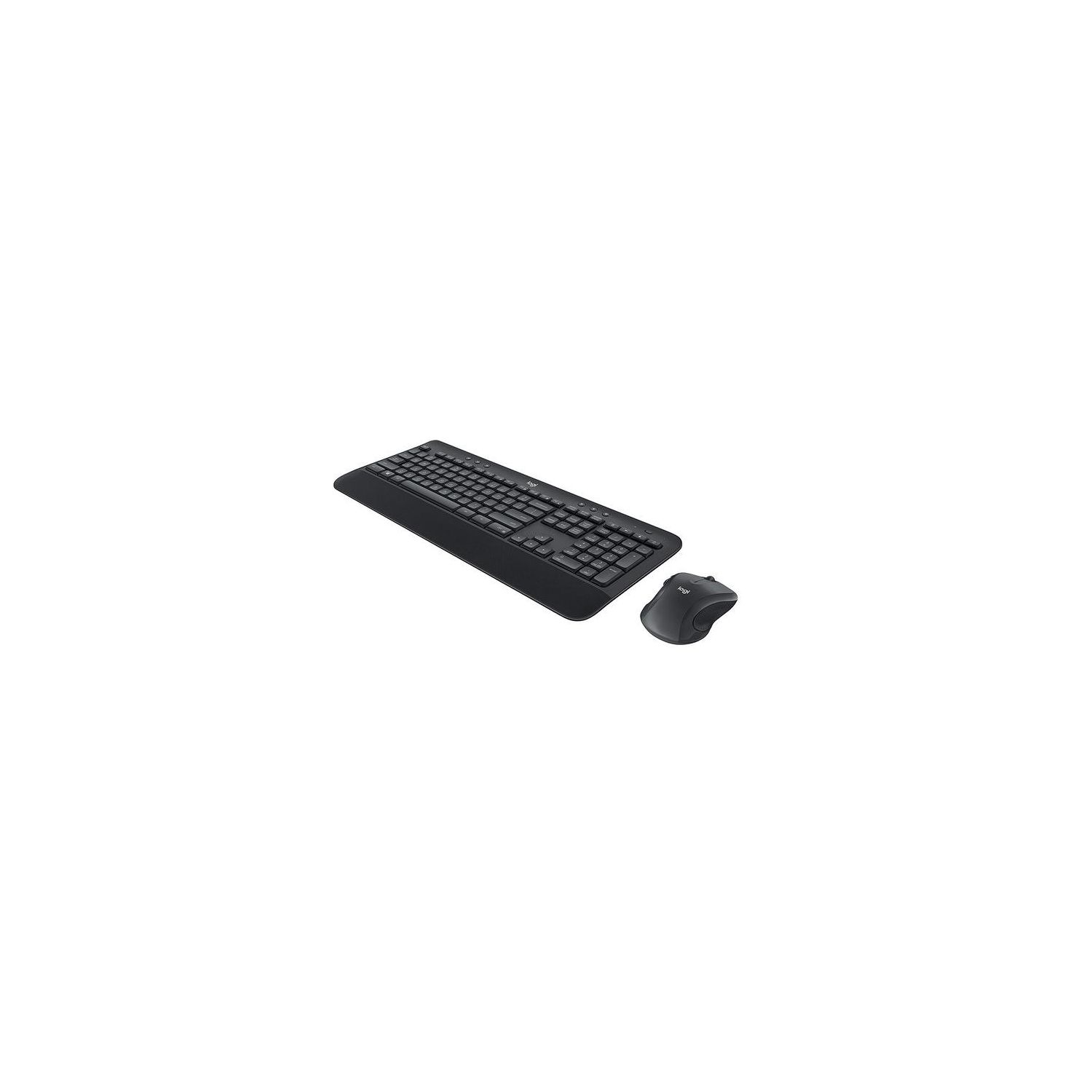
Logitech MK545 Advanced Wireless Keyboard and Mouse Combo
Write a review
$3900 $5000

Logitech MK545 Advanced Wireless Keyboard and Mouse Combo

Write a review
B079HR85C3
+
Add to wish list
Target is a general merchandise retailer with stores in all 50 states and the District...

City: US, New York

Delivery
Pickup at your own expense
Tomorrow from 09:00 to 20:00, Store location
Free
Payment options
Apple Pay Google Pay Mastercard Visa
Cash, bank card, credit/installment payments, cashless payment for legal entities
Warranty and returns
Exchange/return of products of proper quality within 14 days Official manufacturer's warranty: 12 months
Description
This fits your .
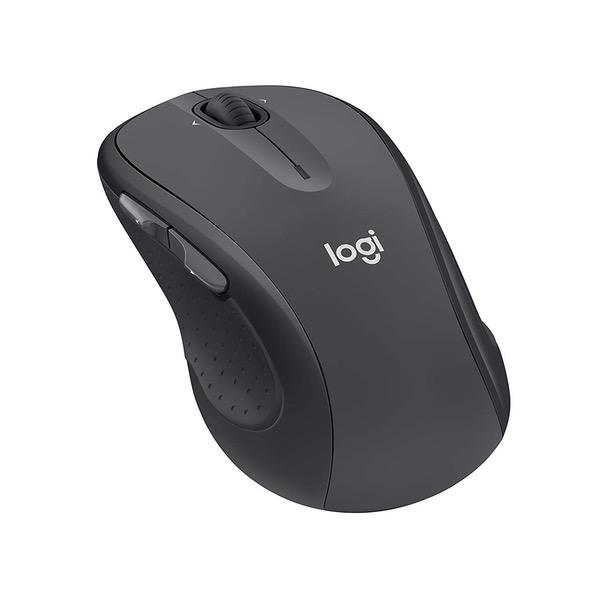
Make sure this fits by entering your model number. Type comfortably and accurately on a full-size keyboard with textured palm rest, media controls, f-key shortcuts, and adjustable tilt legs for the perfect typing position Stay productive for hours with a comfortable full-size mouse that combines precision laser-grade tracking and advanced controls Your keyboard stays powered for 36 Months and your mouse for 24 Months with no battery changes Hot keys put media, calculator and battery check functions at your fingertips One tiny Unifying receiver connects both the keyboard and mouse to your computer.Advanced 2.4GHz wireless (10 meters) Keyboard: 3 tilt positions (natural, 4°, and 8°)
Reviews
3.1
Reviews: 20
5 stars
35%
4 stars
10%
3 stars
10%
2 stars
20%
1 star
25%
PN
5
I have owned a few different Logitech accessories over the years and loved them all. Have owned this keyboard and mouse set for over a year now and LOVE IT. Never had any problems with it. Functions as it should and does it well. Batteries last a long time - as advertised (but depending on actual use). The buttons on the keyboard are soft, precise and fairly quiet. The mouse controls feel very precise as well. The clicks are short and distinct and the scroll wheel feels smooth. There is an LED light on both the keyboard and the mouse that warns you when the batteries need replacement - very handy. The keyboard has an adjustable tilt by moving the rubberized feet. You can also stand it on its side and let it stand at a 90-degree angle to give you more desktop space. The keyboard also seems to be spill-proof as it is has a few slots on the bottom for the liquid to drain through (see pictures). Range: I sometimes use this set with my TV while the PC (connected via long HDMI cable) theyre connected to is in a room about 15 feet away and works without interruptions. Overall, a great set and a good price that lasts and is backed by a good brand! Go Logitech!
Ryan M.
5
Ive been looking into keyboard and mouse combos for some time but I hate that most come with a compact mouse. When I saw this pop up I knew it was the one for me. My previous HP wireless mechanical keyboard was loud when typing, and I type quite a bit with practicing my programming and web development. This keyboard is quiet and the feel of is similar to that of a laptop keyboard, only with more key travel. If you have used the K800 keyboard, its the same type of soft, springy feel to it, only this one isnt backlit (not too important anyway since that kills battery life). The mouse is comfortable and slides nicely along my wood desk. Clicks from the buttons and scroll wheel are quiet yet tactile. The pictures make it look like its black in color but both the mouse and keyboard are a dark gray! Not bad looking in my opinion. Overall, its a great combo. Especially since it comes with a full sized mouse. Other combos will cost you more. Pros: -Quiet! -Nice textured finish on the palm rest -Caps lock indicator -Shortcut keys for sleep and settings is nice -3 levels of height adjustment -Unifying receiver. Cons: -Volume key response did not seem to keep up as well as my HP keyboard when tapping it quickly. -A better battery indicator might have been nice. No biggie.
Joe Gunn
5
I use my Logitec wireless keyboards even in installations where conventional keyboards were adequately serving the purpose. One doesnt realize what a nuisance keyboard and mouse cables were until one finally goes wireless. These units connected immediately to everything: Windows desktops and laptops, Linux desktops, and Windows tablets. One of our applications uses a Windows 10 tablet connected to a 60" TV. The tablet is beside the TV and is controlled by a Logitec wireless keyboard/mouse combo from across the room. With a tap on the TV remote, my daughters family can switch from cable tv to big screen computer. Their living room has become a theater for viewing movies, Facebook sites, and emailed photos. It can also be an on-line classroom for their homeschoolers. Family Movie Night, thought to have been killed off by the advent of portable viewing devices, is alive and thriving in my daughters nine-member household, thanks in large part to the versatility enabled by a $140 tablet and a $35 wireless keyboard. Money well spent.
Peter from L.A.
5
Bought this to replace an Anker keyboard/mouse set, also wireless, that had serious lag issues in time it took for keystrokes to register on screen. This combo from Logitech works flawlessly. The mouse sensitivity was great right out of the box (I realize its adjustable in Windows as well), and the keyboard has a quality look and feel, with a very micro-pebbly, matte texture and great key shape. I think they refer to the key shapes as chiclet which is appropriate, as they have rounded edges that prevent inadvertent striking of the key next to the one you are trying to strike. I type pretty fast, probably 60 words per minute when really going, and this keyboard keeps up no problem. There is one USB receiver for both the keyboard and mouse, which is nice as it doesnt take up any more USB ports than needed. Mine is plugged into a desktop about two feet from the keyboard and three feet from the mouse - no transmission issues whatsoever. Keyboard also has some interesting shortcut keys on the function row, I havent explored them all but I did notice (and appreciate) a calculator key that launches the Windows calculator when pressed. I didnt know I had a Windows calculator! All in all very pleased with this purchase - reasonable price for well above average quality.
Jim R.
5
Knowing that we all have our preferences for keyboard touch and feel, I have to say that I love this one which arrived an hour ago. Keys are slightly concave. Noise is quite moderate, just enough to know that I have hit the key. Not only does the Caps Lock key have an on/off light in the key itselt, but it is intuitive. If I start to type my name using lower case, it automatically capitalizes the J. All of the keys work. I like the comfortable wide hand rest below the keys. The mouse glides very smoothly, feels comfortable and works perfectly as far as I am concerned. My computer is in a cabinet with a wooden door about 30 inches away but no problem "hearing" the keyboard/mouse. I tried moving the keyboard 8 feet away, still no problem. Setup took less than 5 minutes. With pre-installed batteries it was just a matter of plugging the tiny receiver into a USB port on the computer, turning the keyboard and mouse on, and away we go. I should mention that I put out a question on whether there was a caps-lock light and got both yeses and nos, but the keyboard I received on 9/13/17 has the light. And I get zero delay, hit the key and the character appears instantly.
Long Time Amazon Customer
5
I read the reviews on other Logitech wireless keyboard/mouse combos and decided to order the Mk520. Ive used this WIFI keyboard and mouse on a few different computers now and I am happy to report ZERO issues. Truly plug-n-play. Keyboard and mouse are both comfortable to use. This is a normal sized keyboard and mouse. Ill be ordering another one soon for a 2nd computer. Excellent product. I did have a few minutes of trouble at the start because I was using a USB 3.0 port. I went online and noticed some discussion of some wireless keyboard/mouse combos having issues with USB 3.0. Once I moved the Wifi connector for the keyboard and mouse (which comes with the unit) to a USB 2.0 port, all was well. Rock solid with USB 2.0. Note: a USB 3.0 port will have a visible blue strip. If you dont see a blue strip on a USB port, its likely a USB 2.0 port and its fine to use for the MK520 WIFI keyboard and mouse.
Internet Customer
5
This traditional rectangular keyboard works fine. Purchased to replace my Microsoft 1000 wireless keyboard and mouse. The 1000 getting old and one key I had to push down hard for it to work. I wish that I had purchased the upgraded (for me) Microsoft 2000 or 3000. Heres the difference: This Logistech wireless keyboard has a textured finish. All surfaces including keys. Some may like this. But the Microsoft 1000 had a smooth finish on keys which I like and I am used to. This Logitech keyboard is quite loud compared to the Microsoft keyboard. This Logitech MK520 works fine. And I will keep it. Next time though, Ill stick with the Microsoft wireless keyboard. I did not use the included wireless Logitech mouse. I kept the Microsoft 1000 wireless mouse. I prefer the Microsoft wireless mouse. Yes, I am now using up 2 USB ports - one for the Logitech keyboard and one for the older Microsoft wireless mouse.
You may be interested
  • Bestsellers
  • Recently Viewed
 
Fast and high quality delivery

Our company makes delivery all over the country

Quality assurance and service

We offer only those goods, in which quality we are sure

Returns within 30 days

You have 30 days to test your purchase