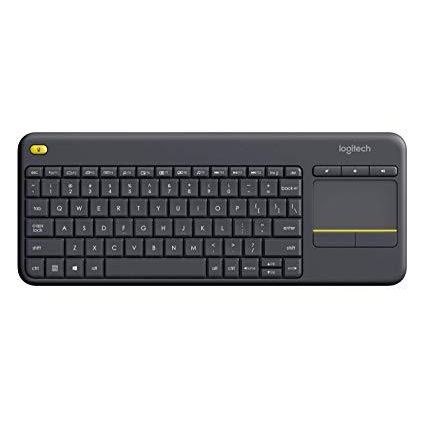














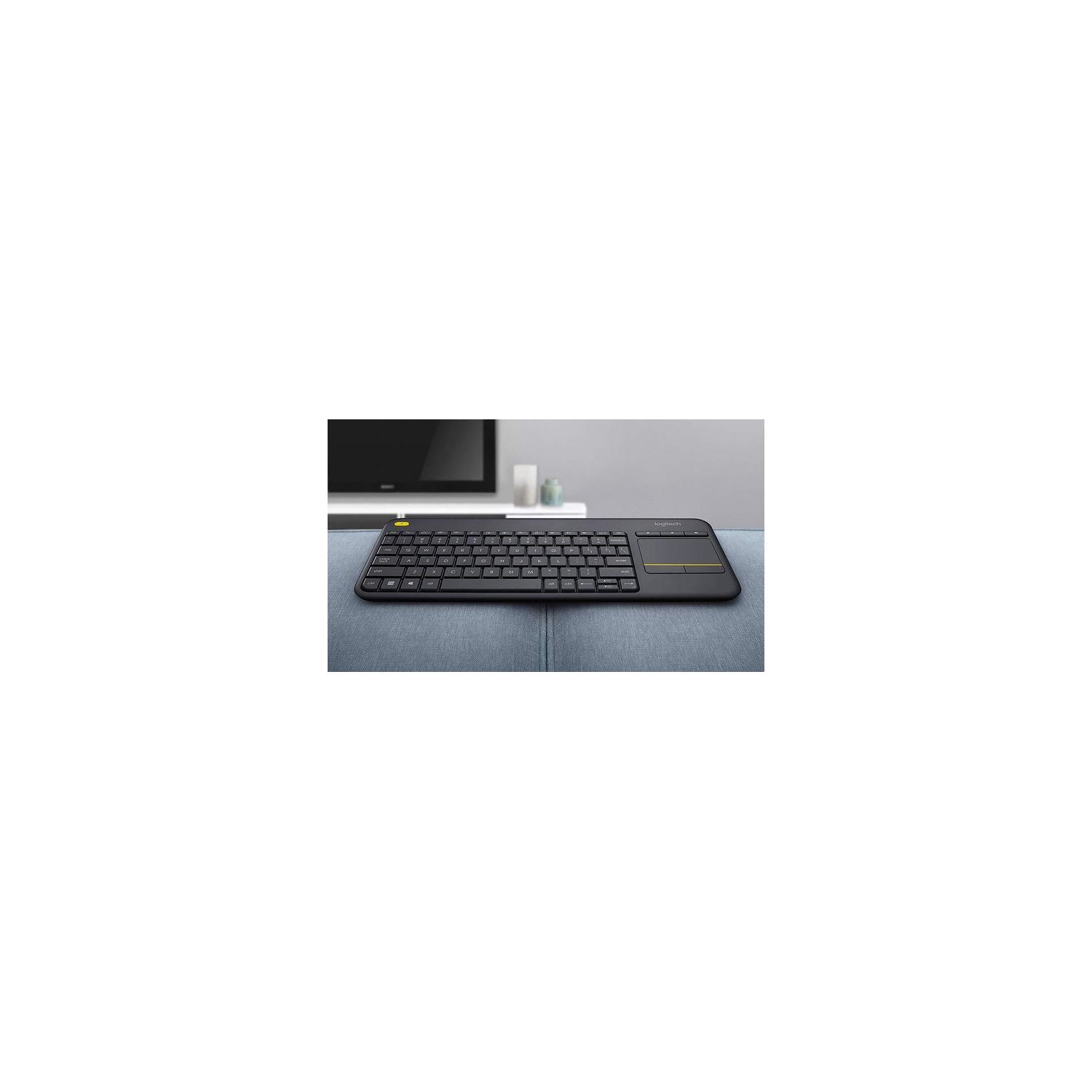
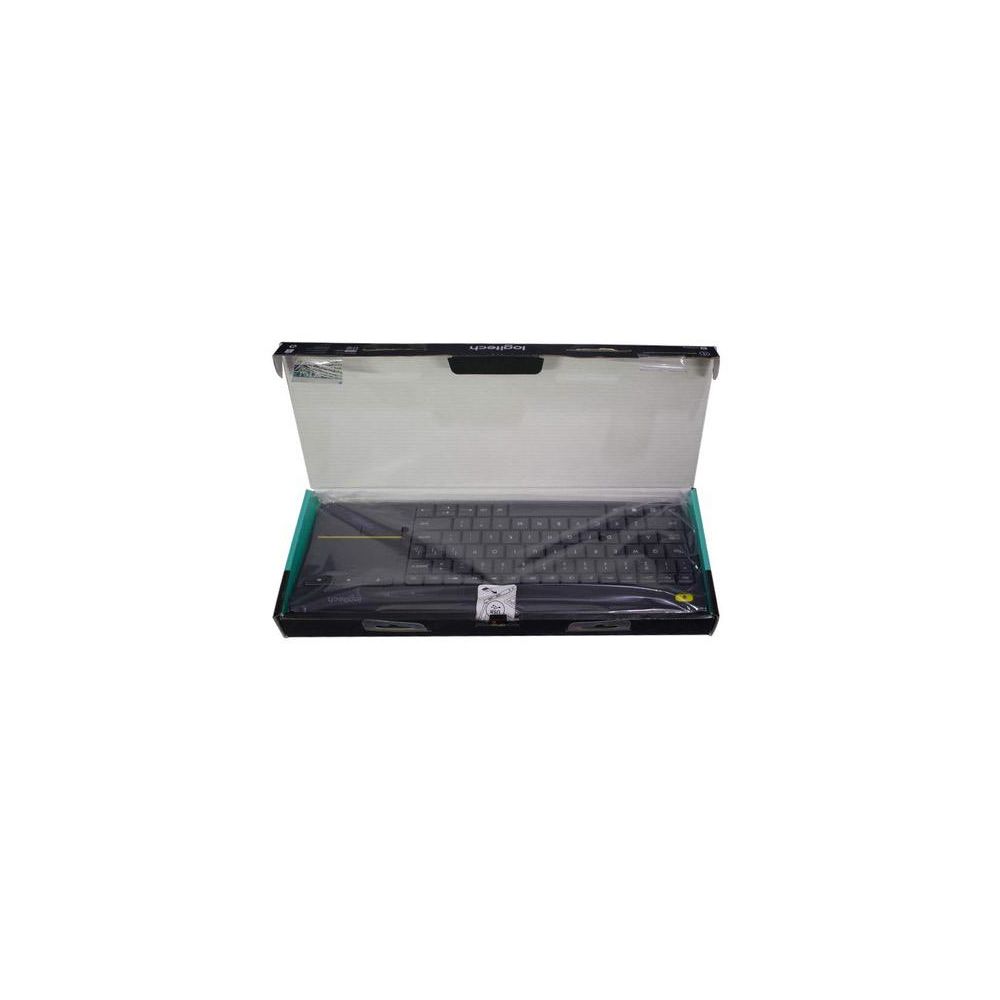
Logitech K400 Plus Wireless Touch TV Keyboard with Easy Media Control and Built-in Touchpad
Write a review
$2400 $5000

Logitech K400 Plus Wireless Touch TV Keyboard with Easy Media Control and Built-in Touchpad

Write a review
B014EUQOGK
+
Add to wish list
Target is a general merchandise retailer with stores in all 50 states and the District...

City: US, New York

Delivery
Pickup at your own expense
Tomorrow from 09:00 to 20:00, Store location
Free
Payment options
Apple Pay Google Pay Mastercard Visa
Cash, bank card, credit/installment payments, cashless payment for legal entities
Warranty and returns
Exchange/return of products of proper quality within 14 days Official manufacturer's warranty: 12 months
Description
This fits your .
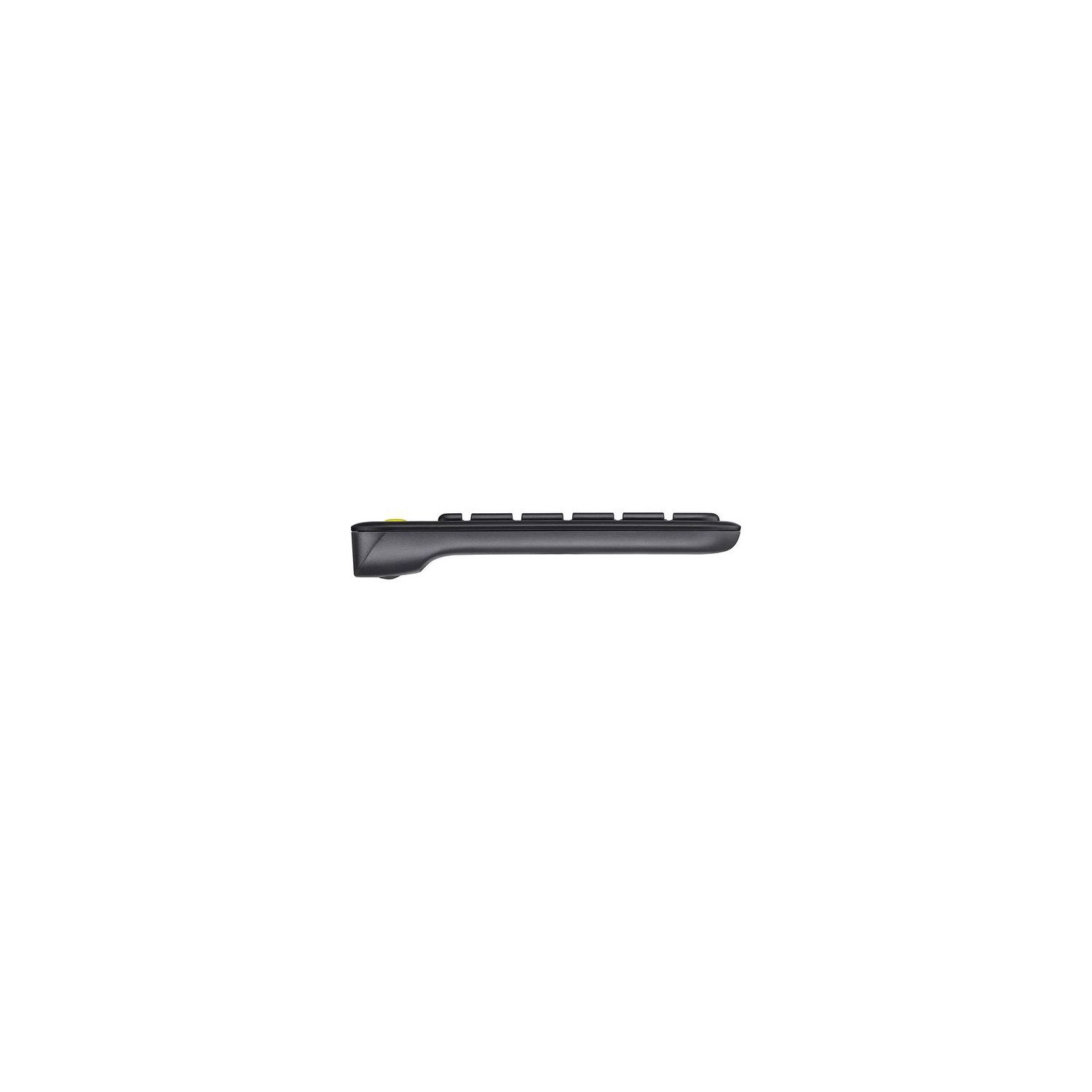
Make sure this fits by entering your model number. Wireless TV keyboard with touchpad: Enjoy effortless control of your TV-connected computer Compact and slim: Perfect for the living room Comfortable, quiet keys and large (3 -inch) touchpad: The ideal HTPC keyboard. Overall Dimensions-Height-5.5 inch, Width-14 inch, Depth-1 inch. Touchpad-Height-3 inch, Width-2 inch 10-meter (33-foot) wireless range: Ensures trouble-free connection in the largest room ( Wireless range may vary depending on operating environment and computer setup) Familiar, media-friendly key layout: Eliminates any learning curve while adding easy-access volume controls and arrow keys Plug-and-play design: Unifying receiver makes setup of your TV keyboard a snap. Connection type: Logitech unifying protocol 2.4GHz 18 months battery life: Goes for well over a year without changing batteries. Wide compatibility: Works with Windows 7, 8, 10 or later; Android 5.0 or later; Chrome OS
Reviews
3.1
Reviews: 20
5 stars
25%
4 stars
30%
3 stars
5%
2 stars
10%
1 star
30%
Michael D. Gress
4
I have a 50" Samsung Smart TV Model UN50J5201AFXZA, No PC connected at all. Read all the Samsung horror stories here, unfortunately after Id bought it and it was on the way... Was ready to get super ticked off, tried it anyways. Plugged the USB reciever into the USB plug on the TV, went into settings to set it up, noticed itd already recognized it, touched the touchpad and a cursor appeared on screen letting me navigate. Jumped over to the web browser, typed into the google search field no problem, surfed the web for awhile, leaving posts on forums, still no hassles, now the app test: Went into netflix, it let me scroll around with the touchpad, opened the search, went to type, nothing... BUT it let me use the mouse to pick letters from the on screen keyboard that pops up, a million times easier than using the remote. Now considering Im not planning on writing any 30 page thesis in Apps, basically just using the search field, and the auto suggest usually tosses up what Im looking for after two letters have been put in, and the touchpad makes even putting those two letters in 10xs easier than using the remote, not being able to type one or two words into an apps search field is not a deal breaker. the web browser is where the use really shines. with just a remote, the web browser is pretty useless. a novelty. with the keyboard, a working and valuable addition to your smart tv., So if you have a Samsung, judge your own use, are you getting it for the web browser? Works great. Are you getting it for apps? doesnt have full functionality, but still better than the remote. But it DOES work, no pc need be connected. It also lets me change channels on the TV using the Page up/Page down keys. Im sure Ill find more uses as I use it, Ill update this as I do.
skipper
4
Great product ! I own several K400 plus and the older K400. Over 1 year of battery life at many hours a day use.K400 plus vs. K400: The newer version feels more rugged with better quick key layout.Mouse pad works seamless .I can not give it a 5 star rating as the older versions print is much bolder and easier to see in dim light.Neverless I still recommend this product.Thanks Logitech for another quality product at a reasonable price.
Christian Jacobsen
4
Im not a big TV watcher, but navigating around Netflix, Amazon, and other apps on my smart TV with the arrow buttons on the remote was pretty annoying. Especially when I wanted to search for something, and pick out the search string using the arrow buttons on the remote. So it was time for a wireless keyboard for my Samsung TV! I chose this keyboard because there were good reviews, and it was the right price. When I received it, I pulled out the little USB dongle, plugged it into the TV, and then started looking for a "on" switch for the keyboard.... when I noticed IT WAS ALREADY WORKING. Seriously. Zero setup. Just plugged in the dongle, and immediately the mouse and keyboard worked. No config, no software, no effort. I was happily surprised. Ive now been using it for a little more than a month, and I gotta say it is a pleasure that it just Always Works. Ive gotten so used to the crappy Netflix and Amazon apps, and the crappy Samsung interface, that it is a pleasure to use something that just works, works intuitively, and I dont have to think about. I wish all my technology worked as well and as effortlessly as this keyboard!
David R. Keller
4
My sister needed a new keyboard for her home theatre PC. I have the older version of this keyboard the K400R. In general, I love this keyboard. Its perfect for use in the living room. It would be nice if it were actually a bit smaller and with a reliable trackball in addition to the mouse pad. I have shopped around and tried some other home theatre keyboards and this one from Logitech is the best and most reliable youre gonna get. I want to point out right off the bat this model for sale is the K400+. Its different from the older two previous models but very similar. I also want to make it clear, I definitely prefer the K400R. What I really dont like about the + model is the track pad isnt as precise and the up and down arrow keys are in the same key slot. Which frequently causes mistakes since every other key on the keyboard and the older models have their own key slots. Im constantly missing the top key and pressing the shift key above it or hitting down when I need to hit up and its extremely annoying. The mouse buttons on the track pad are smaller than the older versions. Which hasnt been an issue for me too much, but I have missed the buttons on occasion. There are some function keys missing the older version had, but I hated them so Im glad theyre gone. The one change I really like is they moved the volume control and mute buttons directly above the track pad. Which is nice. They also redesigned the battery slots to be easier to access. What I really like about this keyboard is it eliminates the need for a mouse and a keyboard on my couch or coffee table. It can absolutely get irritating using this track pad for everything and especially if you have a lot to do, but for most stuff its tolerable. Both the range and the battery life are excellent. I can maintain a connection pretty much anywhere in my house. I also like the yellow mouse button on the top left corner. It allows you to move and select things more quickly. Typing on it, for me, is uncomfortable. For lengthy typing sessions, its not ideal. I prefer a larger ergonomic keyboard with split and angled keys. But again, for on the couch and simple browsing, its perfect for that. Its also got a nice little storage area for the wireless USB adapter in the battery compartment. So for the older K400R I would give a solid 5 stars for the superior mouse pad tracking and lack of confusing key layout for the arrows. But for this model, the K400+, I can only give 4 stars. The improvements of this newer model are outweighed by its flaws. I have seen the older model for much cheaper at the time of this review. Im thinking about buying it again and keeping this one as a back up or something.
Sebastian Hahn
4
Using with a windows 10 desktop connected to an hdtv. Important to note: The usb adapter is sort of in a nook in the edge of the box, on the opening side, and could be easily missed. I almost tossed it out with the box. Things that I like: -The touchpad is great. Once the pointer speed settings are adjusted I can get a one to one ratio with my television, the movement is smooth, and only a little inaccurate (it can be hard to click buttons and links and such, but I do have the pointer speed maxed. I also have the "increase pointer accuracy" setting turned off, because it makes larger mouse movements less smooth, as the pointer will slow down near clickable objects, which can be everywhere at times). -The installation was easy (its plug and play, works with windows generic drivers if you dont care to map the f keys. You can disable tap to click without any software: FN+left-click). -The wireless connection isnt spotty and doesnt drop, at least, it hasnt in the two days that Ive had it. There also isnt any noticeable latency (though keep in mind, Im not gaming with this device). -Its very light. For reference, my stock hp keyboard weighs at least twice as much (though it is about 7 years old now). It also weighs less than my tablet (a trio stealth 10. It was a gift. I dont really use it. But it might weigh more than the average name brand tablet, idk). -It runs on AAs (being able to replace the batteries with something that will be available until the end of time–instead of some arcane, limited production, device and manufacturer specific battery pack–is a huge plus). -Theres a nook in the battery cover that the usb adapter can slide into for storage and transport. Things that could be better: -Theres no middle click button or any option to emulate middle click with the touchpad buttons (you can map the F buttons using the free "logitech options" software from logitechs website though). -The touchpad options dont show up correctly in windows 10 control panel settings. It shows up as a regular mouse, so no touchpad options through windows (you can access some options using the "logitech options" software). -I dislike the lack of a dedicated scroll strip on the touchpad, as two finger scrolling isnt ideal when youre holding the keyboard in both hands (it can be done, as the keyboard isnt very heavy. Its just not very intuitive to grip something this large with fingers instead of the palm of the hand. it can also be held one handed but it doesnt feel as nice). -Theres no instruction pamphlet. There are two scraps of paper in the package, but they provide no useful information and likely only exist to fulfill some legal requirement (one is a list of warnings and "safety guidelines", and the other is a pictographic explanation on how usb ports work, how batteries work, and how to use a touchpad. There IS actually a link to the product support page below a download symbol, implying that you should go there to get the software, but its easily overlooked and the software is easily found using google, so whatever). Other things worth mentioning: -The software to use with this keyboard is called "logitech options". Theres another software called "setpoint", but it doesnt work with this keyboard and will refer you to the "options" application. I dont think it hurts to install both. -The yellow button is a second left click button. It cannot be mapped. -The keyboard is slightly flexible due to the plastic its made of, and creaks a bit when handled. The creaking is near silent now that Ive worn some of the new out of it though, and Ive only had it two days, so I think itll be completely silent after some use. Overall its a pretty good device. If you want a wireless keyboard/mouse combo you could probably do worse.
Em525
4
Including this one, I own three of these keyboards. I now own three not because anythings went wrong with the others, but because I have these in different rooms for different purposes. As Im sure you can gather, Im a big fan of these. In short, I certainly recommend these. Here are my thoughts after owning these for quite a while: Pros: - These sync out of the box, in just a few minutes and are foolproof, even for those who are tech challenged. - Range is not quite as claimed based off my experience, but its perfect up to 26-28 feet. Thats more than enough. - Im a heavy typer/user and Ive never failed to get less than a year out of a set of batteries. Logitech claims an 18 month battery life but I suspect they are applying that claim to medium users. Either way, batteries are cheap, so its going to cost you at most, a few dollars a year to run one of these. - Key feel when typing is very good. - The keyboard has every feature you need and only lacks short cuts. - The trackpad is quite responsive for this price point and functions very well. Cons: - If youre gong to extensively use this keyboard resting on your lap, youre going to notice a little flex in the keyboard if you rest a lot of your arm weight on it. Its not going to break on you but these are a little on the flexible side. At this price, thats just a reality. Its a very small issue. - Adding to the above, if youre intending to use this primarily resting on your lap and you are a very heavy typer based off intended use, youre the one type of person I would NOT recommend this keyboard for. Because of its relatively compact size, your wrists and forearms will end up sore. On the other hand, IF you simply rest a portable laptop table/cushion on your lap and then place the keyboard on that, youll be fine. Just a thought that I feel needs pointed out! Overall, considering the price these sell at, features, and how well it functions, even at distance, this is a very solid option for those seeking a wireless keyboard. I feel very comfortable continuing to recommend these! Cheers!
You may be interested
  • Bestsellers
  • Recently Viewed
 
Fast and high quality delivery

Our company makes delivery all over the country

Quality assurance and service

We offer only those goods, in which quality we are sure

Returns within 30 days

You have 30 days to test your purchase