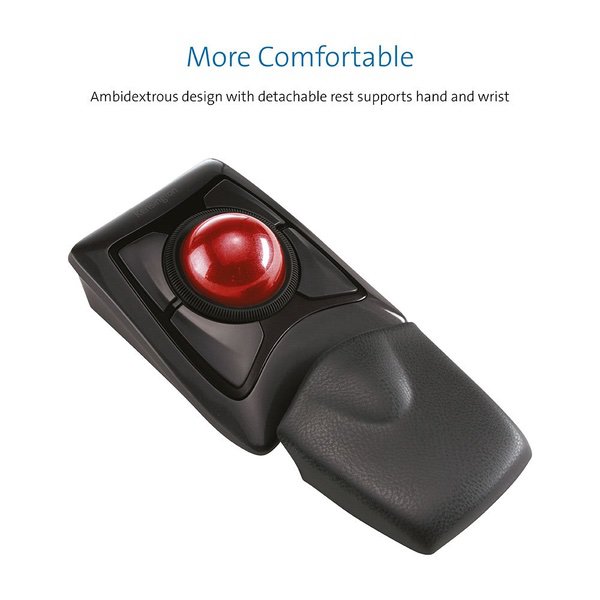
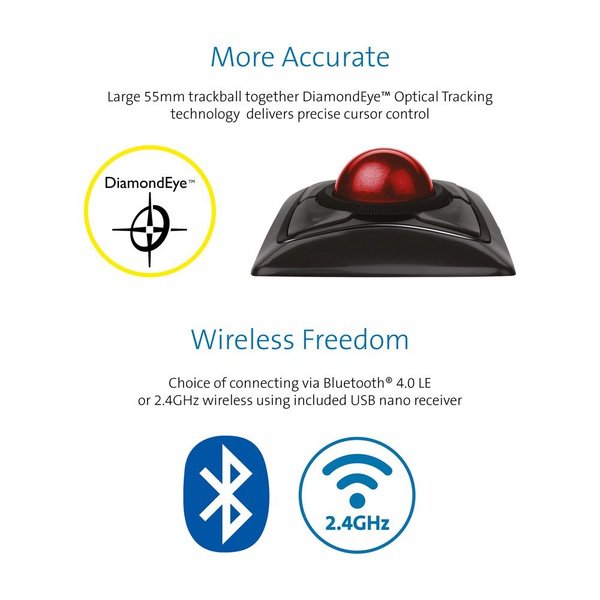
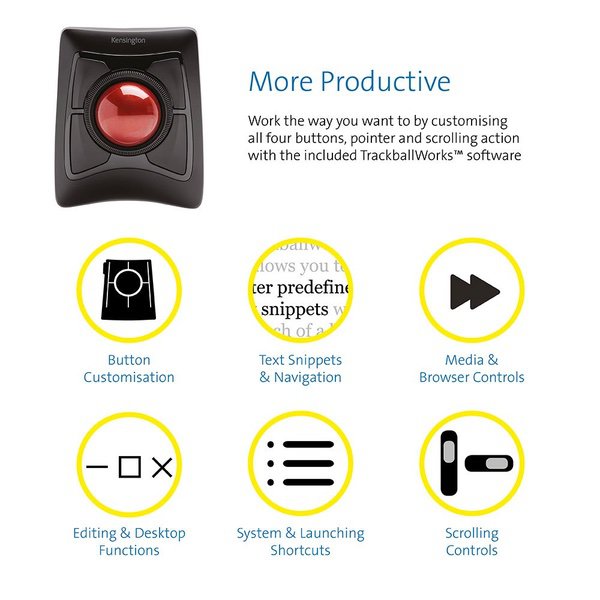
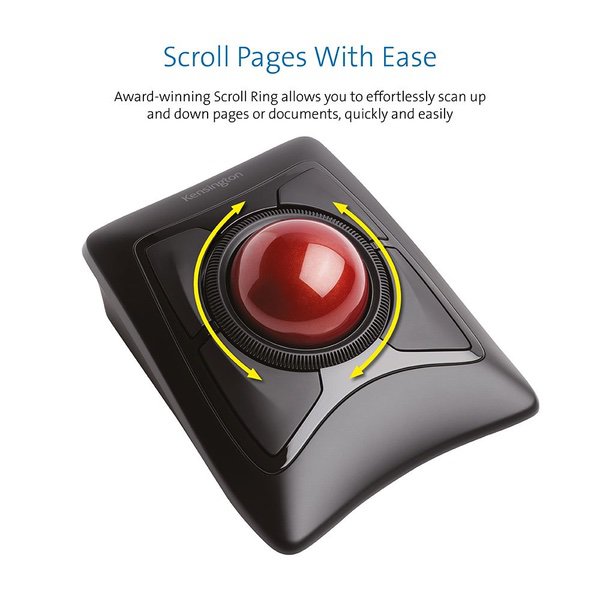
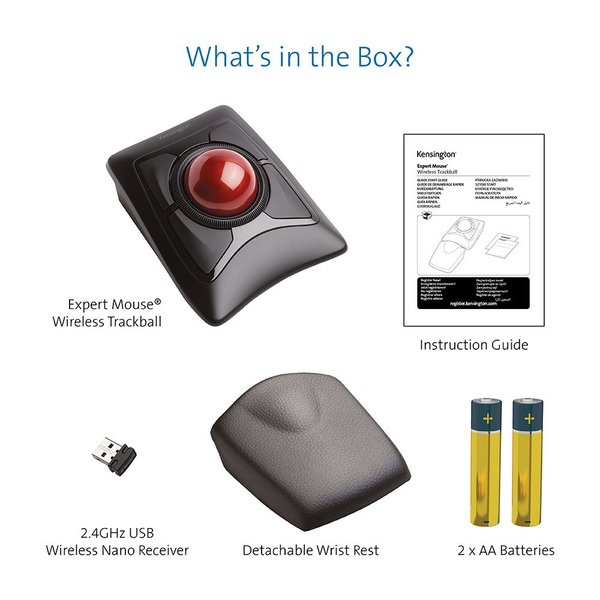
Make sure this fitsby entering your model number. Wireless connection via Bluetooth 4.0 LE or USB Nano receiver Trackball Works software lets you customize all 4 buttons, adjust cursor speed Diamond Eye optical tracking technology for premium cursor control and accuracy Award-winning Scroll Ring lets you scan up and down pages with ease Large ball is designed as a perfect sphere to provide exceptional precision Detachable wrist rest supports hand and wrist for ergonomic comfort Ambidextrous design works equally well for both right-handed and left-handed users Auto-sleep helps conserve AA battery life; Compatibility: Chrome OS 44 and above, macOS 10.8, macOS 10.9, macOS X 10.10 or above, macOS X 10.11, macOS Sierra 10.12, macOS 10.13 or above, Windows 7, Windows 8, Windows 8.1, Windows 10
I have been a Kensington Expert Trackball users since the early 90s and I admit the new versions of the Expert pale in comparison to early versions. But if you are like me and cant work with out it, I have figured out what the "sand" feel that some are reporting. Inside the scroll ring, there is an inner ring that allows the ring to spin comprised of small flat, plastic bearings which enables the spinning motion. In order to maintain stability with the scroll ring laterally, there are tiny plastic ball bearings around the housing. It doesnt take much for one of these bearings to come out of its housing and find its way inside the inner ring where the scroll ring is spinning. Maybe it wasnt seated right at the manufacturer, maybe it was knocked loose, who knows...but what I do know is that before you tear into the packaging and remove the mouse, TEST THE SCROLL RING FOR SMOOTHNESS! The scroll ring should be a smooth action with no sandy or gritty feel. If you do have one of the plastic bearings loose in there, you can actually hear a slight click or noise as the flat bearing passes over the loose bearing. If you have this condition, RETURN THE PRODUCT IMMEDIATELY and GET A REPLACEMENT! I bought 3 in the past 3 years and 1 had the gritty, sandy feel. I opened it up and this is how I figured out the bearing was rattling around in there there causing the condition.
csmith
4
I have purchased the Expert Wireless and Slimblade Trackball mice to compare which one is better in attempts to resolve possible RSI issues. Here is my opinion on how they stack up. Expert Mouse Pluses: +Fits great in hand +Buttons have a slight edge, which makes it easier to click than the slimblade +The scroll wheel works SIGNIFICANTLY better than the SlimBlades twist to scroll option, especially when confined to a smaller window where the mouse jetting across the screen will cause you to randomly quit scrolling where you desire +The palm rest really helps, and is quite necessary for this mouse because of the angle +Wireless and Bluetooth options Expert Mouse Negatives: -Angle that your hand sits at actually causes more stress, and is the reason I will probably be returning this device -Scroll wheel has a very cheap design. While I like it better than the SlimBlade scrolling, it makes a strange noise any time you scroll more than a couple of clicks and makes me feel as though the product will break sooner due to cheap plastic parts. Also the wheel doesnt have any stop points/clicks, but this doesnt both me too much -Under the ball the mouse has no hole at the bottom, and the area isnt smooth, so it makes cleaning the area under the ball more difficult Slimblade Mouse Pluses: +Easy to clean - under the trackball everything is smooth and there is a hole at the bottom. This allows for skin cells to fall out of the mouse and with some occasional cleaning, you can keep the skin cells out of this mouse much easier +The angle is much nicer than the Expert mouse, leaving your hand feeling much more comfortable after a solid day of use +The design just looks nicer than the Expert mouse when they sit side by side Slimblade Mouse Negatives: -The keys are very flat and have no edges like the expert mouse, which actually makes clicking ever so slightly less comfortable -The mouse doesnt quite fit in your hand as nicely because it is not at a raised angle, but this is also a positive because it doesnt leave your hand feeling as fatigued at the end of a day -The scrolling functionality leaves a lot to be desired. While it doesnt feel as cheap as the Expert mouse, it causes a lot of issues while scrolling within small areas because your pointer will move and lose focus if you do a decent amount of scrolling at once down a large list. This has caused some loss of productivity and was the main reason I purchased the Expert mouse in hopes that the experience would be better. While Id like to see the ability to scroll by turning the ball, I think it either needs to be refined to disable pointer motion altogether when activated, or they should bring back the rotatable wheel and put it on ball barrings so it can not only scroll freely and you could just stop it, but also to give it a smooth feel, instead of a cheap one. People would pay extra knowing the quality is worth it. -Only option is wired. Not only does this leave unsightly cables on my desk, it also makes it more difficult to switch between my right and left hand throughout the day. -Should have came with a wrist wrest like the Expert does All and all the only reason I choose the Slimblade over the Expert is because the expert is at a funny angle which causes more issues than just using a traditional mouse. Otherwise Id totally select the Expert over the Slimblade.
DIY-Guy
4
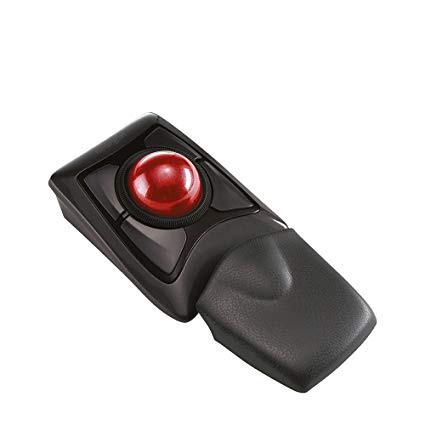
This rollerball mouse is HUGE and yet it works pretty well. Its symmetric so that it works equally well right-handed or left, but the symmetry also works against using it without remapping the buttons. The default button assignments are for the lower-left button to be the normal left-click button and the lower right to be the normal right click. As a right-hander, my hand rests on it so that the thumb is centered on the lower-left button. I can then use my index finger to move the ball (also huge) and operate the scroll ring between my thumb and middle finger. However, the lower right button is then under my finger/palm joints. To use it, I have to move my hand out of position. Its more natural to re-assign the upper-right button as the right-click button operated with my middle finger. Ive reassigned the upper-left and lower-right buttons for other functions that are not used so often. All of the buttons can be reassigned using downloaded software. You can get this at the Kensington Web site, but I was already using XMouse Button Control and it worked fine with this mouse as well. The large ball is not retained and comes right out if you turn the mouse upside down. Since the device is heavy (13.2 oz without the palm rest, 15.7 with it) and has rubber pads on the bottom to keep it from sliding around, this might not be a problem unless one were using it in some more vertical position than normal. However, you must be careful when you turn it over to change batteries, to apply or remove the wrist rest, to get the dongle out, to switch modes (Bluetooth vs 2.4 Ghz) or to power off the unit. If not, youll be chasing the ball around the room. With the wrist pad installed this device is 8 3/4 inches long (see photos). The wrist pad is well engineered and has a textured leather-like surface. In my application, the mouse operates a old Windows XP computer using the 2.4 Ghz dongle provided. I have not tried a bluetooth connection. While XP is not listed as compatible on the box or in the users guide, it has worked fine.
Thomas B.
4
As a long time user and huge fan of the older model (that was a different chassis shape) Im giving this USB Expert Mouse 4 stars out of 5 initially and I will go back and re-review this product further once I get to spend more time using and evaluating it and I really get to compare it to the older version. My only reason for replacing my old one after so many years is because I need USB for a KVM switch and my old one is Serial/PS-2 only. Ive read a significant number of less than favorable reviews on here about this newer version that were saying how some users feel this model has either one of 2 problems or both. These negative reviews were mostly from either first time trackball users who were only used to moving a mouse around their desk surface with their arm and had no idea what to expect with a track ball or from users of other (cheaper) brands who were looking for better quality but chose to complain about what they claimed to be a heavy, stiff, bulky movement of this units big trackball but some of the lower star reviews it received were also from users who went from older models of the Expert Mouse to this new redesigned model. The other complaint had to do with wrist position comfort and again came from both new users and a few who had an older Expert Mouse version like the one Ive been using daily for over 20 years, many of which didnt know what to expect when switching from a mouse to a track ball, and quite a few who already had wrist problems before they bought one of these units to try. Note that my old Expert Mouse trackball still works, even after 20 years of daily use, but I needed USB for a KVM and I couldnt come up with a working PS/2 or Serial to USB converter solution that would stay working after being passed through the USB KVM and/or didnt cost more than the KVM and this track ball cost when purchased together so I opted to replace my vintage Expert Mouse with this one and time will tell if Ill be as happy with this new one as Ive been with the original but here are my initial findings at the beginning of day 1 with this new model... As I just took it out of the box, unplugged the PS/2 plug of my 20 year old Expert Mouse, and plugged this brand new restyled USB Expert Mouse into my PC here is what Ive determined so far... For whomever has complained about the stiff, hard ball movement, as a regular daily user of an original Kensington Expert Mouse that Ive had since I bought it new literally 20 years ago (in the days of Windows 3.1) I must say that they are wrong, period. Although it doesnt feel like its hovering weightless beneath your fingers as the Logitech products with their smaller ball tend to feel (especially after they literally get greasy from oily hands), it also doesnt feel all slippery with no user feedback like the Logitech products do, and the "massive" ball (as they called it) not only glides as smooth and easy on this new model as the original Expert Mouse did, the ball also has that same solid feel with great control and excellent feedback beneath your fingers as the older models did too! At my office there are several audio editing workstations with Logitech track balls on them (which suffer from left button failures and need to be replaced at least annually) so Im totally familiar with both brands and types of these products and Im okay with using the tiny ball and the crazy slickness of the Logitech track balls compared to a traditional mouse but Ive always preferred the feel and motion of the much larger ball in my vintage Expert mouse in comparison to those Logitech products and so far the ball in this new version Expert Mouse feels exactly the same to me as my old one has for so many years. I had read in a number of reviews (and some complaints) that the balls movement was stiff and just had to be broken in over a few hours or a few days of use while others said to literally oil it (which seems excessive) so as soon as I took it out of the box I lifted the ball out of its opening, rubbed my finger tips across each of the 3 balance points that the ball rests on several times then rolled the ball around between my two hands for a moment, then dropped it back into its opening and tested the movement and I was totally happy when I found that right out of the box this brand new USB optical model feels EXACTLY like my 20 year old roller driven Serial/PS2 model Expert Mouse does... Smooth, fluid, and well made. Now for the negative reviews with wrist position complaints I can see how some people could be somewhat unhappy with it but it doesnt feel bad to me so far, just a bit different. As a couple of other vintage Expert Mouse users have also stated, this new curved front design does feel very different beneath my hand than the old model from the moment I set my hand down on the ball. The old model was straight across with a high lip which occasionally would begin to slightly bother a small area of my hand between my wrist and first thumb knuckle during long audio editing sessions with lots of left-click/drag thumb action but it gave good lower palm support and was never uncomfortable or a big deal at all. Kensington has obviously put some thought into this and eliminated that big straight high edge front lip which lets me set my wrist and the edge of my palm directly on the desk and that actually feels nice but that also places the ball under the middle of my hand (closer towards my palm) instead of under the middle of my fingers (closer towards my finger tips) which gives the ball a different feel, initially a bit awkward and less familiar but time will tell how my brain chooses to adapt to the new design... If I move my palm back away from the curved front lip a little bit then it places my fingers on the ball where Im used to with the older model but without the big front lip of the older model the mid-palm support that was provided by the old lip isnt there which leaves the overall weight of my hand kind of pulling down on my fingers a little as theyre resting on the ball in the position Im used to feeling beneath my fingers on my older model of Expert Mouse. I can see where someone with pre-existing wrist issues might not feel totally comfortable with this model beneath their fingers, especially if they have long fingers, but Im optimistic about the new ergonomics and comfort of my entire wrist being able to rest on the desk and well see how my hand chooses to acclimate to the redesigned ergonomics of this newer model once I spend a bit more time using it. I have fairly short fingers, for example I can play a piano reasonably well and I can somewhat manage to play a guitar too but my speed on the guitar is slow and somewhat sloppy because its a struggle for my fingers to fully reach across the neck and spread as needed around the frets and strings for some chords. Someone with longer fingers may or may not feel like they need more support than this newer model offers compared to the older versions and the new removable palm rest may or may not be a good solution for those who want more wrist support, I dont know yet. At first, without the palm rest I like how my palm rests comfortably on the desk but with my palm up against the contoured front of this model the ball position feels different from the old one under my fingers. With the palm rest on it my fingers can go back to that familiar position on the ball but based on my seating height and arm reach to me the palm rest gives good support but feels a bit thick, raising my wrist considerably higher than I think Id prefer so far... But since I havent had much time to use this newer Expert Mouse yet Ill try it with and without the palm rest for a while and post my findings once I decide what feels best for me, or if for some unexpected reason I happen to decide that I dont actually like it with or without the palm wrest compared to the older models front lip. Time will tell. Therefore, right out of the box Im giving it 4 stars as Im assuming its as well built as my 20 year old one is plus Ive already seen that the negative reviews about the ball movement are entirely wrong but the concerns about the redesigned ergonomics are going to take some time and use for me to make an informed decision about, and the scroll ring sounded like a welcomed addition as thats the main reason the bottom left button on my vintage unit occasionally gets a little intermittent during a long days use after 20 years in service but Im not sure whether the new models scroll rings movement will loosen up or not and Im not sure if it will stay working when using a KVM switch as most scroll wheels stop responding after switching back and forth between PCs on a KVM which is not the fault of the mouse/track ball but may render that feature useless for me anyway, time will tell on that one too. First impression, I can see why some people might complain about the redesigned ergonomics but the movement of the ball is just as smooth and familiar as the old ones were and so far on day 1 with this new model its obvious that the ergonomics have been redesigned which does alter the way it feels along the bottom edge of your palm compared to the older models but so far with my first few minutes of use Im already satisfied with my decision to purchase this new model (only to get the USB functionality that I now need) and Im confident that Im probably going to be just as happy with this product as Ive been for 20+ years with its predecessor... UPDATE: Basically 60 days into ownership and the revised ergonomics of this model (versus my original vintage serial/PS2 Expert Mouse) have been totally fine for extended daily usage periods with my short fingers without the optional gel palm rest. The ball still floats nicely while still having good feedback beneath my fingers, literally feels just like my old vintage one, and without even loading the customizing software it does everything just as well as my old one always did, so well that I forget its not my old one until my fingers happen to feel the new scroll ring that the older ones didnt have. The scroll ring was very crunchy and stiff and jerky while feeling a bit loose and wobbly and made noise at the two stiffest areas as I moved the ring but the more I use it the less stiff it has gotten and changing the windows mouse scroll rate setting has made the scroll rings action totally predictable and considering the fact that the older ones didnt have any scroll wheel or scroll ring Im happy to have gotten this capability added even if the quality of the mechanism for it isnt quite as nice as every other part of this very well performing unit. Some users have reported scroll ring failures within about 6 months with regular use. I havent had mine that long yet but well see... Oh, and the scroll wheel DOES stay working when switching between 2 computers with the cheap iogear 2-port VGA/USB/Sound KVM switch so Im just as happy with this new USB Expert Mouse as Ive been with the vintage one Id been using for over 20 years and wouldnt have replaced if I hadnt needed the "mouse" to be USB for my new KVM. Side note, the SlimBlade version is a similar size with all the same features but has different ergonomics and instead of spinning the scroll ring you twist the ball to scroll which sounded strange to me but after using the Expert Mouses scroll ring the action seems like spinning the ball instead would basically have a similar overall feel and might resolve the crunchy sandy noisy scroll ring movement complaints that some users seem to be having with the Expert Mouse. I totally understand their point but considering that the older vintage models didnt even have a scroll uption besides programming the upper buttons to step the page up or down the less than perfect physical action feel/sound still makes for smooth consistent actual scrolling so just having that feature on a track ball is enough for me not to care about what I so far consider to be minor physical action issues that could use a bit of refining by Kensington but it does what it should for me so far so Im happy.
Please sign in so that we can notify you about a reply