

















Jelly Comb 2.4G Slim Wireless Mouse with Nano Receiver MS001 (Black and Gold)
Write a review
$900 $5000

Jelly Comb 2.4G Slim Wireless Mouse with Nano Receiver MS001 (Black and Gold)

Write a review
B076F5P28T
+
Add to wish list
Target is a general merchandise retailer with stores in all 50 states and the District...

City: US, New York

Delivery
Pickup at your own expense
Tomorrow from 09:00 to 20:00, Store location
Free
Payment options
Apple Pay Google Pay Mastercard Visa
Cash, bank card, credit/installment payments, cashless payment for legal entities
Warranty and returns
Exchange/return of products of proper quality within 14 days Official manufacturer's warranty: 12 months
Description
This fits your .
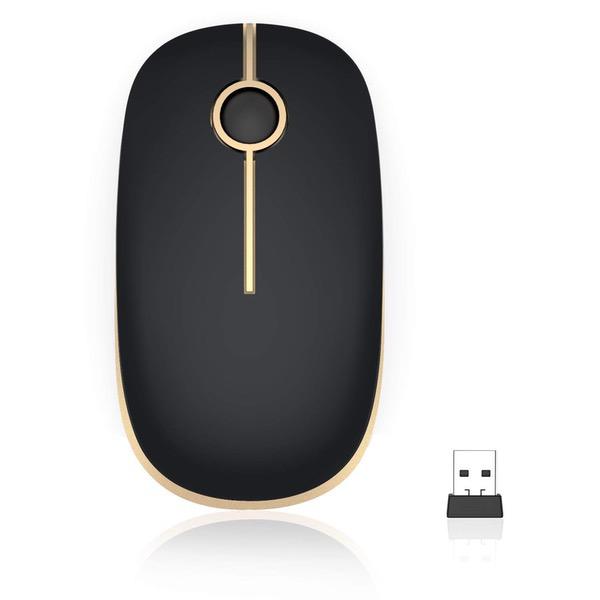
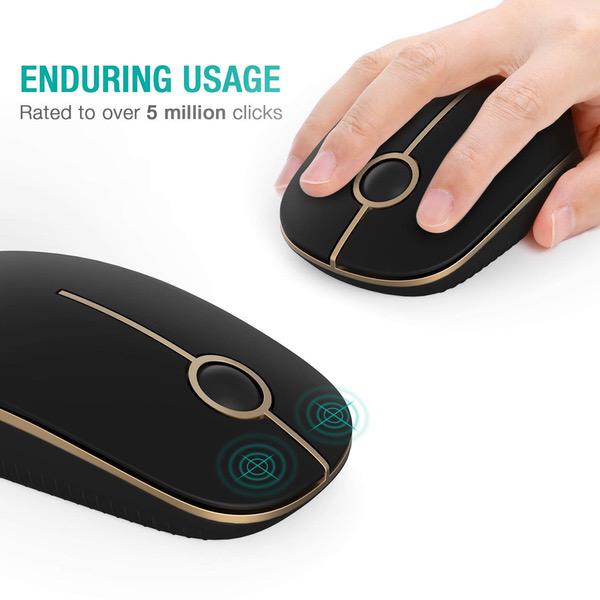
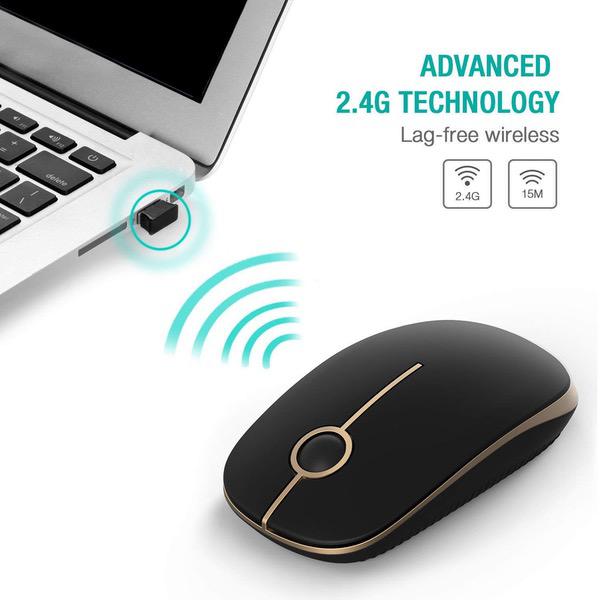
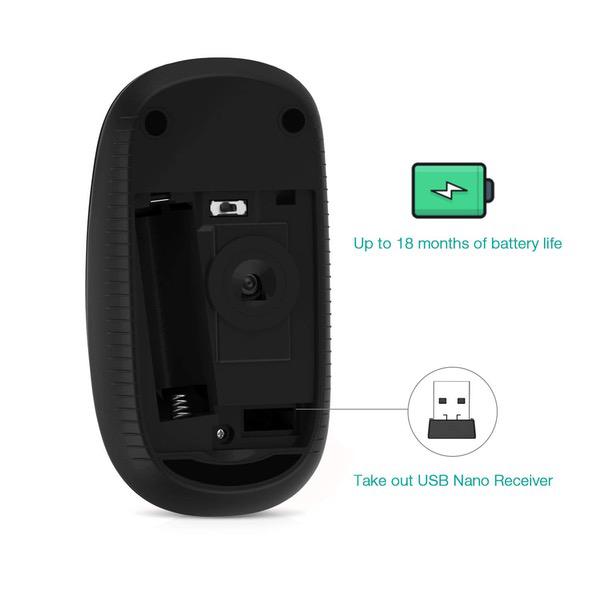
Make sure this fits by entering your model number. Smooth Navigation with Less Noise Mouse Click - Slim ergonomic design and smooth frosted surface for an incredible user experience. Quieter and Easier to click, make you concentrate on your work without disturbing others beside you Plug and Play - Tiny wireless receiver conveniently slots into your computer's USB port, taking up minimal space. 1 AA battery needed (not included in the package). Stable Connection and Power Efficient - The 2.4 GHz wireless mouse provides a powerful, reliable connection, effective up to 15 meters of range. This mouse will auto sleep after 8 minutes of inactivity for power saving, it can be waken up by clicking any button. Universal Compatibility - work with Windows XP, Windows Vista, Windows 7, Mac OS X 10.4 etc.【【This product is not compatible with macbook pro or other laptops which only have type c ports】】 Portable and Durable - USB-receiver stays in your PC USB port or stows conveniently inside the wireless mouse when not in use. Perfect for work and entertainment in home or office.
Reviews
3.4
Reviews: 20
5 stars
50%
4 stars
5%
3 stars
5%
2 stars
15%
1 star
25%
Velvet
2
0:00 0:00 This video is not intended for all audiences. What date were you born? January February March April May June July August September October November December 1 2 3 4 5 6 7 8 9 10 11 12 13 14 15 16 17 18 19 20 21 22 23 24 25 26 27 28 29 30 31 2019 2018 2017 2016 2015 2014 2013 2012 2011 2010 2009 2008 2007 2006 2005 2004 2003 2002 2001 2000 1999 1998 1997 1996 1995 1994 1993 1992 1991 1990 1989 1988 1987 1986 1985 1984 1983 1982 1981 1980 1979 1978 1977 1976 1975 1974 1973 1972 1971 1970 1969 1968 1967 1966 1965 1964 1963 1962 1961 1960 1959 1958 1957 1956 1955 1954 1953 1952 1951 1950 1949 1948 1947 1946 1945 1944 1943 1942 1941 1940 1939 1938 1937 1936 1935 1934 1933 1932 1931 1930 1929 1928 1927 1926 1925 1924 1923 1922 1921 1920 1919 1918 1917 1916 1915 1914 1913 1912 1911 1910 1909 1908 1907 1906 1905 1904 1903 1902 1901 1900 Submit Adobe Flash Player is required to watch this video. Install Flash Player What do I love about this mouse? First of all the price, of course! What good stuff can one possibly expect for ten bucks? Right! But this little mouse is awesome! It feels great in my palm, it clicks very softly and easily, it is quiet, it is tracking fast and precisely. And it looks good in black and gold, very elegant and "design". I am glad I gave it a chance. It works perfectly like a good mouse should, for normal usage. That is all one can expect! I recommend it! If you like my review, thanks for letting me know! UPDATE on May 6, 2018 There is one strange effect on this mouse, which at first was not happening: The pointer just "slides" down the screen and disappears on the bottom. And the even stranger thing is that it does that only when I let go of the mouse itself. It also does not do this all the time, but Id say, about half the time. I wonder if there is a way to fix this, but have not found one yet. If the seller reads this, maybe they can comment? Apart from this slightly annoying behavior, I am still happy with this device. Hope this update was helpful. See video clip to demonstrate.... UPDATE # 2: The sliding effect: If my lap support (on which I sit my laptop) is somewhat inclined on my thighs, it causes the pointer to slide down the screen, because the mouse slides down the pad, lol. Case solved (see above). Today, on July 18 2018, the battery of the mouse was empty. It takes one AA battery. I used it every day intensively. So we can say that a battery lasts for exactly three months. You will know when it is failing when the mouse gets very sluggish and stops responding momentarily, then picks up again, and shortly after, fails to move again. Time to change the battery! Other than that, I am still happy with this mouse. It works like on day One. UPDATE November 4, 2018: DOWNGRADE FROM 5 STAR to 2 STAR Half the mouse is dead as of this morning. The right button does not react any longer to anything. This is a little strange, because it is the less often used button. I have no idea (yet) if there is still a warranty on this mouse. If there is, Ill contact the seller and see what can be done. Final update will be after contact.
Max
2
This wireless mouse is nice. It feels good in the hand and it is light but not light enough to the point where it feels cheap. I have had no problem with the connection to the wireless receiver. I got this on black Friday and the battery is still going strong. granted its only been a month so its not really a test of its battery life. Like any other cheap wireless mouse it needs batteries one AA to be exact. So, even if the battery life isnt great you shouldnt break the bank buying batteries for the thing. I have clicked many mouse buttons in my day but this mouse has one of the quietest click sounds I have ever heard and I like it! I find it funny how I like loud keyboards but quiet mice clicks. Overall this mouse is good for the money and when this mouse dies ( hopefully in a long time) Ill look at getting another Jelly Comb. UPDATE: Unfortunately my mouse died. I thought it mightve been the battery but nope the mouse is now dead and I have gone back to using my regular wired mouse. Shame. I really liked the product.
Frannie
2
My Jelly Comb gave out on me, it now skips and only works intermittently. I bought it 10/2017 and its been giving me problems for the last couple of weeks. It hasnt lasted a year. Then when I contacted Jelly Comb, they told me to follow the following steps: "Dear friend, Thanks for your message, really sorry for the problem. Could you pls test the mouse on other computers if it works well? Could you pls unplug and replug the USB receiver? If you have already done, Could you help to restore the factory settings of the mouse to match a new connection? .Restore mouse setting: -Re-insert the usb receiver into the usb port of the computer -Remove the usb receiver from your computer and remove batteries -Press and hold the right button and middle button(scrolling wheel)on the mouse, install the batteries to the mouse and keep holding the buttons for three more seconds then release the buttons Pls don’t worry, we offer 1 year warranty for our products and will try our best to satisfy you well. Best Regards Grace Jelly Comb Customer Service Team." I followed the instructions and responded to their e-mail to me. I never heard back. I tried it and the mouse still didnt work. I tried again and still broken and I got no response from Jelly Comb. So am I now stuck with a broken mouse after 8 months and well before the 12 month warranty expired? I would definitely not recommend purchasing. I checked the batteries and followed their repair suggestions. No go. Its cheap, lightweight, but doesnt last through the warrany period. Very disappointed!
You may be interested
  • Bestsellers
  • Recently Viewed
 
Fast and high quality delivery

Our company makes delivery all over the country

Quality assurance and service

We offer only those goods, in which quality we are sure

Returns within 30 days

You have 30 days to test your purchase