
















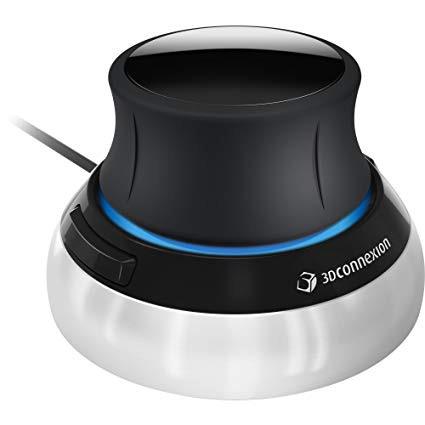
3Dconnexion 3DX-700059 Spacemouse Compact 3D Mouse
Write a review
$12100 $17100

3Dconnexion 3DX-700059 Spacemouse Compact 3D Mouse

Write a review
B079V4PXYD
+
Add to wish list
Target is a general merchandise retailer with stores in all 50 states and the District...

City: US, New York

Delivery
Pickup at your own expense
Tomorrow from 09:00 to 20:00, Store location
Free
Payment options
Apple Pay Google Pay Mastercard Visa
Cash, bank card, credit/installment payments, cashless payment for legal entities
Warranty and returns
Exchange/return of products of proper quality within 14 days Official manufacturer's warranty: 12 months
Description
This fits your .
Make sure this fits by entering your model number. The space mouse compact was developed to deliver an intuitive, effortless and precise 3D navigation in CAD applications that cannot be experienced by using a standard mouse and keyboard. Six-degrees-of-freedom (6Dof) sensor - intuitively and precisely navigate digital models or views. Each of the space mouse compact's two buttons opens its own 3Dconnexion radial menu. They provide direct access to up to 8 of your favorite application commands. With its iconic, pure design, the space mouse compact is small enough to fit on every desk while the brushed steel base ensures the device stability for precise 3D navigation. 2-Year manufacturer's warranty
Reviews
4.5
Reviews: 20
5 stars
75%
4 stars
15%
3 stars
0%
2 stars
5%
1 star
5%
Michael8596
4
Im using this with with AutoCAD 2018 so that limits my experience. Although not completely integrated with AutoCAD it works pretty well. The driver command list probably needs to be updated to work with 2018. It will not rotate the model in 2d wireframe. The model needs to be rendered to a visualstyle that doesnt show hidden lines in order for hardware acceleration to work with a Nvidia card. Ive also experienced problems problems in paperspace. The driver doesnt automatically activate. I keep having to manually activate by starting the navbar and selecting the 2d button. But when the model is rendered in realistic with perspective, wow this thing is great. The best way to inspect a model. Takes a little getting used to, but once you get the hang of it... youll love it. It probably works better with more advanced 3d software.
Mathmatics
4
I think it’s great, my first 3D mouse. The quality is excellent, it’s got some heft. I was a little concerned with the price but after seeing and feeling how well built it was the price was justified. It does not play very well with Blender, which is the main reasons I bought it. Rather than tilting the object around like you would expect its more like you are controlling a hovering camera around the object. What a shame. Works great in orthographic mode, but perspective mode leaves a lot of room for improvement. There are some settings people recommended but still didn’t behave the way I wanted. That’s why I gave it 4 stars. The site says it supports Blender but they left out some major details.
S. G. Hall
4
Its expensive for what it is, but its well made and works well. The customisation software is very good. Its a nice to have for SolidWorks but a game changer for Inventor (where the spin command is a odd thing requiring multiple keys plus mouse)
You may be interested
  • Bestsellers
  • Recently Viewed
 
Fast and high quality delivery

Our company makes delivery all over the country

Quality assurance and service

We offer only those goods, in which quality we are sure

Returns within 30 days

You have 30 days to test your purchase