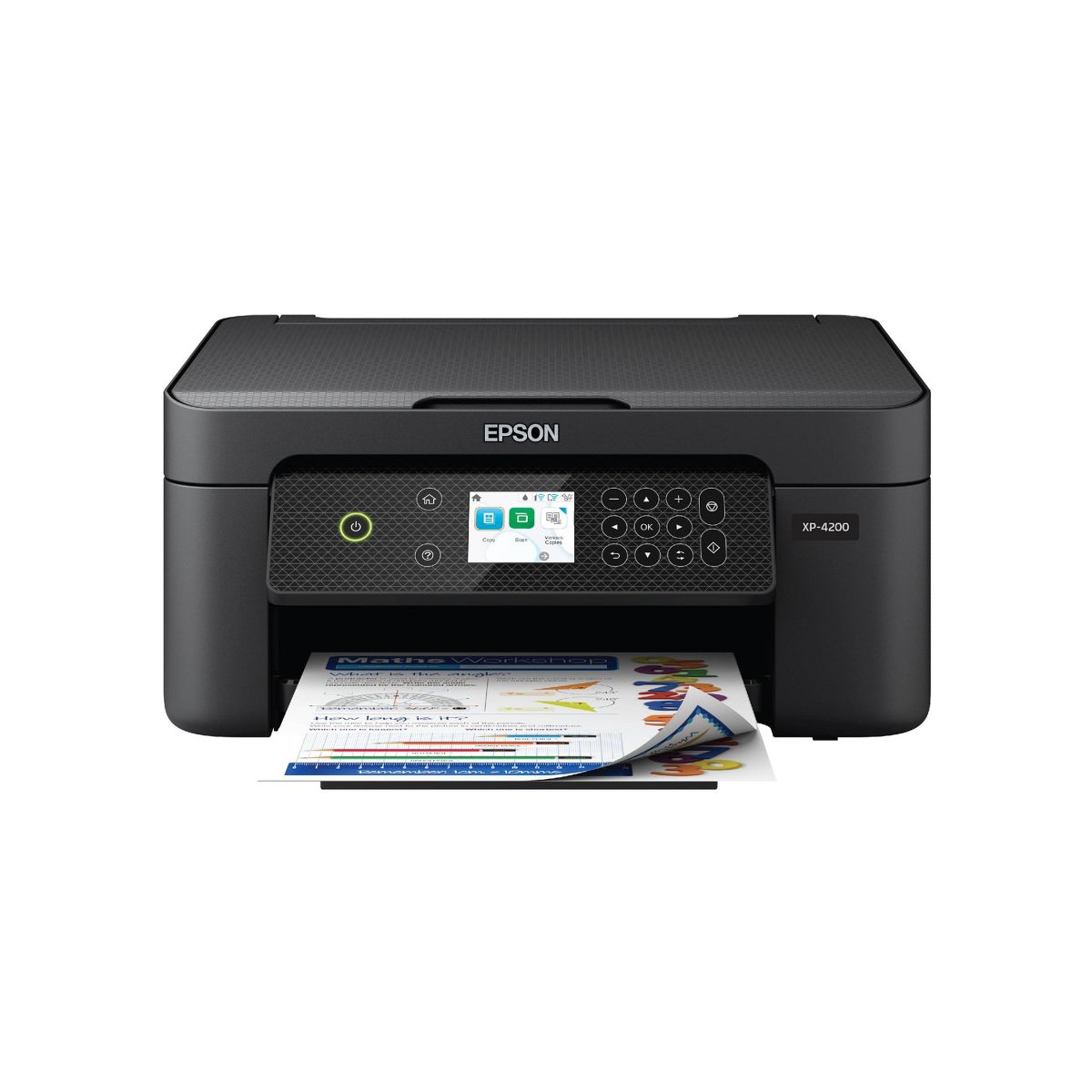










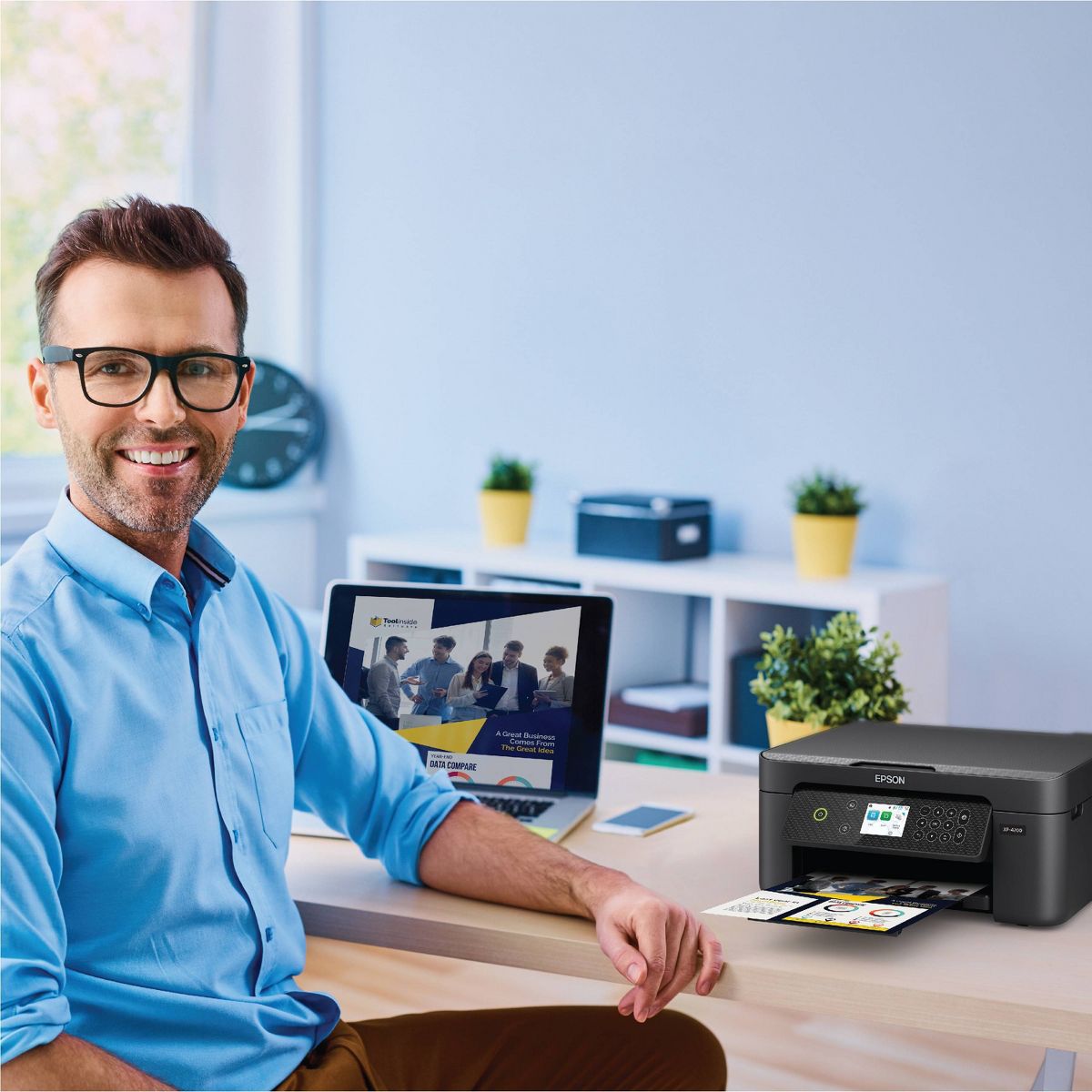
Epson Expression Home XP-4200 Wireless Color Inkjet All-in-One Printer, Copier, Scanner - Black: Up to 47.2" Document Compatible
Write a review
$5999 $9999

Epson Expression Home XP-4200 Wireless Color Inkjet All-in-One Printer, Copier, Scanner - Black: Up to 47.2" Document Compatible

Write a review
90762985
+
Add to wish list
Starget Electronics is a leading online electronics store offering a wide range of gadg...

City: US, New York

Delivery
Pickup at your own expense
Tomorrow from 09:00 to 20:00, Store location
Free
Payment options
Apple Pay Google Pay Mastercard Visa
Cash, bank card, credit/installment payments, cashless payment for legal entities
Warranty and returns
Exchange/return of products of proper quality within 14 days Official manufacturer's warranty: 12 months
Description
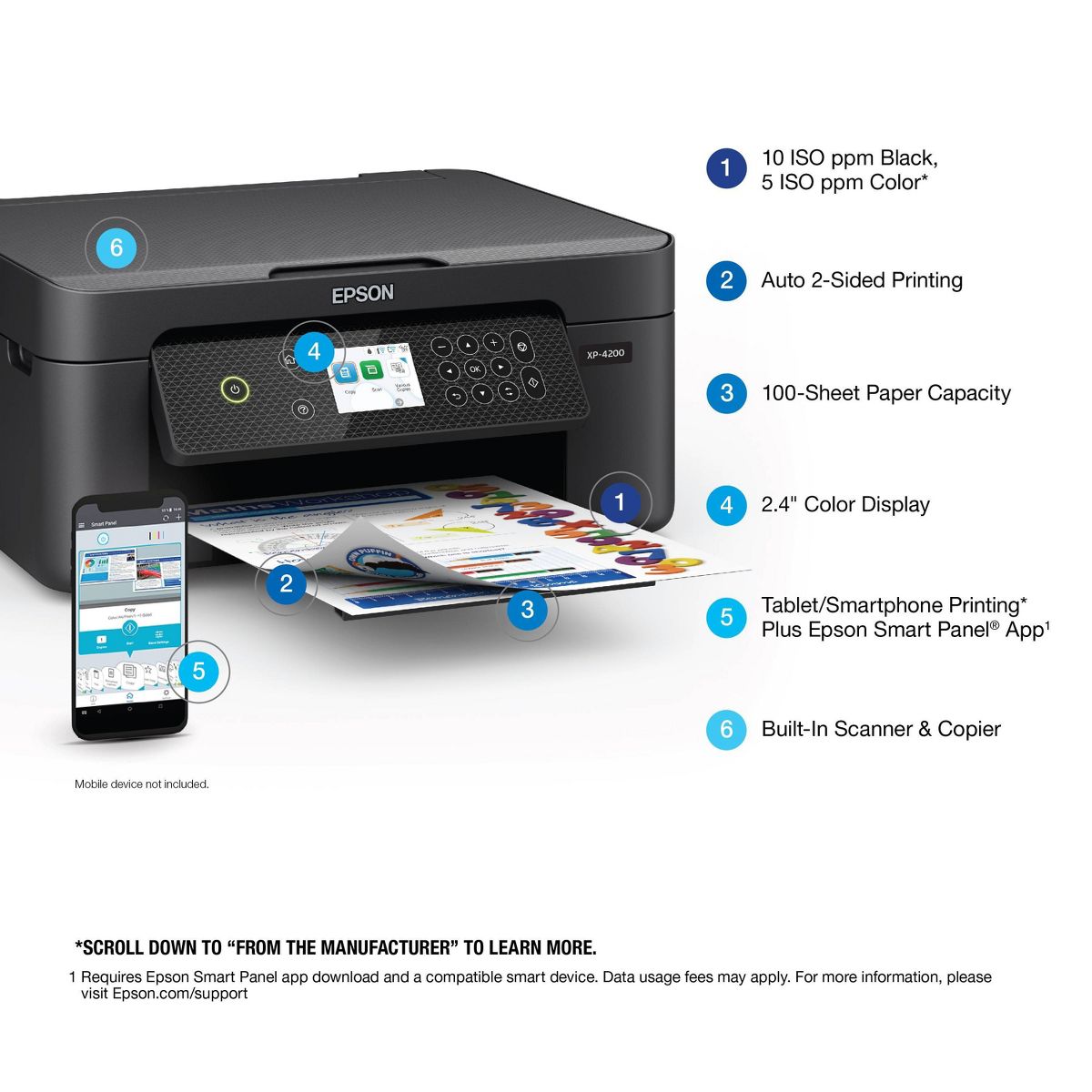
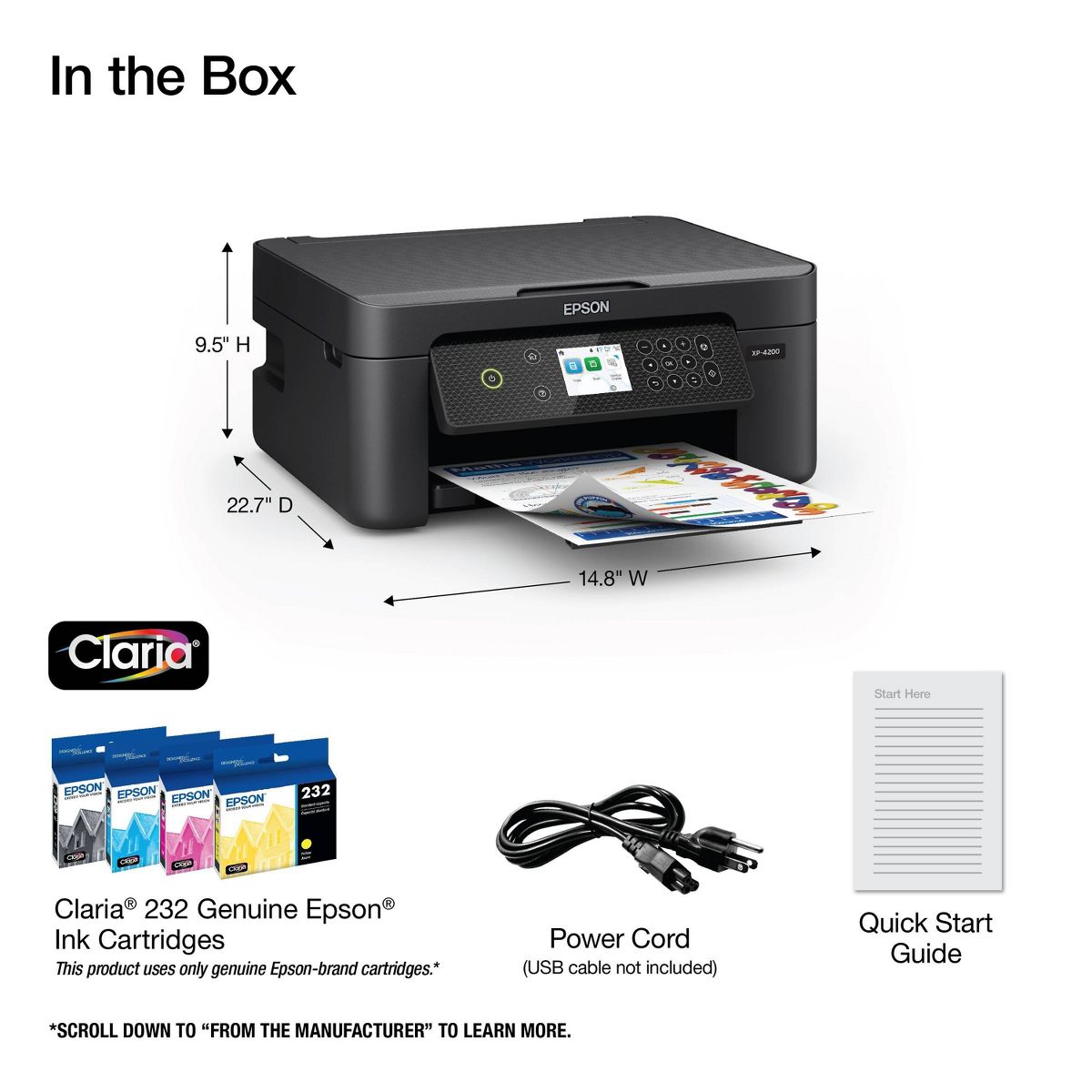
Enjoy easy, everyday printing—plain and simple—with the Expression Home XP-4200. From coupons to directions, recipes to homework, the XP-4200 delivers the documents you need without missing a beat. Engineered with Epson’s state-of-the-art imaging technology, this high-performance, all-in-one solution also supports all your creative projects with exceptional image quality for remarkable prints and borderless photos. Plus, it offers convenient features and simple installation.
Reviews
2.9
Reviews: 17
5 stars
24%
4 stars
24%
3 stars
6%
2 stars
12%
1 star
35%
Most Helpful Positive Review
Stief
4
Nice Entry Level All-in-One Printer
“This is a review for the Epson Expression Home XP-4200 Wireless Printer that I received free of charge to do a beta test and review.” Bottom Line: The Epson Expression XP-4200 is a very nice entry level printer. For the price the print quality is very good. Set up is extremely fast, especially if paired with the Epson Smart Print app. Controls are easy to read on the LCD screen and navigation is simple using the panel located to the right of the screen. Bluetooth and WiFi connection to your computer/laptop and mobile phones is a breeze. Double sided printing is exceptional for a printer in the price range. Pretty quick page printing capability. Copying and scan capabilities are also very good. I do wish Epson would have utilized a touch screen navigation verses having a separate control panel. While the print quality is good, I found the ink a bit light. Especially for black (see picture). The ink cartridges contain a small volume. After printing approximately 50 typed pages in black, I am out of ink. So, a good choice for students and home use/small office where a lot of printing is not required. Setup Printer setup is quick and easy. In fact, I think it's easier than much more expensive printers Ii have. It took.longer to remove the protective tape from the printer that.to get up and running and this was using the manual method instead of the Smart Print app. I downloaded the app prior to setup as recommended in the included instructions. I downloaded from the Google Play store. I attempted to go through setup by scanning the QR code but it didn't work. However, setup and registration using the printer panel is easy. After the printer was up and running, I used the Smart Print app to connect my devices. Easy to follow menu on the app has you connect new printer. Once pressed the app searchs for devices. Just touch the one you want to connect and follow the prompts. It also allows.you to register the printer. Printer Design This printer is nicely designed - for its price. Paper is loaded in the upper back of the printer. If you want an internal paper loader, this isn't for you. Ink cartridges are easily installed. Just follow.the prompts on the LCD screen. Once installed, you can use the settings menu to prepare the cartridges and align and print the test pattern. The LCD screen is well lit and easy to read. Navigation is controlled by the panel to the right of the screen. Typical up/down/left/right/enter buttons. Menu options are intuitive. Printing/scanning/copying Printing documents is a breeze - whether utilizing the printer screen, Epson Smart Print app or from your mobile devices. Our house is 3800 Sq ft and I moved throughout it and a short distance away outside the house. Utilizing either Bluetooth or WiFi, I was able to print everywhere. Print quality is good for a ln entry level printer. I found the ink to be a bit light. There is no option to increase.or decrease print quality (that I could find). See picture. Pront speed is actually very good. I was not impressed with the small volume of ink in the cartridges. After printing 50 pages in black (no graphics), the cartridge is empty. I looked up the price of ink for this unit (212xl) and it runs from $40 to over $90 depending on how many cartridges are in the box. If you pront a lot of pages, it can get very expensive. Scanning and copying are not a problem with this unit. Again, use your connected device, Smart Print app or the printer menu. Paper loads from the rear and therefore sticks out. I've had issues with other printers that load outside. Many times the paper gets stuck or more than one sheet enters the printer. In the short time I've used it, this has not occurred. That's is a.plus for me. Double sided printing is exceptional. It is not unusual for a page to get caught when flipped. Not this unit so far.
Most Helpful Critical Review
TheMoldyMama
1
Issues first thing
I bought this less than one month ago and it’s already having trouble. It’s pulling my paper to the right and down when it starts printing and then just jams the printer.
Perfect little desk
5
Business
One word amazing while saving the earth print front and back
E
1
DO NOT BUY
Genuinely the worst printer i’ve ever used. This is what it printed with brand new ink cartridges.
HeatherH
1
Garbage
Piece of junk! Doesn’t work at all “hardware failure” waiting on a replacement which may be refurbished. The inside roller would rub and a piece even flew off! Unfortunately out of return window so this is my only option.
Cherden
2
What are the icons in the corner?
I've had this a few months and it was working great, then today it decided not to print anything. Checked the website for troubleshooting, absolutely no help. I want to know what the small icon are on the top right of the screen in the corner. One looks like wi-fi for the cell, there is another with a yellow triangle and speaker with a squiggle and the word off. No where does it tell me what they mean or are them important. Why so little info with the instruction page?
Drme
1
Dissapointment-don't buy
The printing was fuzzy, light then dark, never crisp and even with full ink, had issues printing consistent text. I have had this printer for 4 months and it has let me down at every turn. I’m going to buy an HP, like I should have to begin with. My last HP lasted 7 years, which in the world of printers in an eternity. Epson made it just past the time I could return it. The pictures attached are with full, brand new Epson brand ink, after cleaning the heads and trouble shooting all the issues they said it could have been.
KingT
1
Pure garbage
This printer is pure garbage. Please do not waste your money and time. I wish I have read the reviews before purchasing. I used this for a few months and spent hundreds of $$ on ink. You get bad prints upon replacing the cartridges and when you follow the troubleshooting instructions half of the newly replaced ink is gone. This printer uses ink even when not in use. The one star rating is very generous.
Kitkat1994
5
Great quality, for low price
A great picture, works wonderfully
TheMoldyMama
1
Issues first thing
I bought this less than one month ago and it’s already having trouble. It’s pulling my paper to the right and down when it starts printing and then just jams the printer.
Broke Student
1
Waste of money
I purchased this printer over two months ago and I’m still unable to connect to the phone or computer. I really wasted my money. The installation manual recommends going on the Epson website, they I couldn’t download or run the product.
TeddyB
2
Only good for printing word documents
Bought this 2 months ago and after printing one Birthday card it started to jam and messed up the paper. The only way for it to print right is to print on plain paper or it jams and leave this streak of black ink. These are pictures of the stickers I tried to print. This is the 4th page that came out like this. I tried printing on the reverse side, and it still messed up.

Showing 10 of 17 reviews

You may be interested
  • Bestsellers
  • Recently Viewed
 
Similar products
Fast and high quality delivery

Our company makes delivery all over the country

Quality assurance and service

We offer only those goods, in which quality we are sure

Returns within 30 days

You have 30 days to test your purchase