








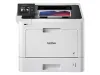


Epson EcoTank ET-4850 All-in-One Cartridge-Free Supertank Printer - White: Wi-Fi, Fax Capabilities
Write a review
$49999

Epson EcoTank ET-4850 All-in-One Cartridge-Free Supertank Printer - White: Wi-Fi, Fax Capabilities

Write a review
91025646
+
Add to wish list
Starget Electronics is a leading online electronics store offering a wide range of gadg...

City: US, New York

Delivery
Pickup at your own expense
Tomorrow from 09:00 to 20:00, Store location
Free
Payment options
Apple Pay Google Pay Mastercard Visa
Cash, bank card, credit/installment payments, cashless payment for legal entities
Warranty and returns
Exchange/return of products of proper quality within 14 days Official manufacturer's warranty: 12 months
Description
Your business needs a printer that’s fast, affordable, easy to use, and has premium productivity features. That’s why we developed the EcoTank ET-4850 – an innovative cartridge-free solution that uses high-capacity, easily refillable ink tanks. So you’ll worry less about running out of ink, and save a lot on replacement ink. The ET-4850 offers fax, productive paper handling, a high-resolution flatbed scanner, and convenient 2.4" color touchscreen – making it the perfect printer for your office.
Reviews
3.7
Reviews: 21
5 stars
52%
4 stars
14%
3 stars
5%
2 stars
10%
1 star
19%
Most Helpful Positive Review
Rob65
5
Great Printer for Home Use
I brought this printer 3 years ago as of Dec 16, 2021. It has been a great printer. I have printed photos and many cards, and hundreds of documents. It's the best printer I have ever had. I had no problems with setting up this printer I followed the directions and set it. I print from my phone, with no issues, I print from laptop with no issues. The printer is hooked up to my Desktop computer. I just refilled my printer Dec 6, 2024. So the ink does last a long time. You must print something regularly or it will cause problems printing. I have had to do nozzle clean at least 3 times since I had my printer. I just had to do a power clean this past week after refilling the printer. I started getting streaks in my cards I was printing. After the power clean it working fine. Great printer.
Most Helpful Critical Review
RAPG
1
Do not buy Epson product
Do not buy any Epson! Serial number x8er025979, Model ET-4850: The Wi-Fi is defective again. This is my fourth replacement printer, and it is now out of warranty! You are selling a faulty product. All the errors are related to the Wi-Fi. Reference #: 230901-002061 Serial Number: X8ER017776 Date: Sept 1, 2023 Reference #: 240116-003532 Serial Number: X8ER020631 Date: Jan 18, 2024 Reference #: 240123-003776 Serial Number: X8ER018837
Mondo Bobby
5
Man Cave Printer
Love this copier. No more cartridges. Love the large ink well/containers
JimmyDean
5
Nice home office printer
It came very well packaged in the box. It took a bit to get started but followed the instructions on my mobile phone by scanning the QR code on the set-up sheet. It takes you step by step on adding ink, setting up with wireless network, and setting proper print alignments. It does take a bit of time. I installed computer driver software from their website on my two home office pc’s with no problems. The print quality is good for an inkjet printer. Knowing (from my previous printer experience) if you want to have relatively problem free WiFi connectivity issues over time, you must assign the printer a static IP address (DHCP IP reservation). I did this through my home router. It will take you some time to figure it out, but it’s necessary, if you want to avoid your printer (on occasion) not responding when wanting to scan/print something. Here is a YouTube link that can be helpful on this topic. https://youtu.be/-G3ePnXAoHc?si=2vup_9_xeb8_qW2M
Rob65
5
Great Printer for Home Use
I brought this printer 3 years ago as of Dec 16, 2021. It has been a great printer. I have printed photos and many cards, and hundreds of documents. It's the best printer I have ever had. I had no problems with setting up this printer I followed the directions and set it. I print from my phone, with no issues, I print from laptop with no issues. The printer is hooked up to my Desktop computer. I just refilled my printer Dec 6, 2024. So the ink does last a long time. You must print something regularly or it will cause problems printing. I have had to do nozzle clean at least 3 times since I had my printer. I just had to do a power clean this past week after refilling the printer. I started getting streaks in my cards I was printing. After the power clean it working fine. Great printer.
RAPG
1
Do not buy Epson product
Do not buy any Epson! Serial number x8er025979, Model ET-4850: The Wi-Fi is defective again. This is my fourth replacement printer, and it is now out of warranty! You are selling a faulty product. All the errors are related to the Wi-Fi. Reference #: 230901-002061 Serial Number: X8ER017776 Date: Sept 1, 2023 Reference #: 240116-003532 Serial Number: X8ER020631 Date: Jan 18, 2024 Reference #: 240123-003776 Serial Number: X8ER018837
RCTS
4
Good little machine
Good little machine. I needed to scan and email a huge, 30 page document, so after I downloaded the drives to perform this function, along with some updates and registered my printer, it worked for what I needed. My only issue was the feeder was touchy, I needed to stand there and assist each page so that it feed properly into the document feeder.
xszitzz
1
Terrible product
the EcoTank 4850 is BY FAR the worst printer I have ever owned. Sure, ink savings is important. But impossible to scan, or print without hiccups EVERY TIME is unacceptable. This one is now on sale but DO NOT BUY THIS PRODUCT!!! Unless, of course, you like hanging around your printer and computer for five as long as i should take to print/scan/copy. One star is only because of the low print ink cost.
zubinh
3
Great Printer but the ADF rarely works and always jams
Print quality awesome, ink usage awesome, Speed is adequate, love the small footprint and the software is so much easier to use than HP's bloatware. However, the automatic document feeder sucks. 90% of the time it jams and I always end up having to use the glass and scan each page at a time.
HomeOfficeOwner
1
Disappointing Printer
This printer has been poor since purchase. It was the most difficult to set up of any I've had, printing is slow, ink use is fast, and the document feeder works about 1 out of 5 times that I try to use it, meaning I can't use it most of the time. I purchased an Epson because a previous Epson was my favorite printer, ever.
towncobbler
2
Registration debacle
Registration process was a bit silly for 2023 tech. Don't try to register it during the software install\setup... you'll end up with a red "Enter a valid serial number". You have to go to the website to register. Check the date they show for the warranty expiry and make sure it's not a year after the store got the printer, rather a year from the date you purchased the printer.
Klesnothappy
2
Poor set up if your computer has Windows 11
I requested this printer as a gift and am so disappointed with set up and function. I am quite capable of resolving technical issues; however, this one I could not resolve completely. The downloads, etc. would not let me complete the set up on my computer but I was able to manually set up wifi on printer. In addition to installation issues, the printer kept jamming. I contacted Asurion because I was also gifted a protection plan. Upon completion of that chat, I was told to contact Epson! What a mess. I have a new printer that I can't do a complete set up and even if I could, I can't print because of paper jams. That issue is caused by one of the plastic flaps on the back panel of the printer. It is bent...

Showing 10 of 21 reviews

You may be interested
  • Bestsellers
  • Recently Viewed
 
Similar products
Fast and high quality delivery

Our company makes delivery all over the country

Quality assurance and service

We offer only those goods, in which quality we are sure

Returns within 30 days

You have 30 days to test your purchase