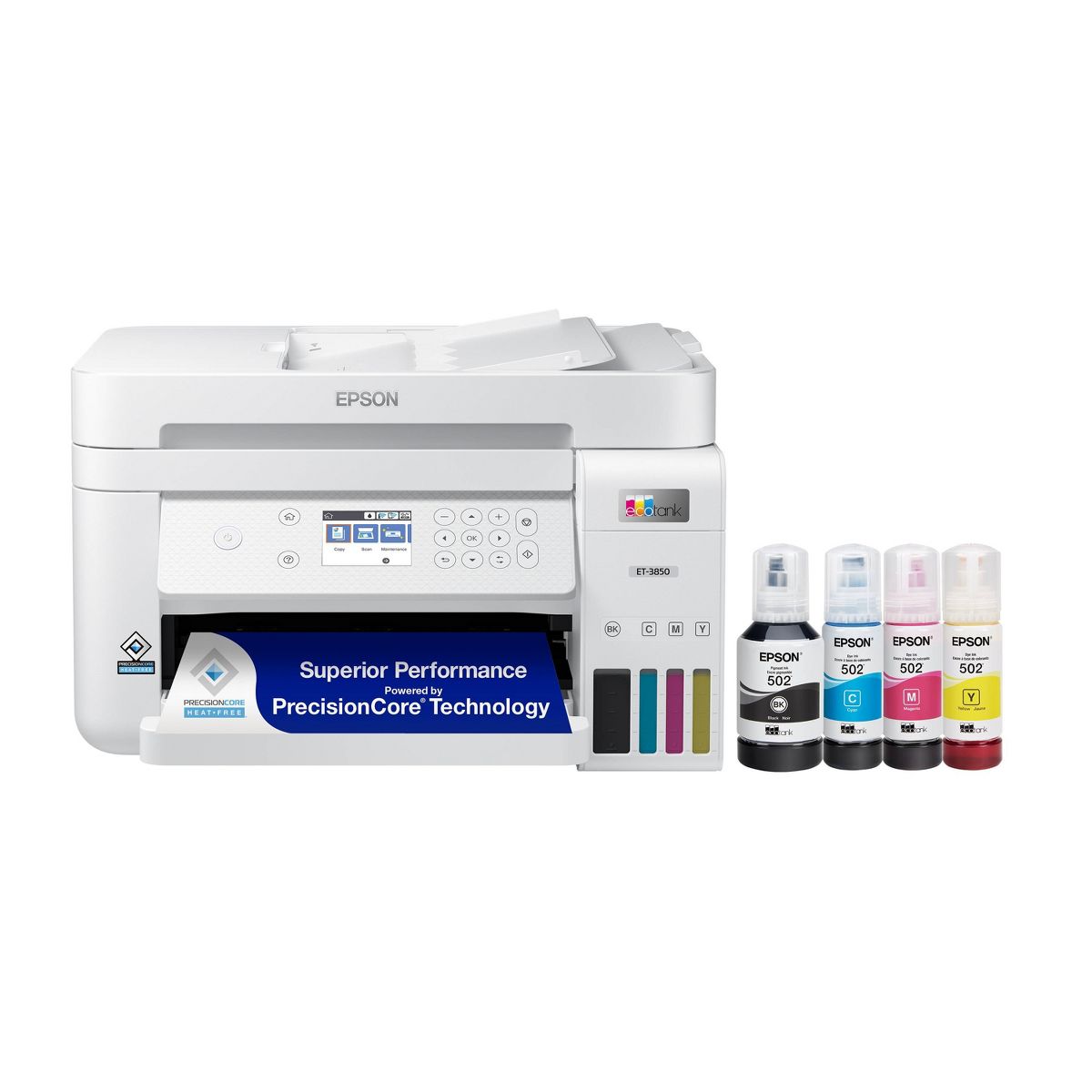











Epson EcoTank ET-3850 Wireless Color All-in-One Cartridge-Free Supertank Printer, Copier, Scanner - White: USB, Wi-Fi & Apple AirPrint
Write a review
$39999

Epson EcoTank ET-3850 Wireless Color All-in-One Cartridge-Free Supertank Printer, Copier, Scanner - White: USB, Wi-Fi & Apple AirPrint

Write a review
90762989
+
Add to wish list
Starget Electronics is a leading online electronics store offering a wide range of gadg...

City: US, New York

Delivery
Pickup at your own expense
Tomorrow from 09:00 to 20:00, Store location
Free
Payment options
Apple Pay Google Pay Mastercard Visa
Cash, bank card, credit/installment payments, cashless payment for legal entities
Warranty and returns
Exchange/return of products of proper quality within 14 days Official manufacturer's warranty: 12 months
Description
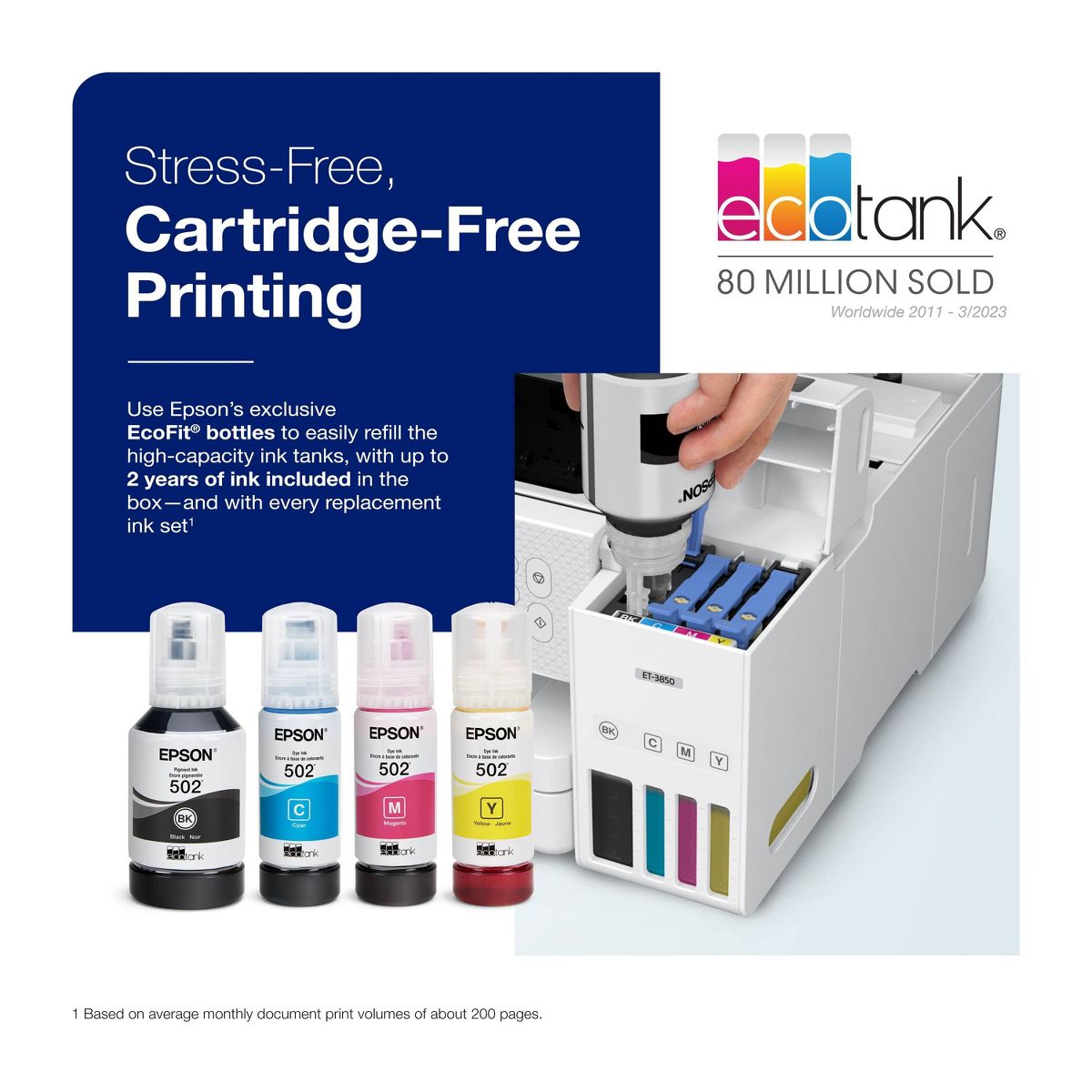
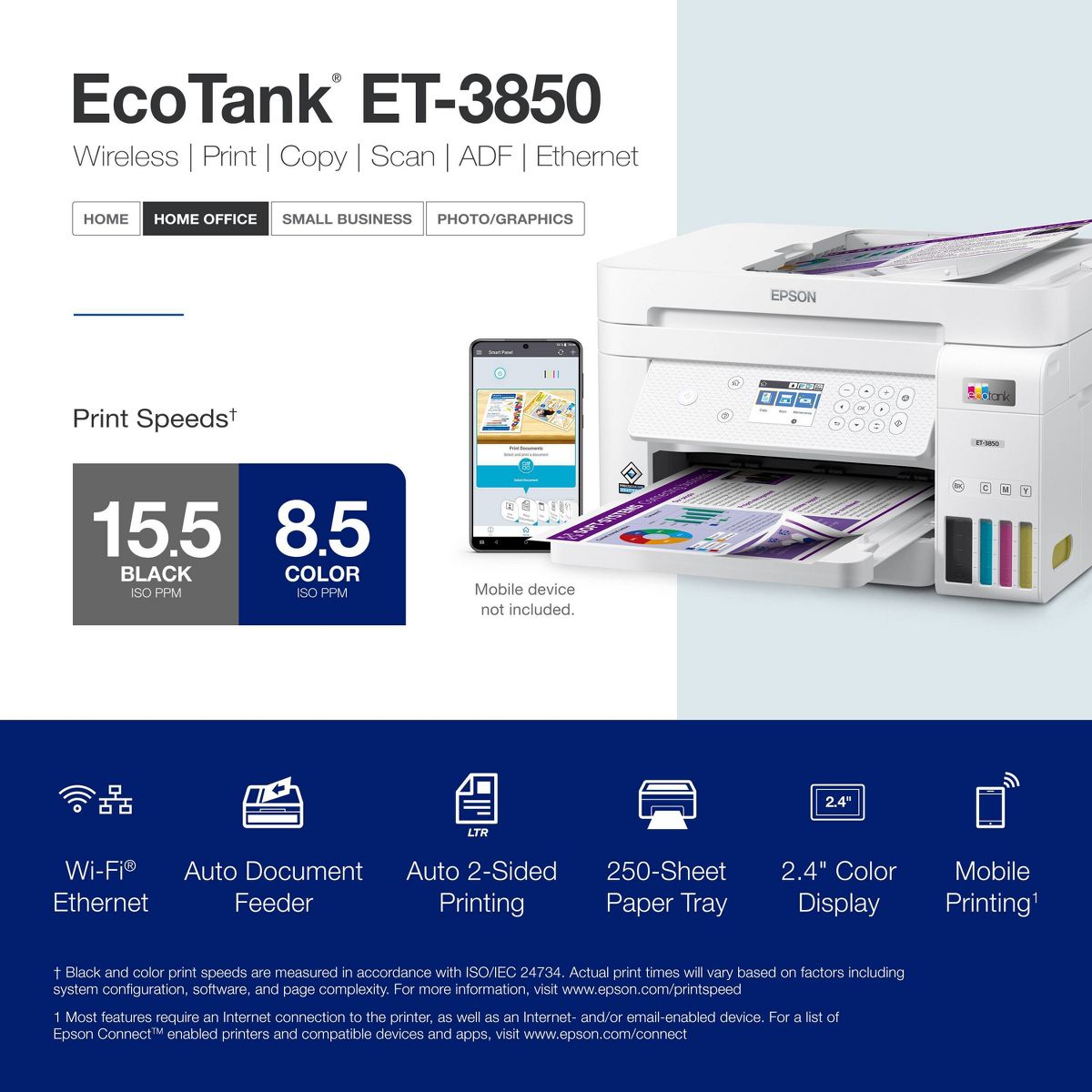
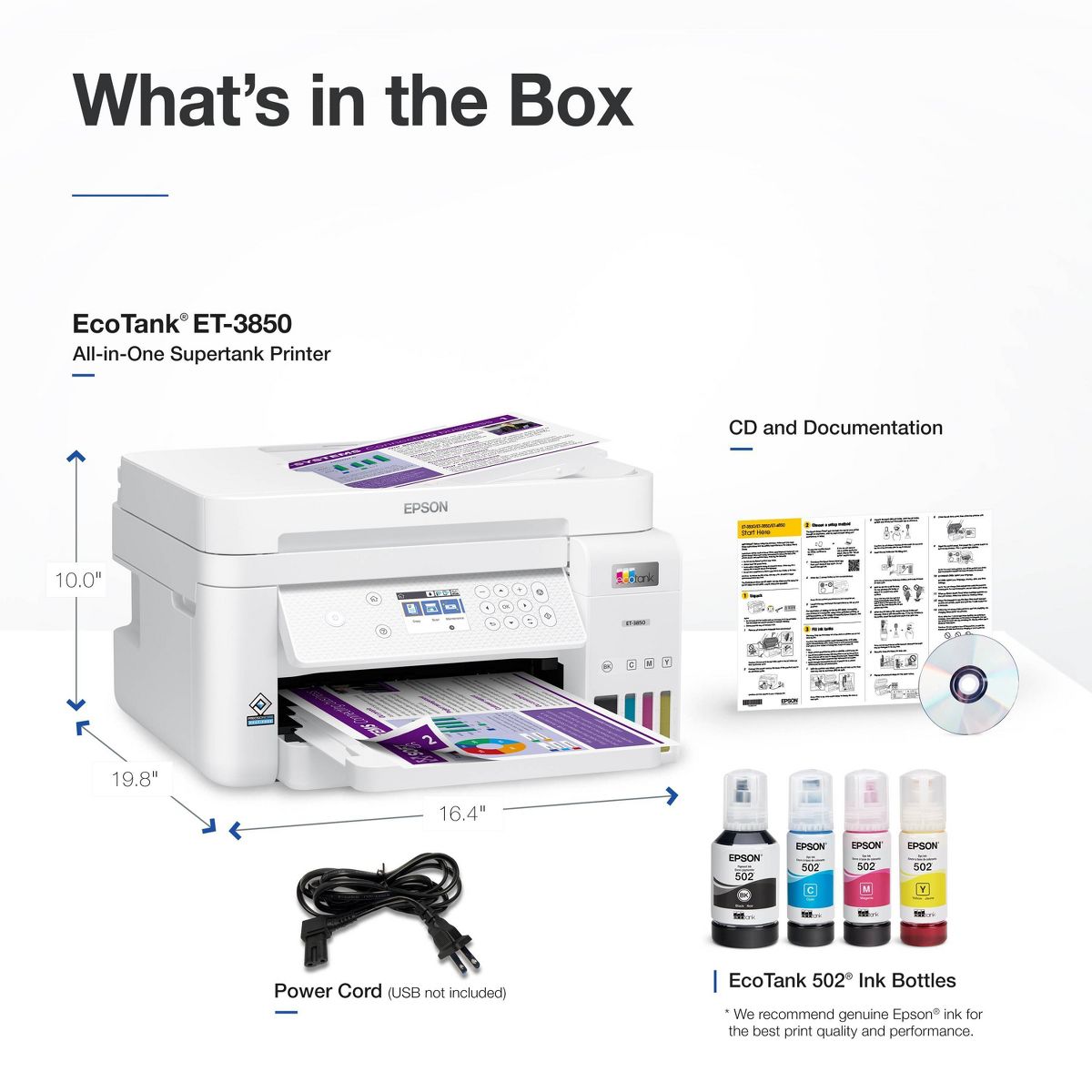
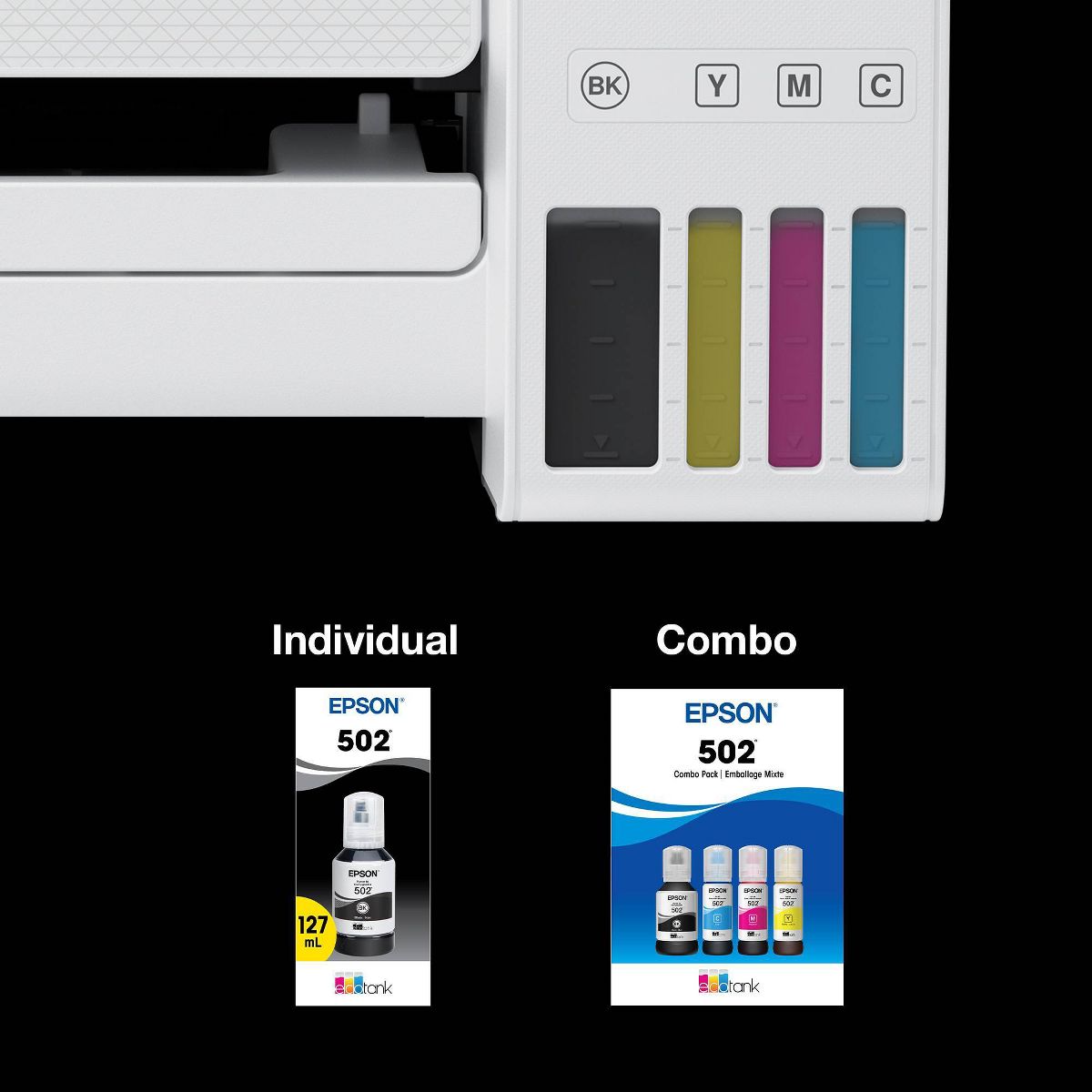
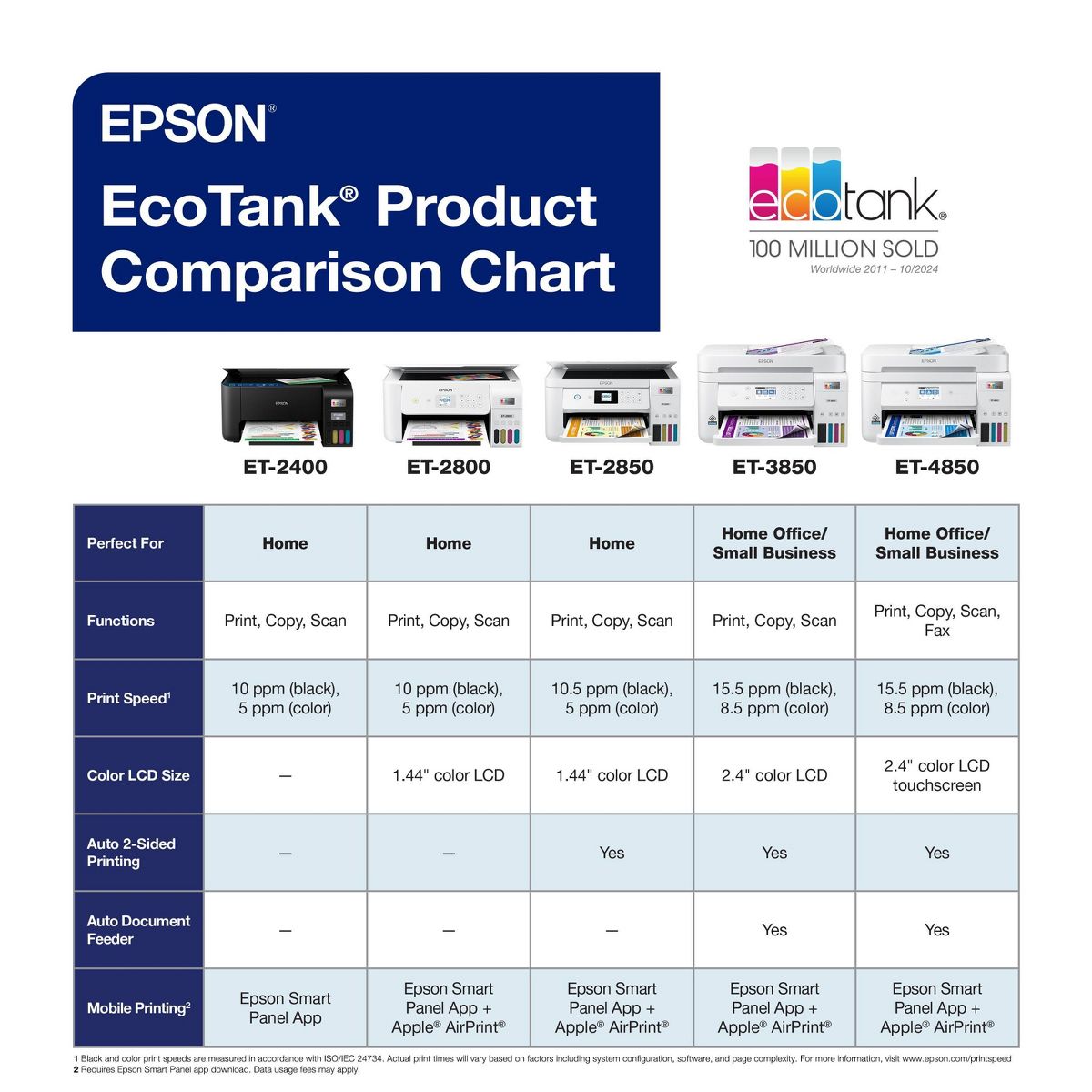
Your busy office needs a printer that’s fast, affordable, easy to use, and has great features. That’s why we developed the EcoTank ET-3850 – an innovative cartridge-free solution that uses high-capacity, easily refillable ink tanks. So you’ll worry less about running out of ink, and save a lot on replacement ink1. The ET-3850 features an auto document feeder, fast printing with outstanding print quality, productive paper handling, a high-resolution flatbed scanner, and a large color display – making it the perfect printer for your home office.
Reviews
3.3
Reviews: 20
5 stars
50%
4 stars
5%
3 stars
0%
2 stars
10%
1 star
35%
Most Helpful Positive Review
Doolie15
5
small reliable printer for light duty use <1,500 pgs /mth
setup is a breeze, I hardwire all my devices for security in my location. consumables and paper are nothing out of the ordinary, wanted a compact, reliable printer for personal office use. fits the bill
Most Helpful Critical Review
Caroline Custom
1
Do not buy the ET-3850 !
This was my worse Epson purchase. The 1 star is for the EcoTank., it does save ink and easy to fill. BUT I'm still on my 1st fill. I want to return this and get a different model. I'm sure somewhere in the fine print it points out that the control panel is a MANUAL screen non touch. I would be okay with that, if I didn't have to scroll through with the arrows for simple tasks like copy and scan. Oh, and forget about scan on the machine. I forget every time and must hit, power (to wake it up) arrow, okay, computer, okay, options are USB (don't use) or preview on computer. arrow, preview on computer, okay, comm error. THEN I remember I must use the scanner utility on the computer! The document feeder is a joke. Does not feed paper with the smallest of a bend anywhere on the edge. No 2side-2side with the ADF, manual only! Lastly the paper carriage, it miss-feeds on a regular basis with a jam or extra sheets. Overall, the unit weights and feels like VERY cheap plastic. I have used Epson for years and still like the brand, but this is not even close to products I have purchased in the past. I'm an IT guy and have bought a lot of Epson's for myself and clients. I'll toss this soon and go with anther unit more suitable for a small office. Time in use approx. 2 months
Blah blah blah 123
1
Terrible all around. You’ve been warned.
Junk - jams when trying to make copies or scan items. Also double side copying works one minute and not the next. Shame on epson…all this thing can actually do decently is print. What a joke. Will never buy another epson product.
Dana38
1
There are no good printers any more.
When I purchased this printer because I had trouble with cartridges drying up on me and I was told that this ink system would work better. After not pri ti g for a few weeks the ink levels showed full but it would not print even after cleanings.
Andrea M
1
Not working
It didn’t work after I did all the steps for the set up
non93
2
Great printer at first, 4 months later it 's a headache
Worked so well for about 4 months. Then, stopped recognizing each computer randomly. Now, the printer will not print unless I plug directly into the printer, only then will it acknowledge my computer. No other computers can print. The scanner is no longer recognized either. Get error messages that the ET3850 is "busy" or "offline" or communication error. Tried many things to correct it. Avoid this printer. Unreliable and unpredictable.
PegD
2
HORRIBLE EPSON SUPPORT PRINTER WON’t print on Apple Peanut b
When I bought both of my Eco tank printers, I loved them. However, every time recently, you have to do a firmware update it’s atrocious. No help on the Epson site either because you go to all the work to submit the form and you can’t submit it because their model drop-down menu doesn’t work. I’m beginning to think I will never buy another Epson printer !
Caroline Custom
1
Do not buy the ET-3850 !
This was my worse Epson purchase. The 1 star is for the EcoTank., it does save ink and easy to fill. BUT I'm still on my 1st fill. I want to return this and get a different model. I'm sure somewhere in the fine print it points out that the control panel is a MANUAL screen non touch. I would be okay with that, if I didn't have to scroll through with the arrows for simple tasks like copy and scan. Oh, and forget about scan on the machine. I forget every time and must hit, power (to wake it up) arrow, okay, computer, okay, options are USB (don't use) or preview on computer. arrow, preview on computer, okay, comm error. THEN I remember I must use the scanner utility on the computer! The document feeder is a joke. Does not feed paper with the smallest of a bend anywhere on the edge. No 2side-2side with the ADF, manual only! Lastly the paper carriage, it miss-feeds on a regular basis with a jam or extra sheets. Overall, the unit weights and feels like VERY cheap plastic. I have used Epson for years and still like the brand, but this is not even close to products I have purchased in the past. I'm an IT guy and have bought a lot of Epson's for myself and clients. I'll toss this soon and go with anther unit more suitable for a small office. Time in use approx. 2 months
Bobino
1
Junk.
Complicated set-up, took 2 hours to figure it out. Unclear instructions of little help. I was unable to find how to make this thing scan, but apparently it can do that. Adjustment of inkjets is guesswork. First print job worked, looked OK. "Paper jam at the back" on second print job. Opened back, all is clean, no paper to be seen. Checked the paper tray in front, no paper seen stuck in the feeder section. Restarted the printer: paper jam warning still on. Restarted the iMac: paper jam warning still on. It appears that the only way to find the jammed paper is disassemble the whole unit. I thought Epson was a good brand, but never again.
MrsA
5
Best printer! Best color prints!
I absolutely love my Epson ET-3850, gorgeous color prints for all of the digital graphics I create. I will never go back to a cartridge ever again, nor will I ever buy another brand again! Again, I love my ET 3850!
rogmalm
1
Piece of Crap
Bought this printer a few months ago. The paper feed on top for scanning is a piece of crap. Worked first time, then none of the pages would feed.
Doolie15
5
small reliable printer for light duty use <1,500 pgs /mth
setup is a breeze, I hardwire all my devices for security in my location. consumables and paper are nothing out of the ordinary, wanted a compact, reliable printer for personal office use. fits the bill

Showing 10 of 20 reviews

You may be interested
  • Bestsellers
  • Recently Viewed
 
Similar products
Fast and high quality delivery

Our company makes delivery all over the country

Quality assurance and service

We offer only those goods, in which quality we are sure

Returns within 30 days

You have 30 days to test your purchase